Lovable Cloud can export the structure and data in its database. The export carries user accounts with their password hashes, but not storage files, application code, or project secrets. That makes the file one input to a migration, rather than a portable copy of the whole backend.
The distinction matters before you click Remove Lovable Cloud. Lovable saves the export inside the Cloud instance you are preparing to delete, and the file becomes inaccessible after removal. A safe move downloads the database and storage, captures the code, inventories every integration, rebuilds authentication and secrets at the destination, and verifies the restored app while the source still works.
If you only want the steps, jump to the three paths to Supabase, the code export, or what a failed export or restore looks like.
Three ways to move a Lovable Cloud database to Supabase
There are three routes out of Lovable Cloud, and they are not equivalent. One is documented by Lovable, one is the export file this article covers, and one is a third-party tool that extracts your source credentials.
| Path | What moves | Do passwords survive | Storage files | RLS policies | Rough time | Main risk |
|---|---|---|---|---|---|---|
| Lovable’s in-app backend switch (export data, connect your own Supabase, ask Lovable to rebuild the schema) | Lovable rebuilds the schema in the new backend; you import the data yourself | Yes, once the export’s user accounts are restored with their password hashes | No. Download and re-upload them yourself | Rebuilt with the schema, so they need retesting, not just reading | An afternoon, most of it verification | The rebuilt schema is a rebuild, not a copy. It can differ from the original in ways only a diff catches |
| Supported export plus manual restore (this article) | Database structure and data, for databases up to 15 GB, in an export file of at most 5 GB | Yes. Lovable says the export includes users’ accounts and their password hashes | No. Separate download and upload | Whatever the archive carries, which you confirm by inspecting the file | Half a day to a day including verification | Rows written after the snapshot, and restore commands chosen before the archive format is confirmed |
| Third-party credential-extraction exporter | Vendors claim tables, user accounts, and storage objects | Vendors advertise password hashes intact with no forced resets. Unverified by Lovable | Claimed, though bucket-level policies are re-applied by hand | Claimed to transfer automatically | Vendors advertise 10 to 15 minutes for the data move | It deploys a helper that reads out database credentials Lovable never gave you. Secrets and OAuth settings still do not move |
None of the three moves your secret values, your OAuth provider configuration, or your deployed server code. Those are separate jobs on every path. Pick the path first, then work through the sections below for the pieces it leaves behind.
What does the Lovable Cloud database export include?
Lovable’s current Advanced settings documentation describes the export as the full database, including structure and data. It also states three exclusions: storage files, edge function code, and project secrets, and says the export includes your users’ accounts and their password hashes.
Lovable does not publish a field-by-field manifest for the archive. Do not turn “structure and data” into an assumption that every operational setting moved. Authentication providers, OAuth redirect URLs, scheduled work, external-service configuration, and backend environment variables need their own inventory and destination-side checks.
| Covered by the database export | Separate migration work |
|---|---|
| Database structure and table data, within the documented limit | Files stored in Cloud storage buckets |
| User records included in the database data | Reconfigured sign-in providers and a sign-in test |
| Database objects present in the restored archive | Application code and server or edge function deployment |
| The data snapshot at export time | New credentials, OAuth settings, webhooks, jobs, and post-export writes |
First confirm which Lovable backend you have
Lovable projects can use the built-in backend, called Cloud, or a Supabase project connected from your own account. The export flow in this article applies to the built-in backend.
Open the Cloud view. A built-in backend is managed inside Lovable and does not appear as a project you control in the Supabase dashboard. A connected Supabase project appears in your Supabase account and gives you its normal database connection and backup tools.
If you already control the Supabase project, use Supabase’s own backup and migration procedures. If the database exists only in Lovable’s Cloud view, use Lovable’s documented export path below. The broader decision about whether to leave is covered in the migration decision guide.
How to switch from Cloud to your own Supabase project
Lovable’s Supabase integration documentation states it plainly: “There is no automatic migration between the built-in backend (Cloud) and your own Supabase project, in either direction.” There is no button that lifts your Cloud database into a Supabase project you own. The documented route is to export your data from the current backend, connect the new one, and ask Lovable to rebuild the schema.
- 01 Export the data from Cloud first, using the steps in the next section.
- 02 In the editor, open More, then Cloud.
- 03 Choose "Already have a Supabase project? Connect it here", click Continue, select the project, and click Connect.
- 04 Ask Lovable to rebuild the schema in the newly connected backend.
- 05 Import your exported data into the rebuilt schema, then run the verification checks later in this article.
Two constraints shape this path. Each Lovable project connects to one Supabase project at a time, so you cannot run the old and new backends side by side inside Lovable. And because Lovable rebuilds the schema rather than restoring your archive, treat the result as a new database that resembles the old one until a column-by-column diff says otherwise. To reverse the connection, open More, then Cloud, then Disconnect and confirm.
How to export a Lovable Cloud database
As verified on 2 August 2026, Lovable documents this path:
- 01 Open Cloud tab, then Overview, then Advanced settings.
- 02 Under Export project data, choose Export data.
- 03 In the Database card, choose Export, then Start export.
- 04 Wait for the completion email. Lovable generates the export in the background.
- 05 Open Cloud tab, then Storage, and download the completed database export to a protected local location.
- 06 Keep the Cloud instance running until the destination has passed the verification checks below.
Lovable exports databases that use up to 15 GB of storage, the export file itself can be at most 5 GB, and you can request one export every 24 hours. The documentation does not publish a chunked-export procedure beyond those limits. If the database exceeds the limit, pause the migration plan and ask Lovable support for a supported path. Deleting data merely to fit the cap can turn an infrastructure move into permanent data loss.
Export early enough to recover from a failed download or restore. Immediately before cutover, plan a write freeze or another documented way to account for rows written after the snapshot. A successful restore of Monday’s export does not contain Tuesday’s orders.
Budget the time honestly. Clicking Export costs a minute, and Lovable generates the file in the background and emails you when it is ready. Third-party exporters advertise 10 to 15 minutes for the data move, and some sell a paid expert review on top of the free tool. That number is only the data. It excludes downloading and re-uploading storage files, capturing the code, rebuilding auth providers, reissuing every secret, redeploying server functions, and verifying all of it against a working source. For a small app with one bucket and two integrations, plan half a day. For anything with paying users, plan a day and keep Cloud running through it.
Can I get a Postgres connection string to run pg_dump on Lovable Cloud?
No, not through Lovable’s supported interface. It does not expose a usable Postgres connection string, database password, or service-role key to the project owner. Those credentials still exist in the managed runtime: Lovable documents SUPABASE_DB_URL and SUPABASE_SERVICE_ROLE_KEY as reserved values populated in the Edge Function environment. Every pg_dump walkthrough for Lovable Cloud therefore needs a credential path the interface does not provide. A project connected to your own Supabase account is different: it has a normal connection string and the full native toolchain, so this question does not arise there.
Lovable Cloud manages the database credentials and does not expose them through the supported project interface.
This gap is why third-party exporter tools exist. Dreamlit’s open-source Lovable Cloud to Supabase exporter is explicit about its mechanism in its own repository layout, describing an edge function as a “source-project helper function that securely returns source credentials during migration.” It deploys code into your project that reads the runtime credentials the interface does not expose, then uses them the way any native Postgres migration would. Keep the boundary straight even then: pg_dump through extracted credentials moves database structure and data, not storage objects. A tool’s claim that it does not migrate third-party secrets is a statement about that implementation, not a platform guarantee that deployed helper code cannot read secrets from its environment. How to judge that class of helper before running one is covered in the next section.
The export file does not contain Lovable secret values
Lovable Secrets are write-only. The Secrets documentation says the interface shows a secret’s name and creation date, while its value can never be viewed after it is saved. The separate Security Center secrets export also includes metadata rather than values. Instructions to “copy every secret out of Lovable” are therefore impossible to follow.
Use a destination-side rotation workflow instead:
- 01 Record every secret name in Cloud, then scan server code for Deno.env.get, process.env, and other framework-specific environment lookups.
- 02 For each user-created credential, open the service that issued it, such as Stripe, Resend, or an AI provider.
- 03 Retrieve the credential from an existing approved password manager only if that provider still permits reuse; otherwise generate a replacement.
- 04 Add the replacement to the destination secret manager under the exact name the code expects.
- 05 Deploy and test the integration in the destination, including its failure and webhook paths.
- 06 Revoke the old credential after the destination works, then confirm the old value no longer succeeds.
Lovable-managed names such as SUPABASE_* and LOVABLE_* are a separate category. The destination platform issues its own database URL and keys. Do not try to extract or reuse Lovable’s reserved backend credentials.
This also changes how third-party migration helpers should be judged. Treat any helper that deploys code to reveal source database credentials, requests a service-role key, or accepts a database password as hostile, high-risk software until an independent review proves otherwise. It creates a privileged path into the source and may move database objects the standard export cannot. Lovable’s interface does not display saved secret values, but its documentation says those values are injected into Edge Functions at runtime. Review what the exact helper release reads and sends rather than treating the write-only interface as a technical boundary. If a reviewed migration requires such access, run the exact reviewed release from a controlled machine, avoid a hosted form, use disposable destination credentials where possible, remove every deployed helper, and rotate every source and destination credential it handled.
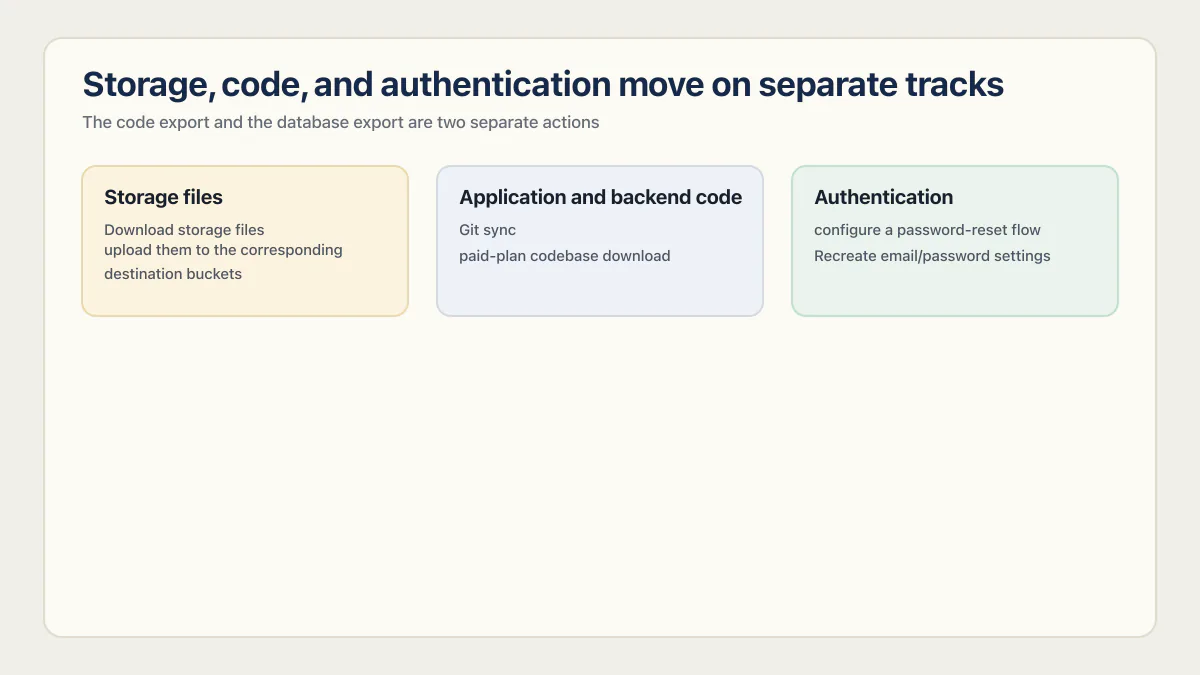
Storage, code, and authentication move on separate tracks
Storage files
Download storage files from Cloud tab → Storage and upload them to the corresponding destination buckets. Database rows that contain object paths can restore correctly while every linked object still returns 404. Test private and public buckets separately, including upload, download, signed URLs, and access policies.
Check the destination’s file-size ceiling before you start uploading. Supabase caps individual files at 50 MB on the free plan, while Pro and Team projects can raise the global limit to 500 GB. A migration that works for every 2 MB avatar can still fail on the one 80 MB video your largest customer uploaded.
Application and backend code
Code leaves on its own track, through Git sync or the paid-plan codebase download. The click-by-click steps are in the code export section below. Once you have the files, inspect the repository for supabase/functions, server routes, scheduled-job definitions, and shared modules rather than assuming every backend action is an edge function.
Moving that code to a different host is a frontend move when it continues calling the original Cloud backend. The database-export work begins only when the backend is moving too.
Lovable’s stack also depends on project age. Its current FAQ says projects created from 13 May 2026 use TanStack Start with server-side rendering, while older projects use React and Vite. Check package.json and the generated directories before choosing a deployment procedure.
Authentication
Lovable’s supported export includes users’ accounts and their password hashes, and its docs say users keep their passwords when it is restored into a Supabase project. Sign-in provider settings and API keys are not part of the database, and users who are signed in at the switch sign in again. Recreate email/password settings, OAuth providers, redirect allowlists, email templates, and any MFA behavior in the destination before cutover.
Supabase documents that a native migration of the complete auth schema between Supabase projects can preserve password hashes, and Lovable’s docs point to that guide for restoring its export. Do not promise password continuity until the test in the next section passes on your own project.
Do users keep their passwords when you leave Lovable Cloud?
With Lovable’s supported export, yes. Lovable’s docs say the export includes your users’ accounts and their password hashes, so users keep their passwords when it is restored into a Supabase project; users who are signed in at the switch sign in again.
Third-party Lovable Cloud to Supabase exporters advertise the same result: user accounts with their password hashes intact and no forced resets. They get there by a different route, deploying a helper function into your project that reads database credentials out, which Lovable’s supported export does not need.
So do not promise anything to your users based on either claim. Settle it with a test:
- 01 Create a throwaway account in the source app with a password you record.
- 02 Run your chosen migration path into a non-production destination project.
- 03 Sign in to the destination as that account with the same password, through the same client the browser uses.
- 04 Repeat with an OAuth account if you have OAuth providers, since those are configured separately and never travel with the data.
- 05 Only after a real sign-in succeeds should you write to users about what will happen on cutover.
If resets are the answer, prepare for them before cutover rather than during it. Configure the destination’s email templates and sending domain, check the reset rate limits, write the notice you will send, and brief whoever answers support. A migration that technically worked and locked every customer out on a Monday morning is still a bad migration.
How to export your Lovable project code (GitHub, ZIP, or codebase download)
The code export and the database export are two separate actions. Exporting your code gives you no data, and the database export gives you no code. Do both if you are leaving.
Git sync is the documented route. Lovable’s GitHub documentation describes it as two-way sync into a repository you own:
- 01 Open Project settings, then Git, then GitHub. The plus menu in the chat opens the same place.
- 02 Find your workspace connection under Accounts.
- 03 Click Connect next to the workspace where the new repository should be created.
- 04 Lovable creates the GitHub repository and starts two-way sync automatically.
- 05 Use View on GitHub from the dropdown to confirm the repository exists and holds the current code.
- 06 Clone the repository locally so you have a copy that does not depend on Lovable or on GitHub staying connected.
git clone https://github.com/<your-account>/<your-repo>.git
cd <your-repo>
npm install
On paid plans there is a second route that skips GitHub. Open the Code editor and click Download codebase at the bottom of the file tree sidebar. Lovable’s documentation puts this on paid plans without naming a specific tier, so check your own plan rather than assuming.
The paid-plan Download codebase control is Lovable’s native .zip route and produces a one-time snapshot. Git sync is the ongoing repository route. Third-party download extensions are separate, and installing one gives that extension access to your Lovable session.
One related question comes up often: can you export the built site as plain HTML? There is no documented export of the built output. Inspect package.json and the build output before choosing a host. A self-contained static output can go to a static host. Newer TanStack Start projects use server-side rendering, so they need an adapter and host that support the project’s server runtime.
How to restore without guessing the export format
Lovable does not document one permanent filename or archive format for its export. Inspect the downloaded artifact before choosing a restore command. An SQL text dump is restored with psql; a PostgreSQL custom or directory archive uses pg_restore; a CSV is table data and does not reconstruct a full schema.
Supabase’s backup and restore guide recommends the session pooler connection on port 5432 by default, or the direct connection when the client can reach IPv6 or the project has the IPv4 add-on. Transaction-mode port 6543 is intended for short-lived application traffic, not a database restore.
For an SQL text export, a restore can use Supabase’s documented failure controls:
psql \
  --single-transaction \
  --variable ON_ERROR_STOP=1 \
  --command 'SET session_replication_role = replica' \
  --file lovable-export.sql \
  --dbname "$SUPABASE_DB_URL"
Do not run that command against an archive until its format is confirmed. For a non-SQL archive, follow the corresponding pg_restore path in the destination provider’s current documentation.
When the export or restore fails
Most of these are recoverable if you have not removed Cloud yet, which is the main reason to keep it running.
| Symptom | What it usually means | What to do |
|---|---|---|
| The completion email never arrives and no archive appears under Cloud, then Storage | The export is still generating, or it failed without telling you | Re-check the Storage view before requesting anything. You get one export request per 24 hours, so do not spend the next one on a job that already finished |
| A second export request is refused | You are inside the 24-hour window | Wait out the window and plan the cutover around it, rather than around the assumption that you can re-export on demand |
psql rejects the file with parse errors on the first lines | The archive is not an SQL text dump | Inspect the file before choosing a command. A PostgreSQL custom or directory archive lists cleanly with pg_restore --list and restores with pg_restore, not psql |
psql stops on the first error under ON_ERROR_STOP=1 | Working as intended, and with --single-transaction the whole restore rolled back | Read only the first error. Everything after it is noise. Fix that one cause, then rerun the whole file rather than patching forward |
| Functions, triggers, or extensions are missing after a clean-looking restore | The objects were not in the archive, or they need privileges the restore role does not have | Create the required extensions at the destination first, then rerun. Diff the object lists rather than trusting the exit code |
| Row-level security policies exist but authorize the wrong person | The policies restored while RLS itself is switched off on the table, or the policy depends on a role or claim that does not exist yet at the destination | Check rowsecurity per table, enable it where it is off, then retest with two real accounts |
| Database rows restore but every file returns 404 | Object paths moved with the data, objects did not | Re-upload the bucket contents and re-check the paths the app builds |
| A storage upload is rejected at the destination | The file exceeds the destination’s per-file limit, which is 50 MB on the Supabase free plan | Raise the limit on a paid plan, or move oversized objects to a different store and update the paths |
The in-app switch path has its own failures, and they are usually about the connection rather than the data. Lovable’s documentation names “Supabase connection issue”, the prompt to check project status in Supabase, and “Wait for Lovable to finish working”. A Connect button that will not respond, or an organization you cannot select, usually means the Supabase side is still provisioning or your account lacks permission on that organization. None of these are data loss. Fix the connection before you conclude anything about the migration.
Verify the migration before removing Cloud
The useful proof is a working destination under both expected and hostile inputs. Run these checks while the old project remains available:
- 01 Compare exact row counts for every business-critical table at the source snapshot time and at the destination.
- 02 Verify constraints, indexes, triggers, functions, views, extensions, and row-level security rather than checking tables alone.
- 03 Complete sign-up, password reset, sign-in, sign-out, OAuth, and session-expiry tests against accounts you control.
- 04 Sign in as user A and attempt to read and modify user B’s records through the same API the browser uses.
- 05 Upload, download, and authorize representative objects from every storage bucket.
- 06 Exercise each server route, edge function, webhook, scheduled job, and third-party integration with destination credentials.
- 07 Search code and configuration for the old project URL, old project ID, stale redirect URLs, and old webhook destinations.
- 08 Test rollback: keep the source unchanged and document how traffic returns to it if destination verification fails.
Run the first check with a query rather than by eye. In the source project, open Cloud, then SQL editor. Run the same query in the destination’s Supabase SQL editor after the restore. It returns an exact row count for every table in public, so you can diff the two outputs at the source snapshot time:
select table_name,
       (xpath('/row/c/text()',
              query_to_xml(
                format('select count(*) as c from %I.%I', table_schema, table_name),
                false, true, '')))[1]::text::bigint as exact_rows
from information_schema.tables
where table_schema = 'public'
  and table_type = 'BASE TABLE'
order by table_name;
The second check is the one people skip. Tables can match perfectly while the rules around them do not, so list the policies with their expressions, the indexes with their definitions, the extensions, and the RLS switch itself on both sides and diff those too (a policy name can match while its USING or WITH CHECK expression differs, so compare the expressions, not just the names):
select tablename, policyname, cmd, roles, permissive, qual, with_check
from pg_policies where schemaname = 'public'
order by tablename, policyname;

select c.relname as table_name, c.relrowsecurity as rls_enabled
from pg_class c join pg_namespace n on n.oid = c.relnamespace
where n.nspname = 'public' and c.relkind = 'r'
order by c.relname;

select tablename, indexname, indexdef from pg_indexes where schemaname = 'public'
order by tablename, indexname;

select extname, extversion from pg_extension order by extname;
A table with rls_enabled false and three policies attached looks secure in a policy list and is wide open in production.
For row-level security, a schema inspection cannot replace a two-account request. A policy can migrate exactly as written and still authorize the wrong person. The Supabase RLS best-practices guide explains the ownership tests to run after restoration.
Remove Lovable Cloud only after the export, files, code, auth, secrets, integrations, and rollback plan have all passed. The Remove action permanently deletes the Cloud instance, and Lovable documents no undo. Those checks cover the move; the production readiness checklist covers the rest of the app, by area, with how to verify each item.
Where each piece lives after the move
The reason a Lovable migration feels bigger than it sounds is that the pieces do not travel together. Here is the whole route on one screen.
| Piece | On Lovable today | After the move |
|---|---|---|
| Application code | Managed in Lovable, synced to a Git repository you own | Your repository, built and deployed by whichever host you choose |
| Frontend hosting | Lovable hosting, with custom domain support | Lovable hosting still works, or a host you run yourself |
| Database | Built-in Cloud backend with no connection string | Your own Supabase project, with a normal connection string and the native toolchain |
| Storage files | Cloud storage buckets | Destination buckets you upload into, inside the destination’s per-file limits |
| Secrets | Write-only in Lovable. Names and dates visible, values never | Reissued at each provider and installed in the destination secret manager |
| Auth providers and redirect URLs | Configured inside Lovable | Rebuilt by hand at the destination before users are asked to reset |
| Server and edge functions | Deployed by Lovable | Redeployed by you from the exported code |
You do not have to move all of it. Lovable documents a hybrid setup where you keep building in Lovable while production pieces run on platforms you own, including a managed Supabase project. For most teams whose real complaint is not owning the database, that is the smaller and safer move: connect your own Supabase, keep the Lovable editor, and leave the frontend where it is. When the app was built by someone else, the takeover side (repository, accounts, domain, keys and hosting) is covered in owning an app someone else built.
Common questions about exporting a Lovable database
Does the Lovable database export include storage files or code?
No. Lovable says the database export excludes storage files and edge function code. Capture project code through Git sync or codebase download, and download storage files separately from the Cloud storage view.
Can I view and copy my Lovable secrets before migrating?
No. Lovable Secrets are write-only, so values cannot be viewed after saving. Inventory the names, obtain or regenerate credentials at each issuing provider, install replacements at the destination, test them, and revoke the old values.
Will users keep their existing passwords?
Yes, on Lovable’s supported path. Lovable’s docs say the database export includes users’ accounts and their password hashes, so users keep their passwords when it is restored into a Supabase project, though anyone signed in at the switch signs in again. Run a real sign-in test before any promise to users.
What happens if the database is larger than 5 GB?
It can still export. Lovable exports databases that use up to 15 GB of storage, with an export file of at most 5 GB and one request per 24 hours; above that, Lovable does not publish a supported chunked procedure. Contact support or design a reviewed migration path before changing or deleting production data to fit the cap.
Is downloading the export enough to count as a backup?
No. A useful backup has been restored and verified. Keep an encrypted copy outside Lovable Cloud, restore it into a non-production destination, compare the result, and retain the source until the migration checks pass.
How do I migrate a database out of Lovable Cloud?
Lovable Cloud runs on Supabase, but you do not own that Supabase project, so there is no handover. Lovable’s documentation is explicit that there is no automatic migration between the built-in backend and your own Supabase project in either direction. The documented route is to export your data from Cloud, connect your own Supabase project, ask Lovable to rebuild the schema, then import the data and verify it yourself.
Can I keep building in Lovable after moving the database to my own Supabase?
Yes. Lovable documents a hybrid setup where you develop in Lovable while production pieces, including a managed Supabase project, run on infrastructure you own. Connect your Supabase project from the Cloud view and keep using the editor as before. Each Lovable project connects to one Supabase project at a time, so this replaces the built-in backend rather than running alongside it.
Is there a free tool that exports Lovable Cloud to Supabase?
Yes, free third-party exporters exist, and they work by deploying a helper function into your project that reads runtime database credentials the supported interface does not expose. That is a real privileged path into your source project, so treat it as software to review before running, not a button to click. If a tool says it does not migrate third-party secrets or OAuth provider settings, verify that behavior in the exact release. Lovable’s write-only interface does not stop an Edge Function from receiving backend secrets at runtime.
How do I export my Lovable project code?
Connect the project to GitHub from Project settings, then Git, then GitHub, and Lovable creates a repository with two-way sync you can clone. On paid plans you can skip GitHub and use the native Download codebase control for a one-time .zip snapshot. Enterprise admins can restrict that control. Third-party download extensions are separate and can access your Lovable session.
How long does moving off Lovable Cloud take?
The data move is the short part. Third-party exporters advertise 10 to 15 minutes for it, and Lovable’s own export is a click plus a wait for the completion email. Everything else, meaning storage files, code, secrets, auth providers, redeployed functions, and verification against a live source, is half a day for a simple app and a full day for anything with paying users.
Moving your Lovable data to your own Supabase?
The data file is only one piece; user logins, stored files and secrets each move on their own track, and a missed one breaks the app. During the audit, we go over your move plan and point out the steps most likely to fail. That leaves you knowing what to confirm before you switch off the old backend.
Book a free audit → Free · 30 minutes · No code access needed