Claude Code is running, someone told you to add MCP servers, and every list you have found names the same nine in roughly the same order. Those lists sort by stars, download counts and whether the vendor built the server itself. None of them sorts by the part you cannot take back later: which of these servers gets a standing credential on your machine, and what that credential opens if it ever leaves.
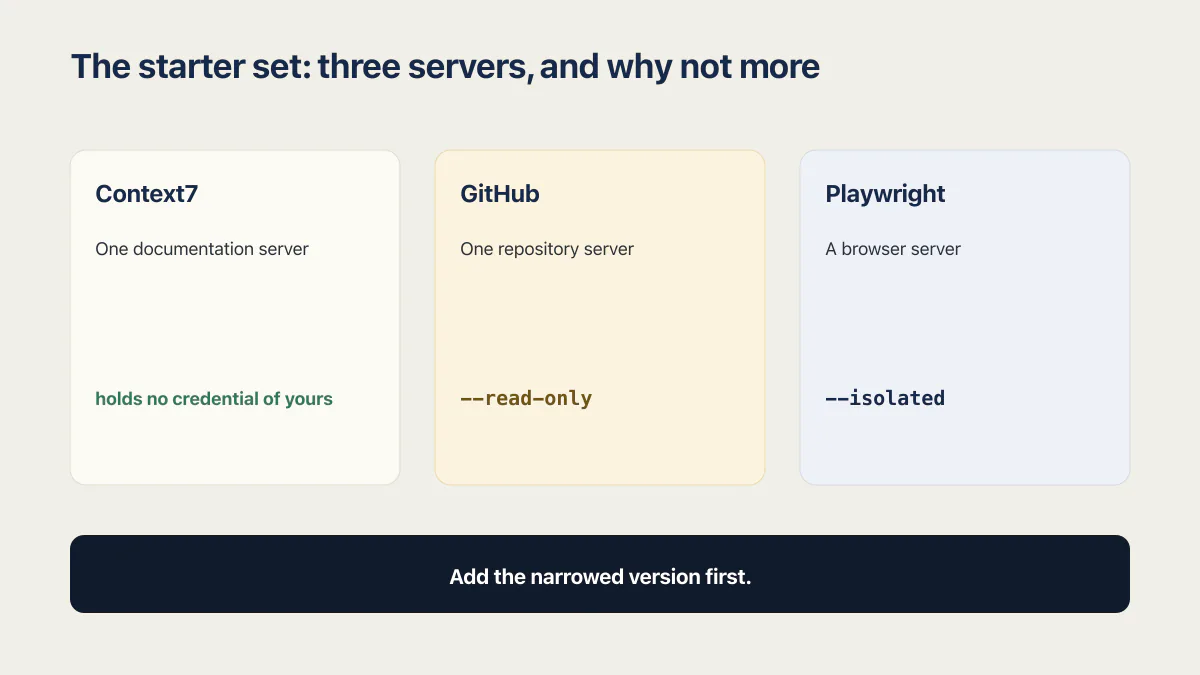
Three servers cover most projects: a documentation server, a repository server on a read-only token, and a browser server in isolated mode. Everything after that adds a standing credential. This page ranks thirteen by what one of those credentials reaches, checked 17 August 2026.
No server here was run. The capability claims come from each vendor’s own documentation as it stood on 17 August 2026, quoted where the exact wording carries the weight. Nothing was benchmarked, and nothing below is a judgment about how well any of these is written.
An MCP server for Claude is a small program the agent talks to over a defined protocol. Search for the best MCP servers for Claude Code and you get back roughly the same set of names as searching for the best MCP servers for Claude, and they differ from each other mostly in reach. If you want a shortlist, the table further down is ordered so that reading it top to bottom gives you an install order. If you already have a name in hand, its own entry says what it touches.
How this list is ranked
By what one leaked credential reaches, taken from the vendor’s own docs. A server that holds no credential ranks lowest whatever it can do. Where a vendor documents a narrower setting, the row prints it, because a server moves in this order the moment you configure it properly.
Five rules produced the order.
Servers are ranked by what one leaked or hijacked credential would reach. Stars, download counts and official backing had no input at all.
Reach means what the vendor documents the server can do with the credential it asks for, as the docs stood on 17 August 2026. Where the exact wording carries the point, it is quoted rather than summarised.
A server holding no credential ranks lowest, however useful it is. Sequential Thinking sits at the bottom of this list and is also one of the three I would install first, which tells you what the ranking measures and what it leaves alone.
Where a vendor documents a narrower configuration, the entry prints it, because several of these servers move four or five places the moment you use the narrow version. That column is the practical half of the page, and the reason a fixed order is slightly misleading on its own.
Then the limits, in the same breath. Nothing was run for this and nothing was benchmarked. No claim is made about any server’s code quality or how actively it is maintained. And the order is only as good as the token you actually paste: a read-scoped GitHub token and an organisation-admin one produce two different lists out of the same thirteen names.
Anthropic’s own Claude Code MCP reference states the general case flatly: “Verify you trust each server before connecting it. Servers that fetch external content can expose you to prompt injection risk.” Reach is the part of that judgment a table can carry for you, because it stays the same whoever is running the server. Whether you trust the people behind it stays yours to work out.
Ranking on reach rather than on trust is worth the trouble because credentials are routinely wider than the person holding them believes. In the AxonBuild audit cohort of 21 third-party apps, collected across June and July 2026, one app signed its login cookies with a built-in public fallback phrase whenever the real secret was missing. Nobody decided that. A default was easier to ship than a required variable. How that cohort was audited matters less here than the shape of the finding: the credential in play turned out to be wider than anyone had checked.
The 13 MCP servers for Claude Code, ranked
A Claude Code MCP servers list is normally sorted by popularity. This one is sorted by reach, lowest first, so the top of the table is where a cautious install order starts.
| # | Server | What it does | Credential it holds | Reach if that credential leaks | Narrowest setting its own docs give you |
|---|---|---|---|---|---|
| 1 | Sequential Thinking | Breaks a problem into revisable reasoning steps | None | Nothing. There is no key and no outbound call | Not applicable. Nothing exists to narrow |
| 2 | Shopify Dev | Searches Shopify’s developer documentation and API schemas | None. Runs locally without authenticating | Public developer documentation. No store, no admin API | Not applicable. It never authenticates |
| 3 | Context7 | Pulls version-specific library documentation into the prompt | An optional Context7 API key | Rate limits on a Context7 account. No system of yours sits behind it | Run it with no key at all |
| 4 | Exa | Web search and page fetches through Exa’s index | An optional Exa API key | A search quota and the bill attached to that account | Stay on the free plan and pass no key |
| 5 | Filesystem | Reads, writes and searches files in named directories | None | Read and write inside the directories in the argument list, and nothing outside them | The argument list itself, replaced by MCP roots when the client sends them |
| 6 | Sentry | Reads issues, events and stack traces from your Sentry account | An OAuth session on Sentry | Issues and event payloads for whatever the connection URL covers | Put the organisation and project slugs in the URL |
| 7 | Linear | Finds, creates and updates issues, projects and comments | OAuth, or a Linear API key | Issue and project history for the workspace, with create and update attached | The read-only endpoint, or a key with only the Read permission |
| 8 | Notion | Searches, reads and writes Notion pages and databases | An OAuth grant on your Notion account | Any page, database or comment that account can already open | Narrow what the connected account itself can reach |
| 9 | Slack | Searches and posts inside a Slack workspace | OAuth scopes granted to a registered Slack app | Conversations the granted scopes cover, plus the ability to post into them | Request read scopes only, and leave admin approval in place |
| 10 | Playwright | Drives a real browser for tests and page work | None of its own. It inherits the browser profile | Every site already signed in inside the profile the browser opens with | --isolated |
| 11 | GitHub | Issues, pull requests, Actions and repository contents | A GitHub token, or an OAuth session | Everything the token covers, with writes unless you turn them off | --read-only, plus a narrowed toolset list |
| 12 | Postgres or Supabase | Runs SQL and inspects the schema | A database role, or a Supabase access token | Whatever that role can query, which for a service role is the whole schema | read_only=true and project_ref=<id> |
| 13 | Stripe | Reads and writes the Stripe API | OAuth, or a Stripe API key | Live customer, invoice and payout data, plus writes and refunds | OAuth in place of a key, and restricted keys for agents |
Read against a popularity ranking, this order comes out close to reversed. The documentation and reasoning servers that other lists put in their first three sit in the bottom four here, and the two servers most readers install on day one, GitHub and Playwright, are in the widest four.
Ranked by reach instead of by popularity, the list comes out close to reversed: the servers people install first are the ones that reach furthest.
The 13 servers, one at a time
Each entry below says what the server does, who should install it, where it falls short, what it costs, and the one line that adds it with the narrow setting already on. Where the credential lives once you add it, which scope holds the configuration, and why a server refuses to connect are all part of how MCP scopes and credentials work in Claude Code, and none of that changes the order.
1. Sequential Thinking
Sequential Thinking gives the model one tool, sequential_thinking, that breaks a problem into numbered steps it can revise or branch as it goes. It holds no key, opens no socket, and touches nothing outside the session.
Best for planning-heavy work where the failure mode is the agent committing to the first approach it thought of. Worth trying on a migration plan or a schema change before it is worth trying anywhere else.
Where it falls short: it costs tokens, sometimes a lot of them, and on a small well-specified task it adds latency in exchange for reasoning you did not need. It is the easiest server on this list to install and forget about.
Free, distributed as an npm package by the Model Context Protocol reference servers project, and it runs on your machine over stdio.
claude mcp add --transport stdio sequential-thinking -- npx -y @modelcontextprotocol/server-sequential-thinking2. Shopify Dev
The Shopify Dev MCP server searches Shopify’s developer documentation and API schemas so the agent stops guessing at API shapes. Shopify’s own page for it is direct about the security profile: “The server runs locally and doesn’t require authentication.”
Best for anyone building on the Shopify Admin API or writing Functions, where the schema is large enough that a wrong field name costs a whole round trip.
Where it falls short: it reaches documentation and schemas only. Store data, orders and customers stay behind the Shopify CLI and its own separate login, so this server cannot answer a question about your actual shop.
Free, no account, and it runs locally.
claude mcp add --transport stdio shopify-dev-mcp -- npx -y @shopify/dev-mcp@latest3. Context7
Context7 fetches version-specific documentation and code samples for a named library and puts them in the prompt, which is the fix for an agent writing confident code against a major version that no longer exists. The Context7 repository describes it as pulling docs “straight from the source” into your prompt, and the hosted server sits at https://mcp.context7.com/mcp.
Best for anyone working across libraries that moved fast in the last year. The name gets typed with a space about as often as without, so a search for context 7 mcp claude code returns this same server.
Where it falls short: an API key is now part of the picture. The repo recommends a free key for higher rate limits, which means Context7 is no longer strictly credential-free. That key reaches Context7’s own rate limits and nothing of yours, which is why it still ranks third from the bottom.
Free, with the optional free key, hosted by the vendor over HTTP. The vendor-documented install is Context7’s own CLI, which authenticates, generates a key and writes the configuration for you, with --claude targeting Claude Code. The other documented path is to configure the server by hand at https://mcp.context7.com/mcp and pass the key in an Authorization: Bearer header, which is what you want if you are managing the key yourself.
npx ctx7 setup --claude4. Exa
Exa’s MCP server gives Claude Code web search and page fetching through Exa’s index, with web_search_exa and web_fetch_exa on by default. Exa’s MCP reference publishes the install line and states that the free plan “covers casual use”, with a key needed to lift rate limits and run in production.
Best for research tasks where the answer lives on a page rather than in a repository, and for checking whether a library, service or error message is current.
Where it falls short: search results are untrusted text arriving inside your session, which is exactly the class Anthropic’s warning is about. Everything a web search server returns should be treated as something a stranger wrote.
Free for casual use; the key you add is an Exa key, so a leak costs you quota and money rather than data.
claude mcp add --transport http exa https://mcp.exa.ai/mcp5. Filesystem
The Filesystem server reads, writes, searches and moves files inside directories you name, and its README states the boundary plainly: “All filesystem operations are restricted to allowed directories.” The directories are command-line arguments, and MCP roots sent by the client “completely replace any server-side Allowed directories when provided.”
Best for work outside the project Claude Code launched in, such as a sibling repository, a folder of design assets, or a data directory you do not want to copy in.
Where it falls short: it carries write tools, including write_file, edit_file and move_file, which makes that argument list the only thing standing between the agent and the rest of the disk. One careless path widens it instantly. This is the one server on the list where the mistake is a typo rather than a token.
Free, no account, runs locally. Claude Code answers the MCP roots/list request with the session’s launch directory plus every extra working directory you granted, which is the mechanism a well-behaved server uses to scope itself.
claude mcp add --transport stdio filesystem -- npx -y @modelcontextprotocol/server-filesystem /path/you/allow6. Sentry
The Sentry MCP server reads issues, events and stack traces from your Sentry account so the agent can work from the actual error rather than from your description of it. Sentry hosts it at https://mcp.sentry.dev/mcp and states that “All connections use OAuth. The first connection will trigger an authentication flow to connect to your Sentry account.”
Best for debugging something that only fails in production, where the difference between a guess and a fix is the stack trace.
Where it falls short: error payloads carry whatever your app put in them, which in practice often includes user identifiers, request bodies and headers. A connected Sentry server is a connection to real user data with no schema telling you so.
Free server, on top of whatever Sentry plan you are already paying for. The narrowing control is the URL: append the organisation and project slugs and the connection is scoped to that project, which Sentry recommends.
claude mcp add --transport http sentry https://mcp.sentry.dev/mcp/{organizationSlug}/{projectSlug}7. Linear
Linear’s MCP server exposes tools “for finding, creating, and updating objects in Linear like issues, projects, and comments”, per Linear’s MCP documentation, over a Streamable HTTP endpoint at https://mcp.linear.app/mcp using OAuth 2.1 or a bearer token.
Best for teams who live in the issue tracker, where the useful move is “implement the thing described in ENG-4521” and the agent reading the ticket saves a paste.
Where it falls short: the standard endpoint is read-write, so a hijacked session can create and edit issues as you. Issue trackers also hold more sensitive text than people expect, including customer names, incident detail and unannounced plans.
Free server, on your existing Linear plan. Two narrowing options are documented: connect to https://mcp.linear.app/mcp/readonly for read-only tools, or request only the read OAuth scope on the standard endpoint. A Linear API key with only the Read permission enabled does the same job for token-based setups.
claude mcp add --transport http linear https://mcp.linear.app/mcp/readonly8. Notion
Notion’s MCP server searches, reads and writes workspace content through an OAuth grant, and Notion’s own overview puts the access boundary in one line: “the MCP client can use Notion MCP tools to read and update content that you can access.”
Best for teams whose specs, decisions and runbooks live in Notion, where the agent reading the spec beats you summarising it.
Where it falls short: the write side is large. Alongside notion-search and notion-fetch, the documented tool list includes notion-create-pages, notion-update-page, notion-move-pages, notion-duplicate-page, notion-create-database and notion-create-comment. Notion’s documentation records no read-only endpoint, so the narrowing has to happen on the Notion side.
Free server, on your existing Notion plan. The only real control is the account you connect with, so connect one whose own permissions are already narrow rather than an admin account. Notion’s setup guide publishes the endpoint and the Claude Code line below.
claude mcp add --transport http notion https://mcp.notion.com/mcp9. Slack
Slack’s MCP server searches conversations and acts in them, at https://mcp.slack.com/mcp. It is usually described as a search tool, and Slack’s documentation lists write tools next to the search ones: sending messages to any conversation type, creating and updating a canvas, and adding emoji reactions, backed by scopes including chat:write, canvases:write and reactions:write.
Best for teams where decisions get made in threads and the agent needs the thread, not a summary of it.
Where it falls short: message history is the least structured sensitive data most companies hold, and the scopes that make search useful are the same ones that make a leak wide. Anything posted by the server posts as an app in your workspace.
Free server, on your existing Slack plan, but it is gated: clients “must be backed by a registered Slack app with a fixed app ID”, and the docs require the client to hardcode that app ID, which is what lets workspace admins approve and manage the integration through the normal Slack app approval process. That approval step is the strongest organisation-level control on this page. Request only the read scopes your work needs.
claude mcp add --transport http slack https://mcp.slack.com/mcp10. Playwright
The Playwright MCP server drives a real browser so the agent can click through a page, fill a form or check a rendered layout. The surprise is in the default profile. Microsoft’s README says it directly: “All the logged in information will be stored in the persistent profile, you can delete it between sessions if you’d like to clear the offline state.”
Best for front-end work and for checking that a flow behaves the same in a browser as it does in a test.
Where it falls short, and this is the row with the widest spread on the page: on a fresh profile it reaches nothing at all, and on the browser you use every day it can reach more than anything ranked above it, including your email and your payment dashboard. It sits at ten because that is where an ordinary developer profile lands, and one flag moves it to the bottom of the list.
Free, no account, runs locally. The flag is --isolated, which the docs describe as starting each session in an isolated profile where “all the storage state for this session is lost” when the browser closes. --storage-state seeds an isolated session with saved state when you genuinely need a login, and --user-data-dir points a persistent session somewhere you chose.
claude mcp add playwright -- npx @playwright/mcp@latest --isolated11. GitHub
The GitHub MCP server puts issues, pull requests, Actions, code security alerts and repository contents in reach, hosted at https://api.githubcopilot.com/mcp/. It also ships the cleanest narrowing control of any server here. The repository states: “Read-only mode takes priority: write tools are skipped if --read-only is set, even if explicitly requested via --tools”. That flag belongs to the local binary. On the hosted server the same switch is the /mcp/readonly endpoint, which is the one the command below uses.
Best for almost everyone. Reading an issue, checking a failing workflow run and opening a pull request are the three things a coding agent is asked to do most.
Where it falls short: a personal access token is easy to over-scope, and a broad one covers every repository you can see, including private work for other people. The toolset list is long, and what follows is only part of it, including context, actions, code_security, dependabot, discussions, gists, git, issues, notifications, orgs, projects, pull_requests, repos, secret_protection, users and more, so most installs enable far more than they use.
Free server, on your existing GitHub account. Start on the read-only endpoint (or --read-only if you run the binary yourself), then follow the repo’s own advice, which it writes as “Minimum scopes: Only grant necessary permissions”, and enable writes later on a second, narrower configuration if you decide you want them.
claude mcp add --transport http github https://api.githubcopilot.com/mcp/readonly12. Postgres or Supabase
A database MCP server runs SQL and inspects the schema, which turns “why is this query slow” into something the agent can answer instead of theorise about. For Supabase projects, the Supabase MCP guide documents two settings that matter more than anything else on this page: read_only=true, which executes all queries as a read-only Postgres user, and project_ref=<id>, which scopes the connection to a single project and disables the account-level tools.
Best for schema work, migrations and query debugging against a development database.
Where it falls short, in Supabase’s own words: “Remember to never connect the MCP server to production data. Supabase MCP is only designed for development and testing purposes.” The failure here is not subtle either. Point it at a service role and every table becomes readable, with row-level security stepped over rather than enforced.
Free server, on your existing database. Supabase also recommends keeping per-tool-call manual approval switched on, saying you should “always keep this setting enabled and always review the details of the tool calls before executing them.”
claude mcp add --scope project --transport http supabase "https://mcp.supabase.com/mcp?project_ref=abc123&read_only=true"13. Stripe
The Stripe MCP server reaches live money, which is why it is last. Two of its tools do most of the work: stripe_api_read reads “data with any Stripe API GET method”, and stripe_api_write writes “data with any Stripe API POST, PATCH, PUT and DELETE method”, per Stripe’s MCP documentation. create_refund is its own separate tool.
Best for building a payments integration, where the agent knowing your actual products, prices and webhook endpoints removes most of the guessing.
Where it falls short: one tool covering four HTTP verbs across much of the API means the granularity has to come from the credential rather than from the tool list. Stripe’s MCP page records no read-only mode for the server as of 17 August 2026.
Free server, on your existing Stripe account. The controls are real and worth using in order. OAuth is the default and Stripe says it “is more secure than using your secret key because it allows more granular permissions and user based authorization.” Access is enabled per environment, so sandbox and live are managed separately. Sessions can be revoked from user settings, or by an administrator for any team member. For agents passing a key instead, Stripe says: “We strongly recommend using restricted API keys to limit your agent’s access to exactly the functionality it requires.” Stripe also recommends enabling human confirmation of tools and being careful about running its server alongside others, to avoid prompt injection.
claude mcp add --transport http stripe https://mcp.stripe.com/The starter set: three servers, and why not more
One documentation server, one repository server on a read-only token, and a browser server in isolated mode. That covers what most people install five servers to do, and only one of the three holds a credential that reaches anything of yours.
Concretely: Context7 or the Shopify Dev server if you are on Shopify, the GitHub server with --read-only, and Playwright with --isolated. Sequential Thinking is a reasonable fourth because it holds nothing. That set is the answer behind most searches for the best Claude Code MCP servers, and it stays short for a practical reason rather than a tasteful one.
Every extra server adds two costs. The first is a standing credential sitting on your machine between the sessions that need it, which is the cost this page ranks. The second is that everything a server returns is text the model reads and can act on, so each addition is another channel for content you did not write. What a server is costing you as a share of the window is a third consideration, measured in tokens rather than in permissions, and it argues in the same direction.
Three expansion triggers are worth the credential, each with its condition attached. Add Linear or Notion when you genuinely work out of the tracker or the wiki, and connect the read-only endpoint or a narrow account when you do. Add Sentry when you are debugging errors you cannot reproduce locally, scoped to one project in the URL. Add a database server when you are working against a schema, with read_only=true set and a development project on the other end.
There is no single winner among the thirteen, and a page that crowned one would be guessing about your work. The useful instruction is smaller than a ranking: whatever you add, add the narrowed version first, and widen it only after something you actually needed failed.
Which MCP servers are free, and which hold no credential at all?
Every server on this list is free to run, so cost is not what separates them. What varies is the account behind the server, whether it holds a credential of yours at all, and whether the process runs on your own machine or on the vendor’s. The table below sorts those three answers.
| Server | What running it costs | Where it runs |
|---|---|---|
| Sequential Thinking | Free. No account | Locally, over stdio |
| Shopify Dev | Free. No account and no authentication | Locally, over stdio |
| Filesystem | Free. No account | Locally, over stdio |
| Playwright | Free. No account | Locally, over stdio |
| Context7 | Free, with an optional free key for higher rate limits | Vendor-hosted over HTTP |
| Exa | Free plan for casual use. A key for production, and agent runs billed by usage | Vendor-hosted over HTTP |
| GitHub | Free server. Needs a GitHub account and a token | Vendor-hosted over HTTP, or built from the repository and run locally |
| Sentry | Free server. Needs a Sentry account | Vendor-hosted over HTTP |
| Linear | Free server. Needs a Linear account | Vendor-hosted over HTTP |
| Notion | Free server. Needs a Notion account | Vendor-hosted over HTTP |
| Slack | Free server. Needs a registered Slack app and a workspace that allows it | Vendor-hosted over HTTP |
| Postgres or Supabase | Free server. Needs a database | Vendor-hosted over HTTP for Supabase, or locally for a direct Postgres connection |
| Stripe | Free server. Needs a Stripe account | Vendor-hosted over HTTP |
Free and safe are separate questions, and the second one has a shorter answer. Three of the thirteen hold no credential at all: Sequential Thinking, Shopify Dev and Filesystem. Playwright is a fourth server with no key of its own, and it is the widest of those four because it borrows every credential the browser already carries.
The three that hold nothing are free, and price is not the reason they are narrow. Sequential Thinking never leaves the session, Shopify Dev reads public documentation, and Filesystem talks to a disk that is already yours. It is also why a starter set leans on this end of the list. When a documentation or reasoning server goes wrong, the worst case is a wasted turn.
Before you add any of them
Five checks, in the order they save you the most.
- 01 Read what the server's own documentation says the credential reaches. Not the roundup, not this page, the vendor. Every fact above came from a doc that took two minutes to open.
- 02 Use the narrowed setting from the first install, not after something goes wrong. --read-only, --isolated, read_only=true and a scoped connection URL all cost one flag and move a server several places down this list.
- 03 Treat everything a server returns as untrusted text. The Claude Code documentation attaches prompt injection risk to any server that fetches external content, and Stripe and Supabase both recommend keeping per-tool-call confirmation switched on for the same reason.
- 04 Check whether the server is listed in the Anthropic Directory, which collects reviewed connectors and gives you a real remote URL rather than one copied out of a blog post. Read the listing as a pointer to the vendor's own documentation, and then go and read that documentation.
- 05 Watch the output size. Claude Code warns on and caps oversized MCP tool results, so a server that returns results near the cap every turn costs you context and money on top of whatever its credential reaches.
Directory connectors use the same MCP infrastructure as Claude Code, so anything listed in the Anthropic Directory can be added with claude mcp add. That makes the Directory a good place to find a remote server and a poor place to stop looking.
Common questions about MCP servers for Claude Code
What is the best MCP for Claude Code?
For most projects, the GitHub server on a read-only token, because reading an issue and checking a failed workflow run are the two things a coding agent gets asked for most, and --read-only takes priority over any tool list you set. If your work is mostly writing code against libraries rather than reviewing it, a documentation server such as Context7 is the better first install, since it holds no credential of yours. The honest version of this answer is that the best Claude Code MCP server is the narrowest one that covers your actual week.
Where can I find a list of MCP servers for Claude Code?
The Anthropic Directory at claude.ai/directory lists reviewed connectors, and any remote server listed there can be added with claude mcp add. Community directories such as mcpservers.org and mcpmarket.com index thousands more, sorted by category and popularity. Both kinds of list answer “what exists” rather than “what should I connect”, and neither systematically documents the credential each entry asks for. That gap is why the table on this page is ordered the way it is.
Which MCP servers work without an API key?
Three of the thirteen here hold no credential at all: Sequential Thinking, the Shopify Dev server, which Shopify documents as running locally without authentication, and Filesystem, which is scoped by the directory arguments you pass it. Playwright needs no key of its own either, though the browser profile it opens with carries whatever logins are already in it. Context7 and Exa both run without a key on their free tiers, and both document an optional key for higher rate limits.
Do MCP servers cost money?
The servers themselves are free, including every one on this page. What costs money is the account behind them: a Sentry, Linear, Notion, Slack, GitHub or Stripe server is only useful if you already pay for that product where its free tier stops. Exa bills agent runs by usage once you move past the free plan. The other cost is tokens, since tool results enter your context window and count against the same budget as everything else in the session.
Is MCP the same in Claude Desktop as in Claude Code?
They are three different things with similar names. Claude Code is the terminal agent and configures servers with claude mcp add. Claude Desktop is the desktop app for Claude, a separate product with its own configuration, which is why a Claude desktop MCP config file and permissions prompt are not the same as Claude Code’s. The MCP connector on Anthropic’s developer platform is a third mechanism again, for calling remote servers from the API. Server URLs are often shared between them; configuration files and permissions are not.
Do I still need the GitHub MCP server if I already use the gh CLI?
Often not. Claude Code can run gh directly as a shell command, which costs one call and leaves no standing configuration, while a connected server contributes tool names and server instructions to every session whether you use it or not. The MCP server earns its place when you want structured results instead of parsed terminal output, when you are working through the hosted endpoint with an OAuth session rather than a token on disk, or when your work leans on Actions and code security data. If gh already covers your week, the server is a convenience.
Is there a Gemini MCP server for Claude Code?
A search on 17 August 2026 turned up no first-party Google documentation for a Gemini MCP server aimed at Claude Code. The servers offered under that name are community projects, written and maintained by individuals, which is why none appears in the ranking above: this page ranks against vendor documentation, and a community project’s README is not a vendor’s statement about what a credential reaches. If you install one, the credential in play is whichever Google API key you hand it, so treat it the way you treat any key that bills you by the token.
What is the best MCP server for a Postgres or Supabase database?
Whichever one you can point at a development database with a read-only role. For Supabase projects, the official server documents the two settings that matter: read_only=true runs all queries as a read-only Postgres user, and project_ref=<id> scopes the connection to one project and turns off the account-level tools. Supabase’s guidance is blunter than most vendors manage: never connect the server to production data, because it is built for development and testing. For a plain Postgres connection, the same discipline lives in the connection string, so paste a role that can only read.
What could your coding agent's tools reach?
Every server you connect to Claude Code holds a key to something, and few teams write down what those keys open. In an audit, we talk through which tools you and your team have connected and point out the ones that reach live data or money. You get a clear view of what to narrow first.
Book a free audit → Free · 30 minutes · No code access needed