- The verdict: yes, but not out of the box. A Lovable app is production ready once its Basic and Deep scans are current and clean, and the deployed app passes a behavioral pass you run yourself.
- What breaks most: ownership is not enforced on rows and RPCs, secrets reach the browser bundle, and there is no deploy gate or rollback path.
- Time to close: a few days to two weeks for a single-tenant CRUD app, four to eight weeks for a multi-role app with payments and live customer data.
- The one test that settles it: two real accounts, replayed requests against the deployed API, and the second account gets nothing that belongs to the first.
A Lovable app can be production ready, but publishing it does not make it so. Lovable’s current Basic and Deep security scans inspect row-level security, database configuration, dependencies, access control, and application code at different depths. Those are useful checks. Production readiness also depends on behavior the scanners cannot prove for your specific users and workflows: cross-account isolation, payment fulfillment, rate limits, error reporting, rollback, and recovery.
That distinction matters because Lovable’s own security overview says the scanners reduce common risks and do not replace a thorough security review. The practical answer to “is Lovable production ready?” is therefore conditional: yes, after the generated app passes both the platform’s current scans and a separate set of behavioral and operational tests.
What do Lovable’s security scans actually check?
As of 5 August 2026, Lovable documents two built-in scanners:
- Basic scan checks RLS policies for common mistakes, reviews database schema and access control, and audits dependencies for known vulnerabilities. Lovable’s publish documentation says it takes 10 to 15 seconds and runs in the background when the publish dialog opens.
- Deep scan includes the Basic scan and adds an agentic code review for permissive access rules, RLS-bypassing functions, unprotected backend endpoints, exposed secrets, unsafe input handling, insecure storage, and information leakage. The same page describes it as an optional agentic codebase review that usually takes around 4 minutes.
The timing is easy to miss. Opening the publish dialog automatically runs the Basic scan and presents a Deep scan when Basic finds critical issues. The Deep scan does not run automatically as you work. You can start it from the project Security view or workspace Security center. Publishing can continue with unresolved critical findings unless workspace administrators enable stricter publishing controls, although Lovable strongly discourages that default path.
Plan matters here, and most launch checklists skip it. On Free and Pro, a published app is reachable by anyone with the link and website access cannot be restricted. The workspace, custom, and public visibility options, and the workspace defaults an owner sets under Privacy and security, are Business and Enterprise features. If your plan cannot restrict access, “internal only” is a hope rather than a control you have.
So a clean publish dialog is valuable evidence with a defined scope. Before launch, open the Security view, refresh the Basic scan, run a Deep scan, confirm when each result last ran, and read the findings instead of treating the publish button as a certification. Lovable also documents optional Wiz static scanning and Aikido dynamic testing connectors. Those are separate integrations, not evidence every Lovable project has received either review.
| What the result establishes | What still needs a behavioral test |
|---|---|
| The current Basic scan found no common RLS, schema, or dependency issue at the time it ran | A second user cannot read or change the first user’s records through the real API |
| The current Deep scan found no access-control, endpoint, secret, input, storage, or error-leakage pattern it reports | Authentication, payments, and expensive server actions fail safely under abuse and partial failure |
| Both built-in scans are current for the code and configuration they inspected | Errors reach an alert, rollback restores a compatible release, and data can be recovered |
The right column is where production readiness lives. A scanner can reason about code and configuration, but it cannot recreate every account state, webhook retry, stale session, or deployment sequence your app will encounter.
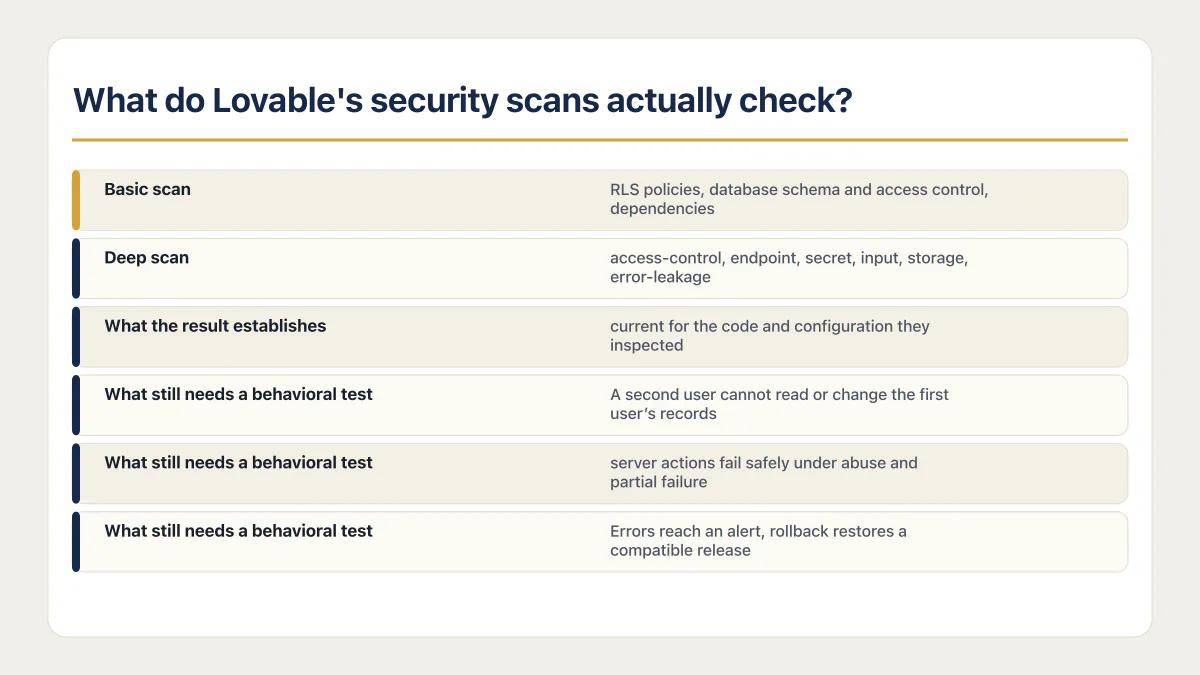
A passing check means the scanner reported no covered issue in the version it inspected. Whether the app holds is a separate test.
Is row-level security enough to protect user data?
Lovable’s Deep scan is more capable than a simple “RLS enabled” checkbox. Its documentation says the scan reviews permissive access rules and database functions that bypass RLS. That is a reason to run it, not a reason to skip an attack-shaped test.
The historical warning is CVE-2025-48757. Researcher Matt Palmer reported scanning 1,645 Lovable-generated projects and finding 303 exposed endpoints across 170 projects. The affected data included personal information and connected-service keys. That incident was disclosed in May 2025, so it should not be presented as proof of what Lovable’s current scanners miss. It does prove that a deployed interface can look healthy while its data boundary is wrong.
The recurring policy mistake is straightforward:
alter table invoices enable row level security;

create policy "Signed-in users can read invoices"
  on invoices
  for select
  to authenticated
  using ((select auth.uid()) is not null);
This policy limits access to signed-in users, but it does not limit a user to their own invoices. A tenant-owned table usually needs an ownership comparison:
create policy "Users can read their own invoices"
  on invoices
  for select
  to authenticated
  using ((select auth.uid()) = user_id);
The exact expression depends on the schema. A team app may compare membership in an organization instead of a user_id column. Public data may intentionally use using (true). The test should follow the app’s intended access model, not paste one policy into every table.
Supabase’s current RLS guide also calls out privileged paths. Views can bypass underlying RLS unless configured appropriately, and a security definer function runs with its creator’s privileges. Supabase recommends keeping security-definer functions out of exposed schemas. Its Data API security guide adds a second control: grants decide which roles can reach a table, view, or function, while RLS decides which rows those roles can use.
That gives a concrete review target. Test tables, exposed views, and callable functions. Correct table policies do not repair an RPC that accepts a caller-supplied user ID and reads rows with elevated privileges.
The RLS was perfect and it was still walked around
I have confirmed exactly this shape in the wild. In one AI coding workspace I audited, the row-level security itself was close to flawless, so I listed the database’s helper functions before signing off. Seven were security definer, and several took a user ID as a plain argument without ever comparing it to the caller’s identity. Any free signup could have read another customer’s private AI chats or soft-deleted their projects. The good RLS was never broken; it was walked around.
The lesson: a policy protects the table, not every road to the table. List the functions, list the views, and ask of each one: whose identity does this use, and who can call it?
Secrets in the browser bundle bypass RLS entirely
The second most common way I see correct policies defeated is a key in the client. Supabase publishes two kinds of key, and the difference decides whether RLS applies at all. The anon or publishable key is designed to be public. Supabase’s API keys documentation calls it safe to expose in a web page, mobile app, or source code, because every request it makes still runs through your policies.
The service role or secret key is the opposite. The same documentation says that role has full access to your project’s data and uses the BYPASSRLS attribute, skipping any and all row-level security policies, and that it must never be used in a browser, even on localhost. A service role key in front-end code removes your policies.
Naming does not save you either. Anything a build tool inlines into browser JavaScript is public once the app is published, whatever the variable is called, and environment variables behave differently per framework and per host. Assume the bundle is readable, because it is: open the deployed app, view the JavaScript, and search it.
What actually breaks in AI-built apps we audited
The AxonBuild corpus contains 21 third-party AI-built apps audited in June and July 2026. Nine had an RLS gap, and 7 had a confirmed path where one signed-in user could read or change another user’s data. The sample spans multiple builders and is not a Lovable prevalence study. It is useful here because it identifies the behavior to test: authentication existed, but ownership enforcement failed.
Three other findings expand the readiness test beyond database policy:
- At least 17 of 21 third-party apps had no deploy gate before production.
- Seventeen recorded errors nowhere a maintainer would see them.
- Twelve of the 14 apps with an AI feature exposed a denial-of-wallet path to an unauthenticated or free user.
These are fixed historical cohort figures, not estimates for all Lovable apps. Together they explain why AI coding tools can ship security holes even when a visible control exists. Generated code often covers the intended path. Production tests have to exercise the caller, failure, and retry paths around it.
How to test a Lovable app for production readiness
Run Lovable’s Basic and Deep scans first and resolve their findings. Then test the deployed app from outside its normal interface.
- 01 Create two ordinary accounts with different records. Capture the real browser requests, repeat them as the second account with the first account’s record IDs, and expect an empty result or an authorization error for both reads and writes.
- 02 Log out and call each costly or sensitive server action directly. An unauthenticated request should fail before it triggers an AI model, email provider, payment action, or database write.
- 03 Repeat an allowed costly action fast enough to reach the intended limit. Confirm the server enforces the limit and returns a useful response rather than relying on a disabled button in the browser.
- 04 List the Data API objects reachable by anon and authenticated roles. Review exposed views and callable functions as well as tables, with extra attention to security-definer functions and caller-supplied identifiers.
- 05 Open the deployed app’s JavaScript bundle in the browser and search it for service_role, sk_, and the key prefixes of every provider you use. Any secret found there is already public and has to be rotated, not hidden.
- 06 Break a non-critical workflow on purpose in a test environment. Confirm the user sees an honest state and the maintainer receives an error with enough context to trace the failed request.
- 07 Test the payment lifecycle with a verified server-side event, a duplicate event, and a delayed event. Paid access should follow the verified event and remain idempotent under retries.
- 08 Deploy a harmless database change through the same path used for production, roll the application back, and verify the old code remains compatible with the changed schema.
- 09 Restore a recent backup into a separate project or database, then verify row counts and one complete customer workflow before calling the recovery path ready.
- 10 Seed the heaviest table to a realistic row count, load the list view that reads it, and run the query plan behind that request. Judge a sequential scan by table size, selectivity, estimated and actual work, and the request's latency target. Treat one query per row as a separate pattern.
The first five steps answer whether a stranger can cross a trust boundary. The last five answer whether the app can fail, grow, and recover without losing data, granting the wrong access, or leaving you blind. For the whole app beyond these ten tests, production hardening covers what it means for a web app you already run and which page to open first. The full production readiness checklist lists every item by area, with how to verify each one.
How long does it take to make a Lovable app production ready?
For most apps, between a few days and eight weeks of focused work. The range is wide because each extra role, payment path, data migration, and failure test adds work; the builder name does not.
- Single-tenant or single-user CRUD app, no payments: a few days to two weeks. Usually policy fixes, a secrets sweep, error reporting, and a restore test.
- Multi-tenant app with roles, payments, and uploads: four to eight weeks. Every boundary has to be tested twice, once per role and once per tenant, and the payment lifecycle has its own set of tests.
- Anything already carrying live customer data: add one to two weeks. Changes now need a migration path and a rollback plan you have actually run.
Four things stretch the estimate more than app size does:
- Payments. Verified webhooks, idempotency, refunds, and downgrades are their own project.
- Multi-tenant roles. Each new role multiplies the isolation tests rather than adding to them.
- Live customer data. You lose the freedom to reset the database, so every fix needs a migration.
- No Git workflow. Lovable’s built-in history can revert project code, but it does not provide Git branches, review, a deploy gate, or database rollback. Connecting the repository is usually the first fix, not the last.
The scans themselves cost minutes, not weeks. What takes time is proving the app behaves, then fixing what the proof exposes.
Fix the app or rebuild it?
Fix it, in most cases. A Lovable app that authenticates users and holds one coherent data model is a codebase with bugs, not a write-off. Rebuild when the foundation itself is what you would be testing.
| Signals that say fix it | Signals that say rebuild |
|---|---|
| Authentication works and users map to rows | Every table sits on one permissive policy and nobody knows the intended model |
| One data model, roughly under 15 tables | The schema has grown by accretion with duplicate concepts per feature |
| The same logic lives in one place | The same rule is copy-pasted across pages with different behavior in each |
| Live customer data you cannot afford to lose | No live data yet, so a clean start costs nothing but time |
| The stack supports the next two features | The framework or data model blocks the roadmap you already committed to |
| A GitHub repository with branches and review | Only Lovable code history, with no Git branch or review gate |
The middle path is usually the right one. Keep the schema and the data, harden the boundaries, and rewrite only the parts that fail the tests above. Rebuilding to escape bad policies replaces a known problem with an unknown one, and the second version tends to inherit the same authorization mistakes because the same prompts write it.
Where the app runs: hosting, custom domain, and code you can hand over
Lovable can host the app, and for many products that is enough. Read the terms before you decide.
Each publish deploys a snapshot. Lovable’s version-history documentation says you can preview and revert earlier project-code versions, but a revert does not restore database data. Its publish documentation documents only the current deployed snapshot, not a control for selecting an earlier deployment. That is why step 8 tests code, schema and data together, and why a Git-backed deploy with its own release rollback remains useful.
Custom domains are a paid-plan feature. Domains already connected keep working after a downgrade, and you can still disconnect them. Hosting the published app and running its built-in backend consume Run credits as the app is used, so traffic has a running cost, not just a plan cost. Whether that published site is turning up in search is a separate check with its own order, and why a published Lovable site can still be missing from Google runs it.
Moving the build elsewhere is a normal step, not an escape hatch. Connect GitHub sync first, which gives two-way synchronization on one active branch, then deploy that repository to whichever host your team already knows. AxonBuild has written the Lovable to Vercel migration up in detail, and the same shape applies to Netlify, Cloudflare, or your own server. What you gain is preview builds, branch protection, and a deploy you can revert.
Who owns the code afterwards
Lovable’s Terms of Service say that, as between Lovable and you, you own the applications and projects you build, plus AI output subject to third-party rights. That platform-level IP term is separate from repository custody. The GitHub account or organization that holds the repository controls access, administration, history, and deployment continuity, but custody does not by itself decide intellectual-property ownership.
Before you hand the project to a developer, an agency, or a new co-founder, confirm the agreement that covers IP and separately write down four operational facts: who administers the repository and can grant access, where every environment variable and secret lives and who can rotate it, the migration history that describes how the database reached its current shape, and which external accounts (payments, email, AI providers) the app depends on. A developer can read the code without help. They cannot guess the accounts.
Production ready also means it holds under load
Security is the half everyone remembers. The other half is whether the app survives its own traffic.
Generated code is usually correct and rarely tuned. The four patterns I see most:
- No indexes. A filter or join on an unindexed column is fine at 500 rows and slow at 500,000. Read the query plan, do not guess.
- One query per row. A list page that loads 50 records and fires one lookup per record is 51 round trips. It shows up as a page that gets slower as the product succeeds.
- Connection limits. Serverless functions that open a connection per invocation exhaust the database long before the CPU is busy. Pooling is the fix, and a pool-exhausted error is what you see when it is missing.
- Cold starts. The first request to an idle server function pays the startup cost. Measure that path, not just the warm one.
Free-tier ceilings decide when the bill or the failure arrives. As of 5 August 2026, Supabase pricing lists a Free plan with 500 MB database size and 50,000 monthly active users, and a Pro plan from $25 per month with 8 GB disk per project and 100,000 monthly active users. Storage and bandwidth bill on top of that. Know which number you will hit first, because the free tier does not degrade politely.
Does a passed Lovable security review mean the app is safe?
A current Basic and Deep scan with no findings means Lovable’s built-in scanners did not report an issue in the code and configuration they inspected. It does not establish that every authorization rule matches the product’s intended ownership model, that every route was exercised, or that recovery works.
The cleanest way to record the result is specific:
| Claim | Evidence to keep |
|---|---|
| Lovable scans are current | Screenshot or export showing current Basic and Deep results plus resolved critical findings |
| Tenant isolation holds | Two-account request log covering read, create, update, and delete on sensitive records |
| Costly actions are controlled | Request log showing unauthenticated denial and an enforced account or IP limit |
| Failures are visible | Test error linked to the alert and trace captured by the monitoring system |
| A release is recoverable | Staging deploy, application rollback result, and a separate backup-restore record |
This evidence is more useful than a general “production ready” badge because it can be rerun after a database change, authentication change, or new external integration.
Common questions
Is Lovable production ready for customer data?
It can be. Run the current Basic and Deep scans, resolve their findings, and test cross-account access against the deployed API with two users. If the app holds sensitive or regulated data, the review scope also has to match the relevant legal and operational requirements. A generic platform scan cannot provide that determination.
Is Lovable safe to use?
Lovable provides current security tooling and explicit guidance for secrets, RLS, application code, and dependencies. The specific app still owns its authorization rules and operations. Whether Lovable is safe separates platform security, builder privacy, and the generated app’s behavior because each needs different evidence.
How often should I rerun the checks?
Rerun the relevant Lovable scanners after changes to authentication, database policies, server functions, or dependencies. Repeat the two-account and recovery tests before a material launch and after changes to the same boundaries. A result from the previous schema does not cover the current schema.
Can Lovable projects be production ready?
Yes. Lovable apps run real products with real customers today. What decides it is whether the generated app enforces ownership on every row and every callable function, keeps its secrets out of the browser bundle, and has a way back from a bad deploy; the builder does not. Those are properties of your app, not of the platform.
How many weeks should you plan to make a Lovable app production ready?
Plan for a few days to two weeks on a single-tenant CRUD app with no payments, and four to eight weeks on a multi-role app with payments, uploads, and live customer data. Payments, multiple roles, existing customer data, and missing version control are what stretch the estimate, not the number of screens. The scans take minutes; proving the behavior and fixing what the proof exposes is the work.
Should I rebuild my Lovable app from scratch or fix it?
Fix it, unless the foundation is the problem. Fixing is the right call when authentication works, the data model is coherent, and there is live customer data you cannot afford to lose. Rebuild when every table sits on one permissive policy or the stack itself blocks the roadmap you already committed to. A history that lives only in Lovable’s code timeline, with no Git branch or review gate, is a control to add around the existing code (GitHub sync is a normal first fix) rather than a reason to rewrite it. A rebuild written by the same prompts usually inherits the same authorization mistakes.
Do I need to leave Lovable to go to production?
No. Lovable hosting is a legitimate production target, and custom domains are available on paid plans. Built-in history can revert project code, but it does not roll database data back. You need to leave when you need host-level release rollback, preview builds per branch, or infrastructure your team already runs. Connect GitHub sync first because it gives you repository history, a review gate, and the option to move later without a rewrite.
How long does the Lovable security scan take?
The Basic scan takes 10 to 15 seconds and runs in the background when the publish dialog opens. The Deep scan is optional, has to be started manually, and usually takes around 4 minutes. Both timings come from Lovable’s current publish documentation, checked on 5 August 2026.
Does any of this change if I built on Bolt, v0, Replit, Base44, or Claude Code?
The platform scans change; the behavioral tests do not. Each builder ships a different set of built-in checks, or none, so the evidence you can collect from the vendor differs. The ten tests in this post run against the deployed app from outside, so they apply the same way to a Bolt, v0, Replit, Base44, or Claude Code build. Cross-account isolation, unauthenticated access to costly actions, secrets in the bundle, rollback, and restore are properties of your app, not of the tool that typed it. The same check for a v0 app runs the tool-specific half, and if the decision is between the two big builders, Base44 vs Lovable on what each one hands back compares them.
A Lovable app is ready when the platform checks are current and the app’s own failure paths have been exercised. The publish dialog starts that process. The two-account request, failed webhook, broken deploy, and restored backup finish it.
If this checklist left you with more open items than you expected, the sprint below works through all of them in ten working days.
Built it with AI. Now it has to hold up for real customers.
The Production Hardening Sprint takes the app you already have and builds the production foundation underneath it. Authentication and access rules, payments that stay consistent, error handling, monitoring, backups, automated tests and a documented handover. Our engineers work inside your existing codebase for ten working days. All 123 deliverables are included, and you get the evidence for each one.
See the Production Hardening Sprint →  $2,500 fixed price · 10 working days · One codebase