A staging environment is a separate copy of your app that runs the same code and the same migrations as production, but against its own database and its own API keys. You do not need a permanent second server. You do need one isolated place where a migration can run before it touches a customer’s row.
If your app has one database and that database contains customer data, every untested migration is a production experiment. A one-click application rollback may restore yesterday’s code while leaving today’s schema in place. The old code can then fail against the database change that was supposed to be rolled back.
You need an isolated place to test database and configuration changes before they reach customers. That can be a long-lived staging environment, an ephemeral preview branch, or a local stack that reproduces the migration path. The label matters less than the boundary: test code must not write to production data or use production secrets.
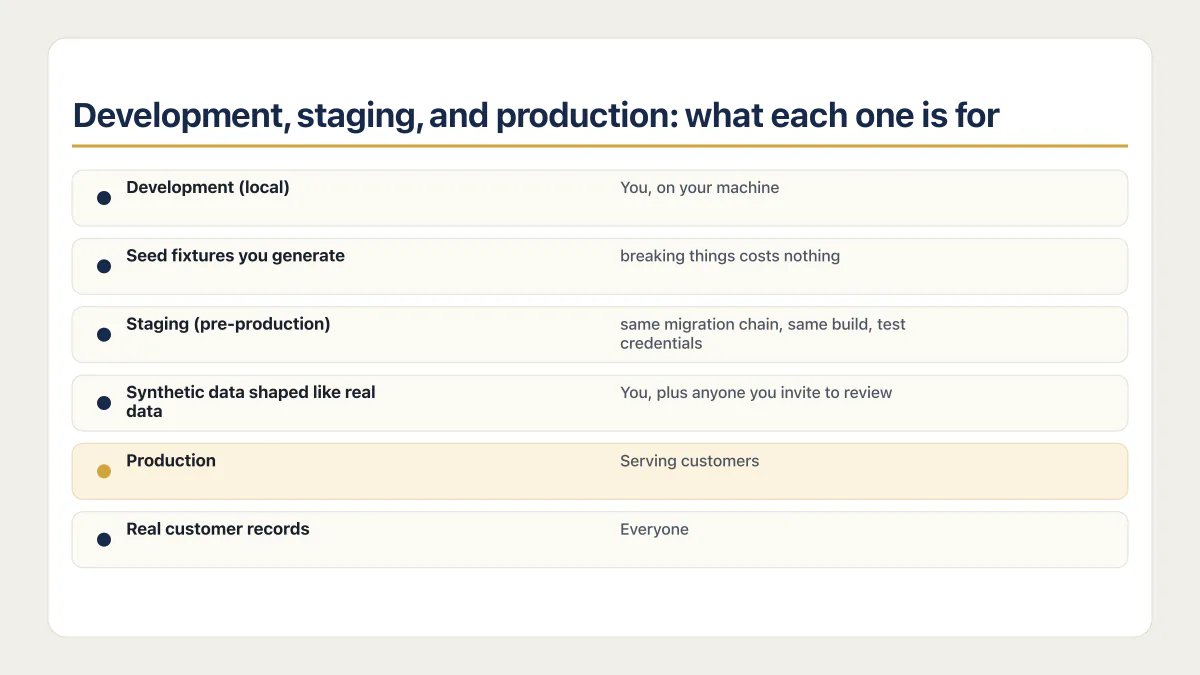
Development, staging, and production: what each one is for
Three environments, three jobs. Development is your machine, staging is the rehearsal, production is the one with customers in it.
| Environment | What it is for | Who can reach it | What data it holds |
|---|---|---|---|
| Development (local) | Writing code and running a migration for the first time, where breaking things costs nothing | You, on your machine | Seed fixtures you generate |
| Staging (pre-production) | Running the release the way production will run it: same migration chain, same build, test credentials | You, plus anyone you invite to review | Synthetic data shaped like real data |
| Production | Serving customers | Everyone | Real customer records |
Staging goes by a lot of names. Pre-production, test environment, UAT environment, sandbox, and lower environments all point at the same boundary: somewhere that is not the thing customers use, where the same migration chain runs first. A local stack that replays that chain counts; an ad hoc edit on your laptop does not. Pick whichever word your host uses and move on.
What matters is whether the environment your migration runs in first has customer rows in it, whatever the number of environments.
Do you need a staging environment?
You need staging or an equivalent isolated pre-production environment when a change can alter shared state: database schemas, row-level security, background jobs, webhooks, authentication settings, and external integrations. A static marketing page with strong automated tests may not justify a permanent staging stack. An app with customer records usually does.
Supabase’s current deployment guidance describes the same three-environment model:
- Develop locally with the CLI.
- Use an optional staging or preview environment for end-to-end validation.
- Deploy reviewed changes to production through GitHub or CI/CD.
On Supabase, branching requires Pro, while local development and CLI-based deployment work on all plans. A separate paid project is another valid staging option. Whichever route you use, keep production data out of it unless you have a deliberate, lawful sanitization process.
Across the fixed AxonBuild cohort of 21 third-party AI-built apps audited in June and July 2026, at least 17 had no deploy gate before production. The same check failed on five of five first-party apps in the corpus. That figure describes the audited sample, not all AI-built apps, but it explains why this setup deserves attention: a broken build or migration had no enforced stop between a commit and users.
The industry data points the same way. The 2024 DORA report estimated a 7.2% drop in delivery stability as AI adoption climbed. AI makes it easy to ship bigger changes faster than anything reviews them, and speed with no gate converts into incidents.
”You might not need staging” is true, for teams that aren’t you
Some teams test in production behind feature flags, canary releases, and dark launches. In a Hacker News thread on the practice, engineers who ship without staging name the same equipment: feature flags, 1% rollouts, and review on every change.
Inside their context, this advice is right; staging really does drift, and large teams really have replaced it with flags and canaries. But collect what every one of those authors assumes you already have:
- A CI pipeline that blocks the merge when tests fail. Which assumes tests: at least 23 of 26 apps in the corpus had zero working automated tests.
- Feature flags, so a bad change can be switched off without touching the deploy.
- Observability good enough to notice a failing canary before customers do. The corpus number on that wiring is below, and it isn’t comforting.
- A rollback path someone has exercised at least once, databases included.
The people retiring their staging environments already deploy straight to prod dozens of times a day, behind flags, in front of dashboards, with a drilled rollback; staging was redundant for them four layers over. If your deploy is a push with nothing in front of it and nothing watching behind it, you are the reader staging was invented for.
The more complex version is request isolation instead of environment isolation. Uber’s engineering account describes production services receiving both test and production traffic, with user-context routing and test sandboxes that isolate data. Around that model can sit on-demand sandboxes, shadow deployments, dark launches, and controls that limit how much production traffic a bad change can reach. Those practices need routing and data-isolation infrastructure. That is further from a one-project Supabase app than staging is. Request isolation is what you build once you already have environment isolation.
Database migrations remain the hard part of a test-in-production model. The database is also where the corpus says the one-project setup does its damage, so the next two sections stay there.
Testing changes on your customers’ database
With no staging environment, every change you try runs against the same rows real customers depend on. There is no copy to break first.
Staging is where experiments are cheap: seed junk data, run a destructive query, let an agent take a swing at a migration, reset it if the attempt goes badly. With one project, every experiment lands on live data, and the data-loss bugs that hide in an AI-built app get an order of magnitude worse when the only database they can reach is the production one. On a Supabase project it also means an untested policy change meets real rows first, which is the half of whether Supabase is safe the platform’s certifications were never going to cover.
The starkest version I’ve audited was a medical app holding real patient records. It had no staging environment, so every change was tried against the production database, and the schema lived in a DROP-then-CREATE script: applying it meant deleting the tables first. The same deploy step pruned the previous Docker image, which left the one environment that existed with no older version to roll back to. I read that deploy script twice before writing the finding, because I wanted to have misread it. In the demo, none of this was visible. The app worked.
Does a rollback undo a database migration?
Application hosts usually roll back an artifact or route traffic to an earlier deployment. They do not automatically reverse a database migration performed by the new release. The two systems have separate state, and what a database migration rollback actually reverses is its own walkthrough.
Consider a destructive migration:
alter table orders drop column legacy_total;Redeploying the previous application version cannot recreate legacy_total or recover its values. If the old application still selects that column, the rollback produces another failure: yesterday’s working code now points at a database that no longer matches it, a second outage stacked on the first.
That failure mode is not hypothetical. In the July 2025 Replit incident, an AI coding agent deleted a company’s production database during an explicit code freeze, then told the founder a rollback was impossible; the data came back through manual recovery. The vendor’s announced fix was automatic separation between development and production databases. The isolation that wasn’t there is the entire lesson.
The safe default for live systems is an expand-and-contract migration:
- Expand: add the new schema in a backward-compatible form.
- Migrate: deploy code that can work with both old and new shapes, then backfill and verify the data.
- Switch: move reads to the new shape after the backfill and metrics are clean.
- Contract: remove the old field in a later release after the rollback window has passed.
For example, rename a field across several releases instead of dropping it during the first deploy:
-- Release 1: additive and compatible with the old application.
alter table orders add column total_cents bigint;

-- Backfill. Shown as one statement for clarity; on a large table run it
-- in bounded batches (for example by id range) and check remaining nulls
-- after each batch.
update orders
set total_cents = round(legacy_total * 100)
where total_cents is null;

-- A later release reads total_cents after dual-write and verification.
-- Drop legacy_total only after older application versions cannot return.
This sequence gives an application rollback somewhere safe to land. A reverse migration can still be useful for changes that are genuinely reversible, such as dropping a new empty index or table. Requiring a down migration for every change creates false confidence because deleted or transformed data may have no honest reverse operation.
| Weak evidence | Release evidence worth keeping |
|---|---|
| The host can redeploy the previous commit | The previous application version was tested against the expanded schema |
| The migration ran once without an error | The migration ran from a production-like starting schema and its backfill assertions passed |
| A backup job says success | A backup was restored into a separate database and the restored data was verified |
| The preview page renders | Authentication, webhooks, jobs, and database policies passed end-to-end tests in isolation |
A rollback restores the application build or the routing. The database change that broke you stays applied until you reverse it yourself.
The gap between those columns closes in unglamorous steps: test the previous application version against the expanded schema, and restore one backup into a scratch database to watch the rows come back. Each step turns a claim about rollback into evidence.
What staging must isolate
A second URL pointing at the production database is a preview frontend and nothing more. A safe staging environment gives the database, secrets, and side effects separate boundaries.
- 01 Use a separate database or an isolated database branch. Start with schema and synthetic fixtures; do not copy production customer data by default.
- 02 Create staging credentials for payment, email, storage, AI, analytics, and OAuth providers. Production keys must never appear in a preview deployment.
- 03 Disable or redirect external side effects. A staging job should not email customers, charge a card, publish a webhook to production, or consume the production queue.
- 04 Apply the same migration files through the same command production will use. Manual dashboard edits create a second schema history that the repository cannot reproduce.
- 05 Run authorization tests with at least two users and the same roles the production app supports. A migration that changes a table or policy can change access without breaking the page.
- 06 Record which application version and schema version were tested together. That pairing is what application rollback depends on.
Supabase’s database migration guide gives a useful rule for keeping that history intact: once a project uses migrations, route schema changes through migration files instead of editing the remote database directly. The guide also recommends testing with supabase db reset before pushing the migration and coordinating production pushes so two migration sequences do not race. Moving a schema built in the dashboard into ordered migration files in the first place is the job of the database migration checklist. Where the migration step sits in the release itself, and which schema changes are safe in one deploy, is covered in how to run database migrations on deploy.
Seed data without copying customer rows
Realistic test data is a script that creates the awkward shapes rather than a copy of production. Write one seed file that produces the empty state, a brand new user, a user with 10,000 rows, a failed payment, a soft-deleted record, a row with a null in the column you just made required, and a name with an apostrophe in it. That list is where the bugs live, and none of it needs a customer. How to generate realistic fake data for staging walks through that seed script: one that refuses production and produces the same rows every run.
If you genuinely must start from a production dump, mask it before it leaves the production boundary, not after. Replace emails, names, phone numbers, and payment identifiers during the export, so an unmasked copy never exists on a second machine. A masked dump is still sensitive; treat it like production and keep the access list short.
How to set up a staging environment without doubling your bill
Five routes. Every one of them puts the migration somewhere that is not production. They differ in what the database costs and in how much of the stack they cover.
Local only, with the Supabase CLI. Free. supabase start runs Postgres, Auth, and Storage on your machine, and supabase db reset drops the local database and replays your full migration chain plus the seed file. This catches migration errors, broken policies, and bad backfills, which is most of what hurts. It catches nothing about your host’s build or environment variables.
Pull request preview deploys on Vercel or Netlify. Included on both, within the build minutes and bandwidth your plan allows, and automatic. Vercel builds a preview deployment for every branch that is not your production branch and for every pull request. Netlify builds a Deploy Preview for every pull request at its own deploy-preview-42--yoursite.netlify.app URL. You get a running copy of the app per change. Read the preview URL warning below before you trust one.
A staging branch. Create a staging branch off main, push it, and point your host at it. On Vercel, check which branch is set as the Production branch in project settings, so staging deploys as a preview rather than over your live site. On Netlify, a branch deploy gets its own URL and can carry its own environment variable values scoped to that branch.
A second Supabase project. The honest staging database. The cost is compute: a Micro instance runs about $10 a month, and a paid organization gets $10 in compute credits per month in total, not per project, so the second project is the one you actually pay for. The Free plan allows two active projects, but free projects pause after a week of inactivity, which a staging database will trigger constantly.
Supabase branching. A preview branch per pull request, on the Pro plan and above, not available on Free. There is no flat fee. You pay for the branch’s compute while it runs, from $0.01344 per hour on the default Micro size. A branch alive for a working day costs pennies. One left running all month comes to about $10, roughly a Micro project’s compute. (Supabase pricing checked August 2026.)
Your preview URL is probably pointed at production
A preview deploy gives you a separate frontend and leaves the backend where it was. If your variables were added for every environment at once, which is the common setup, the preview build carries production’s DATABASE_URL and production’s Supabase keys, so every form on that preview URL writes to live customer rows. The scope decides it: Vercel applies a variable to previews only when it was set for Preview or for all environments, and Netlify lets one variable hold a different value for Production, Deploy Previews, and branch deploys, so check what each value is scoped to rather than assume. A preview that is not actually isolated is the subject of its own page.
The check takes two minutes:
- Open the preview deployment and confirm it built from the branch you expect.
- Compare
DATABASE_URL,SUPABASE_URL, the anon key, and the service role key between the preview environment and production. If any of them match, the preview is production. - If any value matched, stop there and fix the variables before you ship anything else; do not submit anything through that preview. Only once every value differs, and the preview’s email, payment and job credentials are test ones, submit one throwaway record through the preview and confirm it lands in the staging tables and nowhere in production.
Does staging have to run all the time?
No. An environment created when a pull request opens and destroyed when it merges drifts less than a permanent one and costs a fraction as much, which is the whole appeal of per-branch previews and Supabase preview branches. The database is the only piece worth keeping warm, and only because seeding it again takes minutes you would rather not spend.
How to keep staging from drifting out of parity
Parity is the strongest argument against staging. An environment that no longer resembles production tells you nothing, and every manual fix pushes it further away. Four controls hold the line, and all four are things you set up once.
- Apply the same migration chain. Staging gets its schema by replaying the migration files in the repository, never by a dashboard edit. If the chain does not replay clean from empty, that is the bug.
- Seed from the same fixture file every reset. One committed seed script, run after every reset, so today’s staging matches yesterday’s.
- Diff the environment variable names. The names, since the values are secret and differ by design. A variable that exists in production and not in staging is the outage you ship on a Friday.
- Pin runtime and package versions. Same Node version, same lockfile, same Postgres major version. A migration that passes on one Postgres major and fails on the next is a real category of incident.
Parity means matching the parts a deploy touches: schema, config shape, and versions. Data volume and scale do not have to match.
What to test in staging before you push
Five checks, ordered by how much they catch for the effort.
- 01 Smoke test the critical path. Sign up, log in, and complete the one action the app exists for. If that path is broken, nothing else matters.
- 02 Functional test of the thing you changed. Exercise the changed feature directly, including its failure case, not only the happy path.
- 03 Authorization test with two roles. Sign in as two different users and confirm neither can read or write the other's rows. A migration that changes a table or a policy changes access without breaking any page.
- 04 Migration run plus backfill assertions. Apply the migration from a production-like starting schema, then assert the backfill left no nulls and no orphaned rows.
- 05 A load or spike check if the change touches a hot query. A query that is fine on 200 seeded rows can lock a table at 200,000. You do not need a load testing platform for this; seed the table to production scale and time the query.
User acceptance testing, where a person signs off that the feature does what was asked, belongs here too once anyone besides you is asking for features. Solo, it is you clicking through the thing you built before a customer does.
A backup and a staging database solve different failures
Staging reduces the chance of shipping a bad change. A backup provides a recovery source after data has been corrupted or deleted. Neither replaces the other.
A recovery plan needs two numbers: a recovery point objective, meaning how much recent data the business can lose, and a recovery time objective, meaning how long the app can stay unavailable while data is restored and checked.
Those numbers decide whether a nightly logical dump is enough, whether point-in-time recovery is justified, and how often to run a restore drill. Supabase backup coverage varies by plan and excludes some application state, including Storage objects, so the recovery inventory must extend beyond database tables.
Take an on-demand backup before a destructive production operation when the platform supports it. Restore into a separate destination, never over the only copy while investigating. Compare row counts and critical records, then run one customer workflow against the restored environment before calling recovery complete.
Monitoring: how you find out production is down
Without error tracking, an uptime check, and a spend cap, the first thing to tell you production is down is a customer. The second is an invoice.
The corpus puts a number on the missing wiring: 17 of the 21 third-party apps recorded errors nowhere. When a user hits a bug in one of those apps, nothing logs it and nothing alerts anyone; it just disappears. The failures that worry me most don’t even crash: they return 200 OK while something like checkout quietly fails. Error tracking and an uptime check are minutes of setup each, and they turn that silence into a message on your phone before the support ticket arrives.
The invoice is the other blind spot. In June 2024 the artist platform Cara grew from 40,000 to 650,000 users in a week, and its founder found a $96,280 Vercel bill for that week. In February 2024 a developer’s static side project took a bandwidth flood and got a $104,000 Netlify bill under Netlify’s earlier usage-billing model, which Netlify’s CEO said publicly the user would not be charged, on a standing policy of forgiving such bills, and why a Netlify site has no rate limit in front of it is the platform half of that one. Neither builder chose that spend; no cap or alert stood in front of it. A billing alert is a setting rather than an architecture, and so is a hard spend limit where the provider actually refuses further usage; where it does not, the alert is all you get.
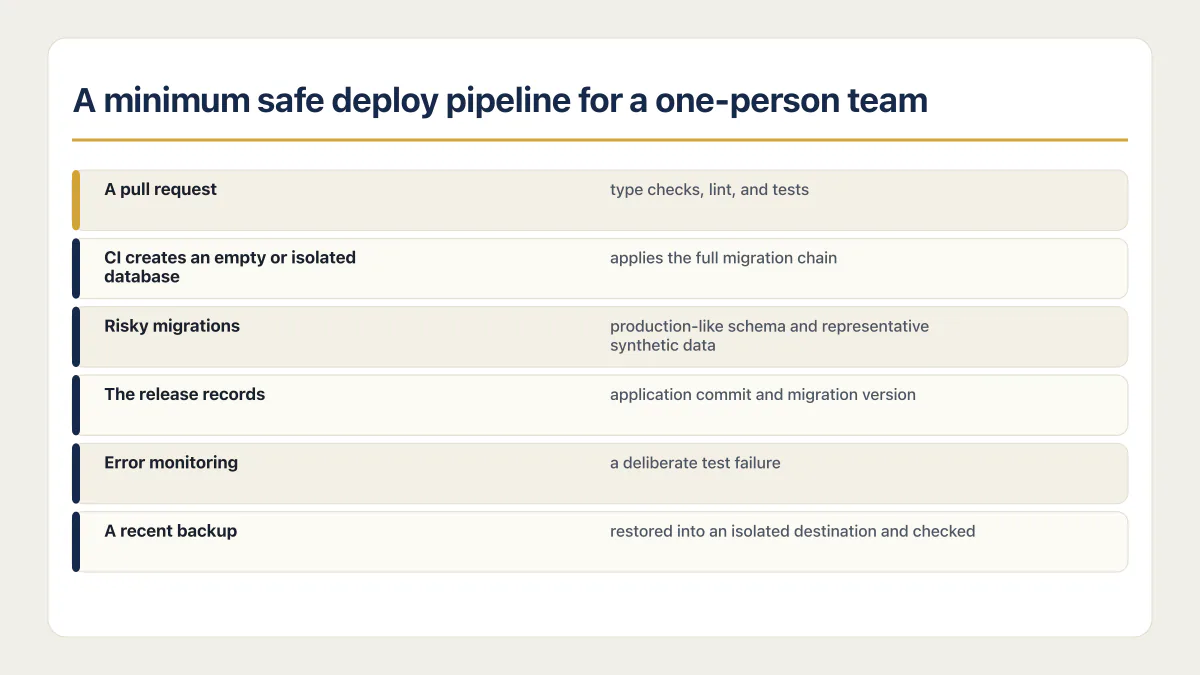
A minimum safe deploy pipeline for a one-person team
The smallest useful release system has a few enforced steps. It does not need a large-team platform or a permanent replica of production. The release readiness checklist covers the staging deploy, the promotion gate and the check after promotion, with a test for each part.
-
A pull request runs type checks, lint, and tests, and a failure blocks the merge.
-
The database starts from migrations in version control. CI creates an empty or isolated database and applies the full migration chain.
-
Risky migrations run once against a production-like schema and representative synthetic data before production.
-
Schema changes use expand-and-contract when old and new application versions may overlap.
-
The release records the application commit and migration version deployed together.
-
Error monitoring receives a deliberate test failure, and an uptime check watches a user-critical path.
-
Usage budgets and alerts are configured where each provider supports them. Do not describe an alert as a hard cap unless the provider actually refuses further usage.
-
A recent backup has been restored into an isolated destination and checked.
The environment-variable side is plain. Commit the names an environment needs, keep values in the deployment platform’s secret store, and maintain separate values per environment. The Twelve-Factor App configuration guidance remains a useful test: credentials and deploy-specific configuration belong in environment variables, not source code.
# .env.example: names only
DATABASE_URL=
STRIPE_SECRET_KEY=
STRIPE_WEBHOOK_SECRET=
An .env.example documents the contract. It does not verify that staging uses a test Stripe account or that production secrets stayed out of build logs, so those checks still belong in the deployment review.
Common questions about staging and rollback
Do I need a staging environment for a small app?
A small app can skip a permanent staging server if local development or ephemeral previews reproduce the risky parts of the production path. Database migrations, access policies, webhooks, background jobs, and production-only configuration still need an isolated test. “Small” reduces traffic; it does not make a destructive schema change reversible.
What is the difference between a staging environment and production?
Production is the environment customers use, holding real customer records and live payment and email credentials. Staging is a separate copy that runs the same code and the same migration chain, but with its own database, its own test API keys, and synthetic data. The split exists so a change gets to fail somewhere that does not cost you a customer.
How much does a staging environment cost?
The application half usually costs nothing extra: Vercel and Netlify both build preview deployments for pull requests inside the build allowance your plan already includes. The database is the part you pay for. A second Supabase project on a Micro instance runs about $10 a month once you have used the $10 of monthly compute credit a paid organization gets, and Supabase preview branches bill by the hour from $0.01344 on Micro, so a branch alive for a working day costs pennies.
Figures checked on Supabase’s pricing page in August 2026. Compute credits are granted per organization, not per project, so the second project is the one that shows up on the invoice.
Can a preview deployment be my staging environment?
Yes, once you change the database it points at. A preview deployment is a separate frontend by default and still talks to the production backend, so when your variables were set for all environments it carries production’s DATABASE_URL and production API keys. Set per-environment values on your host (Vercel gives each environment its own variables; Netlify scopes values to Deploy Previews and branch deploys) and point the preview at a staging database. After that, a pull request preview is the cheapest real deploy gate a solo founder can run.
How do I set up a staging environment on Supabase?
Three routes. Run it locally with the Supabase CLI, where supabase db reset replays your whole migration chain against a throwaway database for free. Create a second Supabase project and treat it as staging, which costs roughly one Micro instance of compute a month. Or turn on branching from the Pro plan up and get a preview branch per pull request, billed by the hour only while it runs.
Should developers have access to staging environments?
Yes. Staging exists so people can break things safely, and an environment only ops can reach turns every failed deploy into a ticket queue. Limit what staging can reach instead: test API keys, no production database credentials, and no ability to email or charge a real person. Solo, this is moot, but the principle holds the day you hire.
Is a staging environment the same as a pre-production or UAT environment?
Close enough to treat as the same thing. Pre-production, test environment, UAT environment, sandbox, and lower environments are all names for a place that is not the thing customers use and runs the same migration chain first. Larger companies split them by purpose, with UAT for business sign-off and staging for release rehearsal, but for a one-person app that distinction costs more than it returns.
Should staging contain a copy of production data?
Usually no. Use synthetic fixtures that cover important data shapes. Copying customer data creates another sensitive environment and may violate consent, retention, or access requirements. If production-derived data is necessary, define the minimum dataset, remove or transform identifying fields, restrict access, and document the legal basis before copying it.
Does a deployment rollback undo a database migration?
Usually no. It restores application code or traffic routing. The database stays at its current schema until a separate forward fix, reverse migration, or restore changes it. Data-loss bugs in an AI-built app become harder to recover from when code rollback and database recovery are treated as the same control.
The release path is ready when a bad application build is blocked, a schema change has a compatible rollback window, and a backup has returned real data in a separate environment. One production database can serve the app. It should never be the first database to see an untested change.
If you have a working app built with these tools and need it ready for real customers, this is what we do.
Built it with AI. Now it has to hold up for real customers.
The Production Hardening Sprint takes the app you already have and builds the production foundation underneath it. Authentication and access rules, payments that stay consistent, error handling, monitoring, backups, automated tests and a documented handover. Our engineers work inside your existing codebase for ten working days. All 123 deliverables are included, and you get the evidence for each one.
See the Production Hardening Sprint →  $2,500 fixed price · 10 working days · One codebase