Use this Lovable security checklist to test five failure classes in the app you built: weak RLS, cross-account access, exposed secrets, unprotected endpoints, and uncapped AI costs. Each check produces evidence about your app. It is a focused self-check, not a guarantee that no other vulnerability exists. The platform-level verdict is separate from this app-level test.
The checklist, before the reasoning:
- 01 RLS that checks login, not ownership: open every policy and confirm it compares the row to auth.uid(), or to a tenant identity the server has verified
- 02 A secret that shipped: search the built browser bundle and git history, not just your source
- 03 Broken object-level authorization: a second account, an edited record ID, and see what comes back
- 04 An unauthenticated endpoint doing privileged work: log out and call your most expensive route directly
- 05 Denial-of-wallet: confirm rate limiting stops a low-quota test account before the provider call
Run checks 1 and 3 first; they are the ones that lose customer records. Each section below gives the class, the focused test, a prompt you can paste into Lovable, and the repair.
The 26 apps I’ve audited for the AxonBuild corpus include several builder stacks, so the counts below are cohort-wide rather than Lovable-only. They identify recurring failure shapes without pretending to measure Lovable’s individual failure rate.
This page treats Lovable app security as a catalog rather than a verdict. Most pages that answer “is Lovable safe” settle it one way or the other, or hand you a raw scan number with no method behind it. Neither tells you which class you’re exposed to, or gives you a way to check it yourself in the time it takes to read a section.
The Lovable security stack, in one paragraph
Lovable apps can use Lovable Cloud or a connected Supabase project for data and server-side work. A publishable or legacy anon key can appear in browser code because RLS and grants are supposed to limit what that role can do. A Supabase sb_secret_ key or legacy service_role key is privileged and must stay server-side. Lovable’s current security documentation describes two built-in scanners. Basic checks RLS policies, database schema and access control, and dependencies. Deep includes those checks plus agentic review of access control, backend endpoints, secrets, input handling, storage, and information leakage. Lovable also says these scans do not replace a thorough security review.
Whether Lovable itself clears that bar as a platform is a settled question with its own answer elsewhere. This checklist asks whether the controls inside your specific app hold under direct tests.
Lovable security issues, class by class
Type “lovable app hack” into a search bar and the useful app-level question is what an unauthorized caller can reach in the specific app you shipped. The five classes below appeared in the wider audit cohort. The denominators cover apps built with Lovable, Bolt, Replit, and other tools, so none is a Lovable-specific failure rate. Each section defines the class, gives a focused check, and names the repair. Why AI-generated code can miss these boundaries is its own mechanism story, covered in why AI coding tools ship security holes by default; this page stays with what shipped.
Check 1: RLS that checks login, not ownership
A policy can confirm that someone is signed in without comparing the row to the person asking for it. In the fixed 21-app third-party cohort, 9 had a row-level security gap, and 7 confirmed the sharper outcome: a logged-in customer could read or write someone else’s data. One-account testing cannot expose that boundary. Create a second account in a test environment and try to reach the first account’s row through the app and a direct API request by changing the record ID. Every ownership-scoped select and update policy needs to compare the row to auth.uid() or another server-verified tenant identity.
Paste this into Lovable:
List every table exposed through the API, say whether RLS is enabled on each,
and show me each SELECT and UPDATE policy.
For each policy, tell me whether it compares the row to auth.uid() or only
checks that auth.uid() is not null. List the ones that only check for a session.
Check 2: A service_role key or provider secret that shipped
Secrets scored best of the twelve pillars across the 21 third-party apps, an 84 average out of 100, and 6 of 21 still shipped a real secret: a webhook key, an AI-provider key, or another credential. Three remained in git history after the current file no longer exposed them. The clearest version was a client-side app with no backend, calling its model provider from the browser with the key in a loaded config file. A working browser call is a short implementation path, but every visitor can inspect the resulting bundle. Search the browser build output as well as the source, and inspect git history before treating a removed credential as safe.
rg -n "sk_(live|test)_|sb_secret_|service_role|AIza[A-Za-z0-9_-]{35}" dist .output 2>/dev/nullNo terminal: open the published app, view source, then use the browser’s search across the loaded JS files in the Sources or Network panel for the same strings.
Paste this into Lovable:
List every secret and API key this project uses. For each one, tell me whether
it is read in browser code or only inside an Edge Function, and flag any key
that ends up in the frontend bundle.
Moving the call server-side is the fix, along with rotating anything that already shipped; treat a key found in git history as burned even after the file is deleted, because history keeps it. Which keys can live in the browser, which must stay on the server, and how to check a build for leaks is covered in API keys exposed on frontend code.
Check 3: Broken object-level authorization
This is the sharpest version of the ownership gap above, worth calling out on its own because it’s also the shape behind the platform’s own most public incident. A logged-in user reaches another customer’s row because nothing on the server asked whose row it was; no leaked key required. 7 of the 21 third-party apps confirmed this exact failure. Lovable had its own public version of it in April 2026: a free account could read another user’s source code and database credentials in a handful of API calls, no exploit chain required. The earlier and more widely cited case is CVE-2025-48757, a critical-rated finding where insufficient row-level security in Lovable through 15 April 2025 let unauthenticated remote callers read or write arbitrary database tables in generated sites; Lovable disputes that CVE and holds that customers are responsible for protecting their own application data. Both cases run on the same mechanism, and the platform-level verdict is a separate question. I won’t retell either timeline here, because the mechanism is identical to the class above, a check for “logged in” standing in for a check for “owns this.”
Paste this into Lovable:
Show me every API route and Edge Function that returns or updates a single
record by ID. For each one, quote the server-side line that confirms the caller
owns that record, or tell me there isn't one.
Check 4: An unauthenticated endpoint doing privileged work
Sometimes there’s no authorization gap to find because there was never a login check to begin with. An endpoint, in Lovable Cloud an Edge Function, that sends an email, calls a paid model, or changes a record answers for anyone who finds the URL, no session required. 11 of 21 third-party apps had at least one of these. The mechanism is cross-cutting rather than table-specific, which is why a schema-level scan doesn’t catch it: there’s no policy to check, because the code path was never gated at all. Log out completely, and call the endpoint that costs the most, an AI feature, an email send, a document generation, directly, from a terminal or a plain fetch call. If it answers, that’s the finding. Route-level authentication and authorization fix it. A login screen only gates the page that calls the route.
Paste this into Lovable:
List every Edge Function and API route in this project. For each one, tell me
whether it verifies a JWT or session before doing any work, and mark the ones
that are reachable with no credential at all.
Check 5: Denial-of-wallet on a connected AI or compute key
In the fixed cohort, 12 of the 14 apps with an AI surface had a confirmed path where a stranger or free account could spend the owner’s model or compute budget without an effective ceiling. A common shape was an endpoint that kept the provider key server-side but did not verify the caller or enforce a per-user limit before the paid request. In a test environment, confirm that a logged-out request is rejected and that a small burst from a deliberately low-quota test account stops at the documented limit. The fix is rate limiting on the server: enforce the per-user request and token budget before the provider call. A billing alert records spend after it occurs and is not a request control.
Paste this into Lovable:
Show me every route that calls a paid AI or compute provider. For each one,
tell me what rate limiting and per-user token budget runs before the provider
call, and what the caller gets back when they exceed it.| Class | What a stranger can reach | Focused check | If it fails |
|---|---|---|---|
| RLS checks login, not ownership | Another customer’s rows, read or written | Second account, edited ID, see what comes back | Rewrite the policy to compare the row to auth.uid(), then retest with the second account |
| Secret shipped in the bundle or git history | The provider key behind the app, or worse | Grep the built output for key patterns | Rotate the key, move the call server-side, treat the git-history copy as burned |
| Broken object-level authorization | The specific record tied to a specific victim | Same second-account test, aimed at the sharpest endpoint | Gate the endpoint on server-verified ownership, not on the session existing |
| Unauthenticated privileged endpoint | Whatever the endpoint does, no login needed | Log out, call the endpoint directly | Add route-level auth and authorization, not a login screen on the page that calls it |
| Denial-of-wallet | The owner’s AI or compute bill | Logged-out request plus a low-quota test-user burst | Enforce a per-user request and token budget before the provider call |
What the publish-time scan can and can’t catch
When you open the publish dialog, Lovable automatically runs its Basic scan in the background. If Basic finds critical issues, the dialog shows the findings and offers a Deep scan. Publishing with unresolved critical issues is still possible unless a workspace admin has enabled stricter publishing controls. Deep does not run automatically as you work; it can be run on demand from the project Security view, the workspace Security center, or the publish dialog.
The mechanics are worth knowing before you lean on the result. Lovable’s security page puts the Basic scan at about 10 to 15 seconds at publish and the Deep scan at about 3 minutes on demand, and limits recurring scheduled Deep scans to Business and Enterprise workspaces. Both scans are free. The current security documentation says Try to fix all draws from an account pool of 10 free fixes shared with build-error fixes, and each free fix becomes available again after 24 hours. Further automated fixes and conversational security work use credits. Two optional connectors extend the picture further: Wiz for software composition analysis and static analysis, and Aikido for AI penetration tests against the running app.
The important limitation is no longer “the scanner only checks that a control exists.” Basic lints policies and reviews schema and access control, while Deep can flag overly permissive rules, RLS-bypassing functions, unprotected endpoints, exposed secrets, unsafe input handling, insecure storage, and information leakage. Those are useful static findings. A clean result still does not prove that every important workflow resists a second account or an abusive request at runtime. The same scan-versus-runtime-evidence gap runs through the rest of a Lovable app’s production readiness too, covered in is Lovable production ready.
| What Lovable can flag | What you still need to verify |
|---|---|
| Common RLS and access-control mistakes | A second account cannot read or change the first account’s records through the running app |
| A dependency with a known vulnerability | Whether the affected code path is reachable in your deployed configuration |
| Exposed secrets and unsafe code patterns in a Deep scan | The production bundle, deployment settings, and git history contain no burned credential |
| Unprotected endpoints and other code-level risks in a Deep scan | Authentication, authorization, rate limits, and spend caps hold under direct requests |
A scanner can identify risky code and configuration. A second-account test shows what the deployed app actually enforces on that workflow.
What these five checks do not test
Five tests is a deliberate scope, not a full sweep. They say nothing about storage bucket rules, which decide whether an uploaded file is readable by anyone holding the URL. Realtime channel leakage, where a subscription streams rows a user should never see, is outside them. They skip Edge Functions deployed with JWT verification switched off, which is a deployment setting rather than a code path you can read. Server-side input validation is not covered, so an endpoint that trusts a client-supplied price or role passes here anyway. And they ignore security headers, which shape what a browser will allow on your domain. Is Lovable safe covers each of those surfaces alongside the platform verdict; this page stays with the five classes you can test yourself in an afternoon. The settings managed platforms like Lovable ship open, and the safe value for each, are covered in what insecure defaults are.
Five Lovable security checks to run
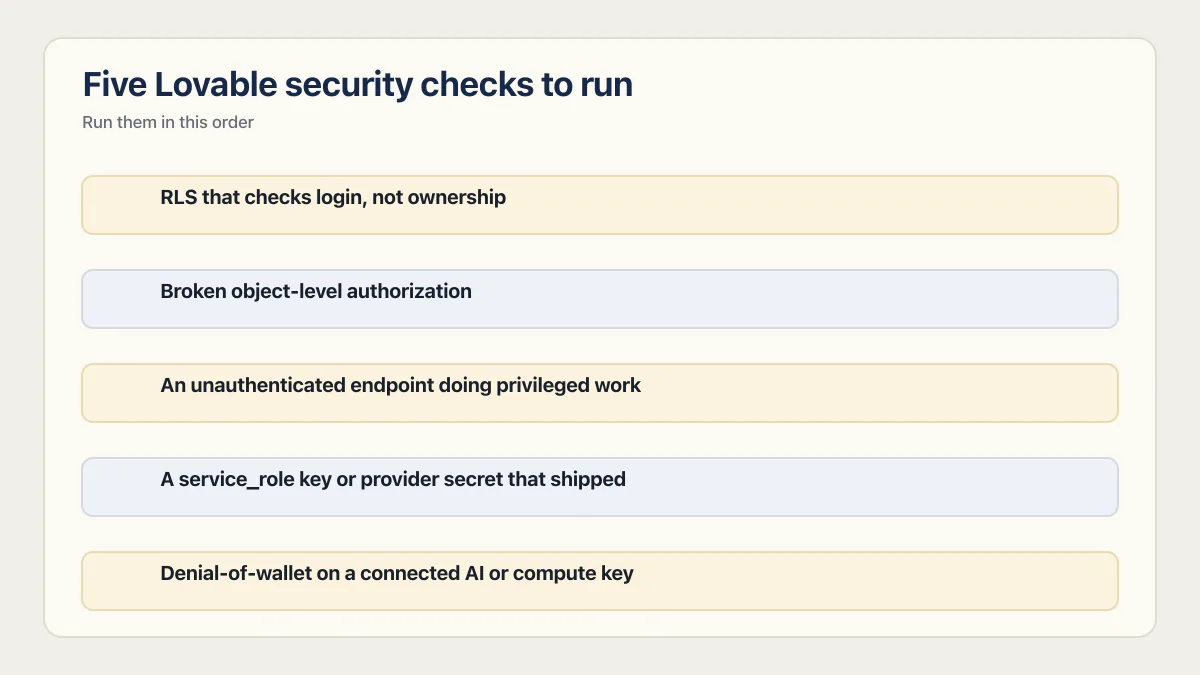
Run them in this order. Checks 1 and 3 are the same boundary and they are the ones that lose customer data, so they come first. Check 4 is next, because an open endpoint needs no credential at all. Checks 2 and 5 cost you money and credibility first, and a shipped service-role key turns into check 1 as well, since it bypasses RLS.
These checks require your own code and an isolated test deployment. Keep destructive or repeated requests away from production data and third-party accounts you do not control.
- Check 1. Open every table’s RLS policy and confirm it compares
auth.uid()(or a server-verified tenant identity) to the row, not just thatauth.uid()exists. - Check 3. Create a second account and try to read or write the first account’s data by editing an ID, in the app itself and in a direct API call.
- Check 4. Log out completely and call your most expensive endpoint or Edge Function directly: an AI feature, an email send, a document generation. It should refuse.
- Check 2. Search your browser build output, not just your source, for
sb_secret_,service_role,sk_live_,sk_test_, and the key patterns used by your providers, then search git history for the same strings. - Check 5. In a test environment, send a small burst to the AI endpoint as a low-quota test user. Confirm rate limiting stops the burst before meaningful spend.
A clean pass tells you what held on the workflows and environment you exercised that day. It does not cover every route, role, dependency, deployment setting, or operational control. Is your AI-built app ready to launch covers the wider readiness decision. For the full set of areas an app you already run needs covered, production hardening explains what it is and where to start.
The full study behind the cohort numbers, including its methodology and limitations, is maintained separately.
Common questions about the Lovable security checklist
How do I check my Lovable app’s security myself?
Run the five tests above against your own app in a test environment: read every RLS policy, try a cross-account read with a second account, call your most expensive endpoint while logged out, search the built browser bundle and git history for provider keys, and send a small burst at your AI route as a low-quota user. Each test produces evidence about your app rather than an opinion about the platform. You need a second test account, a browser, and access to your project; a terminal helps but is not required.
What should I check before launching a Lovable app?
Before you publish, confirm four things hold: a second account cannot read or write the first account’s rows, no provider secret appears in the built bundle or git history, every privileged endpoint refuses a logged-out request, and every paid route enforces a per-user request and token budget. Run Lovable’s Deep scan as well and resolve what it flags. The scan and the tests answer different questions, so do both.
Is Lovable code secure by default?
No. Lovable generates working code, and a working app is not the same as an app with correct ownership checks, server-side secrets, and gated endpoints. Lovable’s external-hosting documentation reports SOC 2 Type II and ISO 27001 for its managed infrastructure. Those attestations cover Lovable’s own systems, not whether your tables and routes enforce ownership.
Can my Lovable app be hacked?
Yes, if an application control is missing or incorrect. The common paths covered here are ownership checks that fail across accounts, exposed credentials, unprotected privileged endpoints, and paid routes without effective limits. Run the five checks in an isolated environment and investigate any unexpected access or successful request.
What is the biggest security risk with Lovable?
An access rule that checks whether someone is logged in rather than whether they own the row. In the fixed 21-app third-party cohort, 9 had a row-level security gap and 7 confirmed that a logged-in customer could read or write another customer’s data. It outranks the other classes because it leaks customer records, needs no leaked credential, and stays invisible to one-account testing.
Does the publish-time scan make my app secure?
No. Basic checks RLS, schema and access control, and dependencies. Deep adds code-level review for issues such as permissive access, unprotected endpoints, exposed secrets, unsafe input, storage, and information leakage. Those checks can find real risks, but a clean result is not proof that the deployed app is secure. Run the direct tests above on the workflows and account boundaries that matter.
Does Lovable expose my Supabase API keys?
The publishable or legacy anon key is meant to be visible in browser code, because RLS and grants are what limit what it can do. A sb_secret_ or legacy service_role key is privileged and must never reach the browser. So a visible anon key is expected and a visible secret key is an incident. Check which one shipped before you decide which it is.
Can I run these checks without a developer?
Mostly, yes. The second-account test, the logged-out endpoint call, and the bundle search all run in a browser: sign up twice, watch your app’s own network requests, and use the browser’s search across the loaded JS files. The policy read and the low-quota burst are easier with a developer, but you can ask Lovable itself to list the policies and the rate limits using the prompts in each section above.
What is CVE-2025-48757?
It is a critical-rated row-level security flaw in Lovable through 15 April 2025 that let unauthenticated remote callers read or write arbitrary database tables in generated sites. Lovable disputes the CVE and holds that customers are responsible for protecting their application data. The category is the same one checks 1 and 3 test for, missing authorization, though the CVE’s callers were unauthenticated where check 1 tests a logged-in second account, and the full platform verdict sits in its own post.
The checks in this guide show you where the app is open. The sprint below closes those gaps, tests the result and writes the evidence down.
Built it with AI. Now it has to hold up for real customers.
The Production Hardening Sprint takes the app you already have and builds the production foundation underneath it. Authentication and access rules, payments that stay consistent, error handling, monitoring, backups, automated tests and a documented handover. Our engineers work inside your existing codebase for ten working days. All 123 deliverables are included, and you get the evidence for each one.
See the Production Hardening Sprint →  $2,500 fixed price · 10 working days · One codebase