If you think your app was hacked, contain the active risk and preserve evidence at the same time. Restrict the affected route, database, storage bucket, or account. Save logs, timestamps, recent deployments, access settings, and copies of the suspicious requests before they roll over or get overwritten. Revoke sessions and rotate credentials whose confidentiality is in doubt, starting with credentials that can reach customer data, production infrastructure, payments, or source code.
This is common, and it is usually the same handful of defaults. When RedAccess scanned 380,000 publicly reachable apps built on Lovable, Replit, Base44 and Netlify, more than 5,000 had virtually no access controls, and around 40 percent of those held genuinely sensitive data, including medical and financial records. In most of those cases the cause was a setting, not an attacker.
Avoid wiping the project, deleting logs, restoring over the current database, or making broad changes without a record. Those actions can erase the evidence needed to identify what happened and which users were affected. The current FTC Data Breach Response Guide tells businesses to stop additional data loss, document the investigation, preserve forensic evidence, determine the information involved, fix vulnerabilities, and assess notification duties. NIST SP 800-61 Revision 3 places incident response across detection, response, recovery, and the wider risk-management process.
This runbook is for an active or suspected incident. It cannot determine the legal duties for a particular business, person, dataset, or jurisdiction. Bring in qualified incident-response and privacy counsel promptly when personal, health, financial, authentication, or regulated data may be involved.
How do you know your app was hacked and not just broken?
Most “was I hacked” moments turn out to be one of three things: a real intrusion, a bot flood, or a bad deploy. These are the signs that point at the first one. Any single one of them is worth an hour of your time.
- Rows in the database you did not write. Records created, edited, or deleted at times that match nothing your app or your users did.
- Sign-ups you cannot account for. A burst of accounts on throwaway addresses, or accounts created outside the hours your traffic normally runs.
- An AI, hosting, or email bill that spiked overnight. Someone else spending on your key is the most common cause after a runaway loop of your own.
- Your sending domain flagged for spam. A blocklist entry, a bounce-rate jump, or a provider warning usually means mail is going out through your account that you did not send.
- A stranger emails you a screenshot of someone else’s data. Treat every unsolicited report as credible until your own logs say otherwise.
- The app returns real data in an incognito window with no login. Open your own product signed out and see how far you get.
- A warning already sitting in your platform’s security panel. Supabase and Firebase both flag missing access rules without being asked, and nobody reads the panel until something goes wrong.
- A deploy you did not make. An unexpected release, a changed environment variable, a new collaborator, or a token you do not recognize in the project settings.
There is no single button that answers it: the way to check whether your app has been hacked is to run this list against your own logs, billing, and release history. These three look similar from a dashboard and are not the same problem. A flood (scrapers, bots, a DDoS attempt) makes the app slow or unreachable without changing your data or your access rules. A bad deploy breaks the same thing for everyone at the same moment and lines up with a release timestamp. A hack usually shows up as data or access that changed with no deploy behind it. Check your release history first: if the symptom starts exactly at a release, start there.
The two-minute check: is your app exposed right now
Suspicion often arrives without a confirmed path. In AI-built apps the most common finding involves no break-in: the frontend uses an anonymous database key while row-level security is missing or incomplete, so the database returns rows to anyone who asks through its normal API. That is an exposure even when no password was cracked, and you can confirm or rule it out in minutes. Five steps, a browser, no code changes:
- 01 Open your Supabase or Firebase project and check Row Level Security (or the equivalent security rules) on every table holding real user data, not just the ones you remember writing a rule for.
- 02 Open your live app in a browser, find the anon or public API key in the network tab, and query one of your own tables with it directly, outside the app’s interface. If rows come back that you never expected a stranger to read, that is the gap.
- 03 Check any endpoint that accepts an account, order, or chat ID straight from the request and returns data without confirming the caller owns that ID.
- 04 If you find something live, fix the rule or the check first. Rotating the credential and closing the table matters more in the first hour than reconstructing exactly who looked.
- 05 Once it is closed, look at what a stranger could actually have read while it was open, and only then decide who needs telling.
These five are first-hour triage, done with a browser and scoped to the tables and endpoints you can name; each is quick on a small app and takes longer for every extra table you find, and together they cover what actually failed in the incidents below. Step one has a fuller walkthrough in how to test Supabase RLS, including the two-account test that catches a policy which looks correct in the dashboard.
Where to click on each platform
- Supabase. Open Database, then Security Advisor in the dashboard. It flags public tables with row-level security switched off in plain words: “Anyone with your project URL can read, edit, and delete all data in this table because Row-Level Security is not enabled.” The Table Editor shows the same RLS state table by table.
- Firebase. Open Realtime Database, Cloud Firestore, or Storage, click Rules, then open the Rules Playground and simulate an unauthenticated read of a path that holds real user data. If the simulated read is allowed, anyone can do it.
- Lovable. Run a scan from the project Security view or the workspace Security center, and check whether the project and its published link are meant to be public. Lovable documents a basic configuration and dependency scan plus a deeper agentic code review, and workspace admins can require a scan before the first publish.
- Base44. Open the app’s security settings, confirm that its login setting matches the intended audience, and check permissions entity by entity instead of assuming the app screen is the only way in.
- Replit. Follow Replit’s security checklist to keep secrets out of client code, then confirm that protected routes use Replit Auth or another server-enforced authentication check.
- Client-side variables. Check which environment variables are exposed to the browser.
VITE_,NEXT_PUBLIC_, andPUBLIC_prefixes mark variables that are shipped in client code in those frameworks. A key that must stay secret cannot use one of those prefixes.
First 30 minutes: contain the incident without erasing it
One person should coordinate the response and keep a timestamped incident log. Record each action, who approved it, why it was taken, and what evidence was saved first.
- 01 Open an incident log. Record the discovery time, reporter, affected URL or system, suspicious account or request, current deployment identifier, and every response action from this point forward.
- 02 Contain the narrowest confirmed path. Disable the affected route, remove public access from the exposed table or bucket, suspend a compromised account, or place the app in maintenance mode if the exposure cannot be isolated.
- 03 Preserve evidence before it expires. Export application, authentication, database, storage, CDN, hosting, payment, and source-control audit logs. Save current access policies, environment configuration, deployment metadata, and relevant screenshots.
- 04 Revoke active sessions when authentication or session theft is possible. Invalidate refresh tokens, API sessions, magic links, and remembered devices using the controls of the identity provider.
- 05 Rotate credentials that may be exposed, beginning with production database, hosting, source-control, payment, email, and cloud-admin credentials. Map each credential to its consumers before replacement so the response does not create an unrelated outage.
- 06 Preserve a copy of the affected state for investigation. Keep it access-controlled and separate from the clean environment used to restore service.
Containment depends on what you know. A publicly readable table can often be closed by correcting its policy while the rest of the app stays online. A leaked production service-role key, compromised hosting account, malicious dependency, or unknown persistence may justify taking the affected service offline. Record the decision and revisit it as evidence changes.
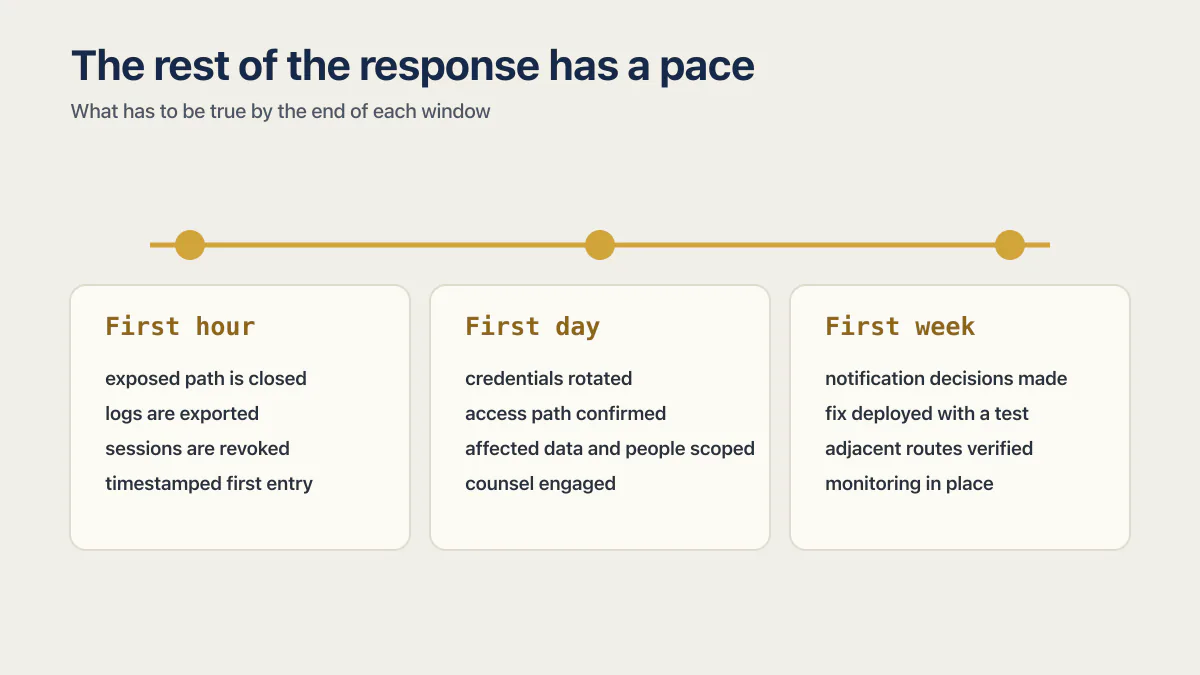
The rest of the response has a pace. You do not have to do all of it tonight.
| Window | What has to be true by the end of it |
|---|---|
| First hour | The exposed path is closed or the service is offline, logs are exported before they roll over, sessions are revoked, and the incident log has a timestamped first entry. |
| First day | Credentials rotated and their consumers updated, the access path confirmed and its equivalents checked, the affected data and people scoped to a stated upper bound, counsel engaged if personal, health, financial, or regulated data may be involved. |
| First week | Notification decisions made with named owners, the fix deployed through a clean path with a test that reproduces the incident, adjacent routes and old deployments verified, monitoring in place for the indicators the investigation found. |
What do you actually know versus what you are guessing?
Write the incident status in three columns: confirmed, suspected, and unknown. This prevents a plausible explanation from becoming the public story before the logs support it.
| Question | Evidence to preserve |
|---|---|
| How was the issue discovered? | Reporter message, alert, screenshot, suspicious request, provider notice, or public post |
| What was reachable? | Route inventory, table and bucket policies, deployed code, network responses, role permissions |
| Was access attempted or successful? | Authentication, database, storage, CDN, function, and application logs with timestamps |
| Which identity or credential was used? | User ID, session ID, token identifier, API-key owner, source IP, user agent, provider audit event |
| What changed? | Git commits, deployment records, database migrations, policy history, admin audit logs |
| How long was the path open? | First vulnerable deployment, configuration-change time, earliest suspicious event, containment time |
| What data could be involved? | Tables, columns, files, backups, logs, exports, derived copies, third-party destinations |
An empty log does not prove nobody accessed the data. The application may never have recorded the relevant event, the provider may retain it for only a short period, or the request may have used an interface outside the app. Use precise language such as “we have not identified access in the logs reviewed through 14:00 UTC” and record the missing evidence.
Determine whether this was account compromise, code execution, or exposed data
The response changes with the access path:
- A stolen password or session requires session revocation, account recovery, credential review, and a search for actions performed under that identity.
- A leaked API key requires revocation or rotation, an inventory of every permission attached to the key, and provider logs covering its usable lifetime.
- A vulnerable dependency or remote-code-execution path requires isolation of the affected runtime, investigation for persistence, a clean rebuild, and review of reachable secrets and systems.
- A public database table, storage bucket, or object endpoint requires immediate access-policy correction plus a scope analysis of every record or object the exposed role could reach.
- A broken object-level authorization path, the failure most bug reports call IDOR, requires testing each affected action across two accounts and reviewing logs for identifiers belonging to a different user or tenant.
The last two paths often look normal in infrastructure logs because the API returned data through an allowed request. Authentication may have succeeded. The missing control was authorization for the specific row, file, or function.
If you are working from a symptom rather than a confirmed path, start here:
| What you are seeing | Most likely cause |
|---|---|
| One user can read or edit another user’s records through the app or its API | IDOR, also called broken object-level authorization: the endpoint takes an ID from the request and never checks who owns it |
| Rows come back when you query the database directly with the public key | Missing or partial row-level security on the table |
| Files, images, or documents open from a direct URL with no login | A storage bucket or object endpoint left publicly readable |
| A server-only API key (a secret key, a service role key, a provider key you pay for) is visible in the network tab or inside the JavaScript bundle | A secret hard-coded into the shipped frontend, where every visitor can read it; keys the provider labels public or publishable are meant to be there |
| Data changed or disappeared, or an error message quotes part of a database query | SQL injection through an input concatenated into a query instead of parameterized |
| A script runs in another user’s browser, or user-submitted text renders as markup | Cross-site scripting (XSS) from input that was never sanitized before it was rendered |
| The app is slow or unreachable but no data or permission changed | A scraper, bot flood, or DDoS attempt: an availability problem, not a breach |
| An unexplained process, outbound connection, or a package nobody added | A compromised or malicious dependency in the build |
| Log entries under a real user’s identity that the user denies making | A stolen password, session, or token |
These are the same vulnerability classes that predate AI coding tools, all ordinary OWASP Top 10 categories: broken access control, injection, security misconfiguration, vulnerable components, authentication failures. What changed is the speed they ship at, and how few people look at them on the way out.
Whether a public Supabase key can expose data gets a longer walkthrough on its own. During an incident, inspect the deployed policy and real request path instead of assuming that rotating a public client key closes a missing row policy.
Which vibe-coded apps have been hacked
Three incidents anchor the exposed-data path, one at each end of the spectrum: RedAccess’s scan of the open web, a solo builder’s own writeup of getting hacked twice, and Barracuda’s teardown of the Tea app breach.
| Incident | What was actually open |
|---|---|
| RedAccess scan of 380,000 public apps (reported by Wired, May 7 2026) | Of 380,000 publicly reachable Lovable, Replit, Base44, and Netlify apps, more than 5,000 had virtually no security or authentication controls, and close to 2,000 of those appeared to expose genuinely private data: a shipping company's vessel arrival schedules, the status of UK clinical trials at a healthcare firm, a Brazilian bank's internal financials. |
| Solo builder, shipped in three days (Hacker News, June 2 2025) | Supabase Row Level Security was misconfigured on the app’s tables, so the anon key that ships in every browser could query the database directly, outside the app entirely. Hacked twice. |
| Tea app, July 2025 (analyzed by Barracuda, Dec 22 2025) | A Firebase storage bucket holding verification selfies and ID images had no access control. Days later, a separate flaw let any signed-in account use its own API key to pull other users’ private chat messages. |
The Tea numbers have hard edges: the exposed bucket held 72,000 images, roughly 13,000 of them selfies and government-issued IDs, and the second flaw surfaced a database of 1.1 million private messages within the same week of July 2025. Lovable had its own version of the same story, an IDOR gap in public projects that let any signed-in account read another user’s source code and database credentials: reported privately on March 3, 2026, it sat unpatched for 48 days and was fixed within two hours of public disclosure that April. None of these incidents needed a skilled attacker. Someone tried the door.
Incident coverage can tell you it happened. The AxonBuild audit corpus counts how often the same gap sits in apps that never made the news: RLS gaps in 9 of 21 third-party apps, confirmed cross-user data access (the same authorization failure behind the Tea and Lovable incidents) in 7 of 21, and personal data sitting somewhere it should not have been in at least 5 of 21. The wider record, 22 of 26 audited apps carrying a confirmed critical of some kind, says the open data layer is just the most visible of the defaults that ship unexamined.
A working demo only proves the app trusts you. Nobody ever asked it whether it should trust anyone else.
Who and what was actually affected?
Start with the earliest deployment or configuration change that introduced the path. End the initial window at the recorded containment time. Expand it when older logs, copied data, persistent access, or reused credentials support a wider period.
For each affected system, record:
- the data types stored or returned;
- the users, tenants, employees, or partners represented;
- the maximum records or objects reachable by the compromised identity;
- the evidence of actual access, modification, deletion, or export;
- encryption state and whether the attacker also had access to the relevant keys;
- downstream copies in logs, analytics, email, storage, backups, search indexes, and connected services;
- the reliability and retention limits of the evidence.
Hidden copies matter. One application in the fixed AxonBuild audit cohort had a table that a trigger quietly filled with every customer’s name, phone number, and delivery address. The visible product did not reveal that copy. Incident scoping has to follow writes, triggers, exports, and integrations beyond the screen where the issue was discovered.
Do not publish a record count based only on the first table or log query. Label the number as a current upper bound, confirmed accessed count, or still-under-review estimate. Update it when the investigation changes the evidence.
Decide who must be notified and when
Notification duties depend on jurisdiction, the business’s role, the people affected, the data involved, the likelihood of harm, contracts, and sector-specific rules. The FTC guide notes that every US state and several territories have breach-notification laws, with additional federal or sector rules possible. It recommends consulting legal counsel and determining the applicable requirements.
Contact the relevant service providers early. A compromised payment credential may require the payment processor or acquiring bank. Health data, financial data, government identifiers, employee records, and data handled for another business can create additional contractual or regulatory paths. Counsel should assess the deadlines and required content while the technical team continues scoping.
Communications should distinguish confirmed facts from ongoing investigation. State what happened, which information is involved, what the organization has done, what affected people can do, and where updates will appear. Avoid absolute statements such as “no data was accessed” unless the available evidence can support them. Avoid technical detail that would expose another working path or put affected people at further risk.
Repair the cause and recover through a clean path
Containment buys time. Recovery requires a verified fix and a trustworthy environment.
- 01 Identify the root access path and every equivalent path. A fixed UI route does not close a direct database API, storage URL, server function, or older deployment with the same weakness.
- 02 Patch authorization, validation, dependency, configuration, or credential handling in a separate environment. Add a test that reproduces the incident and fails before the fix.
- 03 Rebuild from known source and trusted dependencies when runtime compromise is possible. Do not copy an unknown compromised environment into the replacement.
- 04 Restore data only from a recovery point whose integrity and compatibility have been checked. Preserve the affected state separately for investigation.
- 05 Deploy through a recorded release, then test the original path, adjacent roles, direct API calls, session revocation, rotated credentials, and the main customer workflow.
- 06 Increase monitoring for the indicators found during the investigation, including the affected route, account, token, source pattern, object IDs, and privilege changes.
Keep retired credentials disabled. Remove temporary responder access after the incident. Review service accounts, webhooks, deploy keys, source-control tokens, database roles, and admin users for privileges that no longer have a purpose.
The Lovable disclosure above is the cautionary case here: 48 days unpatched after a private report, closed within two hours of going public. The durable lesson is to test the repaired boundary through the API with two accounts and to verify that sibling routes, functions, previews, and old deployments do not preserve the same access path.
When can you say the incident is contained?
Containment is a time-stamped operational state. Record the evidence supporting it:
- the exposed route or permission is closed;
- compromised sessions and credentials are invalid;
- the clean deployment passed the incident-reproduction test;
- adjacent access paths were checked;
- monitoring covers the known indicators;
- the affected systems remain under observation;
- notification and evidence-retention decisions have named owners.
New evidence can reopen the incident. Keep the investigation, legal assessment, and monitoring active for the period set by the response team. A clean interface or quiet alert window cannot establish that every copy, credential, or persistence mechanism has been found.
Common questions after a vibe-coded app is hacked
How do I know if my app was hacked or just broken?
Look for data or access that changed with no deploy behind it: records you did not write, accounts you cannot account for, a bill spike, or a stranger sending you someone else’s data. A bad deploy breaks the same thing for everyone at a release timestamp, and a bot flood makes the app slow without changing anything. If the symptom starts exactly at a release, start with the release. If it starts anywhere else, treat it as an incident until your logs say otherwise.
My AI or hosting bill spiked overnight. Was I hacked?
Maybe. A bill spike has three common causes: a runaway loop or retry in your own code, a scraper or bot hammering a public endpoint, and someone else using a key of yours that shipped inside the browser bundle. Check whether your API key is readable in the network tab, then compare the spike against your own traffic and release history. If the key was ever exposed to the client, rotate it before you finish the investigation.
Can I fix this myself or do I need to hire someone?
Most solo founders can do the first hour alone: close the exposed table or route, export the logs, revoke sessions, and rotate the keys. Get help when a runtime may be compromised, when you cannot tell from the logs what was reached, or when personal, health, financial, or regulated data may be involved, because those decisions carry legal deadlines. Evidence is the dividing line rather than skill: if you cannot prove what happened from the records you have, bring in someone who does this for a living.
Should I take the whole app offline?
Take the affected service offline when the exposure cannot be isolated, destructive activity is continuing, privileged infrastructure may be compromised, or continued operation would create more harm. A narrowly exposed table or route may support narrower containment. Preserve evidence, record the choice, and reassess as the investigation develops.
Should I rotate every API key immediately?
Prioritize credentials that are confirmed or reasonably suspected to be exposed and credentials reachable from a compromised system. Save the relevant identifiers and access records first where practical, map dependencies, rotate or revoke, update consumers, and verify the retired credential fails. Rotate adjacent credentials when the scope or trust boundary justifies it.
Do I have to tell users?
Possibly. The answer depends on the data, people, jurisdiction, harm assessment, contracts, and sector rules. Engage qualified privacy counsel promptly and use the applicable regulator or statute for deadlines and notice content. Technical uncertainty does not pause every legal deadline.
Is the incident over after I fix the vulnerable route?
The route fix closes one entry point. The response still needs evidence preservation, session and credential handling, impact scoping, clean recovery, adjacent-path testing, notification decisions, and monitoring. Close the incident only through the response process’s documented criteria.
Is my app public by default?
Not necessarily. There is no single default across AI builders. On Lovable, project access and published website access are separate settings. Since December 2025, project access defaults to Workspace for all plans. Website access separately decides who can visit the live URL. On Base44, smart app visibility suggests a starting setting based on the app type. The available choices are Public, Private, and Workspace, with Private limited to paid plans. Check the published app’s access and its data permissions separately. A reachable live URL does not prove that the editor, source code, or stored data is public.
Can my app be hacked even if I never shared the link?
Yes. The scan behind the RedAccess study above did not get an invitation to any of the 380,000 apps it found; it checked which of these platforms’ projects answer requests from the open internet, and many of the exposed apps had also been indexed by ordinary search engines. Obscurity is a delay, and the delay ends the first time an automated scan, a crawler, or a curious stranger sweeps the platform’s address space.
If you have a working app built with these tools and need it ready for real customers, this is what we do.
Built it with AI. Now it has to hold up for real customers.
The Production Hardening Sprint takes the app you already have and builds the production foundation underneath it. Authentication and access rules, payments that stay consistent, error handling, monitoring, backups, automated tests and a documented handover. Our engineers work inside your existing codebase for ten working days. All 123 deliverables are included, and you get the evidence for each one.
See the Production Hardening Sprint →  $2,500 fixed price · 10 working days · One codebase