Vibe coding security is the work of verifying that an AI-built app’s trust boundaries hold in the running product. Start with five questions: can one user reach another user’s data, can a normal user gain a privileged role, can an anonymous caller trigger paid work, can a browser receive a secret, and can a known vulnerable dependency reach a sensitive path?
This page is the broad security risk map: the boundaries to inspect, the evidence each one needs, and a practical priority order, with the OWASP categories that cover vibe coding named against the boundaries they apply to. The fixed study of 26 AI-built apps owns the aggregate figures, denominators, scoring model, and methodology.
The seven security risks in a vibe coded app
Every failure I have found in an AI-built app lands in one of seven buckets. The bolded name in each item is what the security industry calls it; the sentence after it is what it means for your app.
- Broken authorization. One logged-in customer reads or edits another customer’s data by changing an id in the URL or the request body. The app checks that you are logged in, never that the row belongs to you.
- Hardcoded secrets and API keys. A live key ships inside the JavaScript the browser downloads, or sits in a
.envfile that was committed to git months ago and is still in the history. - Vulnerable dependencies. A package in your tree has a published advisory, and nothing in your build tells you about it or upgrades it.
- Missing input validation. Untrusted input reaches a database query or the page unchecked: SQL injection, cross-site scripting (XSS), or a form that trusts whatever the browser sends.
- Prompt injection and unbounded consumption. Untrusted text changes what your AI feature does, or an anonymous caller runs up your model bill because the endpoint has no auth and no spend cap.
- Unguarded deployment. Nothing stands between a push and production: no tests, no review, no gate, and secrets or database access shared across environments.
- Silent failure. A security-relevant operation fails and reports success anyway, so nobody finds out until a customer does.
The rest of this page expands each one into the boundary to test and the evidence that settles it.
How much AI-generated code is actually insecure
Two industry numbers are worth holding. Veracode’s 2025 GenAI Code Security Report tested over 100 models and found that 45% of code samples failed security tests and introduced OWASP Top 10 vulnerabilities, with Java the worst language at a 72% failure rate. The BaxBench academic benchmark, 392 security-critical backend tasks across 14 frameworks and 6 languages, found that 62% of the solutions from even the best model were incorrect or contained a security vulnerability, and that around half of the functionally correct solutions were insecure.
Both figures describe generated code in the abstract. AxonBuild’s fixed corpus of 26 shipped AI-built apps says something a single percentage hides: the risk is not spread evenly. Scored out of 100, the pillars ran from 31.4 (reliability) to 84.4 (secrets). Founders who fix “the 45%” usually fix the part that was already the strongest.
What vibe coding security actually means
“Vibe coding” means building an app largely by prompting a tool like Lovable, Bolt, Replit, v0, or Base44, or directing an AI coding agent like Claude Code, Cursor, or Codex. The resulting app has the same security obligations as any other app handling accounts, data, payments, files, or paid APIs. Generated middleware, policies, and validation are candidate controls until a test exercises the protected boundary.
This security-cluster map separates direct application-security boundaries from operational weaknesses that affect whether a security failure is prevented, detected, and recovered.
A control in source code is a candidate. A boundary test shows what the running app actually enforces.
The vibe coding security risk map
Nine areas cover the direct controls and operational conditions around a security failure. Revenue, performance, and maintainability belong to other clusters.
| Review area | Boundary to verify | Evidence that resolves it |
|---|---|---|
| Authorization | Which identity may reach which record, tenant, role, or action? | Two-account and role-transition tests across every reachable path |
| Authentication | Does every protected route validate a current session on the server? | Logged-out, expired-session, and low-privilege requests |
| Secrets & credentials | Can a browser, repository reader, log consumer, or build artifact recover a usable secret? | Searches of delivered bundles, current code, history, logs, and runtime delivery |
| Input, injection & abuse | Can untrusted input change a query, command, model instruction, or costly action? | Adversarial inputs plus server-side validation and limit tests |
| AI/LLM-native risk | Can untrusted text alter model or tool behavior beyond the caller’s authority? | Prompt, tool-permission, output-handling, and spend-boundary tests |
| Dependencies & supply chain | Is a published advisory reachable under its stated conditions? | Version matching followed by source and runtime path tracing |
| Deployment & operations | Can an unchecked or misconfigured change reach production? | A deliberately failing gate and environment-boundary evidence |
| Reliability & correctness | Does a failed security-relevant operation report failure honestly? | Forced failures, useful logs, alerts, and regression tests |
| Data integrity & safety | Can destructive behavior be contained and required data be restored? | Scope tests, backup restoration, and recovery evidence |
If you have seen the standard catalogues, here is how the rows line up. Authorization is the OWASP API Security Top 10’s API1, Broken Object Level Authorization (BOLA). Input, injection and abuse is the classic OWASP Top 10 injection territory: SQL injection, cross-site scripting, command injection. The AI/LLM row is the OWASP Top 10 for LLM Applications, and four of its entries do most of the damage in founder apps: LLM01 Prompt Injection, LLM02 Sensitive Information Disclosure, LLM06 Excessive Agency, and LLM10 Unbounded Consumption. Secrets, dependencies, deployment, reliability, and data integrity have no single catalogue, which is part of why they go unchecked.
No single scanner owns this table. Static analysis, dependency scanning, secret scanning, and dynamic testing answer different questions. Stateful authorization, cost controls, deployment gates, and restore behaviour require configured identities, real workflows, or operational evidence. A tool’s finding supports only the pattern and conditions it tested.
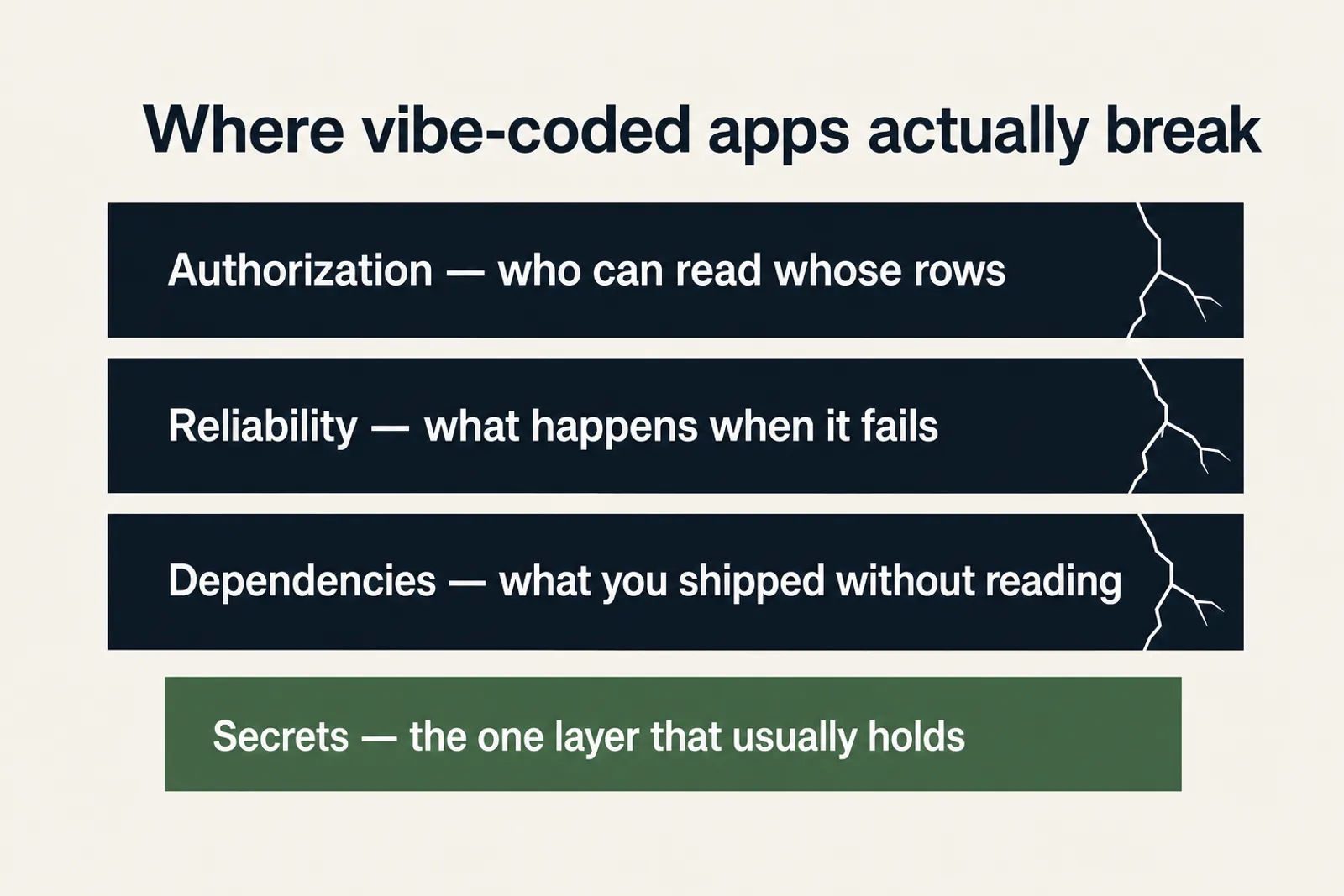
Ranked by the fixed June-July 2026 audit corpus, the order is nearly upside down from founder instinct: secrets, the pillar everyone hunts first, scored best at 84.4 out of 100 across the 21 third-party apps, and the deepest damage sat in rows few founders think to name, reliability worst at 31.4. The nine security-relevant pillars, worst to best:
| Pillar | Corpus avg (apps scored) | Does a typical security scanner check this? |
|---|---|---|
| Reliability & correctness | 31.4 (21) | No: untested code isn’t a vulnerability |
| Dependencies & supply chain | 34.5 (20) | Yes: the one row here scanners actually own |
| Deployment & operations | 37.0 (21) | No: deploy gates aren’t a scan finding |
| AI/LLM-native risk | 38.4 (14) | Rarely: most scanners predate LLM features |
| Authorization | 42.1 (14) | Partially: flags a missing check, not a wrong-owner check |
| Data integrity & safety | 51.6 (20) | No: backups and recovery aren’t a security scan |
| Authentication | 52.8 (14) | Yes: login flows are well-trodden scanner territory |
| Input, injection & abuse | 61.9 (21) | Yes: the classic SAST/DAST target |
| Secrets & credentials | 84.4 (21) | Yes: every scanner greps for this first |
Scores are out of 100, from a fixed corpus of 26 AI-built apps audited June to July 2026, of which 21 were scored on the security pillars. The number in brackets is how many apps were scored for that pillar. Figures last verified August 2026.
Vibe coding security spans trust boundaries that fail at very different rates: across 21 audited apps, the worst pillar averaged 31 out of 100, and the leaked-keys pillar everyone checks first averaged 84.
Four of the nine get real scanner coverage. The other five, reliability, deployment gates, authorization logic, AI-native abuse, and data integrity, are largely invisible to a tool built to match known patterns: each is a question about behavior over time, the kind no signature match can answer. The ranking doesn’t respect that split either: the worst pillar, reliability, sits outside scanner reach, while the second-worst, dependencies, is the one row a scanner fully owns and it still averaged 34.5.
Security terminology can obscure the concrete behavior a founder needs to test:
| What a security vendor calls it | What it actually means for your app |
|---|---|
| Broken Object Level Authorization (BOLA) | A logged-in customer reads or edits another customer’s data by changing an ID |
| Unbounded consumption | A stranger can run up your AI provider bill with no limit |
| Privilege escalation via mass assignment | A normal user edits their own account-type field and becomes an admin |
| Hardcoded secret exposure | A real API key sits inside the JavaScript your browser just downloaded |
| Reachable known-vulnerability finding | A framework advisory whose path must be traced, then repaired with a tested upgrade |
Broken authorization: who can reach which record and role
The recurring distinction is ownership: checking that a caller is logged in does not establish that the caller owns the requested row, belongs to its tenant, or may assign its privileged fields. This is what the OWASP API Security Top 10 calls API1, Broken Object Level Authorization. In one marketplace, the Supabase row level security (RLS) update policy protected row ownership but allowed the owner to change the role column to seller or driver. admin was also an accepted value, creating a dormant escalation path.
A Q&A platform had Supabase RLS enabled on every table, but its profile-read policy was USING (true). The policy allowed anonymous profile reads through the public anon key, the one that ships in the browser by design, including registered email addresses. Login worked; the authorization policy around the data did not. RLS being switched on is a setting. The USING clause is the actual rule, and true means “everyone”.
Exposed API keys in a vibe coded app: what is sitting in the open
Secrets leak two ways in AI-built apps. The first is git history: a .env file committed once and deleted later still sits in every earlier commit, and rotating the key is the only real fix. The second is the browser bundle. Build tools inline any environment variable whose name carries the public prefix, and that inlined value is shipped to every visitor. In Next.js the prefix is NEXT_PUBLIC_; in Vite (which Lovable, Bolt, and most v0 exports use) it is VITE_. Vite’s own documentation says VITE_* variables should not contain sensitive information, because the values are bundled into the source code at build time. Vercel and Netlify environment variables follow the same rule: setting a variable in the dashboard does not keep it server-side if the name is prefixed for the client. The controls that keep keys out of the browser and the repository, each with a test, are covered in secrets management best practices.
Supabase splits its keys in two, and the split is the one to know. The anon (publishable) key is meant to be public, and RLS policies are what stand behind it. The service_role (secret) key uses Postgres BYPASSRLS and skips every policy you have written, so it must never appear in a browser, a client-side file, or a repo. If it is in the bundle, every policy on the database is decoration. A client-visible value must be treated as public regardless of how it got there. API keys exposed on frontend code covers which keys can sit in the browser, which must stay on the server, and how to check your bundle.
For paid email, compute, or AI work, test input and abuse limits with authenticated and unauthenticated callers and verify how they behave across multiple instances. A helper that exists but is not attached to the expensive route does not protect the boundary. How to cap monthly usage on a metered API, with a hard ceiling and a spend alert that reaches a person, has its own page.
Prompt injection and denial of wallet: what a stranger can make your AI feature do
Test the server boundary around every model call: authentication, authorization, per-user and global spend limits, tool permissions, input provenance, output handling, and logs. Prompt injection (LLM01) and unbounded consumption (LLM10), the version founders feel as denial of wallet, are different outcomes, so the evidence should show whether untrusted text changes instructions, spends money, reaches a tool, or crosses an account boundary. For the definition and the four controls that harden an AI feature, see what is prompt injection.
Vibe coding security vulnerabilities in dependencies and deployment
Reliability, dependencies, and deployment are broader production-readiness areas, but they change security outcomes. Dependency scanning can identify an advisory. Tests and deployment gates help prevent the vulnerable or broken release, while error tracking shortens the time between a failure and a response.
If the app handles payment card data, health data, or EU personal data, or a buyer has asked you for SOC 2 or ISO 27001, these same nine boundaries are what an assessor will ask you to show evidence on. The compliance work is mostly writing down what you already tested.
SAST, DAST, SCA, and secret scanners: what each one leaves unresolved
Security tools have different evidence boundaries. A secret scanner looks for exposed values. Software composition analysis (SCA), the class that Dependabot, npm audit, and Snyk belong to, maps your installed versions to published advisories. Static application security testing (SAST) follows code patterns without running the app, and dynamic application security testing (DAST) exercises reachable behaviour against the running one. An SBOM lists what you shipped; it does not test anything. None of those automatically knows your tenant model, expected role transitions, spending policy, deployment controls, or restore requirements. Why AI coding tools ship security holes covers the generation and verification gap without treating every tool or app as identical. The vibe coding security scanner guide maps scanner categories to those evidence boundaries and the checks they leave unresolved.
What a vibe coding security audit checks explains how candidate findings are traced against code and runtime behaviour before they count.
A priority order if you have no security background
The full remediation guide shows how to secure vibe coding output pillar by pillar; you do not need to work through the nine in ranked order. For a first pass, four checks catch the worst of it fastest across high-impact boundaries that can expose another user’s data, a public secret, paid work, or an undetected broken release:
- 01 Create two accounts and try to read or edit the first one’s data from the second
- 02 Grep the JavaScript your site actually serves for a live key or a service_role string; anything a browser downloads is public
- 03 Confirm every endpoint that calls an AI model rejects a logged-out request and carries a per-user limit
- 04 Confirm a failed request lands somewhere a human will see it, and that a push can’t reach production with nothing checking it first
The order starts with direct cross-user impact, then checks public secrets and metered endpoints, and finishes with detection and deployment evidence. If the app has no accounts or AI feature, mark those checks inapplicable and move to the boundaries it actually exposes.
The short version, and where the full checklist lives
This is the short version: five commands, in the order worth running them. Replace yourapp.com with your domain. Nothing here changes your app; every one is a read. A full vibe coding security checklist runs longer than five commands and covers what to do with each result, so treat these as the ones that catch the most in the least time.
1. Search the JavaScript your site actually serves. The fastest version is in the browser: open DevTools, go to Sources, press Ctrl+Shift+F (Cmd+Option+F on Mac) and search for service_role. The scriptable version pulls the same-origin scripts the page names directly and greps them (it misses dynamic imports and query-suffixed files, so treat it as a first pass and the DevTools search or a full build directory as the complete one):
mkdir -p /tmp/bundle && cd /tmp/bundle
curl -s https://yourapp.com \
  | grep -oE '(src|href)="[^"]+\.js"' \
  | cut -d'"' -f2 | sort -u > files.txt
while read -r f; do curl -s "https://yourapp.com${f#https://yourapp.com}" >> bundle.js; done < files.txt
grep -ohE 'sk-[A-Za-z0-9_-]{16,}|service_role|eyJ[A-Za-z0-9_-]{20,}|AKIA[0-9A-Z]{16}' bundle.js | sort -u
A hit on sk- is an OpenAI or Anthropic style key. AKIA is an AWS access key id. eyJ is any JWT, which includes both Supabase keys, so decode it and check whether the role claim says anon or service_role. Anything the browser downloaded is public, and the only fix is to rotate the key and move the call to a server route.
2. Search git history for secrets that were deleted from the current files.
git log --all --diff-filter=A --name-only --pretty=format: \
  | sort -u | grep -E '(^|/)\.env'
git log --all -p -S 'service_role' -- . | head -60
git log --all -p -S 'sk-' -- . | head -60
The first command lists every .env file ever added on any branch. The second and third show the commits where a secret string entered or left the tree. A key that appears here is compromised even if the current files are clean, because the history is in every clone.
3. Run the two-account authorization test. Log in as two different users in two browsers, copy each session token, then hit the same record id with both:
RECORD_ID=1234                      # a record owned by user A
TOKEN_A=...                         # user A's session token
TOKEN_B=...                         # user B's session token

curl -s -o /dev/null -w 'A: %{http_code}\n' \
  https://yourapp.com/api/orders/$RECORD_ID -H "Authorization: Bearer $TOKEN_A"
curl -s -o /dev/null -w 'B: %{http_code}\n' \
  https://yourapp.com/api/orders/$RECORD_ID -H "Authorization: Bearer $TOKEN_B"
Expected: A: 200 with the record in the body, and B: 403 or B: 404, or whatever denial your API uses; drop the -o /dev/null and read the bodies. B: 200 with user A’s record in it is broken object level authorization, a serious finding because one user can reach another user’s record. Repeat with a PATCH or DELETE, because read and write are often protected by different policies.
4. Read your Supabase policies instead of trusting the RLS toggle. In the SQL editor:
-- Every policy, with the rule that actually decides access.
select tablename, policyname, cmd, qual, with_check
from pg_policies
where schemaname = 'public'
order by tablename, policyname;

-- Tables where row level security is off entirely.
select relname
from pg_class
where relnamespace = 'public'::regnamespace
  and relkind = 'r'
  and not relrowsecurity;
A qual of true means the policy matches every row for everyone it applies to. For an UPDATE or ALL policy, a with_check of null means PostgreSQL reuses the USING expression to check the proposed new row. Read the expression before deciding what fields it protects. A rule that checks only auth.uid() = user_id can still let the user change a role column because the role is not part of that expression. An empty result from the first query means no policies exist at all. With RLS on that blocks everyone, and with RLS off it exposes everyone, so run the second query to tell those two apart.
5. Check dependencies for known advisories.
npm audit --omit=dev # or: pnpm audit --prod--omit=dev (pnpm: --prod) drops build-only packages so you are looking at what actually ships. A high or critical advisory is a starting point, not a verdict: the next question is whether your code reaches the vulnerable function under the conditions the advisory describes.
One prompt that changes what the builder writes
Paste this into Lovable, Base44, Bolt, Replit, Cursor, Claude Code, v0, or Windsurf, against the file or route in question. It produces a candidate control. Only a boundary test from the checklist above settles whether the control holds.
For every endpoint that reads or writes a row, add a server-side check that
the row belongs to the authenticated user (or their tenant). Do not trust any
id, role, or tenant value sent by the client. List the endpoints you changed
and the ones you could not verify.
The last line matters more than the first: ask the tool what it could not verify. A tool that reports “done” on all of it has told you nothing about the running app.
That is one prompt, not a set. A security prompt for an AI builder works best one boundary at a time, so the fuller version runs one prompt per row of the map above rather than a single wall of instructions.
The rest of the security series
This post owns the risk map. If your question is what a vibe code audit covers, or how a candidate finding is traced until it counts, read the vibe coding security audit guide. If you want the controls one by one, web app security lists 12 of them, each with a test.
If you want the data behind the pillar scores, the 26-audit statistics article owns the methodology and the aggregate ledger, and what goes wrong in vibe-coded apps sorts the recurring problems by what it takes to see each one.
If the question is a broader AI app security assessment rather than the vibe coded case specifically, the AI app security audit guide covers that. Security is only part of shipping: revenue, performance, and maintainability sit outside this map, and the production readiness checklist owns that broader decision. For an app already running, production hardening covers the 13 areas and where to start.
Common questions about vibe coding security
Is vibe coding safe?
Yes, with conditions. A vibe coded app is as safe as its trust boundaries, not as safe as the tool that built it. Test the five that matter first: cross-user data access, role changes, secrets in the browser bundle or git history, spend limits on AI endpoints, and whether a broken deploy can reach production. Passing those checks gives you evidence for those five boundaries. It does not clear the app’s remaining data, identity, payment, deployment, or operational paths.
Can a vibe coded app be secure enough for real customers?
Yes. Nothing about generated code prevents it from being secure; what is missing is the verification step, because the tool writes controls but never tests the boundary they are supposed to protect. Run the two-account test, the bundle grep, the git history scan, the policy read, and the dependency audit, then fix what they surface. Completing those checks produces evidence only for those named boundaries; it does not establish whole-app security or a one-day outcome. Use the results and the app’s remaining data, identity, payment, deployment, and operational paths to decide what must be tested next.
Is vibe coding a security risk?
Vibe coding can produce security risk because generated controls may be incomplete, mis-scoped, or untested. The build method alone does not determine whether an app is secure. Verify the app’s actual trust boundaries, dependencies, runtime configuration, and operational controls.
What is vibe coding security?
Vibe coding security is the verification of trust boundaries in an AI-built app: identities, roles, data ownership, secrets, inputs, paid actions, dependencies, and model or tool permissions. A control in source code counts only for the behavior it actually enforces.
Which vibe coding security risk should I fix first?
For a multi-user app, begin with authorization: create two accounts and confirm one cannot read or edit the other’s data or privileged fields. For a public AI endpoint, begin with authentication and spend limits. Choose the first check from the app’s highest-impact exposed boundary.
Does Supabase row-level security make my app secure?
No. RLS being enabled is a switch; the policy text is the actual rule. A policy of USING (true) lets anyone holding the public anon key read every row, and a service_role key that reaches the browser bypasses every policy you wrote. Read your policies with select tablename, policyname, qual from pg_policies, and confirm no secret key ships to the client.
Which nine security boundaries does a vibe coded app have?
Authorization, authentication, secrets, input and abuse, AI and model risk, dependencies, deployment, reliability, and data integrity, each checked against the running app rather than the source code alone. Each finding has to be traced from a candidate pattern to actual behaviour before it counts. What a vibe coding security audit checks covers the process and the evidence each boundary needs.
Do platform scanners already cover this for me?
Partially. Secret, dependency (SCA), static (SAST), and dynamic (DAST) scanners cover different failure classes. Cross-user authorization requires a stateful test with multiple identities and objects unless the tool has been configured to perform that exact workflow. Deployment, alerting, and recovery also need operational evidence.
Which vibe coding security risks do scanners miss entirely?
Five of the nine, largely: reliability, deployment gates, authorization logic, AI-native abuse, and data integrity (scanners flag a missing authorization check but not a wrong-owner one, and most predate LLM features). Each is a question about behaviour over time or about your specific business rules, which no signature match can answer. In that fixed corpus those five included the worst-scoring pillar of all, reliability at 31.4 out of 100.
Where is your AI-built app most exposed?
The risks that hurt most sit at the boundaries: who can reach which records, who can change roles, and who can trigger paid work. On the audit, we go over those boundaries in your app with you and rank them by risk. You leave with a priority order that needs no security background.
Book a free audit → Free · 30 minutes · No code access needed