To secure a vibe-coded app, change one trust boundary at a time and require evidence before the change reaches production. Start from a staging copy you can roll back, reproduce the unsafe behavior, describe the expected denial, make the smallest repair, then test both the blocked action and the legitimate action that must still work.
The checks below focus on six high-consequence places. Use the order as a starting point, then change it to match the app’s actual stack and the evidence from the first failing boundary. An AI-generated failure can sit in the backend, the generated screen, or the connection between them.
This workflow is for an app you own or are authorized to test. Use test accounts, synthetic data, and payment-provider test mode. Do not probe someone else’s app, paste production secrets into an AI chat, or run destructive tests against live customer data. The procedure can improve known boundaries; it cannot certify that no unknown vulnerability remains.
Evidence note: This provider-neutral remediation framework draws its priorities from AxonBuild’s fixed June-July 2026 audit corpus and its control guidance from the cited OWASP and Stripe references. Framework-specific commands and configuration still need verification against the version actually deployed.
The six boundaries, in repair order
These six boundaries form a high-value smoke-test pass, not a complete security review. Each one has a single test that either passes or fails:
- Authentication. Call your most sensitive route with no session. It must refuse before doing the work.
- Cross-account authorization. Sign in as account B and request account A’s record. It must refuse, and account A’s data must not change.
- Exposed API keys. Search the built bundle, the repository, and the logs for a live key. A private key must never reach a browser.
- Rate limiting on the endpoint that costs you money. Send more requests than the allowance. The server must stop calling the paid provider.
- Payment webhook verification. Replay a webhook with a bad signature. It must be rejected and grant nothing.
- Failure visibility and a release gate. Break something on purpose. It must show up somewhere you watch, and a failing boundary test must block the deploy.
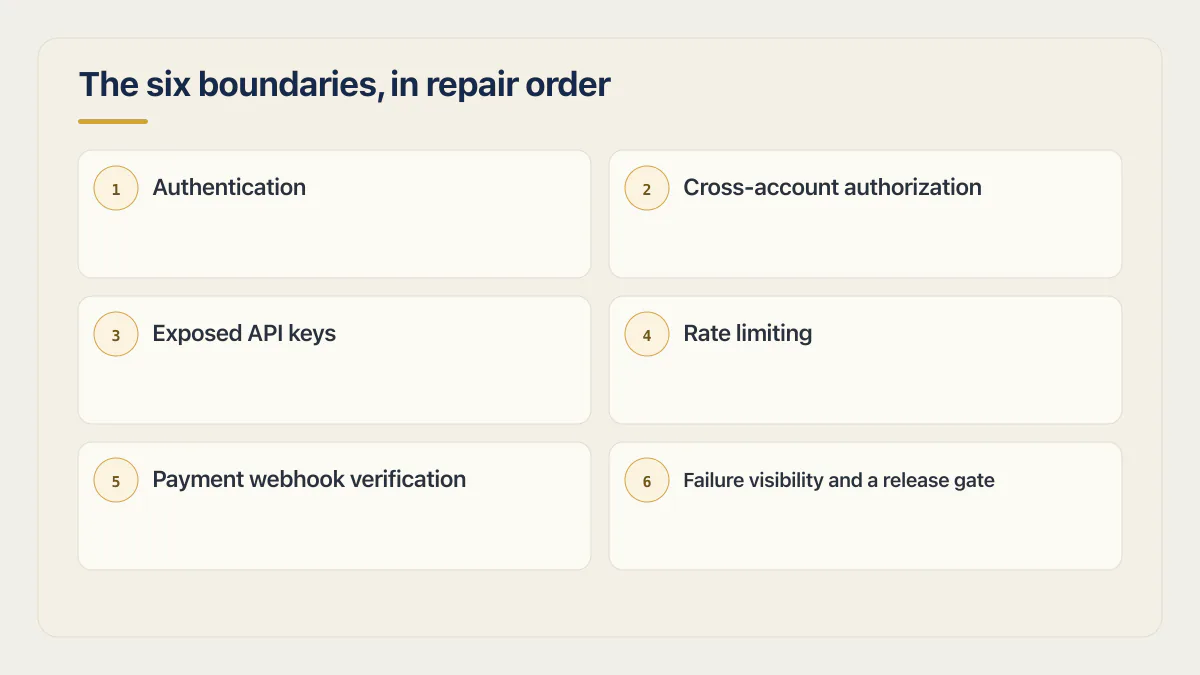
Step 1 below prepares the ground. Steps 2 to 6 repair those six boundaries, with authentication and authorization repaired together because they fail together. In a prepared staging environment, these six smoke tests can take about 30 minutes to run once; they do not cover the additional classes below. The short version is the 30-minute self-audit near the end.
What this guide does not repair
These are also material security risks, and this guide does not test them. Keep them visible so a clean smoke-test pass is not mistaken for full coverage:
- Injection, SQL injection, and cross-site scripting, which need input validation and parameterized queries. Why AI coding tools ship these holes explains where they come from.
- Vulnerable dependencies and npm supply-chain risk, which need a dependency scan and an upgrade path.
- Transport and CORS configuration, which is set at the hosting and API layer.
- Bot abuse and spam signups on public forms, where CAPTCHA and email verification are the usual controls.
- Prompt injection against any AI feature you expose.
- Backup restoration, which is only proven by an actual restore drill.
Run a security scanner first, then know what it proved
Most vibe coding security advice stops at “run a scanner”, so start there and then keep going. A free security scan is cheap and finds real things: known vulnerable patterns, a secret sitting in the bundle you ship, an out-of-date package with a published advisory, an obviously open endpoint. Run one before Step 1, record what it reports, and treat that list as candidates to verify; clear them through the staging and rollback setup Step 1 gives you rather than editing the live app straight from the scanner output. Then be precise about what the result means. A scanner proves a pattern exists; it cannot prove that account B cannot read account A’s invoice, because that answer depends on your data, your roles, and your ownership rule. That one needs two accounts and a real request, which is the rest of this page.
Step 1: set up a safe place to test and roll back
Do not begin with a prompt to “make the app secure.” That gives the tool no boundary, failure, or finish line. Prepare four things first:
- A staging or disposable copy that uses the same authentication, database policies, and server routes as production.
- Two ordinary test accounts, plus a separate admin account if the app has privileged roles.
- A known-good deployment or commit you can restore, and a backup whose restore process you have already checked.
- A short record of the action being tested, the actor allowed to perform it, the actor who must be denied, and the expected result for each.
If you cannot create a representative test environment, keep the work read-only until someone can assess the production risk. A security change that locks out customers, drops data, or breaks payment fulfillment is still a production failure.
Map your trust boundaries and find where the server decision lives
List the actions that can reveal data, change data, grant a role, spend provider money, or unlock a paid feature. For each action, identify where the server makes the decision. A hidden button is not a server decision. Neither is a client-side role flag, a success-page redirect, or an ID supplied by the browser.
Use a small boundary record rather than a broad security backlog:
| Record this | Example |
|---|---|
| Protected action | Read an invoice |
| Allowed actor | The invoice owner or a support admin |
| Denied actor | A different signed-in customer and a logged-out caller |
| Server decision | Session identity plus invoice ownership |
| Expected denial | 401 when signed out; 403 or a non-revealing 404 for another customer |
| Evidence to retain | Redacted request, response, and an unchanged database row |
Where the server decision lives in your builder
“Repair the server boundary, not the screen” is useless advice if you do not know where your server is. Here is where the decision actually gets made in the tools most vibe-coded apps are built with, and what fails there most often.
| Builder | Where the rule is enforced | What to open | Most common failure |
|---|---|---|---|
| Lovable (Supabase backend) | Postgres row level security (RLS) policies on each table, plus Supabase Auth for identity | Lovable’s Cloud tab, then Database, then RLS policies | A policy that checks the caller is signed in, not that the caller owns the row |
| Base44 | The built-in managed backend, with permissions set per entity in the builder | The app’s data and entity settings | An entity left open, so any signed-in user can list every record |
| Bolt | Whatever backend you connected, usually the Supabase integration for database, auth, and edge functions | The Supabase project’s table policies and your edge function code | Generated client code talks straight to the database with no policy behind it |
| Replit | Replit Auth handles sign-in; your own server code owns permissions, and the docs tell you to validate server-side yourself | The route handlers in the app, plus the SQL database | Sign-in works, so the app trusts the caller and never re-checks who owns the record |
| Firebase-backed app | Firebase Security Rules, defined outside the app in the Firebase console or CLI, covering Firestore, Realtime Database, and Cloud Storage | The rules file or the Rules tab in the Firebase console | Rules left in open test mode, or a rule that checks sign-in but not document ownership |
| Cursor or Claude Code | Your own middleware and route handlers in code | The API route or server function that performs the action | The check exists in one handler and is missing in its sibling; the UI hides the button and the route stays open |
Supabase’s own guidance is that RLS must always be enabled on any table in an exposed schema, and it turns RLS on by default for tables created in the Table Editor. A table created in raw SQL or the SQL editor does not get that default, so you have to enable RLS on it yourself. That is why the gap usually appears in whichever table the AI tool added last.
The full risk ranking behind these six controls belongs to the security-cluster map; this article owns the repair sequence.
AxonBuild’s fixed June-July 2026 audit corpus gives the sequence concrete priorities. Among the 21 third-party apps in that 26-audit corpus, 11 had an unauthenticated privileged endpoint, 9 had a row level security (RLS) gap, and 7 allowed a confirmed cross-user action. These are findings from a selected cohort, not estimated failure rates for all vibe-coded apps.
Step 2: repair authentication and authorization together
Start with the highest-consequence route: the one that exposes customer data, changes a role, deletes a record, or triggers an admin action. Reproduce its current behavior in staging before editing anything.
For authentication, send the request with no session. The expected result is a refusal before the protected action runs. For authorization, repeat the request as account B against account A’s object. The expected result is a refusal and no change to account A’s data. Also run the positive control: account A must still be able to perform the legitimate action.
Two accounts prove what one policy only claims.
How to run these tests without reading code
You can run the first check without reading code. Open a private or incognito window and visit your most sensitive page, but do not treat a login-screen redirect as proof that the server action is protected. Confirm that the underlying protected request is denied and that no state changes. For the cross-account page test, sign in as account A in your normal window and as account B in a second browser profile, then take the URL that shows account A’s record, including its ID, and load it in account B’s window.
To replay a request rather than a page, open DevTools in account B’s browser profile, perform the equivalent action against a record B owns, right-click the request in the Network tab, and choose Copy as cURL. Keep account B’s cookie or authorization header unchanged and replace only the resource identifier with account A’s resource identifier. Replay it against staging and verify both the denial and account A’s unchanged state. Do not copy account A’s request and change only an ID, because that keeps account A’s authenticated session. If a step still needs a real reader of the code, note it and move on rather than guessing.
Stop if the cross-account test succeeds against production with real customer data. At that point you have a live exposure on your hands, whatever the test plan says. Close the route or take the feature down, rotate any credential involved, check your logs for whether anyone else already did what you just did, and work the incident before returning to the next boundary.
Ask for the repair, then prove it worked
Ask the AI tool to repair the server boundary, not the screen. Give it the route, the redacted failing request, the required actor rule, the expected status, and the positive control. Require it to use the project’s existing authentication mechanism and to validate object ownership, tenant membership, role, and editable fields on the server. OWASP’s authorization guidance recommends denying by default and validating permission on every request.
Do not accept “row level security (RLS) is enabled” as the result. A policy may protect reads but not updates, apply to one role but not another, or be bypassed by a privileged server path such as a service key used in a server route. If the project uses Supabase, the RLS-specific guide owns those implementation details.
Undo the change if it denies the allowed account, touches unrelated routes, or requires turning off an existing protection. Save the failing test as a regression test before moving to the next boundary.
Step 3: remove an exposed API key without creating a second leak
Inventory your API keys and other credentials from the provider dashboards, your .env file, and the app’s approved secret store. Search browser-delivered JavaScript, source history, build logs, and runtime logs for confirmed private values or provider-specific secret formats. Start with the built output, not just the source folder:
grep -rE "sk_live_|sk_test_|service_role|AIza" ./distInspect every match. Some client identifiers and restricted public keys are designed to be visible, so a string match alone is not proof of a leak.
The problem is a private key that got compiled into the front end, committed to a public repository, or printed into a log, rather than a .env file that never leaves your machine. If a private credential reached a browser, public repository, or shared log, rotate or revoke it at the provider first. Removing the text from the latest file does not invalidate copies already downloaded. Then move the privileged provider call behind a server route, give the replacement credential the least privilege it needs, and store it through the deployment platform’s secret mechanism. OWASP’s secrets-management guidance treats rotation, revocation, access control, and detection as parts of the same lifecycle.
Build the app again and search the actual output a browser receives. The expected result is no confirmed private value in the bundle, source history used by the deployment, or logs, while the legitimate server-side feature still works. Six of the 21 third-party apps in the fixed cohort exposed a real API key or other private secret, and three had one in git history.
Rewriting repository history can reduce future exposure but can disrupt collaborators and existing references. Plan it separately. Credential rotation is the step that makes the exposed value stop working. Roll back the application change if the feature fails, but never restore a revoked credential merely to make the feature work again.
Step 4: rate limit the endpoint that costs you money
Identify every route that can spend money on AI, email, storage, search, image generation, or another metered provider. Test with no session first. Then test with an ordinary account up to the documented allowance and once beyond it. Use a test environment and a small allowance so the test cannot create a meaningful bill.
The repair needs real rate limiting on the server, not an IP limit in front of it. Require server-side authentication where the feature is private, a per-account quota, an atomic shared counter that works across application instances, a clear 429 response when the allowance is exhausted, and logs that identify the account without recording private prompt or customer data. Add a provider budget alert or hard spending cap where the provider supports one. IP or device signals can be secondary controls, not the sole identity for a signed-in paid feature.
The expected result is a successful request inside the allowance, a denial outside it, and no provider call after the denial. In the fixed cohort, 13 of 21 apps had no rate limit on their single most expensive endpoint, and 12 of 14 apps with an AI feature had a confirmed path for a stranger or free account to trigger paid AI work without an effective ceiling. One app I audited let anyone request a login code sent to any email address, with no session and no limit on how often, an open loop that would run up the owner’s email bill long before anyone thought to call it a security problem. The first sign of trouble would have been a strange invoice, not an alert. Rate limiting is the fix that belongs here; a CAPTCHA on the public form is the adjacent control that keeps bots and spam signups out of the loop in the first place.
Revert if the counter blocks every customer, resets on each server instance, or makes the provider call before deciding whether the request is allowed. Keep tests for the allowed request, the denied request, and two concurrent requests at the boundary.
Step 5: verify payment authority at the Stripe webhook
For a Stripe integration, use test mode and Stripe’s test tooling. A customer redirecting to a success page is not payment authority. The server should create prices from a trusted catalog, verify webhook signatures against the unmodified raw body, make entitlement transitions idempotent, and handle the payment, refund, dispute, cancellation, and failed-renewal states that apply to the product.
Stripe’s webhook documentation covers signature verification, duplicate events, retries, and delivery behavior. The verification call itself is short, and the detail that breaks it is the body:
const event = stripe.webhooks.constructEvent(
  await req.text(), // the raw body, not a parsed one
  req.headers.get('stripe-signature'),
  process.env.STRIPE_WEBHOOK_SECRET,
)
If that call does not throw on a bad signature, the handler is not authenticating the event as sent by Stripe. A valid signature confirms the event’s origin and integrity. Payment and entitlement state still depend on the verified event type and object status. Frameworks expose the unmodified request body differently, so use the Stripe example for the framework and version actually deployed. Do not paste a generic handler into an unknown runtime.
Test an invalid signature, a duplicate event, an interrupted redirect, and a refund or cancellation. The expected results are no entitlement change for the invalid event, one transition for duplicate delivery, fulfillment without relying on the redirect, and the correct access change when money moves back. The checkout failure guide owns the full payment-lifecycle test matrix.
Restore the last good deploy if legitimate test payments stop fulfilling or duplicate delivery creates duplicate credits. Do not bypass signature verification to make a failing webhook green; fix the framework’s raw-body configuration and test again.
Step 6: make failures visible, then add a release gate
Choose a safe, deliberate failure such as an invalid test ID or a rejected test request. Confirm the response is correct and that the failure appears in a log or error tracker someone is assigned to watch. The event should identify the route, environment, time, and correlation ID without exposing credentials, session tokens, payment details, or customer content.
Then place the repaired boundary tests in the deployment path. A release should stop when authentication, cross-account authorization, metered-route, or payment tests fail. In the 21-app third-party cohort, 17 had no error tracking and at least 17 had no deploy gate. Those are separate controls: monitoring tells you a failure occurred, while a release gate keeps a known regression from shipping.
The expected result is a visible test alert, followed by a deliberately failing boundary test that blocks a staging deployment. Roll back if logging exposes sensitive data or if the gate can report success without running the tests it names.
Give the AI tool a repair contract, not a security slogan
For each boundary, give the tool the same six-part contract (a prompt per boundary has ready-made versions):
- 01 Name one protected action and the exact route or server function that performs it
- 02 Provide a redacted failing request and the observed response
- 03 State who is allowed, who must be denied, and which fields the allowed actor may change
- 04 Require the smallest server-side change that enforces that rule without disabling an existing control
- 05 Require a negative test, a positive control, and the expected status or state for each
- 06 Name the rollback point and stop if the change touches unrelated data, roles, billing, or deployment configuration
Review the proposed diff even if you cannot judge every line. You can still reject unexpected file changes, new dependencies, disabled checks, hardcoded credentials, or a test that never calls the real route. A person who can review code should inspect high-impact changes; outside-in evidence complements source and configuration review rather than replacing it. The secure code review checklist covers what that person should look for in an AI-built codebase, in what order, and when reading has to stop.
The 30-minute self-audit
Run these six boundaries as one outside-in smoke-test pass, in the order above. They check six specific failure paths and leave the additional classes above untested:
- 01 Log out and call your most sensitive route directly; confirm it refuses you
- 02 Create two accounts and try to read the first one’s data from the second
- 03 Search your built bundle for a live key, not just your source folder
- 04 Confirm the one endpoint that costs you money rejects a logged-out call and caps requests per user
- 05 Replay a payment webhook with a bad signature and confirm it gets rejected
- 06 Trigger a deliberate failure and confirm it lands somewhere you would notice
With prepared accounts and staging, thirty minutes can be enough to run these six smoke tests once. Fixing what fails is the part with no fixed time, since it depends on which of the six broke.
How to know the repair is finished
A repair is finished when the original unsafe action is denied, the legitimate action still works, the state remains correct, and the test runs automatically before the next release. Keep the redacted request, response, relevant log event, and test result with the change. Re-run the test after deployment from a fresh session because staging and production can differ in credentials, policy roles, proxies, and environment settings.
Treat a clean result as the start of wider testing, then assess the additional classes listed above against your app. Vulnerable dependencies, backup restoration, full authentication flows, and business-specific data integrity still need their own evidence. The wider set is mapped in production hardening, which covers all 13 areas and where to start.
Common questions about how to secure vibe-coded apps
Can I secure a vibe-coded app if I cannot read code?
You can define the trust boundaries, reproduce unsafe behavior, require server-side repairs, and verify negative and positive outcomes without reading every file. That does not make source review unnecessary. Privileged paths, dependency reachability, configuration, and subtle data-integrity failures may require someone who can inspect the implementation.
How long does it take to secure a vibe-coded app?
There is no defensible fixed time. A first boundary test can be quick, while repairing shared authorization, payment state, or leaked credentials can take much longer. Estimate after reproducing the failure and identifying the affected routes, data, and rollback plan.
Can the same AI tool that built the app fix its security problems?
It can produce a repair candidate when given a narrow rule and a failing test. Do not treat its explanation as proof. The evidence is the denied unsafe action, the preserved legitimate action, the unchanged protected state, and the regression test running against the real boundary.
How do I vibe code with security in mind from the start?
Write the actor rule and denial case before asking for the feature. Require the server to own identity, authorization, price, entitlement, and spending decisions. Add one positive and one negative boundary test in the same change, then keep both in the release gate. A rules file the tool reads on every prompt, such as a CLAUDE.md, is the cheapest way to make those requirements stick across sessions.
Can AI coding tools write secure code?
They can, and they often do not by default. The tool writes what the prompt implies, so a feature request without an actor rule usually produces a route that trusts whoever calls it. Ask for the denial case in the same prompt as the feature, then verify the result with a request rather than reading the tool’s summary of what it did.
What are the most common security problems in vibe-coded apps?
In AxonBuild’s fixed 26-audit corpus, the pattern is consistent across the 21 third-party apps: 11 had a privileged endpoint that answered without a session, 9 had a row level security gap, 7 allowed a confirmed cross-user action, 13 had no rate limit on their most expensive endpoint, and 6 exposed a live API key. Missing failure visibility was near-universal, with 17 of 21 running no error tracking. These are counts from a selected cohort, not failure rates for every vibe-coded app.
Do I need a security scanner or a penetration test?
Run a free scanner first, because it is fast and finds known vulnerable patterns, exposed secrets in your bundle, and outdated packages. It cannot tell you whether account B can read account A’s data, since that depends on your ownership rules. If the app will handle sensitive data, privileged actions, or money, arrange an authorized penetration test before exposing those assets. Also arrange one when a customer, insurer, or written requirement calls for it. The six boundaries here are smoke tests, not a substitute for that review.
If this checklist left you with more open items than you expected, the sprint below works through all of them in ten working days.
Built it with AI. Now it has to hold up for real customers.
The Production Hardening Sprint takes the app you already have and builds the production foundation underneath it. Authentication and access rules, payments that stay consistent, error handling, monitoring, backups, automated tests and a documented handover. Our engineers work inside your existing codebase for ten working days. All 123 deliverables are included, and you get the evidence for each one.
See the Production Hardening Sprint →  $2,500 fixed price · 10 working days · One codebase