A beta adds outside eyes to your own checks. Someone who never watched you build the app signs up cold, returns on a second visit, and tries the core workflow without knowing the path you expect. The beta can expose device, account, and behavior combinations you did not automate, but it is not a substitute for tests that run after every code change.
Only one of the 26 apps AxonBuild reviewed in June and July 2026 had a working automated test suite, a healthcare records hub, and even that suite skipped sign-up, login, and the payment webhook. One summer’s cohort cannot speak for every AI-built app, but if the single app that tried to test itself still missed the paths a stranger walks first, that argues for installing logging and writing a specific test brief before the first outsider arrives.
Beta programs can collect product feedback and test market interest. This guide focuses on a separate technical job for an app built by prompting: exercising important workflows under outside accounts, devices, and behavior before a wider release.
| General beta goal | Technical task in this guide |
|---|---|
| Collecting early opinions and feature requests | Exercising sign-up, login, and payment on a device you never touched |
| Building a waitlist of interested users | Catching the failure your AI tools never wrote a test for |
| A soft launch with fewer people watching | An outside-eyes layer for paths your automated checks may miss |
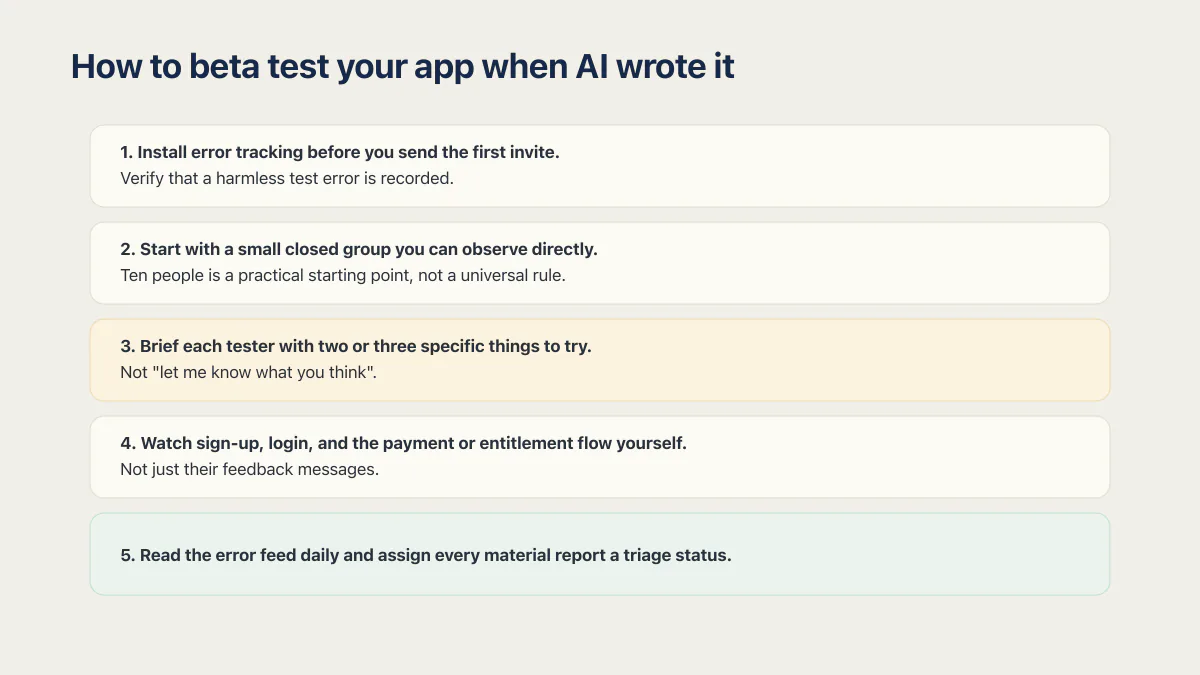
How to beta test your app when AI wrote it
Beta testing in app development means putting a near-final build in front of people outside the build and letting their real use, rather than your own demo, decide what is broken. How you beta test an app that AI wrote is the same shape with one addition: install the error tracking first, because you did not write the code and cannot work out from a screenshot which path failed.
The sequence is short, and skipping the first step is the mistake that wastes the rest of them.
- 01 Install error tracking before you send the first invite, then verify that a harmless test error is recorded
- 02 Start with a small closed group you can observe directly; ten people is a practical starting point, not a universal rule
- 03 Brief each tester with two or three specific things to try, not "let me know what you think"
- 04 Watch sign-up, login, and the payment or entitlement flow yourself while they test, not just their feedback messages
- 05 Read the error feed daily and assign every material report a triage status
The rest of this post walks through the reasoning behind the first four in order. For iOS testing, Apple’s current TestFlight overview defines the platform limits and review process; those details can change independently of the testing method here.
Your beta testing checklist starts before you invite anyone
Most guides open with recruiting. That is backward for an app with nothing watching it: 17 of the 21 third-party apps in the corpus had no error tracking at all. Invite ten testers into that setup and you cannot rely on an automatic record showing which failure happened, when it happened, or which path produced it; a tester may still report the problem manually.
Install client- and server-side error tracking appropriate to your stack; a tool like Sentry installs in an hour and catches both server exceptions and browser render crashes. Verify it by forcing a harmless test error in each environment. Pair that with a health check that exercises a dependency the core workflow actually needs rather than a route that always answers “ok.” Do this before the first invite goes out, not after the first bug report arrives with no timestamp, request ID, or stack trace: it is the same gap behind an app that fails while still saying 200 OK, closed before testers arrive instead of after.
A beta is the outside-eyes layer: real people exercise paths your automated checks and your own demo did not cover.
Closed beta first: ten real users, not a crowd
A public link can increase reach, but it gives you less control over which account types, devices, and critical paths get exercised. A closed beta means you choose who gets in, usually by direct invite, and can follow up afterward to distinguish a failed path from one nobody tried.
For an app that has never been exercised by anyone besides you, engaged testers count for more than headcount. Ten people you picked, briefed, and can follow up with individually are a practical starting point, but coverage matters more than the number. Widen only after the critical paths have been exercised across the relevant account types and devices, blocker reports are resolved, and new reports are being captured and triaged reliably.
How to find (and brief) beta testers
Find beta testers among people who already match the app’s intended user: your own customer or waitlist list first, then a niche community or forum where that role posts, your personal network, and a signup form on the landing page. A beta tester for an app is someone outside the build who uses a near-final version on their own device and account and tells you what happened. Marketplaces that recruit paid testers exist and can produce device coverage, but a paid tester’s read on the core workflow carries less weight than a real target user’s.
Whichever channel you use, recruit against the users and conditions the app is meant to support. Ask what they would use the app for, what device they use, and which account type applies before sending the invite; those answers help you choose a group that covers the intended paths.
The brief shapes what you can learn. “Let me know what you think” may produce general reactions; a specific task makes a problem easier to reproduce:
- Create an account and use it a second time tomorrow, not just today
- Try to break the signup or checkout on purpose: wrong password, expired card, back button mid-flow
- Do the one core action the app exists for, start to finish, and tell me exactly where it felt slow or confusing
That last item expands the evidence beyond one successful demo. Asking for a returning session and an interrupted flow deliberately exercises states the builder’s usual happy path may not cover.
What to watch: the paths your app was never tested on
In the fixed June–July 2026 cohort, at least 23 of 26 apps had no working automated tests. The one credited suite still skipped sign-up, login, and the payment webhook. That historical gap also helps explain why an AI-built app gets harder to change every week: later edits can change behavior without a failing check naming the regression.
Watch these three flows while the beta runs, adapting them to the app’s actual account and revenue model:
- Sign-up and login on a fresh device or browser profile. The one you use every day has cached tokens and saved passwords papering over problems a stranger will hit cold.
- The payment or entitlement path. Does access actually get granted after the charge clears, and does it get revoked correctly if a subscription lapses? A tester who cancels mid-beta and still has access told you something a green demo never would.
- The one core action the app exists for. The button being clickable proves nothing; what counts is whether it completes and produces the result it promised.
If a tester sees an error vanish without confirmation and the client or server records no corresponding signal, the instrumentation from earlier can turn the next reproduction into a traceable report rather than another unexplained near-miss.
If your app is on iOS
Everything above applies whether your app lives on the web or in an app store, but iOS adds a gate the web does not have. On iOS, the beta can run through TestFlight. Apple requires a beta app description and beta app review information before a build can be shared with external testers, and the first build added to an external-testing group has to be approved by App Review before those testers receive it. The build, tester-group and review mechanics on both Apple’s and Google’s beta channels earn their own separate walkthrough, and this post stays on the program you run inside them. What does not change is the order: instrumentation and the closed-beta discipline above still come first, and TestFlight’s review sits on top of them.
A beta is one way of gathering evidence toward the larger question of whether an AI-built app is actually ready to launch. It does not by itself prove that security, recovery, monitoring, and change safety are ready.
Common questions about beta testing an app you built with AI
How many beta testers do I need?
Enough to cover the critical paths, account types, supported devices, and returning-user behavior you need evidence about. Ten engaged testers are a practical first round for a small app, not a universal minimum. Widen only after every report from that round has been reproduced or explicitly triaged.
Closed beta or open beta first?
For a small app that has not yet had outside use, start closed. A closed beta lets you pick who is in, brief them individually, and follow up afterward; an open beta trades some of that control for reach. Move on when the critical-path exit criteria are met: no unresolved blocker in the supported flows, every material report reproduced or triaged, and error tracking confirmed to capture failures.
Is a beta a substitute for automated tests?
No, and they cover different ground. A test that runs on every push catches a regression automatically. A beta can expose devices, account states, and user behavior the automated set did not cover. Use beta findings to improve the repeatable suite rather than asking volunteers to rediscover the same regression after every change. For the smallest suite that catches a broken signup, login or payment, see how to write end to end smoke tests.
How long should a beta run before I launch?
Long enough for testers to complete the assigned paths on at least two occasions, because the second visit can expose session and returning-user failures the first cannot. One to two weeks may be a useful planning range for a small closed beta, but the exit criteria matter more than the calendar. Extend the round while new blocker-class issues are appearing or important reports remain untriaged.
If this checklist left you with more open items than you expected, the sprint below works through all of them in ten working days.
Built it with AI. Now it has to hold up for real customers.
The Production Hardening Sprint takes the app you already have and builds the production foundation underneath it. Authentication and access rules, payments that stay consistent, error handling, monitoring, backups, automated tests and a documented handover. Our engineers work inside your existing codebase for ten working days. All 123 deliverables are included, and you get the evidence for each one.
See the Production Hardening Sprint →  $2,500 fixed price · 10 working days · One codebase