Cursor can be used safely for many codebases, but only after you separate three questions. Cursor’s platform has documented security controls. Its agents can still read files, run commands, call tools, and reach external services according to the permissions you choose. The code those agents produce remains your application’s security responsibility.
The practical answer is conditional: keep Cursor current, choose the privacy setting that matches the code you handle, constrain agent execution and network access, and test the generated application independently. A vendor attestation or a green agent run cannot prove that one customer is unable to read another customer’s data.
Is Cursor safe? The short answer
Yes for most codebases, once you change three things: turn Privacy Mode on, keep the agent out of Run Everything mode, and test the app it writes as a separate job. Four lines:
- Safe for ordinary repository work with Privacy Mode on, a run mode that still reviews shell commands, and no secrets sitting inside the workspace.
- Not safe in Run Everything mode on a repository you did not write, because every tool call executes with no sandbox and no review.
- Not decided by your plan. Privacy Mode is a setting, not a tier. Check the account, not the invoice.
- Not a claim about your app. No Cursor setting tells you whether the code it produced enforces authorization. That is a separate test.
Every claim below is checked against Cursor’s own security, data-use, and agent documentation, linked where it is used. Cursor ships fast, so recheck those pages before you write a policy for a team.
| Surface | What Cursor currently documents | What you still need to decide |
|---|---|---|
| Cursor’s platform | SOC 2 Type II attestation available on request and at least annual third-party penetration testing | Whether the report scope and controls meet your organization’s requirements |
| Prompts and code | Privacy Mode prevents Cursor from using Customer Data for training and uses zero-data-retention agreements with model providers, subject to documented abuse-review and non-ZDR-model exceptions | Which privacy mode is selected, which models are allowed, and whether the repository contains data that should never enter an AI request |
| Local agent actions | Approval controls and a local command sandbox can limit writes, network access, and access to ignored files | Whether broad allowlists, network access, MCP tools, or approvals give the agent more authority than the task needs |
| Cloud agents | Isolated remote environments can clone, modify, and push repository branches | Whether sending the repository to a remote environment with internet access and automatic command execution is acceptable |
| Generated application | Cursor can edit and test code | Whether authorization, secrets, payments, data recovery, and failure paths work in the deployed app |
Cursor’s current security page says its SOC 2 Type II report and the executive summary of its latest penetration test are available through the trust portal. That is evidence about Cursor’s assessed systems and processes, not a certification of every extension, MCP server, repository, or application used with it.
What Cursor actually sends off your machine
This is the question underneath most “is Cursor safe” searches, and the honest answer is not “nothing”.
- Every AI request goes through Cursor’s servers. Cursor says requests pass through its backend even when you supply your own model-provider API key, because final prompt construction happens there. There is no fully local mode.
- Codebase indexing uploads plaintext chunks for embedding during the request. Cursor says the plaintext then ceases to exist, while embeddings and metadata such as hashes and file names may remain stored.
- Whatever you attach travels with the prompt. Open files, @-mentioned files, terminal output, and tool results are all request payload.
- What stays put, mostly. Files matched by
.cursorignoreare blocked from Agent’s model-native file access, Tab, Inline Edit, and @ mentions. Agent’s terminal and MCP tools are outside that block, so an ignore file is not a secrets boundary..cursorindexingignoreis weaker on purpose: it only keeps a file out of the search index, and the model can still read it. Picking the wrong one of those two files is a common and quiet mistake.
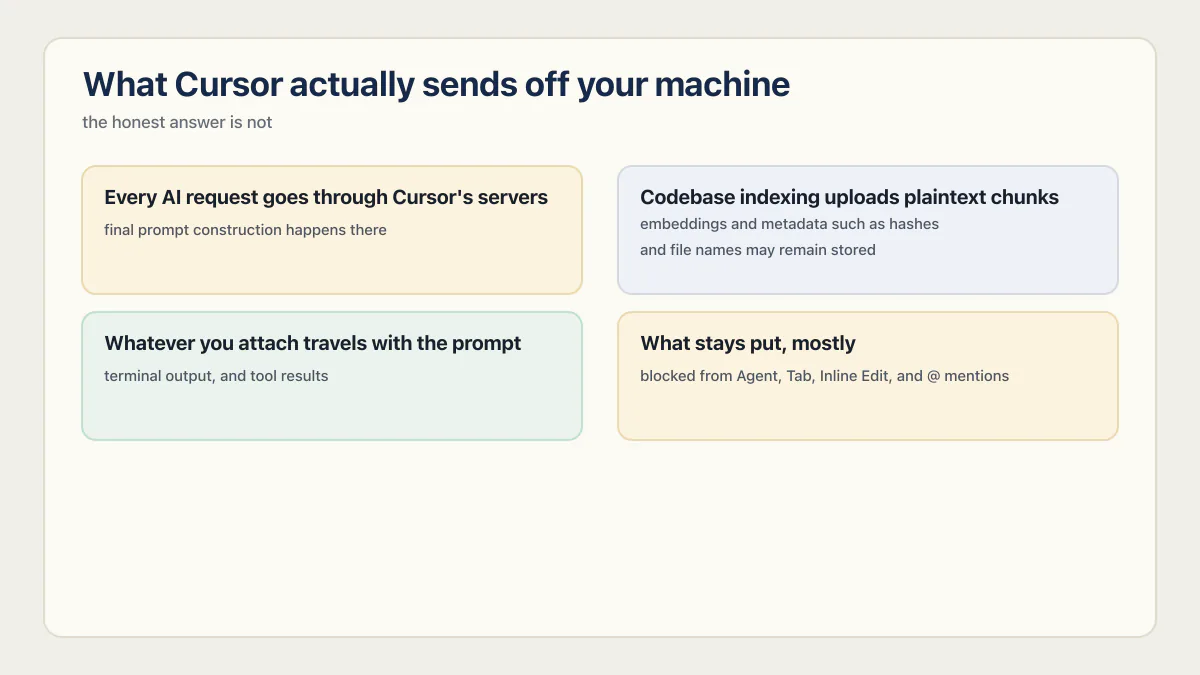
So “does Cursor store my code” has two answers, not one. With Privacy Mode on, Cursor says your code is not retained for training and providers hold it under zero-data-retention terms. Embeddings, hashes, and file names derived from your repository are a different category, and those persist.
What Privacy Mode covers
Cursor’s Data Use and Privacy Overview, updated July 15, 2026, makes the important distinction explicit:
- With Privacy Mode enabled, Cursor says Customer Data is not used for training. It maintains zero-data-retention agreements with model providers.
- Providers may still run abuse classifiers. Data that triggers those systems may be retained for investigation under the provider’s policy.
- Models without zero-data-retention terms must be identified or enabled by a workspace administrator.
- With Privacy Mode off, Cursor may store and use prompts, codebase data, editor actions, and code snippets to improve and train its models. Some inference providers may temporarily store inputs and outputs.
Privacy Mode governs data use. It does not change where requests go or what indexing leaves behind, which is the section above.
Cursor says Privacy Mode can be turned on in settings or set centrally by a team or enterprise administrator, and that it is available to anyone, free or Pro. So do not infer the current setting from the plan name. Check the setting on the actual account or workspace, verify which models are enabled, and have an administrator enforce the chosen policy when individual discretion is not acceptable.
Local agents add an execution boundary
An editor that only suggests text and an agent that runs a shell are different risk classes. Cursor agents can edit files, run terminal commands, use MCP tools, and fetch external content. A prompt injection in a web page, repository file, issue, or tool response matters when that untrusted text can influence one of those actions.
Cursor’s local-agent sandbox description says sandboxed commands use operating-system controls on macOS, Linux, and Windows through WSL2. The sandbox is designed to allow work inside the workspace while restricting writes elsewhere and controlling network access. Effective workspace settings determine what the sandbox permits, so review the filesystem, Git, and network boundaries for the task.
Cursor’s current approval behavior depends on the selected run mode. In Auto-review, allowlisted Shell, MCP, and Fetch calls run immediately, sandboxable actions run in the sandbox, and a classifier reviews the remaining calls. Cursor says that classifier can make mistakes in either direction and made Auto-review the default for new users in June 2026. Existing installations may have another mode, so inspect the actual setting instead of assuming every tool call will produce a prompt.
For MCP, review the server command or URL, every enabled tool, its arguments, and the credentials it can reach. Re-review the configuration after it changes; an approval or allowlist entry for an older configuration says nothing about newly exposed behavior.
For an unfamiliar repository, also verify Workspace Trust before opening terminals, running tasks, or enabling agents. Cursor ships Workspace Trust disabled by default, unlike the upstream VS Code it forks, so a .vscode/tasks.json set to run on folder open can execute the moment you browse a repository unless you enable the setting yourself. Treat repository instructions, hooks, task definitions, extensions, and MCP configuration as untrusted until reviewed.
The Cursor settings that decide how much authority the agent has
Cursor’s run-mode documentation puts these under Settings > Agents > Approvals & Execution. Most published Cursor security checklists are now wrong here, because the mode names and the protection toggles changed during 2026.
| Setting | Safer choice | What it does not cover |
|---|---|---|
| Auto-review run mode | The reasonable default. Allowlisted calls run immediately, other shell commands run sandboxed where possible, a classifier reviews the rest | The classifier can be wrong in either direction, and it is guidance rather than enforcement |
| Allowlist run mode | Use when you want no classifier in the loop. Only actions on your allowlist run without approval | Anything you allowlisted too broadly, especially a shell command that can be chained |
| Run Everything run mode | Avoid outside a throwaway VM. Every tool call runs with no sandbox and no review | Everything |
| File-Deletion Protection | Leave on. Forces approval for deletions, including rm | Overwrites, which are not deletions |
| External-File Protection | Leave on. Forces approval to create, modify, or delete files outside the workspace | Reads, and anything inside the workspace |
| Browser Protection | Leave on if the agent can drive a browser | Fetch calls and MCP tools that reach the network another way |
permissions.json | Write block instructions for anything touching production, billing, or cloud credentials. Lives at ~/.cursor/permissions.json or <project>/.cursor/permissions.json | It is plain-English steering for a classifier through allow_instructions and block_instructions, not a hard rule |
| Privacy Mode | On for any repository that is not public, enforced by an admin where individual choice is not acceptable | Where requests go, and what indexing retains |
| Workspace Trust | Enable it. Cursor ships it off | Repositories you already opened before enabling it |
Two names you will still find in older guides are gone. Cursor’s docs no longer describe a denylist; blocking is now expressed as block_instructions inside permissions.json. And “Dotfile Protection” is not a current toggle name, so any checklist that tells you to go find it was written against a different version of the product.
The six Cursor security risks the settings do not remove
Configuration reduces these. None of them disappears.
1. Prompt injection through untrusted content
An agent reads web pages, issues, dependency READMEs, tool output, and repository files. Any of those can carry instructions aimed at the model rather than at you. This is the root cause under most of the entries in Cursor’s advisory record, and there is no setting that turns it off. The mitigations are indirect: fewer tools enabled, narrower network access, and approval on anything that writes outside the workspace or sends data out.
2. Remote code execution through agent command execution
Agent shells are the reason Cursor issues are rated critical rather than annoying. Every published Cursor remote code execution chain has the same last step: a command runs that the user never intended to approve. Broad auto-run turns a text-level injection into an RCE. This is why Run Everything mode belongs in a disposable VM and nowhere else.
3. MCP servers and extensions you approved once
An approval is a decision about a configuration at one moment. MCP config files, extensions, and their permissions change afterwards. Two of Cursor’s 2025 advisories exist precisely because an approved entry could be edited later without a new prompt. Re-read the server command, its arguments, and the credentials it can reach every time the config changes.
4. Credential and token leakage
Secrets leave in three ways here, and only one of them is exotic. They get read into context because the file sat in the workspace. They get printed by a command the agent ran and land in a transcript. Or they get used by an MCP server or cloud environment you handed a token to. Keep .env files, cloud credentials, and customer exports outside the directory the agent runs in, and rotate anything an agent has read.
5. Malicious dependencies an agent installs for you
An agent that can run npm install, pip install, or brew install can pull an attacker-controlled package, and package install scripts run code on your machine. Hallucinated package names make this worse, because an attacker can register the name the model invents and wait. Keep install commands off the auto-run path, review the exact package name and version before approving, and prefer a lockfile over “add the library that does X”. Why this class of bug survives review is covered in why AI coding tools ship security holes.
6. Sensitive code and data entering model context
Not every risk is an attack. Regulated data, customer exports, and third-party code under a restrictive license can enter a prompt simply because someone attached a file. Privacy Mode changes what happens to that data afterwards; it does not stop it from being sent. Ignore files help, and Cursor is explicit that they are not a guarantee.
What Cursor’s vulnerability record shows now
Cursor’s advisory history documents repeated boundary failures involving commands, Git configuration, paths, and tool approval. Cursor patched the issues below, and each fixed version is now only a historical minimum:
| Advisory | Affected behavior | Fixed version |
|---|---|---|
| CVE-2026-22708 | In non-default Auto-Run plus Allowlist mode, shell environment changes could bypass the terminal allowlist | 2.3 |
| CVE-2026-26268 | A prompt-influenced agent could write Git configuration or hooks and escape the sandbox when Git later executed them | 2.5 |
| CVE-2026-50548 and CVE-2026-50549 | Two path-handling flaws could let an agent write outside the intended workspace and reach non-sandboxed code execution | 3.0 |
The fixed versions in the table are historical minimums for those specific advisories. Cursor’s changelog has continued through later 3.x releases, so install current security updates and review newly published advisories instead of pinning to the oldest version named here.
The pattern is not new. The 2025 disclosures known as CurXecute (CVE-2025-54135, fixed in 1.3.9) and MCPoison (CVE-2025-54136, affecting 1.2.4 and below, fixed in 1.3) let a prompt injected through an untrusted source write Cursor’s .cursor/mcp.json file, or swap an already-approved entry’s command for something else, and Cursor ran the result because it trusted the file by name rather than by content. A third, CVE-2025-59944, rated 9.8 critical, reached the same protected file on case-insensitive filesystems because the protection check was case-sensitive; it affected 1.6.23 and below and was fixed in 1.7. All three were patched within weeks of disclosure.
Every one of these was a version of the same question: does Cursor trust a config file because of what’s in it, or because of what it’s called. For most of 2025, the answer was the name.
The record also explains why a broad auto-run rule is fragile. A denylist or allowlist has to interpret shell behavior correctly, and a filesystem boundary has to resolve every path correctly. Manual approval is not perfect either, because repeated prompts create review fatigue. Use the smallest authority that still completes the task: a sandbox, narrow network access, a small tool allowlist, and explicit approval for actions outside that boundary.
Cloud agents require a separate decision
Cursor’s Cloud Agent documentation describes a different environment from the foreground editor. Cloud agents run in isolated virtual machines, receive repository access, have internet access, and automatically run terminal commands so they can iterate without stopping for approval on every step.
Before using a cloud agent, review:
- which repositories the GitHub integration can read and write;
- which branch protections and review rules still apply;
- which secrets the environment receives;
- which external domains the agent can reach;
- whether the task can be completed with a narrower repository or short-lived credential.
Cursor’s cloud-agent security page states the threat in its own words: an attacker who plants instructions in content the agent reads “could try to make the agent exfiltrate code to an external host”. Its strongest control is network egress. Administrators can restrict outbound traffic to a default set plus an allowlist, or to the allowlist only, “so a compromised agent has nowhere to send data”. Cloud agents also run command hooks from .cursor/hooks.json in the repository, which makes that file part of the review rather than a detail.
Privacy Mode governs data use, but it does not remove the operational authority granted to the remote agent.
What Cursor’s security page claims, and what it does not
Cursor’s security page carries several vendor claims that no third-party page repeats. They answer procurement questions that arrive long before anyone opens the editor:
- No infrastructure in China. Cursor says it does not use or maintain any infrastructure in China, uses no subprocessors headquartered in China, and to its knowledge neither do its subprocessors.
- Subprocessors published and re-reviewed. The list lives on Cursor’s trust portal at trust.cursor.com and is re-reviewed annually under its vendor risk management program.
- Model blocklists honored. Cursor says it will not send requests to a model on a blocklist, which is the mechanism behind a policy like “no provider without a zero-data-retention agreement”.
- Domain allowlisting for locked-down networks. Cursor publishes the domains to allowlist if your team sits behind a corporate proxy.
- Account deletion from settings. You can delete an account at any time from the Settings dashboard.
- A disclosure clock. Cursor says it acknowledges vulnerability reports sent to security-reports@cursor.com within 5 business days.
- SOC 2 Type II on request, plus a commitment to at-least-annual third-party penetration testing.
Read these as claims about Cursor’s assessed systems, because that is what they are. None of them covers the extensions and MCP servers you install, the repositories you point agents at, the commands you allowlist, or the application the agent writes.
Is Cursor safe for your situation?
One question, three different answers.
Solo founder on a side project
Yes, with almost no ceremony. Turn Privacy Mode on, leave the default run mode alone, and keep .env out of the folder you open. Spend your attention on server-side authorization checks in the app you ship. That is where the realistic risk sits for a side project, well ahead of Cursor leaking your code.
Small team holding customer data
Yes, with the settings made non-optional. Have an administrator enforce Privacy Mode and the allowed model list so it does not depend on who joined last week. Ban Run Everything mode on any repository with production credentials, keep customer exports outside every workspace, and treat MCP servers as software you are installing, because they are. Then test the app with two accounts before you rely on it. The baseline an early-stage team needs before its first customers is set out in what a security review checks.
Regulated or enterprise work
Conditionally, and the condition is paperwork you actually read. Get the SOC 2 Type II report and the penetration-test summary from the trust portal, check the subprocessor list against your own vendor rules, confirm the model blocklist matches your data-residency position, and enforce privacy and run modes centrally. If your contracts forbid a category of data leaving your network at all, no setting in the editor solves that, because requests route through Cursor’s backend regardless.
Cursor’s controls do not secure the app it generates
The fixed June and July 2026 AxonBuild cohort does not support a Cursor-specific defect rate. It included apps built with multiple tools, and the audit records do not reliably attribute every line or failure to one editor. Across the 21 third-party apps in that historical cohort, 7 allowed confirmed cross-user data access and 6 shipped or committed a real secret. Those figures identify tests worth running; they do not rank Cursor against other builders.
The finding that keeps this specific for me comes from a health-data API in that cohort, not a Cursor app. Its “safety policy” was a 462-line YAML file, exactly the artifact a buyer would point to and call the enforcement layer. It was never loaded at runtime; the real access rules lived elsewhere and had already drifted from what the policy claimed. Existing and enforcing turned out to be two separate facts about that file, the same gap Cursor’s own docs concede about .cursorignore: “while Cursor blocks ignored files, complete protection isn’t guaranteed due to LLM unpredictability.” One vendor names that gap about its own ignore file. Most apps just ship it silently.
A rule can remind an agent to preserve authorization. A two-account test proves whether the boundary actually holds, and a deployed API check with a different user’s record ID supplies evidence a unit test alone may miss. Cursor can help write those tests, but the evidence must come from the application and environment you plan to ship. When that evidence has to come from outside the team, a web application security audit sets out how one is run and what its report has to contain.
Keep the ownership split clear:
- Cursor is responsible for the controls and vulnerabilities in its platform.
- Extension and MCP publishers are responsible for their components, within the permissions you grant.
- Your team is responsible for repository access, agent permissions, generated code, deployment configuration, and production verification.
A practical Cursor security checklist
- 01 Update the Cursor desktop app and CLI to the current release; check recent vendor advisories rather than relying on an old minimum version
- 02 Verify the selected Privacy Mode and allowed models on the actual account or workspace, and enforce the setting centrally when needed
- 03 Exclude secrets and sensitive exports from the repository and agent context; do not treat an ignore file as a complete security boundary
- 04 Use sandboxed execution with the narrowest filesystem and network access that completes the task
- 05 Review unfamiliar repositories, task files, Git hooks, extensions, rules, and MCP configuration before allowing commands to run
- 06 Avoid broad auto-run permissions; inspect the exact command, tool arguments, destination, and side effects before approving an exception
- 07 Keep package installs off the auto-approved path, and check the exact package name and version before letting an agent add a dependency
- 08 Test the resulting app separately with two accounts, server-side authorization checks, secret scanning, dependency review, and deployment-specific tests
A .cursorignore file follows the same pattern as .gitignore, and it’s worth writing deliberately rather than copying a generic template:
# .cursorignore: never send these to a model
.env
.env.*
**/*.pem
**/secrets/**
customer-exports/
Common questions about Cursor’s safety
Is Cursor safe?
Cursor is safe to use on most codebases once you separate three questions: Cursor’s platform has documented security controls, its agents can still read files, run commands, call tools and reach external services according to the permissions you set, and the code those agents write stays your application’s security responsibility. The checks that settle each question for your own repository are the sections above.
Does Cursor train on my code?
Cursor says it does not use Customer Data for training when Privacy Mode is enabled and that its model providers operate under zero-data-retention agreements. Its documented exceptions include abuse investigation and administrator-enabled non-ZDR models. With Privacy Mode disabled, Cursor may store and use code-related data to improve and train its models.
How do I enable Cursor Privacy mode?
Turn it on in Cursor’s settings, or have a team or enterprise administrator enable it centrally so individual users cannot switch it off. Cursor says Privacy Mode is available to anyone, free or Pro, so it is not something you buy. Check the setting on the account or workspace you are actually using rather than assuming the plan includes it.
Can Cursor run completely offline?
No. Cursor says normal AI requests pass through its backend for final prompt construction even when you use your own model-provider API key. Selected context and request data still use Cursor’s service according to the chosen privacy settings.
Is Cursor safe for enterprise or sensitive code?
It can be suitable when the documented controls match the organization’s requirements and the deployment is configured accordingly. Review the SOC 2 report and penetration-test summary, enforce privacy and model policies, restrict agent execution and network access, control extensions and MCP servers, and keep secrets out of agent-readable paths. Regulated or highly sensitive work may require additional contractual and technical review.
Is it safe to use Cursor or Windsurf?
The answer does not come from the brand. Both are editors that send prompts and selected file contents to a vendor backend, both run agents that can execute commands and call tools, and both leave the security of the generated application entirely to you. Compare the settings you have actually enabled, meaning privacy mode, run mode, and command allowlist, rather than the logos.
Is Cursor safer than Claude Code?
Neither is safer as a product. They fail in the same places for different reasons, because both are agents that read your workspace, run commands, and call MCP servers, so the risk follows the permissions you grant. The other side of this is in the Claude Code safety review. Choose on workflow, then spend the saved argument on constraining execution and testing the app.
Can Cursor install a malicious package?
Yes, if the agent is allowed to run install commands. Package managers execute install scripts, so an attacker-controlled or typo-squatted package is code execution, not just a bad dependency. Keep installs off the auto-run path, confirm the exact package name and version before approving, and scan dependencies in CI rather than trusting the name the model produced.
Cursor vs GitHub Copilot: which handles code more carefully?
It depends which Copilot plan you’re on, the part most comparisons skip. Since April 24, 2026, GitHub trains on Copilot Free, Pro, and Pro+ interaction data by default, opt-out only; Business and Enterprise seats are excluded entirely. Cursor’s Privacy Mode is opt-in at every tier, including free. Neither company defaults to protecting you; each picked a different seat to protect.
Do Cursor rules make generated code secure?
No. Rules supply reusable instructions to the model. CI, server-side authorization, least-privilege credentials, code review, and runtime tests enforce the result when the model ignores or misapplies an instruction. Guardrails for AI coding agents sorts a rules file, pre-commit hooks, and a CI check that fails the build by whether each one binds.
Is a patched CVE record proof that Cursor is unsafe?
No. A public advisory shows that a specific issue was found, scoped, and patched. It also supplies evidence about recurring risk boundaries. Use the record to choose controls and update policy; do not turn the number of published CVEs into a product-security score.
Cursor’s platform posture and the security of a Cursor-assisted app are related but separate. If the editor is configured conservatively and kept current, the remaining launch question is whether the app’s real authorization, secrets, payments, recovery, and failure paths have been tested. The launch-readiness framework keeps those application-level checks separate from the tool decision, while the maintainability guide covers the longer-term cost of changing AI-assisted code.
The checks in this guide show you where the app is open. The sprint below closes those gaps, tests the result and writes the evidence down.
Built it with AI. Now it has to hold up for real customers.
The Production Hardening Sprint takes the app you already have and builds the production foundation underneath it. Authentication and access rules, payments that stay consistent, error handling, monitoring, backups, automated tests and a documented handover. Our engineers work inside your existing codebase for ten working days. All 123 deliverables are included, and you get the evidence for each one.
See the Production Hardening Sprint →  $2,500 fixed price · 10 working days · One codebase