Claude Code and Cursor overlap more than the standard answer admits: each one ships on the other’s surface, and their individual price ladders match at $20 and $200. Choose on where you want to review a change and on how each product meters you, because those two differ and the surfaces no longer do.
This page is built from both vendors’ current documentation, read on 14 August 2026, and from AxonBuild’s published coverage of both tools. No timed side-by-side run sits behind it, so nothing here reports how fast either one went or how many tokens it spent.
Almost every answer to cursor vs claude code opens the same way: Cursor is the editor and Claude Code is the terminal. That was a fair description in early 2025. Today it describes the surface each product opens in by default, and both vendors publish instructions for the other one.
These are not the two things you think they are
Anthropic’s install page for the Claude Code extension carries two install links next to each other, Install for VS Code and Install for Cursor, and says the extension also installs in other VS Code forks through the Open VSX registry. Inside the editor it does the things people describe as Cursor’s job: review and edit Claude’s plan before accepting it, auto-accept edits as they are made, @-mention a file with a specific line range from your selection, and keep several conversations open in separate tabs.
Cursor runs in the other direction. Its CLI documentation says to “use print mode for non-interactive scenarios like scripts, CI pipelines, or automation”, with the prompt passed as agent -p 'find and fix performance issues' and the output shaped by --output-format. That is the headless, pipe-it-into-something shape people buy Claude Code for.
IDE against terminal describes the surface each product opens in, not what either one can do. Both vendors publish install instructions for the other shape.
| Claude Code | Cursor | |
|---|---|---|
| Default surface | Terminal | Editor, built as a VS Code fork |
| The other surface, per the vendor’s docs | A VS Code extension with plan review, auto-accepted edits, @-mentions and conversation tabs, with install links for both VS Code and Cursor | A CLI agent for the terminal, with a print mode documented for scripts and CI pipelines |
| Where a change waits for you | Local diff, the extension’s diff, or a pull request you open | Editor diff, or a y or n prompt before the CLI runs a terminal command |
| Repository instructions | CLAUDE.md and .claude/rules/, not AGENTS.md | .cursor/rules as .mdc files, plus root and nested AGENTS.md; the CLI also reads root CLAUDE.md |
The framing hides a naming collision too. Cursor’s model list includes Claude Opus 5 and Claude Sonnet 5, so “I use Claude in Cursor” and “I use Claude Code” can name the same model behind two different products. The model travels between them. What sits around it does not: which rules file loads, what the tool stops to ask about, and where the finished change waits for a human.
Neither surface answers whether the tool is safe to point at a repository holding real credentials. What Claude Code can reach before it asks is set by its permission modes and settings files, which the Claude Code permissions verdict works through. Cursor’s answer splits across Privacy Mode, agent execution limits and a documented CVE record, which the is Cursor safe review covers separately.
Cursor vs Claude Code: which one should you run?
Cursor suits people who review by reading a diff in the file they already had open. Claude Code suits people who hand over a whole task and read the result afterwards. Both individual ladders start at $20, so the honest tiebreaker is your review habit rather than the bill.
The editor case is about attention. Code navigation, the chat, and the diff sit in one window, so the change lands where you were already looking and the rules that shaped it live in .cursor/rules where teammates already maintain them. Nothing about that is faster; it is closer to how a careful reviewer already works.
The terminal case is about composition. If the job is a pipeline, run inside CI, wrapped in a script, or handed a task and left alone, an editor adds a window you have to watch. Claude Code starts there by default, and its extension is an addition to that rather than a replacement for it.
For someone new to either tool, or building without a development background, the editor is the softer landing. Searches for claude code vs cursor for beginners land on Cursor for a reason: the change arrives as a diff you accept or reject in the file itself, and the CLI asks for a y or an n before it runs a terminal command. Catching a bad edit is easier there than in a scrolling transcript. Neither choice changes whether the app that comes out is ready for real users.
What does each one cost, and what actually runs out?
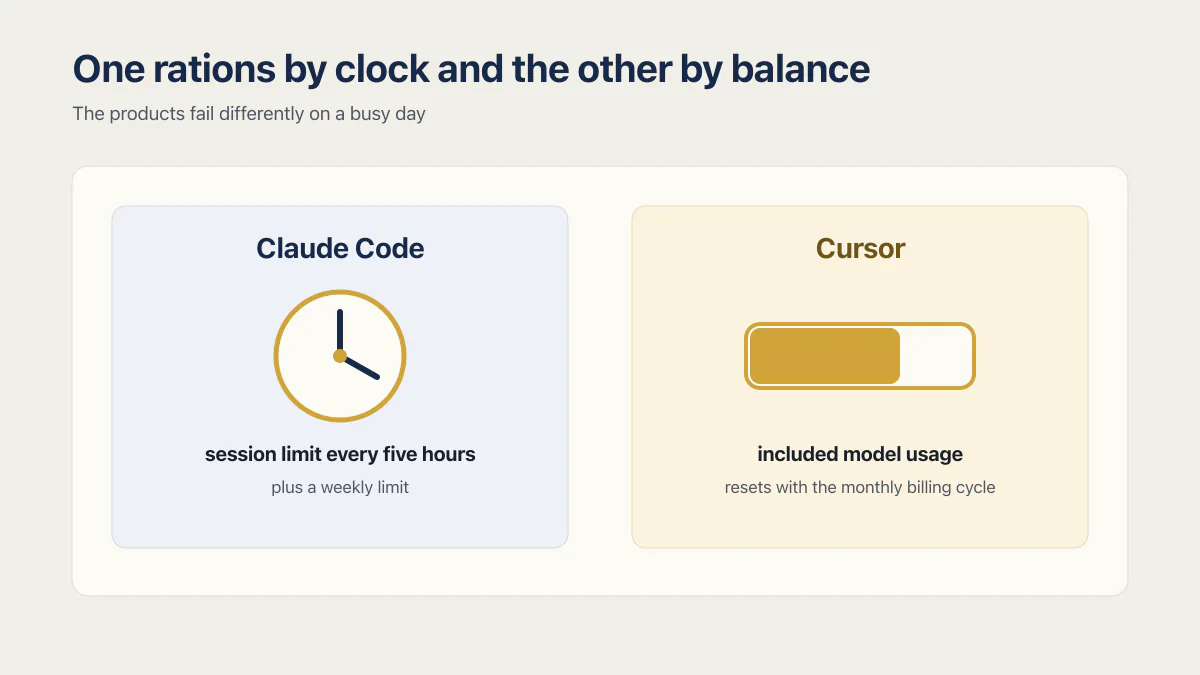
Claude Code and Cursor cost the same at the entry and top individual tiers, $20 and $200 a month, checked 14 August 2026. What separates them is the meter. Claude resets a session limit every five hours; Cursor resets included usage once a month and does not carry it over.
| Tier | Claude Code, checked 29 August 2026 | Cursor, checked 14 August 2026 |
|---|---|---|
| Entry paid | Claude Pro, $20 a month billed monthly or $17 billed annually | Cursor Pro, $20 a month |
| Middle | Max 5x, $100 a month | Pro Plus, $60 a month |
| Top individual | Max 20x, $200 a month | Ultra, $200 a month |
| Teams | Team seats at $25 billed monthly or $20 billed annually, Premium seats at $125 and $100 | Teams Standard $40 a user, Teams Premium $120 a user |
| What runs out | A session limit resetting every five hours, plus a weekly limit across all models | Included model usage that resets with the monthly billing cycle |
Anthropic’s Max plan article states it plainly: “Your session-based usage limit will reset every five hours,” and “Max plans also have a weekly usage limit that applies across all models.” Cursor’s usage and limits page documents the other shape: “Usage resets monthly with your billing cycle. Unused usage does not roll over,” and once the included amount is gone you can “either enable on-demand usage (pay-as-you-go) or upgrade to a higher plan.”
So the two products fail differently on a busy day. A heavy Claude Code afternoon can stop you until the window rolls, with the subscription unchanged. A heavy Cursor month does not stop you at all once on-demand billing is on; it arrives later as a larger invoice. One rations by clock and the other by balance, and which of those you would rather be surprised by is a personal answer, not a ranking.
That is the comparative part. For the absolute-price answer on the Claude side, including what per-token API billing costs instead of a plan, Claude Code pricing on each plan carries the full ladder with its own check dates.
Can you run Claude Code and Cursor together?
Running both is documented by both vendors and needs no workaround. Anthropic publishes an Install for Cursor link for its extension, and the Claude Code CLI runs in Cursor’s integrated terminal. The real cost is two subscriptions and two sets of repository rules, and the second one is the part that drifts.
The extension route puts both in one window. Anthropic’s own install page names the fallback for editors the extension will not install into: “If your editor can’t install the extension, install the CLI and run claude in its integrated terminal instead. The CLI works in any terminal.” Either way you pay two bills, because neither subscription covers the other product.
The instruction files travel better than they used to, in one direction. Cursor’s CLI guide says the CLI “also reads AGENTS.md and CLAUDE.md at the project root (if present) and applies them as rules alongside .cursor/rules”, so a CLAUDE.md you already maintain is read by Cursor’s terminal agent with no conversion. Going the other way takes a step. Anthropic’s memory documentation says “Claude Code reads CLAUDE.md, not AGENTS.md”, and offers an @AGENTS.md import at the top of your CLAUDE.md or a symlink. The same page adds that /init reads Cursor rules from .cursor/rules/ or .cursorrules and folds the relevant parts into the CLAUDE.md it generates.
The part a single root file cannot express is the scoping. Cursor rules best practices start with .cursor/rules: .mdc files chosen by rule type and glob; on the Claude side the same job is done by .claude/rules/ files with a paths field, and the attachment modes differ (Cursor also has always-on, agent-chosen and manual rules). Keep the stable cross-tool instructions in an AGENTS.md that both products read, then keep the tool-specific parts where they belong: path-scoped .mdc rules on the Cursor side, and path-scoped .claude/rules/ files plus the guardrail sections of a CLAUDE.md on the other. Two copies of the same build command will disagree inside a month, and the agent that read the stale one will not mention it.
What neither one ships
Both products get graded, everywhere, on the operator’s experience: how fast it felt, how many tokens it burned, what the month cost. None of that describes the state of the repository afterwards, which is the part somebody else inherits.
Across 21 third-party AI-built apps AxonBuild audited in June and July 2026, the audits recorded 958 confirmed findings, 58 of them critical. The classes repeat: an endpoint returning another user’s row because nothing after login checks who owns it, no rate limit on the most expensive call, errors recorded nowhere, and no test proving the checkout still works. None of that is a thing anyone prompts for. A rate limit has no screen, error tracking has no visible feature, and a test that closes the payment loop is work nobody asked the tool to do.
No audit in that cohort recorded which tool wrote which line, so a Cursor score against a Claude Code score does not exist. Any head-to-head implying one is guessing with a straight face.
That refusal matters more on a head-to-head than anywhere else, because the format invites the number and every winner page implies one without printing it. The findings above came from repositories written with several tools, and the audits never recorded which. If a comparison ever offers you a per-tool defect rate, ask which apps it counted. The seven evidence gates that decide whether an AI-built app is ready to launch are the same seven whichever product wrote the code.
If the answer is neither
One thing is true of both. The bill is a subscription with a plan-shaped allowance, and switching between them changes the surface and the meter rather than the economics. If that is your actual objection, the decision is wider than two names: free clients exist where the only bill comes from whichever model provider you point them at, and pull-request-shaped delegation exists where the review already lives in GitHub. That decision belongs to the wider set of Claude Code alternatives, compared on review surface and cost model, which grades nine tools on interface, repository rules, permissions, review surface and cost. If the second name on your desk is Kiro rather than Cursor, Kiro vs Cursor runs that comparison, Claude Code included.
Common questions about Claude Code and Cursor
Is Claude Code or Cursor cheaper?
Neither, at the tiers most people buy. Claude Pro and Cursor Pro are both $20 a month, and Claude Max 20x and Cursor Ultra are both $200, checked 14 August 2026. The gap sits in the middle: Cursor’s Pro Plus is $60 where Claude’s next step up is $100.
On the team ladder the order reverses. Cursor Teams starts at $40 a user, against a Claude Team seat at $25 billed monthly or $20 billed annually.
Can you use Claude Code inside Cursor?
Yes. Anthropic’s install page for the Claude Code VS Code extension carries an explicit Install for Cursor link, and the extension brings plan review, auto-accepted edits, @-mentions and conversation tabs into the editor. It still needs a paid Claude plan or an API key, because a Cursor subscription does not cover Claude Code.
If the extension will not install, the documented fallback is to install the Claude Code CLI and run claude in Cursor’s integrated terminal.
Is Cursor better than Claude Code for beginners?
Usually yes, for the review surface rather than the model. Cursor shows each change as a diff in the file you were already reading, and its CLI asks for a y or an n before running a terminal command. Someone who cannot yet read a terminal transcript catches a bad edit faster there.
That advantage is about noticing mistakes early. It says nothing about whether the finished app is ready for real users.
Which handles a large codebase better, Claude Code or Cursor?
The model decides most of this, not the product. The context window belongs to the model, so pointing either tool at a larger-window model moves the answer more than switching products does. What both give you is scoping, and in a repository big enough for the question the scoping fields matter more than the window size.
Claude Code’s .claude/rules/ files take a paths field so a rule loads only when Claude reads a matching file, and Cursor’s .mdc rules take a globs field doing the same job.
If you have a working app built with these tools and need it ready for real customers, this is what we do.
Built it with AI. Now it has to hold up for real customers.
The Production Hardening Sprint takes the app you already have and builds the production foundation underneath it. Authentication and access rules, payments that stay consistent, error handling, monitoring, backups, automated tests and a documented handover. Our engineers work inside your existing codebase for ten working days. All 123 deliverables are included, and you get the evidence for each one.
See the Production Hardening Sprint →  $2,500 fixed price · 10 working days · One codebase