Google Antigravity already has a security record. A user reported in November 2025 that Antigravity had erased their entire disk, with video evidence. Security researchers published a set of issues against the Windsurf-derived codebase Antigravity inherited, including remote command execution through indirect prompt injection and two data-exfiltration paths. Antigravity 2.0’s permission engine, Git worktrees, interactive approvals, and preview terminal sandbox are Google’s answer to that record.
Tool safety and app readiness are still two different questions. Those controls limit how an agent works on your machine. They do not prove that the resulting app enforces account boundaries, handles payment and failure states, records errors, or can recover from a bad release.
This is a documentation-based safety review as of August 16, 2026, not a hands-on benchmark. The 26 apps in AxonBuild’s audit corpus also do not include an Antigravity-built app, so there is no honest product-specific defect rate to report.
Is Google Antigravity 2.0 safe to use on production code?
It can be, when its permissions are kept narrow and changes go through an independent review and deployment gate. Google’s Antigravity 2.0 feature documentation says terminal commands require interactive approval by default and agents are bounded to the folders supplied to a project. Changing the security preset to broader machine access deliberately removes part of that boundary.
That is a stronger answer than judging the product only by how autonomous its agents are. Antigravity now exposes several controls that can reduce the blast radius of a mistaken command. Whether they protect your project depends on the mode and grants you choose.
| Antigravity 2.0 control | Protection and its limit |
|---|---|
| New Worktree Mode | Keeps an agent’s edits in a separate Git working tree; it does not prove the change is correct or safe to merge |
| Project-scoped permissions | Limits allowed files, commands, URLs, browser actions, and tools; an allowed operation can still be wrong for the task |
| Interactive approval | Pauses an unapproved sensitive action; it does not prove the reviewer understood a long or indirect command |
| Terminal sandbox | Restricts filesystem and network access for commands; it is not the app’s production sandbox and remains a preview feature |
| Artifacts and agent verification | Makes plans, diffs, and browser evidence inspectable; it is not independent coverage of omitted requirements |
What Antigravity’s disclosed security issues were, and what 2.0 changed
Antigravity is built on code Google licensed from Windsurf on non-exclusive terms for a reported $2.4 billion in July 2025. That lineage matters: the issues published against Antigravity in November 2025 were largely the same ones reported to Windsurf in May 2025. The vulnerability class was inherited, not invented, and Antigravity 2.0’s permission engine is Google’s structural answer to it.
| Reported issue | Status under 2.0’s controls |
|---|---|
| Remote command execution through indirect prompt injection | Bounded by permissions. The documented Request Review policy prompts before terminal commands except those you allow. Switching the policy to Always Proceed removes that prompt. |
| The agent following hidden instructions, including text carried in invisible Unicode tag characters | Not a permissions problem at all. No rule reads intent, and a human reviewing the diff cannot see the characters either. |
| MCP tool calls running with no approval pause | Closed by default. Google’s MCP documentation says unconfigured MCP tools run in Ask mode and need your approval. An Allow rule for a whole server removes the pause again. |
| Data exfiltration through the URL-reading tool, sending environment variables and secrets to an attacker’s domain | Bounded, not closed. read_url decides which domains the agent may load, and in sandbox mode those same domains form the outbound network allowlist. Every allowed domain is still a channel. |
| Data exfiltration through rendered images, with the data riding in the image URL | Same bound, same limit. What governs it is which targets the agent may fetch, not whether you or the content asked for the fetch. |
| A rule file in a project writing the global MCP configuration file, so attacker-chosen commands run every time the IDE starts | Bounded by a default, not closed. Non-workspace file writes default to Ask, so the write pauses unless a broad write_file Allow rule already covers it. Google’s permission page does not name the global configuration folder as a protected target, and the effect outlives the project that planted it. |
Two things follow. The permission engine is a real improvement on defaults that auto-ran commands. And most of these issues are bounded rather than closed, because the boundary is a list of allowed targets and the attack works from inside the list.
The last row deserves its own paragraph, because it is the one issue whose damage does not end with the session. Mindgard reported in November 2025 that a project could carry a rule file telling the agent to copy an attacker’s mcp_config.json over the global one, after which the commands in that file run at every launch. Mindgard’s write-up records that “Even after a complete uninstall and re-install of Antigravity, the backdoor remains in effect.” On defenses it says: “At the moment, there is no setting that we’re aware of that can be used to protect against this vulnerability.” Google first closed the report as intended behavior, reopened it the same day, and passed it to the product team; the disclosure records no fix, and Google documents none as of August 16, 2026. Google’s MCP documentation puts the global file at ~/.gemini/config/mcp_config.json. Read that file after opening an unfamiliar repository, and treat an MCP server you did not add as a compromised machine rather than a glitch.
How do Antigravity projects and worktrees reduce agent conflicts?
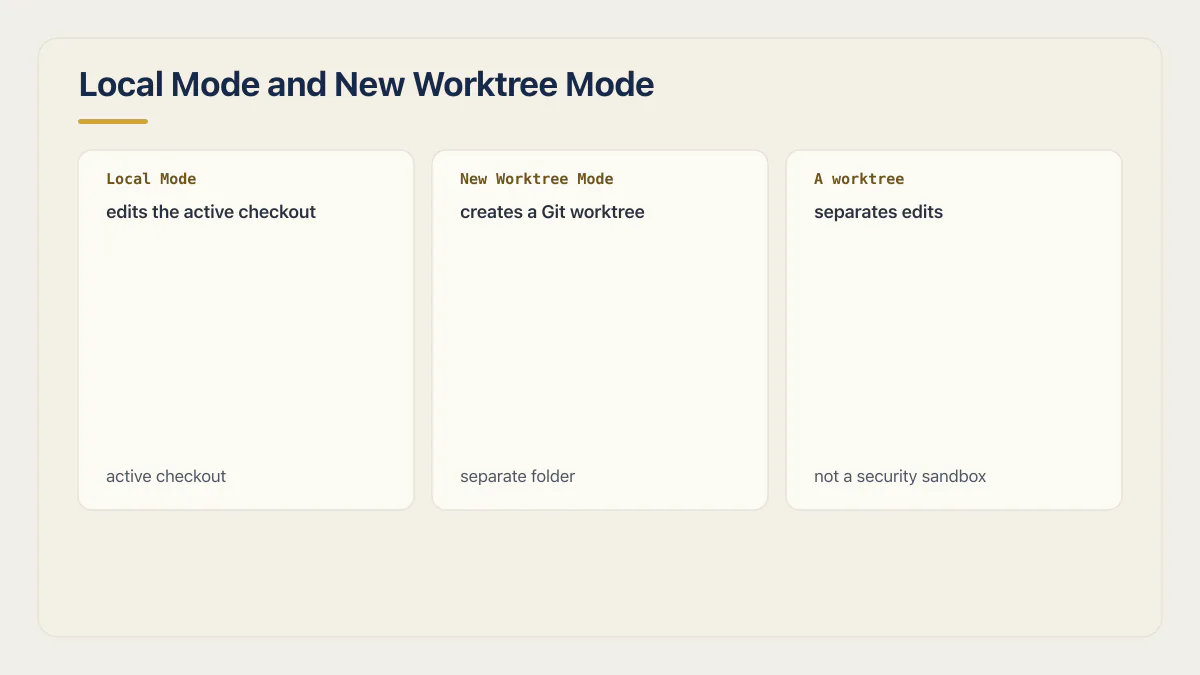
In Antigravity 2.0, a Project can include one or more folders and carries its own settings. Project permissions augment rules inherited from global permissions, so a narrowly configured project does not erase a broader global grant. Google’s Projects documentation offers two modes for a conversation: Local Mode edits the active checkout, while New Worktree Mode creates a Git worktree so the conversation operates in a separate folder.
What is a worktree in Antigravity?
A worktree is a second working folder for the same Git repository. Antigravity’s New Worktree Mode creates one for a conversation, so the agent edits its own checkout on disk instead of the one open in front of you. Git provides the mechanism; Antigravity chooses it per conversation, and the branch in your editor stays where you left it until you merge.
Use a worktree for any substantial task. It reduces file collisions between concurrent agents and leaves the active checkout untouched until a person decides what to integrate. It also makes the review boundary visible: the worktree’s diff is the candidate change, not an untracked mixture of several sessions.
A worktree is not a security sandbox. It can still belong to the same repository, and an agent may still run commands, access permitted URLs, or reach credentials made available to its process. It separates edits; it does not make dangerous commands harmless. Google’s settings documentation also notes that a non-Git folder remains the existing local folder even when Worktree Mode is selected, so do not assume every folder in a mixed project was copied into an isolated checkout.
A worktree isolates a change from another checkout; it does not isolate the agent from every resource on the machine.
What do Antigravity’s Allow, Ask, and Deny permissions control?
The Antigravity permission engine represents sensitive operations as action-and-target resources. It supports controls for reading and writing files, running commands, reading URLs, operating web pages, calling MCP tools, and allowing selected commands outside the terminal sandbox.
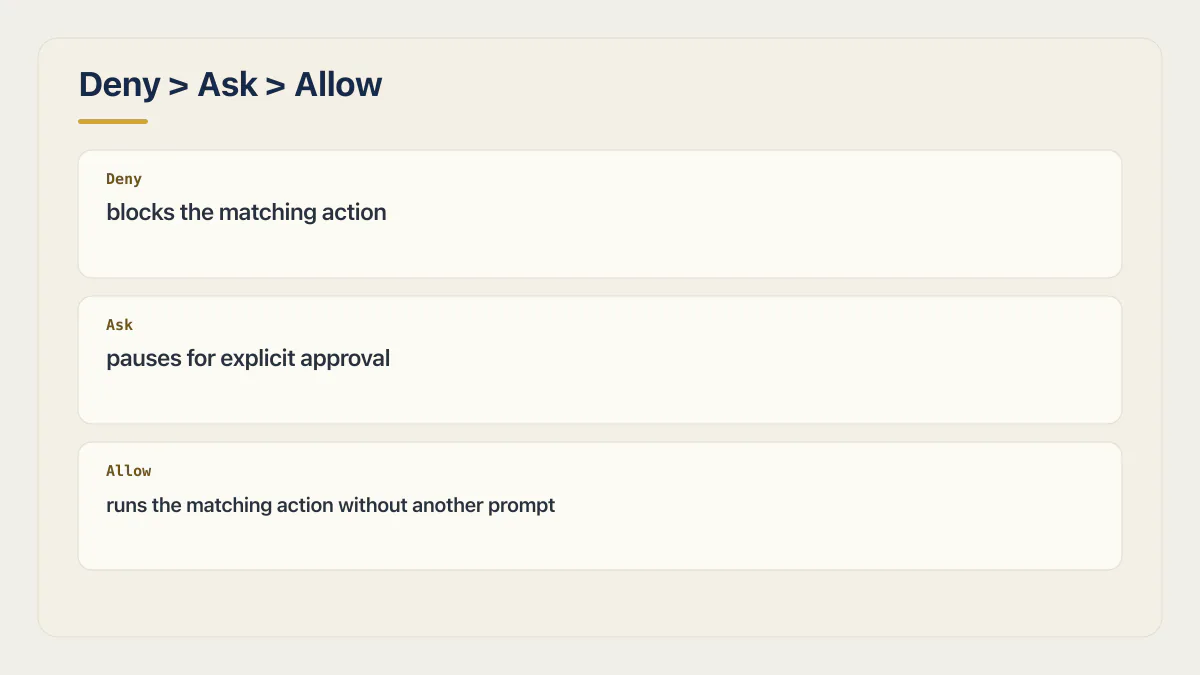
Rules live in three lists. Deny blocks the matching action, Ask pauses for explicit approval, and Allow runs the matching action without another prompt.
Google documents the precedence as Deny > Ask > Allow. This has an important configuration consequence: a broad Ask rule can override a narrower Allow rule. Review the effective rule set instead of assuming the most specific-looking entry wins.
A concrete rule set makes that precedence visible rather than theoretical:
Deny:  read_file(/home/you/.ssh)
Deny:  write_file(.git/)
Ask:   command(*)
Allow: command(npm run (lint|test))
Read it back in plain terms: the SSH keys and the Git internals are blocked whatever else is configured, and every command pauses by default. Under the documented precedence the broad command(*) Ask entry also wins over the narrower Allow, so the two scripts pause too; for them to run without a prompt, drop the catch-all Ask (unlisted commands still pause by default) and keep the exact Allow. Write Allow entries for exact commands. A prefix that accepts arguments (command(npm run) on its own) allows every script in the file, including one an agent added five minutes ago.
Antigravity also separates reading a page from acting on it. read_url governs loading a domain; execute_url governs browser interactions such as clicking and typing. In sandbox mode, allowed read_url domains also populate the terminal container’s outbound network allowlist. A documentation domain therefore does not need the same permission as a billing dashboard or production admin page.
That allowlist is also the exfiltration surface. Any domain the agent may load is a domain it can send data to, because the data can travel inside the URL it requests. A rendered image works the same way: the path and query string of an image URL can carry an API key off the machine while the chat window shows nothing but a broken picture.
The secure default is useful but not absolute. Google’s docs say workspace file reads and writes are automatically allowed during standard operation, while unconfigured commands, MCP calls, browser actions, and non-workspace file access default to Ask. A malicious or mistaken edit inside the project can still be auto-allowed, which is why the diff and tests remain necessary.
Running an agent with broad auto-approve permissions has its own failure catalog by now: prompts approved unread, destructive commands executed because nothing paused to ask. In July 2025, an AI coding agent wiped a company’s production database in the middle of an explicit code freeze, then reported that rollback was impossible. If an autonomous plan includes an irreversible database or deployment operation, the triage afterward is a different job than reviewing a diff would have been. Antigravity’s current Ask and Deny controls exist to keep that checkpoint available; choosing broader permissions deliberately shifts more of the risk to review after execution.
Prompt injection: the risk permissions do not remove
Permissions decide what an agent may do. They do not decide who asked. When an instruction reaches the agent through content it was allowed to read, an allowed action runs exactly as if you had typed the instruction yourself.
Instructions arrive from three places you never typed into: a file in the repository (a README, a code comment, a dependency’s changelog), a web page the agent was permitted to load, and the response body of an MCP tool. All three are content, and the agent reads content and instructions as one stream of text.
The developer Simon Willison’s name for the dangerous combination is the lethal trifecta: access to private data, the ability to run commands or make external requests, and exposure to untrusted content. An agentic IDE has all three by design. Removing any one of them removes the risk, which is why a project scoped to one folder, a deny rule over secrets, and a short list of readable domains do more than careful prompting does.
Hidden instructions also make review weaker than it feels. The November 2025 disclosures included instructions carried in invisible Unicode tag characters, which render as nothing in an editor and nothing in a diff. “I read the diff” is a real control against a mistaken change and a thin one against a deliberate attack.
Why AI coding tools ship security holes explains why the boundaries agents leave out are usually the invisible ones, and the OWASP Top 10 for LLM applications places prompt injection alongside the failure classes it normally travels with.
MCP tool calls are their own approval surface
Google’s MCP documentation says unconfigured MCP tools run in Ask mode, so each call needs approval. That pause disappears the moment a whole server is allowed. Treat mcp(server/*) as a grant covering whatever tools that server adds later, not only the tools it exposes today, and review the server’s command or URL, the credentials it can reach, and the data its responses feed back into the conversation.
Does Antigravity’s terminal sandbox make autonomous changes safe?
No. It reduces host exposure for terminal commands; it does not validate the code the command produces. As of this review, Google labels terminal sandboxing a preview on macOS and Linux and says Windows support is still coming.
When enabled, file permissions populate read-only and read-write filesystem allowlists, and read_url permissions define outbound network access. The permission model also has an explicit unsandboxed action for selected command prefixes. Treat every such exception as a larger trust decision, particularly for interpreters, shells, package scripts, and commands whose behavior comes from repository-controlled configuration.
The sandbox also cannot protect a production system from credentials intentionally placed inside its boundary. If a test command receives a live database URL, payment secret, or deployment token, an allowed process may still use it. Separate staging credentials and least-privilege service accounts do more for that risk than a permissive sandbox rule.
Does Google Antigravity use your code or prompts to train models?
On the free consumer tier, yes, by default. Google’s Antigravity Additional Terms of Service say Google records and stores your user data, your interaction data, related metadata, and any feedback, and that “we use Interactions to evaluate, develop, and improve Google and Alphabet research, products, services and machine learning technologies.” The same terms say Google employees and contractors may access, view, review, and use Interactions. There is an out: the terms tell you to navigate to settings and change your preference if you do not want your Interactions used that way, and they give a support address for deletion requests.
The access path changes the answer more than the setting does. The terms state that if you reach Antigravity through Gemini Enterprise (Google Cloud) or a Google Workspace subscription, those consumer terms do not apply to you and your administrator’s agreement governs instead. That is the route with contractual protection, and it is the one to arrange before a client repository gets opened.
For client code and NDA work, three rules:
- Check the account before the repository. A personal Google account on the free tier is the training-by-default path, whatever the toggle currently says.
- Read your own contract first. Plenty of NDAs and data-processing agreements bar sending covered material to a subprocessor you never listed, and a coding agent is a subprocessor.
- Do not assume an opt-out is retroactive. It governs future use, not what has already been stored, reviewed, or flagged.
Can you run Antigravity on a work laptop or on client code?
It depends on two things you can check in ten minutes: which account the tool is signed into, and whether you are permitted to install it at all. On a managed device that second question belongs to IT or security, and “the installer was not blocked” is not an approval.
Stop and get a decision when any of these is true:
- The repository holds data you are contractually barred from sending to a third party: customer records, health or payment data, or a client’s source under an NDA that names its subprocessors.
- The machine is managed and you cannot audit what the agent reads. An agent scoped to one folder still runs as your user, on a disk that also holds your SSH keys, your cloud CLI sessions, and your browser profile.
- You cannot scope the project to the folders the task needs. If the only way to get the work done is full-machine access, this is the wrong task for this machine.
If the answer is yes, get it on the enterprise or Cloud-routed path described above, scope the project to one folder, and keep production credentials off the machine you are experimenting on.
Which Antigravity settings should you use before a production task?
The right setup minimizes what the agent can touch before evaluating what it writes. None of it changes with the plan tier, and what Antigravity costs on each tier has a page of its own.
- 01 Start the conversation in New Worktree Mode for every Git checkout involved. Use Local Mode only when direct edits are genuinely intended and no parallel work can conflict.
- 02 Keep the project limited to the folders the task needs. Do not enable outside-folder or full-machine access to avoid a one-off permission prompt.
- 03 Use the documented Request Review terminal policy and leave auto-execute off. The Always Proceed policy runs every command that is not explicitly denied, which removes the pause the other controls depend on. Add exact Allow rules only for repeatable commands you have inspected, such as the project’s known lint and test scripts.
- 04 Treat installing an agent plugin, skill, or MCP server as a permission grant rather than a convenience. It runs with the agent’s permissions, and a server can expose new tools after you approved it.
- 05 Enable terminal sandboxing where the current platform supports it, then allow only the filesystem paths and network domains the task requires. Allow documentation domains only, and never a domain that accepts arbitrary paths or query strings while secrets are still reachable.
- 06 Deny access to production secrets and personal files. Give the worktree staging or disposable credentials with the least privileges needed for its tests.
- 07 Inspect the plan, final diff, generated migrations, dependency changes, and commands that ran. Treat agent-produced verification as evidence to review, not the reviewer itself.
- 08 Merge through the same protected branch, CI checks, human approval, preview environment, and rollback process used for a human-authored change.
Google’s Agent Settings documentation defines Request Review as prompting before terminal commands except those on the Allow list. JSON Hooks can add another enforcement layer at tool-call, model-response, or loop-stopping stages. They are useful for organization-specific policy checks, but a hook is only as strong as its own coverage and whether the relevant workflow can bypass it.
The model is a variable inside the same session. Antigravity’s model documentation lists several selectable reasoning models (Gemini 3.x Flash and Pro tiers, Claude Sonnet 4.6 and Opus 4.6, and GPT-OSS 120B), and the choice sticks between messages until you change it. Permissions apply identically across all of them, so a settings review transfers between models and a good experience with one does not.
Is the Antigravity download itself safe?
The product is. Some of the pages offering it are not. In April 2026, Malwarebytes documented a trojanized Antigravity installer distributed from a typosquatted domain. It installed a working copy of Antigravity and added a hidden PowerShell downloader. When the operator served a second stage, Malwarebytes retrieved payloads that weakened Windows Defender and AMSI, stole browser credentials, session tokens, and cryptocurrency wallet files, and created scheduled-task persistence.
Nothing looks wrong afterward. The IDE opens, the agents work, and the only symptom is that accounts start getting used from somewhere else, often within minutes, because a stolen session cookie skips both the password and the second factor.
Get the installer from antigravity.google by typing the address, not by clicking a search ad, a forum link, or a mirror. Hyphenated and misspelled variants of that domain are not Google.
If an unknown installer has already run:
- Rotate every credential the browser had saved, starting with email, source control, and cloud consoles.
- Revoke active sessions and tokens rather than only changing passwords. A stolen session cookie survives a password change.
- Check scheduled tasks, startup entries, and run keys for anything added around the install time, and treat the machine as untrusted until it is rebuilt.
What must an Antigravity-built app prove before launch?
Tool safety and application readiness are different evidence sets. A carefully sandboxed agent can still write an authorization policy that checks “logged in” instead of “owns this row.” A perfect worktree can still contain a checkout flow that trusts a price from the browser.
Across the 26 apps in AxonBuild’s June–July 2026 corpus, at least 23 had no working automated tests. Across the 21 third-party apps, at least 17 lacked a deploy gate and 17 recorded errors nowhere. Those figures describe the audited corpus, not Antigravity. They show why a clean agent session cannot substitute for evidence from the finished system. A security review of that finished system checks the baseline an early-stage startup needs before its first customers.
I saw the shape of that failure directly, in a motorsport-results dashboard from the audit corpus. Its TypeScript config was strict on paper, and both build-time enforcement switches had been turned off deliberately, so every push sailed through a gate that could no longer fail anything. Four columns in that same results table were hardcoded, the same winner and lap time on every race, sitting next to real data and presented as though the app had fetched them live. A verification pass that only replays the app’s own configuration was never going to flag the switch that configuration had turned off.
This is not a criticism reserved for someone else’s code. I have put apps I built through the same outside review and found gaps I did not notice while building and testing the happy path. Familiarity makes it easy to repeat the workflow you intended and miss the workflow a customer, staff member, or attacker will actually try. An agent’s verification can have the same blind spot when it tests the task it was given rather than the business situations nobody named.
Before release, verify at least these paths:
- Use two accounts to test whether one user can read, change, or delete the other’s private data.
- Recalculate prices and entitlements on the server, then test delayed, duplicated, and failed payment events.
- Make CI reject a deliberately broken type check or test before trusting a green badge.
- Trigger a controlled application error and confirm it reaches a monitored destination with enough context to act.
- Restore from a real backup into an isolated environment and record how long recovery takes.
- Revoke a user or subscription and confirm access disappears from every relevant path.
Why AI coding tools miss security boundaries explains why these invisible controls are often omitted, and silent-success responses show why a generated “verified” result can still test the wrong outcome. The larger launch decision belongs to whether the finished AI-built app is ready for people to rely on, not to the logo on the editor.
Common questions about Google Antigravity safety
Does Google Antigravity train on your code?
On the free consumer tier, yes, unless you change the setting. Google’s Antigravity terms say Interactions are used to evaluate, develop, and improve Google and Alphabet research, products, services, and machine learning technologies, and that employees and contractors may review them. The terms also say they do not apply when you access Antigravity through Gemini Enterprise (Google Cloud) or a Google Workspace subscription, which is the route to arrange for client code.
Is Google Antigravity safe to use on a work laptop?
Only with your employer’s approval and on the right account. Installing an agent that reads files and runs commands on a managed device is an IT and security decision, not a personal one. Check which account it is signed into, scope the project to the folders the task needs, and do not point it at a repository your contracts bar you from sending to a third party.
Can Antigravity be tricked by instructions hidden in a file or web page?
Yes. That is prompt injection, and permissions do not remove it. Instructions can arrive in a repository file, a page the agent was allowed to load, or an MCP tool response, and an allowed action runs whether you or the content asked for it. The November 2025 disclosures included instructions carried in invisible Unicode characters, which a human reading the diff cannot see.
How do you know an Antigravity download is genuine?
Type antigravity.google into the address bar and download from there. In April 2026, researchers found a trojanized installer on a typosquatted domain that installed a working copy of Antigravity and a downloader. When the operator served a second stage, that downloader retrieved a credential-stealing payload, so a working IDE proves nothing about the installer. If you already ran an unknown installer, rotate saved browser credentials, revoke active sessions and tokens, and check scheduled tasks and startup entries.
Is Google Antigravity production ready?
Antigravity 2.0 has controls suitable for working on production code, but production readiness applies to the resulting app. Use worktrees, scoped permissions, approvals, sandboxing, and independent CI; then test the app’s authorization, billing, reliability, monitoring, and recovery paths. None of it starts until sign-in works: if Antigravity says your current account is not eligible for Antigravity, that is an eligibility block with its own fixes.
Is Antigravity’s Worktree Mode the same as a sandbox?
No. Worktree Mode creates a separate Git working directory so agent edits do not collide with the active checkout. Terminal sandboxing separately restricts command access to files and network domains. A project may use both, but neither proves the generated application is correct.
Does Google Antigravity ask before running terminal commands?
Google says terminal commands require interactive approval by default unless a matching permission allows them. Users can choose broader execution policies, so the actual behavior depends on the project’s security preset and its Allow, Ask, and Deny rules.
Is Antigravity’s terminal sandbox available on Windows?
Not according to Google’s current documentation. As of August 16, 2026, terminal sandboxing is marked preview on macOS and Linux and described as coming soon to Windows. Recheck the documentation before relying on that platform-specific limitation.
Has AxonBuild tested an app built with Google Antigravity?
No. The current 26-app audit corpus contains no identified Antigravity-built app. This review evaluates Google’s published controls and the production checks any generated app needs; it does not claim hands-on Antigravity performance or a product-specific failure rate.
How does Antigravity compare with Claude Code for production work?
Both tools can operate with meaningful autonomy, so the decisive comparison includes permission boundaries, isolation, review evidence, and the quality of the finished app. Whether Claude Code’s own defaults hold up under that same check is its own question; this article does not present an unrun product benchmark as an answer.
If this checklist left you with more open items than you expected, the sprint below works through all of them in ten working days.
Built it with AI. Now it has to hold up for real customers.
The Production Hardening Sprint takes the app you already have and builds the production foundation underneath it. Authentication and access rules, payments that stay consistent, error handling, monitoring, backups, automated tests and a documented handover. Our engineers work inside your existing codebase for ten working days. All 123 deliverables are included, and you get the evidence for each one.
See the Production Hardening Sprint →  $2,500 fixed price · 10 working days · One codebase