Firebase can be secure for production, but using Firebase does not make an app secure by default. Google protects the managed infrastructure. The app owner still controls who has project access, which users may read or change each record, whether App Check is enforced, how API keys are restricted, and what privileged server code can do.
That distinction answers the practical version of “Is Firebase secure?”: the platform provides the controls, while the deployed configuration determines whether your customer data is protected. A security review should verify those controls in the live Firebase project, not infer safety from the logo or from a successful login.
The short answer. Firebase’s own infrastructure is secure and independently certified: Google encrypts data in transit over HTTPS, logically isolates customer data, and holds ISO 27001 across all Firebase services. Your app is safe only if all five of these are true in the live project:
- 01 Deployed Security Rules compare the caller with the record, not just check that someone is signed in.
- 02 No test-mode timestamp rule is still running in production.
- 03 The public API key is restricted to Firebase APIs, and no server secret sits in the client bundle.
- 04 Every Admin SDK path and server route checks authorization itself, because rules do not apply there.
- 05 App Check is registered, rolled out, and enforced on every service that supports it.
One extra note if the app was scaffolded in Firebase Studio: Google is shutting that workspace down in 2027, while the apps it built and the rules its agent wrote keep running on Firebase afterwards. The tool goes away, the rules stay yours.
The record on the owner-controlled side is worse than the platform’s clean history suggests. The developer Tom Colvin, writing about Firebase security after years of reviewing other people’s apps, says he has “more than once audited apps which have completely open databases and no security rules”. No exploit was involved in any of those; nobody had written a rule at all.
Firebase security is a shared responsibility
| Google and Firebase manage | Your app team must manage |
|---|---|
| The hosted service infrastructure and service availability | Project membership, IAM roles, and service accounts |
| The server-side Security Rules engine for supported client requests | The rules that decide which user can access which document, path, or file |
| App Check token verification after you enable enforcement | App registration, provider setup, rollout, and enforcement |
| Firebase service endpoints | API-key restrictions, quotas, alerts, and secrets used outside public clients |
| Platform logs, usage views, and security tooling | Monitoring those signals and responding to unexpected access or spend |
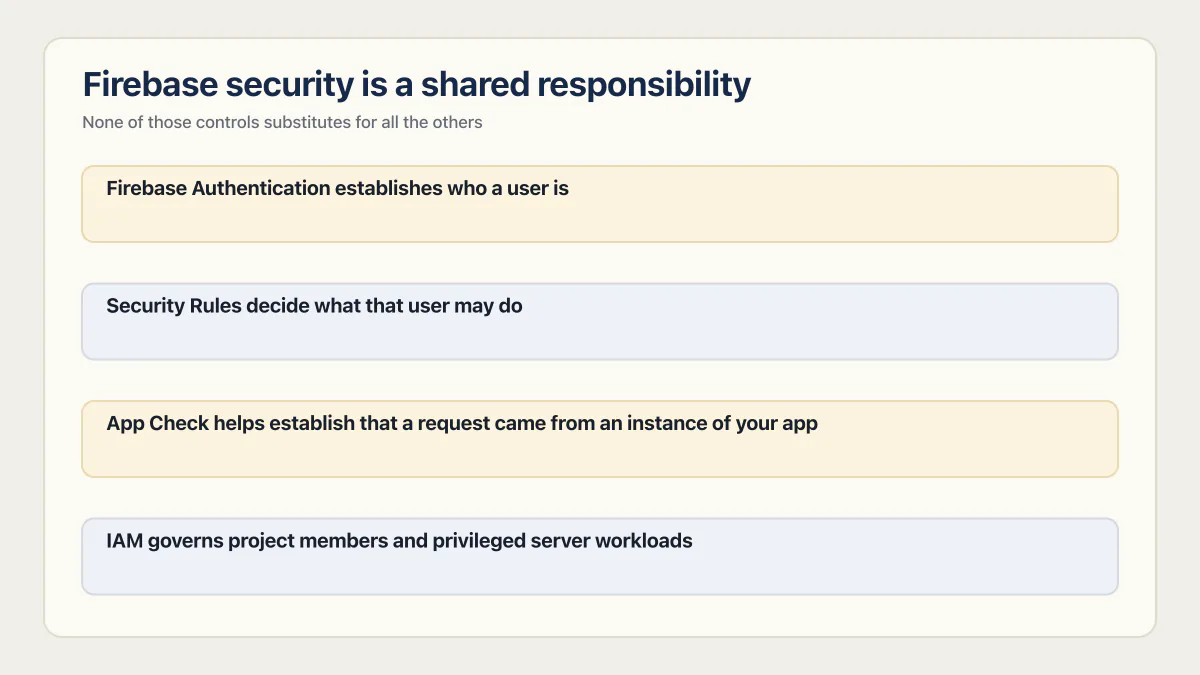
The boundary matters because several controls solve different problems. Firebase Authentication establishes who a user is. Security Rules decide what that user may do. App Check helps establish that a request came from an instance of your app. IAM governs project members and privileged server workloads. None of those controls substitutes for all the others.
What Google actually secures
Google publishes what it covers, so the left column can be checked against a document rather than taken on trust. Google’s privacy and security page for Firebase states that Firebase services encrypt data in transit using HTTPS and logically isolate customer data, and that several services also encrypt data at rest, including Cloud Firestore, Realtime Database, Cloud Storage, Firebase Authentication, Cloud Functions, Cloud Messaging, and Crashlytics.
On certification, the same page reports that all Firebase services have completed ISO 27001 certification and the SOC 1, SOC 2, and SOC 3 evaluation processes. For data protection law, Google offers Data Processing and Security Terms in which the customer is normally the data controller under GDPR or the business under CCPA, and Google operates as the data processor or service provider.
Two nuances decide whether that helps you. First, ISO 27017 and ISO 27018 remain service-specific, so read the compliance table for the services your app uses. Second, processing location also varies by service: Firebase Authentication runs only from US data centers and processes data exclusively in the United States, while most other services run across Google’s global footprint, with a few allowing a data-location choice.
None of that certifies your app. A SOC 2 report on Cloud Firestore says nothing about whether your Firestore rules let a stranger read a customer’s row. It answers the vendor half of a security questionnaire, which is the half buyers ask about first and the half that was never at risk. If a buyer asks for your own SOC 2, SOC 2 compliance consultants sets out the sellers behind that purchase and the one job each does.
Can someone read my data if my Firebase config is visible?
Yes, your Firebase config is visible, and yes, a stranger can see every request your app makes. Open dev tools on any Firebase web app and you get the project ID, the API key, the database URL, and the full shape of every read and write the client performs. Any of that can be replayed from a terminal. This is not a leak and there is no way to hide it: the client library is the client, and it has to know where to send requests.
What stops the replay is Security Rules. When a request arrives, the rules engine on Google’s side decides whether the caller is allowed to touch that document, that path, or that file. A stranger holding your project ID and key can send whatever request they like, and a correct rule answers no. That answer, not the secrecy of the config, is the entire security boundary for client requests.
The visibility only becomes an attack when the rules are open. If the deployed rule is allow read, write: if true, or a test-mode timestamp rule that has not expired yet, then everything visible in the browser is a working set of instructions for reading and overwriting your database, no account required. The same is true for a static site with no backend of its own. The rules are the backend.
Are Firebase API keys safe to expose?
Firebase’s web configuration contains an API key in client-side code. For Firebase services, that key is not treated as a secret: it identifies the project and app, but it does not authorize a user to read Firestore data. Authorization should come from Security Rules, IAM, and other service-specific controls.
That does not mean every API key is harmless or every current restriction is correct.
- Inspect the key’s API allowlist in Google Cloud Console. Firebase says auto-created keys are restricted to Firebase-related APIs, but older or manually changed keys may have a different allowlist.
- Use a separate, restricted key for non-Firebase APIs. Never place a Gemini Developer API key or another secret-bearing server credential in a public Firebase configuration.
- Review Authentication quotas and enabled sign-in methods. A public project identifier and key can still be used to send requests to public Authentication endpoints even when those requests cannot read protected data. Google’s security checklist names three settings worth checking here: turn on email enumeration protection, which stops someone probing your auth endpoints to learn which addresses have accounts; use anonymous authentication only to hold basic state before a real sign-in, rather than leaving it enabled after prototyping; and add multi-factor authentication by upgrading the project to Google Cloud Identity Platform.
- Treat service-account private keys, legacy server keys, payment credentials, and third-party API secrets as secrets. They do not belong in a browser bundle or mobile app. Secrets management best practices lists the controls that keep those keys, tokens and passwords out of the browser and the repository.
Key restriction reduces the ways a key can be abused. It does not repair an open database rule.
The key that starts with AIzaSy
If you opened your JavaScript bundle and found a string beginning AIzaSy, that is a Google API key, and finding one in a Firebase web app is expected rather than a mistake. It is part of the config the client library needs, and on its own it does not authorize anyone to read your data.
What matters is the key’s API allowlist in Google Cloud Console. Check that the allowlist covers only Firebase APIs, and look specifically for a non-Firebase Google API such as Maps, Places, or the Gemini Developer API sharing that same public key. Those are billed per request, so a key that fronts them is a spend problem the moment somebody copies it out of your bundle. Which keys can sit in browser code and which must stay on the server is covered in API keys exposed on frontend code, along with how to check a build for leaks.
Security Rules are the authorization boundary
For Firestore requests made by mobile and web client libraries, Firebase security rules are the data-access gate. An open rule such as this is never appropriate for production:
allow read, write: if true;A rule that checks only request.auth != null is better than public access, but it permits every authenticated user unless a narrower condition also verifies ownership, membership, or role. Signing in proves identity; it does not prove that Alice may read Bob’s document.
The deployed rule is the source of truth. Current Firestore documentation says databases created through the console start with deny-all rules unless a developer chooses another setup, while development tutorials and older projects may use permissive rules. Do not rely on what the project probably started with. Open the Rules tab and inspect what is deployed now.
Test mode is a timer, not a safeguard
When a Firestore or Realtime Database instance is created, the console asks for a starting rule before anyone has written one deliberately. Locked mode starts from deny-all. Test mode starts from the opposite:
match /{document=**} {
  allow read, write: if request.time < timestamp.date(2099, 12, 31);
}
The date above is illustrative. In a real project the console fills that timestamp in for you, a short window forward from the day the database was created. It is a default that nobody chose for your data. What are insecure defaults covers the other settings managed platforms ship open so prototypes work, across Supabase, Firebase, Lovable and Replit.
Firebase’s quickstart describes test mode as “good for getting started with the mobile and web client libraries, but allows anyone to read and overwrite your data” (source). Every document in the database is open to anyone holding the project’s URL, no account needed, until the date inside the rule. The timestamp comparison is the entire condition: once the date passes, requests start failing instead of succeeding. The setup assumes someone returns before then and swaps the timestamp check for a rule that verifies who is asking, and that deadline sits on nobody’s calendar.
A development rule with a timestamp therefore creates two different failures: broad access before the deadline and an outage after it. Replace temporary access with resource-specific authorization before production rather than repeatedly extending the date.
Realtime Database rules use a different syntax
Firestore and Realtime Database do not share a rules language, so a project using both has two files to check. RTDB rules are JSON, keyed by path, with .read and .write expressions. Its locked and open cases look like this:
{
  "rules": {
    ".read": false,
    ".write": false
  }
}
Swap either false for true and the whole database is open. One behaviour makes RTDB rules easier to get wrong than Firestore rules: they cascade downward. Firebase’s documentation says that if a rule grants read or write permission at a path, it also grants access to all child nodes under it, and that child rules “can only grant additional privileges to what parent nodes have already declared. They cannot revoke a read or write privilege.” A .read set at the root cannot be narrowed by a stricter rule deeper in the tree. Firestore rules do not work this way, so a pattern copied from one is not safe in the other.
The exact owner-rule patterns, query constraints, and Emulator Suite tests are a separate implementation topic. This page owns the platform-level decision: whether the live project has a real authorization boundary at all.
App Check attests the app; rules authorize the user
Firebase App Check attests that a request appears to come from your registered app or an approved environment. Once enforcement is enabled for a supported service, requests with missing or invalid App Check tokens are rejected.
App Check complements Authentication and Security Rules. It does not decide whether the signed-in user owns a document, and Firebase explicitly warns that it does not eliminate every form of abuse. A genuine copy of your app can still contain a broken authorization path.
Roll it out carefully:
- Register each supported app and configure an attestation provider.
- Release the App Check-enabled client before enforcing it.
- Monitor request metrics for verified, outdated, unknown, invalid, and reused tokens.
- Resolve unexpected legitimate traffic, then enable enforcement per service.
- Recheck metrics after enforcement. Old app versions, scripts, and unsupported clients can otherwise be locked out.
Privileged server code changes the boundary
Firestore server client libraries and the Admin SDK bypass Firestore Security Rules and authorize through IAM instead. That is intentional, but it means correct client rules do not make a callable function, API route, scheduled job, or leaked service account safe.
For every privileged path, verify that it:
- validates the caller’s identity and authorization before reading or writing customer data;
- uses the least-privileged runtime service account available;
- keeps service-account keys out of source control and public clients;
- validates document identifiers and tenant or owner scope on the server;
- records errors and access signals that can reveal abuse.
This is also why a browser-only check such as hiding a button is never a security control. The request must be rejected at the trusted boundary.
The Firebase failure that shows up as a bill
For most small teams the Firebase incident that actually happens is a bill. Reads, writes, storage egress, and function invocations are billable whether or not the caller is a customer, so an open collection is a metered resource anyone can drain. Nobody has to want your data; a script pointed at an open path spends your money either way.
That is why “avoid abusive traffic” is the first heading on Google’s own security checklist rather than a footnote. Four controls from that page do most of the work:
| Control | What it catches |
|---|---|
| Budget alerts on the project | Notifies you when resource usage exceeds expectations, which is usually the first visible symptom of an open rule |
| Monitoring and alerting for backend services | Google names Cloud Firestore, Realtime Database, Cloud Storage, and Hosting as the services to watch for denial-of-service style traffic |
| Cloud Functions maximum instances | Limits concurrent instances of a function to your normal traffic, so a flood costs a rejection instead of a scale-out |
| App Check enforcement | Rejects calls that did not come from your registered app, before they reach a billable service |
None of those is a substitute for a correct rule. They shorten the window between an open path and the moment you find out about it, which on an unmonitored project is whenever the card on file declines.
What AI builders scaffold into your Firebase rules
Which tool wired up the backend changes what to check, and four names cover most AI-scaffolded Firebase apps: Firebase Studio, Bolt.new, Lovable, and v0. They do not handle rules the same way.
Firebase Studio, Google’s own AI workspace, was the most rules-literate of the four. Ask its App Prototyping agent to add Cloud Firestore, and it “writes and deploys Cloud Firestore database rules for you” in the same step that sets up the database (source), scoped to something like “limit post access to only the users who created them” (source) rather than a blanket allow-all. The past tense is deliberate: Google announced Firebase Studio’s sunset in March 2026, closed new workspace signups that June, and shuts the product down in 2027. Apps scaffolded there keep running on Firebase itself, and the agent-written rules stay deployed, which means they stay yours to read and test like anything else an agent wrote.
For a Bolt.new app that uses Firebase Storage, compare the deployed rules with Firebase’s official content-owner-only example: files sit under /user/{userId}/{fileName}, and reads and writes require request.auth != null && request.auth.uid == userId. That gives each signed-in user access only to files under that user’s ID. If the app needs shared files or roles, write and test separate rules for those cases. The rest of the storage side (private buckets, expiring signed links, upload size and type limits) is in the object storage security checklist.
Lovable and v0 do not establish one universal Firebase path. For each app, identify whether the browser uses a Firebase client SDK, where Security Rules apply, or a server route uses the Admin SDK, where IAM and route authorization apply. Neither vendor’s current integration pages name a single path for every generated app, so the safe assumption is the one you can inspect: read the app’s own code for firebase/app client calls and for firebase-admin on the server, and treat what you find there as the architecture rather than anything the builder says about itself. In either case, test that the signed-in user owns the requested row before a privileged read or write runs.
A new dev joining a team adding data into an existing location probably won’t go back and fix rules to reflect that the privacy requirements of that data has changed.
That is a Hacker News commenter who says they worked at Firebase for years, on a thread about a mass Firebase-misconfiguration report (source). Their point had nothing to do with AI tools; Firebase did not need a coding assistant to have this problem. An AI builder adds a second layer to it: every new field or admin-bypassed route it scaffolds is one more place a check has to be written, and remembered, by someone with no prompt reminding them it exists.
Is Firebase safe for production? The 8-point check
Run this against the production project and the production build, not a local copy; the launch-gate version of this check covers change, monitoring and recovery once traffic arrives:
- 01 Inventory the data services: Firestore, Realtime Database, Storage, callable functions, HTTP endpoints, and extensions.
- 02 Inspect the deployed rules for allow-if-true, broad authenticated access, wildcard matches, and any rule that never compares the caller with the requested resource.
- 03 Test with two users: prove that one signed-in account cannot read, update, or delete the other account's records or files.
- 04 Review privileged code: find every Admin SDK or server-client call and verify authorization happens before the call.
- 05 Check project access: remove former collaborators, narrow IAM roles, and review service accounts and keys.
- 06 Inspect public API-key restrictions so only intended APIs are allowed and secret-bearing APIs use server-side credentials.
- 07 Verify App Check registration, client rollout, metrics, and enforcement for each supported service.
- 08 Turn on monitoring: usage alerts and budget alerts for unexpected traffic and resource consumption.
Step eight is the one people skip because nothing is visibly wrong when they skip it. Firebase’s security checklist treats monitoring and alerting as setup work, not incident response, for the reason in the section above: on a quiet project the alert is the only thing that arrives before the bill.
One more piece of setup work belongs on the list even though no generator will do it for you: a separate Firebase project for staging, with its own rules and its own data, so an experiment cannot touch a real user’s row. A single project that is the app is the Firebase shape of one database with no staging environment, where every change lands on rows a real customer is looking at.
For a broader application review beyond Firebase configuration, use the threat categories in the vibe coding security guide. Client dependencies, application logic, payment flows, and third-party integrations remain part of the app’s attack surface.
What an audit finds, with the denominator attached
A number without a sample size or a date is a number you cannot check. Across the 21 third-party AI-built apps in the AxonBuild audit corpus, 11 had at least one unauthenticated endpoint doing privileged work, no login required. None of those 21 run on Firebase, and the corpus skews Supabase-heavy mostly because that is the default backend Lovable and Bolt push founders toward, so that count does not round into a Firebase failure rate. What travels across backends is the mechanism, not the frequency: an unauthenticated privileged endpoint and a Firestore collection left in test mode are the same failure in different syntax. Neither has a login check, and neither shows up in a demo, because the person running the demo is always signed in as the one account with access.
One app in that corpus made the failure concrete. A single GET request to one endpoint dropped every table in the production database, and the only thing standing between a stranger and that request was a secret pasted into the query string, the kind of string that ends up in browser history or a Slack message someone pastes to ask whether a link still works. I read the route twice before writing the finding; it looked like a mistake too basic to have survived to a live app with real users. It had survived for months, since the day someone wired it up for their own convenience during testing. It is the finding the post on data-loss bugs opens with.
The decision
Firebase is a defensible production choice when the live project has narrow Security Rules, controlled IAM, restricted public keys, protected server credentials, reviewed Admin SDK paths, and App Check enforcement where supported. It is not secure merely because Authentication works or because Google operates the infrastructure.
If any one of those checks is unknown, the app has not yet proved that its Firebase configuration is safe. That uncertainty calls for verification rather than a blanket judgment about the platform.
Common questions about Firebase security
Is Firebase safe for sensitive data?
It can be, if the app’s data model, Security Rules, IAM, privileged server paths, retention, and compliance requirements have been designed and tested for that data. Firebase alone does not establish that an app meets a particular legal or regulatory obligation.
Is a Firebase API key a secret?
A Firebase service API key in public client configuration is not normally a secret. It still needs an appropriate API allowlist. Service-account keys, third-party API secrets, Gemini API keys, and other server credentials must remain private.
Is Firebase Authentication enough to protect Firestore?
No. Authentication identifies the user. Firestore Security Rules must also authorize that user’s access to the requested document or query, and privileged server code must enforce its own authorization through a trusted backend path.
How do I test whether my Firebase Security Rules are secure?
Two tests, in this order. Create two ordinary accounts, sign in as each, and try to read, update, and delete the other account’s records and files; anything that succeeds is a rule that never compared the caller with the record. Then make it repeatable by writing rules unit tests against the Local Emulator Suite with the @firebase/rules-unit-testing library, which mocks signed-in and signed-out callers and, per Firebase’s own documentation, never touches your production resources.
Run those tests before every rules deploy, not once. Rules break the same way schemas do: a new field lands in an existing collection and nobody revisits who is allowed to read it.
How are Firebase Security Rules different from Supabase RLS?
Same job, different place. Firebase Security Rules are a separate file you deploy to the project, evaluated by Google on every client request; Supabase row level security is a SQL policy attached to the table itself, evaluated by Postgres on every query. Both decide whether this caller may touch this row, and both are bypassed entirely by a server-side admin credential, the Firebase Admin SDK on one side and the Supabase service role key on the other. On the Postgres side, how to harden managed database settings covers who can connect, which role the app uses, TLS, and the encryption you already have.
The practical difference is where a mistake hides. A missing Firebase rule is a missing line in a file you can open; a missing Supabase policy is a table with RLS never enabled in the first place, which looks identical to a working table until someone queries it with the public key.
Has Firebase ever been breached?
Separate platform incidents from customer configuration. Google’s Cloud security bulletin GCP-2026-043 documents a 2026 Firebase Studio cross-tenant vulnerability that allowed authenticated users to list buckets and download other tenants’ deployment source code. Firebase Studio is distinct from Firestore’s client Security Rules. A March 2024 mass scan of Firebase-backed sites found open customer rules rather than a flaw in Firebase infrastructure. These are different incident classes and require different responses.
Is Firebase secure for a static site with no backend?
Yes, as long as Security Rules do the authorizing, because on a static site there is nowhere else to put a check. There is no server of yours in the request path: the browser talks to Firebase directly, so any validation you write in JavaScript is advice the caller can ignore. The rules engine running on Google’s side is the only trusted boundary the architecture has.
This makes rule quality more load-bearing on a static site than on an app with its own API, not less. If you need a check that rules cannot express, that logic has to move into a Cloud Function or another server-side path where the caller cannot reach it.
What is test mode and why is it dangerous?
Test mode is the option Firebase offers when a new Firestore or Realtime Database instance is created so building can start before any rules are written. In Firestore it sets allow read, write: if request.time < timestamp.date(...), and in Realtime Database the equivalent expiry sits in the JSON .read and .write expressions; either way the data is open to anyone until that date, which the console sets a short window forward from the day the database was created. The danger is that the app behaves identically whether that rule is open or locked down, so nothing in the owner’s own testing reveals that the clock is running.
Is Firebase GDPR compliant?
Firebase can sit inside a GDPR-compliant app, and it cannot make one. Google’s privacy and security page sets the split plainly: Firebase customers typically act as the data controller under GDPR and Google generally operates as the data processor, with the duties written into Google’s Data Processing and Security Terms, or the Cloud Data Processing Addendum for services governed by the Google Cloud terms. Google holding up the processor end says nothing about whether your app has a lawful basis for what it collects, can actually delete a user on request, or keeps one customer’s record out of another customer’s query.
Two details decide whether Firebase fits a European deployment. Google states that it complies with the EU-U.S. and Swiss-U.S. Data Privacy Frameworks and the UK Extension for personal information it collects from those regions. Data location, though, is per service: Firebase Authentication processes data only in United States data centers, so a hard EU-residency requirement is an architecture decision rather than something a signed term resolves.
Is Firebase HIPAA compliant?
Not by itself. Firebase as a brand is not independently HIPAA-certified; compliance runs through Google Cloud’s Business Associate Agreement, which must be signed and which covers a defined, changing subset of Google Cloud and Firebase products rather than the whole platform automatically (source). Check that page for exactly which products a BAA covers before putting patient data near a Firebase project. A Firestore collection secured with a correct rule is still not a HIPAA-compliant place for PHI on its own; the signed BAA, encryption, and the team’s own handling practices all have to line up.
The checks in this guide show you where the app is open. The sprint below closes those gaps, tests the result and writes the evidence down.
Built it with AI. Now it has to hold up for real customers.
The Production Hardening Sprint takes the app you already have and builds the production foundation underneath it. Authentication and access rules, payments that stay consistent, error handling, monitoring, backups, automated tests and a documented handover. Our engineers work inside your existing codebase for ten working days. All 123 deliverables are included, and you get the evidence for each one.
See the Production Hardening Sprint →  $2,500 fixed price · 10 working days · One codebase