Yes at the platform layer. Vercel holds ISO 27001:2022, SOC 2 Type 2 and PCI DSS v4.0 attestations, issues and renews TLS certificates for every domain you add, and mitigates DDoS on every plan including the free one. Your app’s authorization rules, browser bundle, build gates and error reporting are covered by none of it.
Vercel’s bulletin of 19 April 2026 confirmed that an attacker had reached its internal systems and decrypted non-sensitive customer environment variables for a limited subset of customers. A variable created as Sensitive is non-readable after creation. Vercel now has you choose Config or Secret for each variable instead of using the Sensitive toggle: Secret values are write-only after saving, existing Sensitive variables are treated as Secrets, and the Enforce Sensitive Environment Variables team policy is deprecated.
Vercel has a credible platform-security baseline, and the certifications behind that answer are public and specific enough to check one at a time. Your application still owns its authorization rules, public bundle, build gates, dependencies, and production behavior. Across the 21 third-party apps in the AxonBuild audit corpus, reviewed in June and July 2026, the Deployment & Operations pillar averaged 37.0 out of 100, third-worst of the twelve pillars scored. That broader corpus was not a study of Vercel projects. It shows the application-side gap that a hosting certificate cannot measure.
Is Vercel safe at the platform layer?
Vercel has current platform controls backed by ISO 27001:2022 certification, a SOC 2 Type 2 attestation, and PCI DSS v4.0 attestations of compliance covering both service-provider and merchant roles. Each is an audited claim about how Vercel runs systems within the report’s scope.
Vercel’s Trust Center lists the current ISO/IEC 27001, SOC 2, PCI DSS, HIPAA, and privacy materials. Its public security page also lists a Data Privacy Framework certification, TISAX Assessment Level 2, and HIPAA support for Enterprise customers.
One detail is worth catching before you paste a marketing-page answer into a questionnaire. As of 5 August 2026, Vercel’s public security FAQ still says ISO 27001:2013, while its Trust Center says the company migrated to ISO 27001:2022 and completed a second surveillance audit. Use the current certificate from the Trust Center, including its scope and dates, rather than the stale FAQ line.
What Vercel’s certifications actually cover
Each certification answers one narrow question about how Vercel runs its own systems. None of them says anything about your code. Here is the current set, what each one covers, and where the document lives, so you can fill in a security questionnaire from the source instead of a marketing page.
| Certification or document | Current version and scope | Where to get it |
|---|---|---|
| ISO/IEC 27001 | 27001:2022, after migration from the 2013 version and a second surveillance audit | Trust Center |
| SOC 2 | Type 2 attestation report, covering a stated observation window | Trust Center, report download |
| PCI DSS | v4.0, SAQ-D attestation as a service provider plus a merchant attestation | Trust Center |
| HIPAA | Supported for Enterprise customers, report available on request | Trust Center or your account team |
| Data Privacy Framework | EU-US DPF, Swiss-US DPF, and the UK Extension to the EU-US DPF | Trust Center |
| TISAX | Assessment Level 2 (AL2), the automotive supply-chain standard | Trust Center |
| GDPR and DPA | Data Processing Addendum, effective 31 March 2026 | vercel.com/legal/dpa |
| Subprocessor list | Named subprocessors with their functions and locations | security.vercel.com |
Three details save you a follow-up email. The DPA names the subprocessor list at security.vercel.com rather than repeating it inline, and you can subscribe to change notifications by emailing privacy@vercel.com, which opens a five-day window to object to a new subprocessor. On residency, Vercel’s security page states that no data is stored permanently inside EU regions, with static assets and function responses cached there ephemerally. Certification names, versions and locations were checked on 5 August 2026.
What Vercel secures and what stays yours
Vercel manages the underlying infrastructure, network, and edge: TLS certificates issued and renewed for you, AES-256 encryption at rest, automatic DDoS mitigation on all plans, and the physical controls its auditors assess. Your application’s authentication, authorization, and browser bundle are not validated by those platform attestations.
A multi-tenant B2B operations tool I audited, Next.js on Vercel, reached AWS through Vercel’s OIDC federation instead of a long-lived access key. That is the harder half of the setup and it got it right, scoring 91 out of 100 on Secrets & Credentials. None of it decided who could read the customer list, because that decision lived in a cookie the browser was free to edit. That class has a name: broken access control. In the customer-list case it is more precisely an IDOR, an insecure direct object reference, where changing an identifier in the request returns another tenant’s rows. One customer reading another customer’s data is one of the problems that keep coming back in vibe-coded apps, and the Lovable data breach is the same failure with a public write-up attached.
Vercel’s certificate covers the box your app runs in. It says nothing about what you put in the box.
The platform controls Vercel does run for you
Vercel ships a named set of security products, and more of it is free than founders expect. DDoS mitigation, Attack Mode and BotID Basic are on every plan, Hobby included. What tiers up are the limits and the team-access controls; what each tier costs is the Vercel pricing page taken apart meter by meter.
| Control | What it does | Plan boundary |
|---|---|---|
| DDoS mitigation | Platform-wide L3/L4 blocking at every edge location, no configuration required | All plans, free |
| Attack Mode | Serves a challenge to visitors during a targeted attack, known bots pass through | All plans, free |
| BotID Basic | Invisible client-side bot check on high-value routes such as checkout and signup | All plans, free |
| BotID Deep Analysis | Machine-learning bot detection powered by Kasada | Pro at $1 per 1,000 checkBotId() Deep Analysis calls, custom on Enterprise |
| WAF custom rules | Log, block, challenge or rate limit L7 traffic | Up to 3 on Hobby, 40 on Pro, 1,000 on Enterprise |
| WAF IP blocking (project level) | Blocks named addresses and CIDR ranges | Up to 3 on Hobby, 100 on Pro, 1,000 on Enterprise |
| WAF Managed Rulesets | Predefined rules including the OWASP Core Ruleset, plus Bot Protection and AI Bots rulesets | OWASP Core on Enterprise, contact sales; the managed-rulesets page lists Bot Protection and AI Bots on all plans |
| Audit Logs | CSV export of team activity, readable by the team owner | Enterprise |
| SAML SSO and Directory Sync | Identity-provider login and group sync | SAML SSO as a paid add-on on Pro or on Enterprise; Directory Sync on Enterprise |
Behind the product names sit the operational numbers a questionnaire asks for. Data is encrypted with AES-256 at rest and over HTTPS and TLS in transit. Backups run every two hours and each one is kept for 30 days. Vercel runs annual third-party penetration tests plus targeted assessments through the year, and operates a public HackerOne program covering its open source projects. Audit log exports for the last 90 days do not affect billing.
One caveat on rate limiting, because it is the control founders most often assume they have. It is a WAF custom rule you write, not a default. On Hobby you get three custom rules total, so the expensive route stays open until you spend one of them on it.
None of these controls reads your authorization logic. A WAF rule can block a country, an IP range or a request pattern. It cannot tell that the signed-in user asking for /api/customers/482 should only ever see 481. Feature names, limits and plan boundaries were checked against Vercel’s documentation on 4 October 2026.
Did the April 2026 Vercel breach expose my environment variables?
The April 2026 Vercel breach exposed environment variables that decrypt to plaintext, for a limited subset of customers. Vercel traced the entry point to a compromised third-party AI tool used by one of its own employees, and the exposed set is defined by that plaintext property rather than by plan tier or region.
Vercel’s bulletin, published 19 April 2026 and updated through the 24th, names the origin: “The incident originated with a compromise of Context.ai, a third-party AI tool used by a Vercel employee.” It scopes the exposure to “a limited subset of customers whose non-sensitive environment variables stored on Vercel (those that decrypt to plaintext) were compromised,” and reports that no npm package Vercel publishes was compromised. The boundary of the breach was a property of the variable.
The disclosure timeline is short and it is all in the bulletin:
- 19 April 2026, 11:04 AM PST. Vercel publishes the bulletin with indicators of compromise.
- 19 April 2026, 6:01 PM PST. The entry point is named: a compromise of Context.ai, a third-party AI tool used by a Vercel employee, reaching that employee’s Google Workspace account.
- 20 to 24 April 2026. Five further updates cover credential scope, npm package validation, multi-factor authentication guidance and investigation findings. Nothing after 24 April.
A larger claim circulated outside the bulletin, and it is worth separating from what Vercel confirmed. A TechRadar report said a BreachForums seller listed data attributed to Vercel for $2 million. The listing claimed access keys, source code, databases, and a file of 580 employee records. The report also said ShinyHunters denied involvement. Treat every part of that as claimed rather than confirmed. Vercel’s bulletin limits the confirmed exposure to non-sensitive environment variables. If your questionnaire asks what was stolen, the defensible answer is the bulletin’s account, with the rest flagged as an unverified seller claim.
The control that would have kept a variable out of that exposed set is the Sensitive option. Vercel’s documentation now has you choose Config or Secret when you add or edit a variable, says Secret values “are write-only after saving,” and says existing Sensitive environment variables “continue to work as Secrets.” Secrets are allowed in Development, which reverses the earlier rule that limited Sensitive variables to Production and Preview. Vercel’s changelog of 24 August 2026 calls the Enforce Sensitive Environment Variables team policy deprecated; its replacement, Separate Production Secret Values, is an optional team policy that, when enabled, requires a Secret’s Production value to differ from the values used for the same key in other environments. Among Vercel’s recommended actions afterwards was to start using the feature.
The incident shows why the per-variable setting matters. A supply-chain compromise reached a vendor with audited controls, the bulletin went up the same day and kept being updated through the 24th, and the Sensitive option already existed. The exposed values were non-sensitive; today you choose Config or Secret for each variable, and a Secret value is write-only after saving.
One naming note, because three different searches land on this section. What people call the Vercel security breach and what they call the Vercel security incident are the same April 2026 event, and the Vercel security update people go looking for is the bulletin’s own update history, which stopped on 24 April 2026. The Vercel Security Checkpoint is none of those. It is the challenge screen the Vercel Firewall shows when a site turns on Attack Mode or a challenge rule: Vercel’s firewall documentation says visitors see a “Vercel Security Checkpoint” screen while the browser proves it can run JavaScript, and a passed challenge opens a session valid for one hour. Seeing that screen means a site owner turned a control on, and a failed challenge means the request was blocked before it reached the application. Neither is a sign that anything was breached.
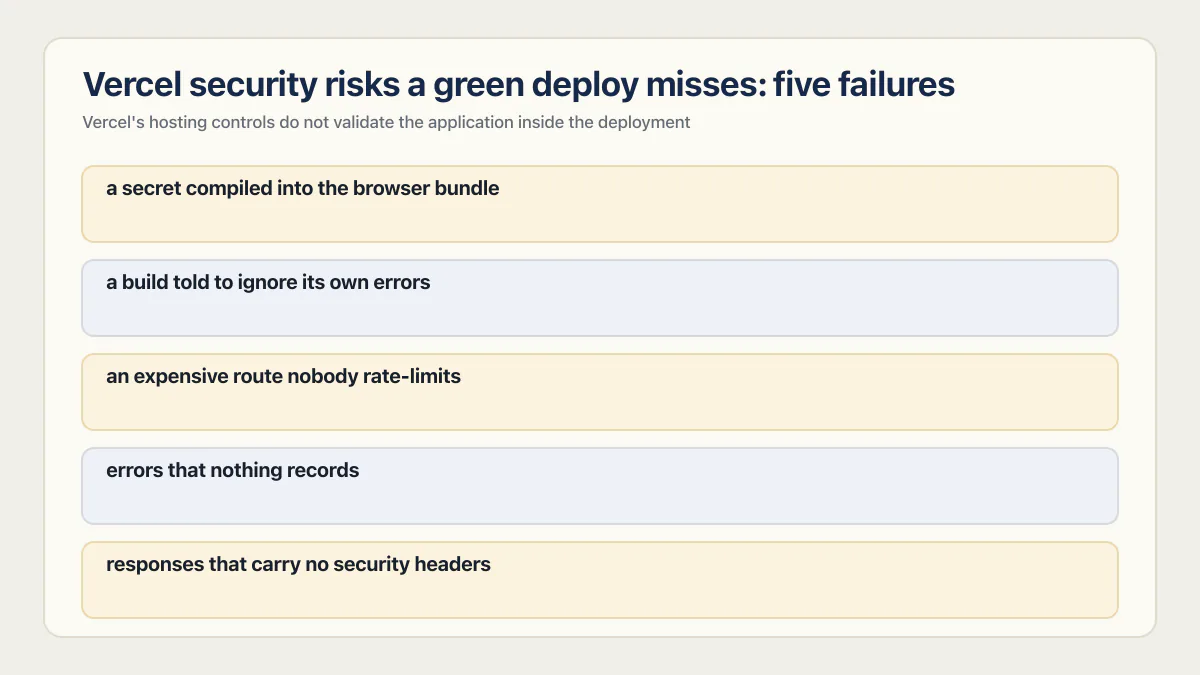
Vercel security risks a green deploy misses: five failures
Vercel’s hosting controls do not validate the application inside the deployment. Five failures can survive a green deploy: a secret compiled into the browser bundle, a build told to ignore its own errors, an expensive route nobody rate-limits, errors that nothing records, and responses that carry none of the security headers your project should declare.
Start with the naming convention that carries a security consequence. In Next.js, any variable prefixed NEXT_PUBLIC_ gets inlined into the bundle at build time: the documentation says the value “will be inlined into any JavaScript sent to the browser.”
// app/checkout/page.tsx
'use client';

// The NEXT_PUBLIC_ prefix is the entire mechanism. After next build,
// this literal value sits in the JavaScript every visitor downloads.
const client = createClient(process.env.NEXT_PUBLIC_PAYMENTS_SECRET);
Six of the 21 third-party apps I audited shipped a real secret somewhere, one of them handed to every visitor’s browser. Typing a value into Vercel’s dashboard is not what keeps it on the server; the prefix decides that, at build time. What a .env file is, and where each value has to be set is the wider version of the same confusion.
Then there is the build that was told not to check itself.
// next.config.js
module.exports = {
  typescript: { ignoreBuildErrors: true },
  eslint: { ignoreDuringBuilds: true },
};
In one audited project both flags sat on top of a strict: true TypeScript config, so the types were real and the build was simply told not to consult them. At least 17 of the 21 third-party apps had no deploy gate of any kind. Those projects deploy green, and green means the build finished.
The middle two belong to other posts. Vercel caps how long a function may run, which says nothing about how many requests arrive, and why Vercel functions time out and what the duration cap is for is its own subject. Quieter still is the route where nothing records the failure, so the first report arrives from a customer, which is most of what sits behind an app that works locally but not in production.
The fifth needs one distinction. Vercel adds HSTS to deployment responses by default. The other security headers are the ones your project declares. Add those in vercel.json:
// vercel.json
{
  "$schema": "https://openapi.vercel.sh/vercel.json",
  "headers": [
    {
      "source": "/(.*)",
      "headers": [
        { "key": "Content-Security-Policy-Report-Only", "value": "default-src 'self'; frame-ancestors 'none'; report-uri /api/csp-report" },
        { "key": "X-Frame-Options", "value": "DENY" },
        { "key": "X-Content-Type-Options", "value": "nosniff" },
        { "key": "Referrer-Policy", "value": "strict-origin-when-cross-origin" }
      ]
    }
  ]
}
Two of those are free wins. X-Frame-Options: DENY stops your app being framed for clickjacking, and nosniff stops a browser guessing a response is JavaScript when it is not. Vercel’s default HSTS header keeps the browser on HTTPS after the first visit. Content-Security-Policy is the one that takes work: a strict policy will break a third-party analytics or payment script before it protects anything, which is why the starter above ships it as Content-Security-Policy-Report-Only with a report-uri pointing at a route of yours that logs the reports. Read those reports, then rename the header to Content-Security-Policy once a tested policy no longer reports anything you need. Then confirm every header is actually on the response with curl -I https://yourdomain.com, because the file being in the repo is not the same as the header being served.
None of the five is ruled out by a successful deployment. Check the exposed configuration, build controls, response headers, and important workflows against evidence from the running app and repository.
| Looks fine | Actually fine |
|---|---|
| Vercel is ISO 27001 and SOC 2 Type 2 certified | Those attestations do not validate the variables your build ships to the browser |
| Environment variables are encrypted at rest | Only Secret values, including older Sensitive ones, are write-only after you save them |
| The deploy went green | The project never disabled its own type and lint checks |
| Preview URLs are just for me | You opened one in a logged-out browser and it asked you to sign in |
What Vercel Deployment Protection covers on Hobby, Pro, and Enterprise
Vercel Deployment Protection decides who can open a deployment URL. Vercel Authentication is available on every plan, including Hobby. Standard Protection gates deployments except production domains, while All Deployments also gates the production domain and is available on all plans.
Start from the default, because it is the fact most people get wrong, and Vercel’s own pages disagree on it. Vercel’s generated-URL documentation still says the generated URL “is publicly accessible by default, but you can configure it to be private using deployment protection.” Vercel’s changelog of 2 November 2023 says Deployment Protection with Vercel Authentication “is now enabled by default” for new projects, and its guide to locking down deployments says it is on for all deployments except the most recent production one. In practice, a new project starts protected unless your team’s default for new projects says otherwise. An older project, or a team default of None, leaves a preview URL open: no sign-in, no allowlist, no expiry beyond your deployment retention policy. Preview links get pasted into Slack, forwarded to clients, and attached to pull request comments, and every copy of that link works for whoever holds it. A staging build with real customer data behind an unprotected preview URL is one forwarded message away from being someone else’s.
So do not infer the current setting from the project’s age. A team can set a default of All Deployments, Standard Protection, or None for new projects and override it per project. Open Settings, then Deployment Protection, and verify the method and scope, then open a preview URL in a private window. Vercel’s current Deployment Protection documentation recommends Standard Protection and describes the plan boundaries.
Vercel security features by plan
| Feature | Hobby | Pro | Enterprise |
|---|---|---|---|
| Vercel Authentication | Yes | Yes | Yes |
| Standard Protection (everything except production domains) | Yes | Yes | Yes |
| All Deployments scope (production domain included) | Yes | Yes | Yes |
| Password Protection | No | $20 per month per protected project | Yes, every project |
| Trusted IPs (allowed IPv4 list) | No | No | Yes |
| Passport (your own identity provider) | No | No | Yes, custom pricing |
| Automatic HTTPS and DDoS mitigation | Yes | Yes | Yes |
| Attack Mode and BotID Basic | Yes | Yes | Yes |
| WAF custom rules | Up to 3 | Up to 40 | Up to 1,000 |
| WAF OWASP Core Ruleset | No | No | Contact sales |
| Audit Logs | No | No | Yes |
| SAML SSO and Directory Sync | No | SAML SSO as a paid add-on | Yes |
Read the Password Protection row carefully before you budget for it. On Pro, Vercel charges $20 per month for each project where you turn it on, and disabling it stops future charges for that project. Existing Pro teams that bought the legacy Advanced Deployment Protection package keep paying $150 per month per team, which covers Password Protection on every project. Vercel Authentication for All Deployments and Deployment Protection Exceptions need no paid add-on, and Passport is Enterprise only. Methods, limits and availability were checked against Vercel’s Deployment Protection pricing page on 4 October 2026.
Scope is the second setting, and the one people skip. The method decides how a visitor proves they may look. The scope decides which URLs get asked at all. Standard Protection leaves production domains open by design, which is right for a public marketing site and wrong for an internal tool that happens to have a production domain.
What all of it gates is who can open the URL. A stranger stopped at a login screen and a signed-in customer reading another customer’s rows are different problems, and Deployment Protection only touches the first.
Is a vercel.app link safe to click?
Treat it like any link from a stranger. A vercel.app address tells you where a page is hosted and nothing about who built it or what it wants. Anyone with a free account can publish one in minutes, so the domain itself is not evidence that the page is safe.
A Vercel link is simply the address Vercel generates for a deployment. Its documentation gives the shapes: project-name-hash-scope.vercel.app for a specific commit, where the hash is nine random numbers and letters, and project-name-git-branch-scope.vercel.app for a branch. The string records which project, which commit and which account. None of it is a judgment about the page.
That gap gets used deliberately. Cloudflare’s Cloudforce One documented a campaign running from November 2025 to January 2026 that delivered remote-access tooling from vercel.app subdomains behind invoice-themed emails, and stated the reason in one line: “The vercel.app domain is legitimate and reputable, bypassing many email filters and lulling users into a false sense of security.” Free hosting on a platform with a good name is the attraction, and it works on filters as well as on people.
Vercel does one thing about lookalike addresses, and it is narrow. The generated-URL documentation says a project name resembling a regular web domain may be shortened, giving www-company-com becoming company as its example, so the address does not trip the anti-phishing protection built into browsers. That trims a confusing subdomain. It does not inspect what the page does.
So judge the sender and the page, not the domain. If a protected deployment asks you to sign in, verify that the authentication page is on Vercel’s real domain before entering credentials; a copied sign-in screen can still be used for phishing. The same caution applies to any .vercel.app link you are pushed to open quickly, whatever the invoice attached to it says.
Is Vercel safe for production? Check your own project
Vercel can be an appropriate production host after you verify the controls your application depends on. These six checks use the dashboard, the repository, and a browser window with no Vercel session.
- Read the names of every environment variable and check the framework’s client-exposure rule. Prefixes such as
NEXT_PUBLIC_,VITE_, and, in frameworks that define it,PUBLIC_mark values for browser use, so confirm each one belongs there on purpose. - Check which variables carry the Secret label in the environment variable table. Config values remain readable after saving to members with access.
- Open a preview URL in a private window with no Vercel session. A sign-in screen means Deployment Protection is working; the page loading means it is off.
- Search
next.config.jsforignoreBuildErrorsandignoreDuringBuilds. If either reads true, a green deploy has told you nothing since the day that flag was set. - Run
curl -Iagainst your production URL and read the response headers. Confirm Vercel’s defaultStrict-Transport-Securityheader is present. IfContent-Security-Policy,X-Frame-Options, andX-Content-Type-Optionsare absent, your project is not declaring them. - Submit a form with deliberately broken input, then go looking for a record of the error somewhere other than your own browser console.
The checks apply on Hobby and Enterprise, although the available protection scopes and methods differ by plan. The broader version is whether your AI-built app is ready to launch, where deployment is one pillar of twelve. The checks to run before, during and after every release are in the production deployment checklist.
Is Vercel or Netlify safer for a vibe-coded app in production?
Vercel and Netlify offer comparable baseline hosting controls, but a universal “safer” verdict would depend on the plan and configuration you need. Both publish audited certifications, both encrypt variables at rest, and neither validates your application’s authorization or business logic.
What differs is where your side of the line sits. On Vercel there is a framework server you did not write, running code you did, which is why the five failures above are mostly about what the build handed that server. On a static Netlify build there is often no server of Netlify’s in the request path, so any check has to live in the API or database the bundle talks to, and a check that lives only in the bundle is not a check. Either host can serve either architecture; compare the deployment you actually chose, not the vendor. The pair is meant to be read together, and the other half is is Netlify safe, the same question answered for the other default host. Which host to pick before you have built anything belongs in where to deploy a vibe-coded app and what it bills you rather than here.
Where Vercel is strong and where it is not
If you need one screen to hand to whoever asked, this is it. It is also the short answer when someone asks you to evaluate Vercel, the frontend cloud platform, on DevSecOps grounds. How Vercel works, in one line: you connect a Git repository or deploy from the CLI, Vercel builds the project and serves the result from its own network, and every push to the connected branch produces another deployment. What that leaves you is the Not covered list below.
Strong:
- Audited certifications with current scope, including ISO 27001:2022, SOC 2 Type 2 and PCI DSS v4.0, with the documents downloadable rather than asserted.
- Automatic HTTPS on every domain you add, issued and renewed without you touching a certificate.
- DDoS mitigation, Attack Mode and BotID Basic free on every plan, including Hobby.
- Sensitive environment variables, now treated as Secrets, whose values are write-only after saving; the old team-wide Enforce Sensitive policy is deprecated.
- Deployment Protection available on the free plan, so gating a preview URL costs nothing.
- A public incident bulletin, published on the day of disclosure and updated for five days after it.
Not covered, and still yours:
- Authorization. Who may read which row is your code’s decision, and broken access control is the single most common finding in the AI-built apps AxonBuild reviewed in 2026.
- The browser bundle. Anything the build inlines is public, whatever the dashboard implied.
- Build gates. A project can disable its own type and lint checks and still deploy green.
- Project response headers. CSP,
X-Frame-Options,nosniff, and Referrer Policy exist only if you declare them; Vercel supplies HSTS by default. - Error reporting. Nothing tells you a route is failing unless you wired something up.
- Dependency risk. The April 2026 incident started in a third-party tool, not in Vercel.
Common questions about Vercel security
Is Vercel legit?
Yes. Vercel is the company behind Next.js, with published ISO 27001:2022, SOC 2 Type 2, PCI DSS v4.0, and Data Privacy Framework materials, plus a public security-bulletin process. Those facts establish the vendor’s current platform-security program, while the app you deploy remains a separate review surface.
Is Vercel safe to use now, after the April 2026 breach?
As of 5 August 2026, yes. Vercel’s bulletin has had no updates since 24 April 2026, the confirmed exposure was limited to non-sensitive environment variables for a subset of customers, and the entry point was a third-party AI tool rather than Vercel’s own infrastructure. If you held variables on Vercel in April, rotate any that were not marked Sensitive and turn multi-factor authentication on, then treat the platform as you did before.
Is Vercel SOC 2 compliant?
Yes. Vercel holds a SOC 2 Type 2 attestation and publishes the report through its Trust Center at security.vercel.com, alongside an ISO/IEC 27001:2022 certificate and PCI DSS v4.0 attestations. Pull the report from the Trust Center rather than quoting a marketing page, because Vercel’s public security FAQ still lists the older ISO 27001:2013 version. A SOC 2 report describes Vercel’s controls over its own systems and says nothing about the application you deploy. SOC 2 certification in plain words covers what the report is, who may issue one, and why your host’s report is not yours.
Does Vercel provide SSL certificates?
Yes, and you do not have to do anything. Vercel automatically requests a certificate from Let’s Encrypt for every domain you add to a project, serves it over HTTPS, and renews it for you with no manual step. This applies to custom domains as well as .vercel.app URLs, and automatic HTTPS is included on the free Hobby plan. Enterprise teams can upload a custom certificate instead.
Are Vercel preview deployments public?
It depends on the project, and Vercel’s own pages disagree. The generated-URL documentation still says a deployment URL is publicly accessible by default, while Vercel’s November 2023 changelog says Deployment Protection with Vercel Authentication is on by default for new projects. A new project starts protected unless the team default says otherwise; an older project or a team default of None leaves previews open. Anyone holding an open link can use it, and preview links travel through Slack, email and pull request comments. Turning on Vercel Authentication with Standard Protection closes this, and it is free on every plan including Hobby.
To check your own, open a preview URL in a private window with no Vercel session. A sign-in screen means protection is on. The page loading means it is off. Which environment that URL is actually serving, a preview build or production, is a separate question from whether anyone can open it.
Was my data affected by the Vercel breach?
Vercel contacted the customers it identified as affected, so start with the notice attached to your account and contact Vercel support if the scope is unclear. The confirmed exposure covers non-sensitive environment variables, meaning those that decrypt to plaintext, for a limited subset of customers. A Sensitive tag narrows the variable exposure described in the bulletin, but it does not by itself determine whether an account was compromised.
For affected customers, the bulletin recommends rotating non-sensitive environment variables, enabling multi-factor authentication with an authenticator app or passkey, reviewing account activity logs, inspecting recent deployments for unauthorized changes, and rotating Deployment Protection tokens.
Does Vercel encrypt environment variables?
Yes, Vercel says environment variables are encrypted at rest. Regular variables remain readable in the dashboard to authorized users with sufficient access. Secret values, including existing Sensitive variables, are write-only after saving, and you cannot convert a saved Secret to Config in place. Secrets are allowed in Development as well as Production and Preview.
Is Vercel HIPAA compliant?
Vercel’s security page states that it supports HIPAA compliance for Enterprise customers and makes its HIPAA report available on request. Confirm the contract and Business Associate Agreement for your account. Whether protected health information is handled correctly also depends on the application’s data flows and authorization rules.
What would change this answer
The platform answer changes when Vercel publishes a new incident, changes a plan boundary, or updates the scope of a control. Your application-side answer can change on every deploy. Recheck sensitive-variable policy, Deployment Protection, public bundle contents, build gates, and error reporting whenever access or production configuration changes.
Does a green deploy mean your app is safe?
Vercel secures the servers and certificates, but your access rules, secret settings and what ends up in the browser are still yours to own. During the audit, we walk through how your app is built and deployed with you and point out what a passing deploy can hide. By the end, you know what to fix first.
Book a free audit → Free · 30 minutes · No code access needed