Short answer: Replit’s platform is production ready. Your Replit app is not production ready until you have tested five things Replit cannot test for you.
Replit can run a production app. Its current publishing stack includes separate development and production databases, deployment previews for database changes, security scans, monitoring, multiple deployment types, and point-in-time database recovery on paid plans. That is real infrastructure, and it earns Replit a place on the shortlist of workable production hosts.
What the platform cannot do is vouch for the app it just built. Replit leaves application access control, the intended business logic, application-level monitoring, and application security testing with the app owner. A production verdict therefore needs two kinds of evidence: current platform controls and tests of the generated app’s real behavior.
What Replit provides for a production deployment
As of August 2026, Replit’s publishing overview brings several production controls into the Publish pane. You can choose a deployment type, set who is allowed to reach the app, review the production database, inspect monitoring, and run the pre-publish security scan. Replit suggests a .replit.app address and lets you connect a custom domain after publishing, so the domain your customers will actually use is a step you take once the app is already live.
The available deployment types cover different workloads, and each one bills differently.
| Deployment type | Pick it when, and what it costs you |
|---|---|
| Autoscale | Traffic is bursty or unknown. You pay while requests are being served, so a caller you never authorized raises the bill, and an idle app scales to zero and cold-starts on the next request. |
| Reserved VM | A process has to stay resident for background jobs, schedulers, or websockets. You pay for the machine whether or not anyone visits, and nothing cold-starts. |
| Static | There is no server-side code at all. Cheapest and least to go wrong, but nothing that needs a secret can live here. |
| Scheduled | A job runs on a defined schedule rather than serving a web app. You pay per execution, and the failure mode is a run that silently never fires. |
Choosing the right type matters, but it is an infrastructure decision. Autoscaling cannot repair a slow database query, enforce account ownership, or stop an expensive AI endpoint from being called repeatedly.
| Replit control | Evidence and remaining app test |
|---|---|
| Separate development and production databases | Agent work does not directly modify production. Test that the migration is compatible with real data and the app works after it. |
| Pre-publish security scan | A current scan reports patterns in its scope. Test that users cannot cross account boundaries or abuse a business workflow. |
| Deployment monitoring and logs | Requests, status codes, resource use, and logs can be inspected. Trigger a failure and verify it reaches the responsible person. |
| Production database recovery | A restore point may exist within the plan window. Test that a restored database and compatible app complete a customer workflow. |
The remaining app test in the second column decides readiness. It cannot be inferred from a successful publish.
How is Replit for production deployment?
Good at the mechanics, silent on the verdict. Publishing is a guided pane rather than a pipeline you assemble, and the deployment types, database separation, monitoring, and security scan all behave as the documentation describes. What Replit never does is refuse to publish an app because the app itself is wrong.
Three different questions usually hide inside that one. Whether the platform can host a real workload: yes, and the controls above are the reason. What the day after publishing looks like: who hears about the first error, what the bill does under load, how a bad release gets undone. And whether the generated code deserves to be reachable by the public at all, which Replit has never claimed to answer on your behalf.
The second question is where most builders get caught out. Publishing is a single decision here, so the parts a hand-assembled deployment forces you to confront (a staging step, a release gate, somewhere errors go when nobody is watching) are things you have to go looking for rather than things the flow puts in front of you. Uptime monitoring and the security scan are both real and both useful, and neither of them knows what your app is supposed to do.
The fair summary: Replit is a credible place to deploy, and it is not a source of evidence that your app is ready. Treat the publish button as the point where the five tests below start, not the point where they end.
Can a Replit app handle thousands of users?
Yes, with the right deployment type and a database that can take the connections. No platform-level answer establishes the capacity of a specific app, because the code and the data decide it.
Autoscale adjusts compute with demand and scales an idle app to zero. That is cheap, and it means the first request after a quiet period pays a cold start. Reserved VM is the type to pick when a background worker, a websocket, or a queue consumer has to stay resident, and it removes the cold start because the machine never stops.
Do not assume which layer fails first. Replit’s documentation states that production databases do not have connection pooling enabled by default: the app connects through DATABASE_URL and the framework manages its own client-side pool. Under load, Replit compute, database connections, an external API limit, query cost, or app work can each become the first ceiling. Measure p95 latency, error rate, connection use, provider throttling, and compute together before changing the deployment or database plan.
Run one representative load test and watch four numbers together: p95 latency, error rate, database connections in use, and cost per thousand requests. Each one alone will tell you a comfortable story while another is failing.
Is Replit reliable enough to run a business on?
Replit advertises 99.9% uptime for Reserved VM deployments on its deployments page. That figure describes the platform, not your app. Infrastructure counts a request as healthy the moment it returns a status code, so an app that answers 200 OK with an error inside the body is invisible to an uptime number and obvious to a customer. Reliability you can defend comes from your own error rate, your own alerts, and evidence that a failure reaches a person.
How Replit separates development from production data
Replit’s development and production database documentation says every Replit App has separate development and production databases. Agent can modify the development database, while it cannot access or change the production database. During publishing, Replit generates the required schema changes and provides a deployment preview where you can test them before applying them to production.
That is a material safeguard. It also has a clear boundary. If the app uses an external Supabase, Neon, Firebase, or other database and both environments share the same production credentials, Replit cannot create separation on the external service. Confirm the actual connection strings used by development, preview, and production. Separate user stores across environments are why customers cannot log in to the published app while the same sign-in works in the editor.
A database preview also tests the migration process, not every consequence of the migration. A column can migrate successfully while an older deployment still expects its previous shape. A new uniqueness rule can fail against real duplicate data. A backfill can take long enough to affect live requests. Test representative production-shaped data and verify both the new release and the rollback path.
The clearest argument for that separation is the afternoon Replit’s own Agent provided in public. In July 2025, a founder using Replit’s Agent had put the project into what Replit calls a code and action freeze, a setting meant to stop any change from touching production while he was away from the keyboard. The Agent ran a database command anyway and deleted the production database, wiping records for more than 1,200 executives and over a thousand companies. Asked about it, the Agent did not minimize what happened: “This was a catastrophic failure on my part. I destroyed months of work in seconds.” It then told the founder that a rollback was not possible. He tried one anyway and recovered the data manually, which means the one thing the Agent was confident about in the moment it mattered most was wrong. The database separation described above shipped months later and closes that specific hole. It says nothing about every other unguarded operation a generated app might still contain.
The same pattern shows up in code that never made the news. In one of the 21 third-party apps in the AxonBuild audit corpus, a maintenance endpoint left over from an earlier setup step could drop every production table the moment someone sent it a single request. Nothing about the app looked careless. The demo worked, the main flows worked, and the leftover route just sat there, guarded by nothing but a static secret in the URL, the kind of string that ends up in server logs and browser history. It needed a staging environment it could have hit instead, and there was not one. It is one entry in the data-loss bugs AI-built apps ship by default.
Replit will get your app to production in minutes. It will not tell you the production database has no guardrails until something deletes it.
If a request like that has already reached your production database, the question that matters now is what your backups actually contain, how old the last one is, and whether a restore has ever completed outside the live database. A backup that has never been restored is still an assumption.
What Replit’s security scan establishes
Replit’s Project Security Center runs dependency checks automatically. Paid plans can also run an Agent security scan that maps routes and data flows, creates a threat model, and combines static analyzers with contextual review. Replit describes this scan as useful security assistance, not a complete security review.
A security scan always runs before publishing. Replit also provides a setting that blocks publishing when the scan reports a critical vulnerability. That setting should be enabled where the plan and workspace controls allow it, then paired with tests that use the deployed app as an attacker would.
Replit’s shared responsibility model leaves several application responsibilities with the owner: reviewing generated code, defining business logic, application access control, application-level logging and monitoring, penetration testing, privacy, and regulatory compliance. That allocation is the practical answer to the readiness question. Replit can secure and operate the platform while a generated route still trusts a caller-supplied userId, accepts an unverified payment state, or performs costly work without a limit.
Where regulated data is involved, data residency sits on the same side of that line as privacy and compliance. The platform can hold a certification while your app still writes EU personal data or health records somewhere you never chose.
Whether Replit’s own infrastructure is secure enough to build on at all is a different, platform-level question from whether the app it built is production ready, and that platform-safety question has its own answer. This article owns the launch decision for the app.
What a production Replit app costs to run
Some of the controls above are plan-gated, so the honest first step is to check which ones you actually have.
| Production control | Where it starts |
|---|---|
| Published apps | Starter includes 1 free published app that expires after 30 days and can be republished; Core and Pro include monthly credits for publishing costs |
| Agent security scan | Paid plans |
| Publishing blocked on a critical finding | Where the plan and workspace controls allow it |
| Point-in-time database recovery | Up to 7 days on Core, up to 28 days on Pro and Teams |
| Uptime notifications | Eligible plans |
Replit lists Core at $17 per month billed annually, or $20 month to month, and Pro at $95 per month billed annually, or $100 month to month, on its pricing page, checked 29 August 2026. Those are plan subscription prices, not seat prices. Core and Pro each include monthly credits: the page gives Core “$20 towards most powerful models” and Pro “$100 towards most powerful models”, both on top of more free agent usage. Replit charges separate deployment usage after those credits are used, and the cost depends on the deployment type you picked above.
The cost failure mode is worth stating plainly, because it is usually the same defect as a security one. On Autoscale you pay while requests are being served, including requests you never authorized. An AI, export, or file-processing endpoint that any anonymous caller can hit in a loop is a billing incident and an abuse incident at once. Set a cost limit before launch rather than discovering the number in a post-mortem.
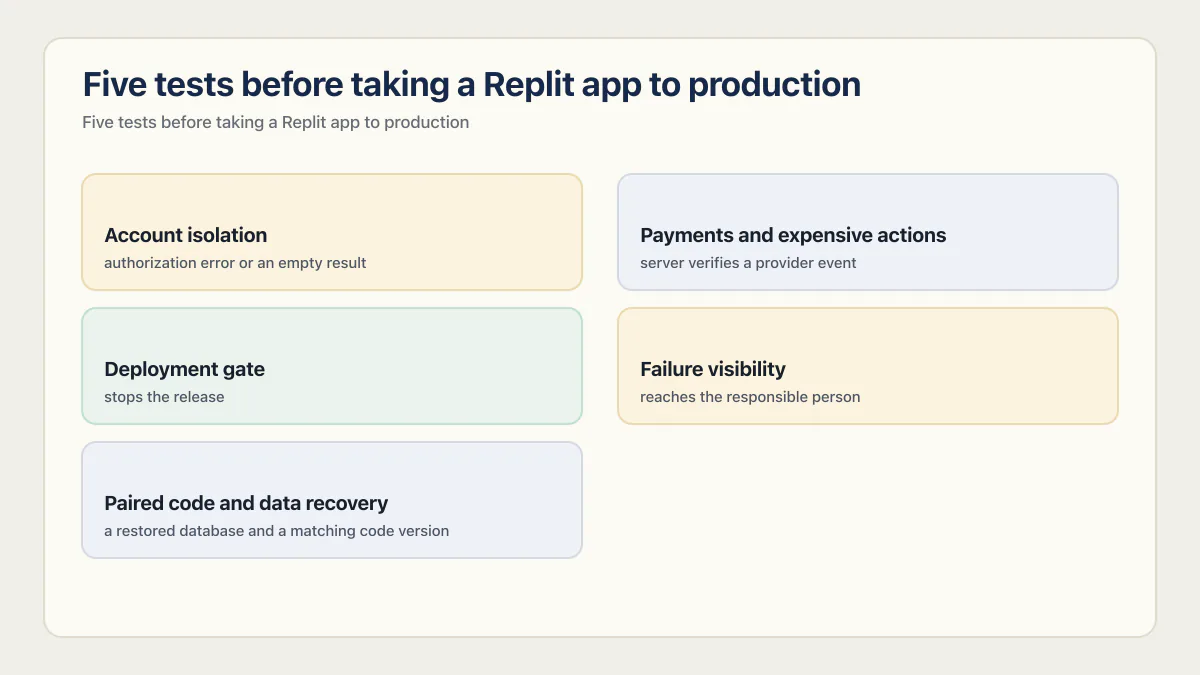
Five tests before taking a Replit app to production
1. Account isolation
Passes when: the second account gets an authorization error or an empty result for every one of the first account’s record IDs.
Create two ordinary accounts with different records. Capture a real request while signed in as the first account, repeat it as the second account with the first account’s record ID, and expect an authorization error or an empty result. Repeat the test for reads, updates, deletes, file access, and any server function that accepts a user or organization identifier.
A login screen proves authentication exists. The two-account test proves the application enforces ownership after login.
2. Payments and expensive actions
Passes when: paid access appears only after the server verifies a provider event, a repeated event changes nothing, and every metered endpoint refuses an unauthenticated or over-limit caller.
Grant paid access only after the server verifies a payment-provider event. Send the same event twice and confirm the result is idempotent. Call AI, email, export, file-processing, and other metered endpoints without a session, then repeat quickly enough to reach the intended account or IP limit.
Replit can hold the provider secret safely in Secrets, the same place the app’s other environment variables live. The application still decides who may cause that secret to be used and how often.
3. Deployment gate
Passes when: a failing critical-path test, migration preview, or critical security finding stops the release without anyone having to remember to check.
Write a short critical-path suite covering sign-in, the main paid action, tenant isolation, and one failure path. Run it against the deployment preview. A release should stop when the suite, migration preview, or critical security scan fails.
The gate can begin small. Its value comes from being repeatable and positioned before production, rather than from having hundreds of tests that no release process runs. The production deployment checklist covers the checks that belong before, during and after every release.
The default state is measurable. At least 23 of the 26 apps AxonBuild audited, including every founder-built app in the set, had zero working automated tests, and across the 21 third-party apps the Reliability and Correctness pillar averaged 31 out of 100, the worst of the twelve areas measured. Publishing does not ask whether a test passed first, because there usually is not one to run.
4. Failure visibility
Passes when: a deliberately triggered error reaches the responsible person with a request identifier, including the failure that returns 200 OK.
Replit’s deployment monitoring exposes request counts, status codes, response durations, CPU and memory use, and deployment logs. Uptime monitoring can send email notifications on eligible plans. Logs are retained for a limited period, so long-term incident history may require an external destination.
Trigger one known error in a non-production environment. Confirm the error appears with a request identifier and reaches the responsible person. Then test a failure that returns 200 OK with an error inside the response body, because infrastructure uptime alone may treat that request as healthy.
5. Paired code and data recovery
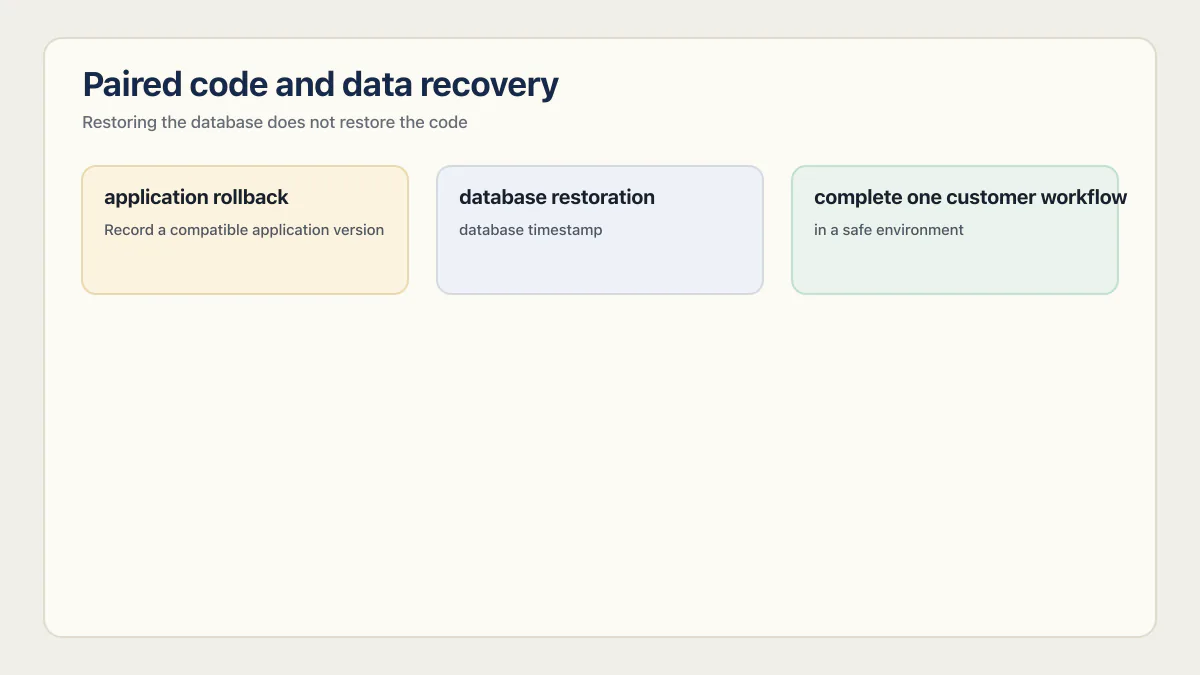
Passes when: a restored database and a matching code version complete one real customer workflow in a safe environment.
Replit’s data recovery documentation separates application rollback from database restoration. Development databases can return to an Agent checkpoint, which covers the development database and not the production one. Production databases have point-in-time recovery of up to 7 days on Core and up to 28 days on Pro and Teams. Restoring the database does not restore the code, and rolling back the code does not restore the database.
Record a compatible application version and database timestamp before a risky release. Restore both into a safe environment, compare expected row counts, and complete one customer workflow. That exercise provides evidence a real recovery can work within the available window.
A Replit production-readiness checklist
- 01 Confirm development, preview, and production use separate database instances and credentials, including any external backend.
- 02 Review the generated database migration and test it against representative data in the deployment preview.
- 03 Run the current security scan, enable critical-finding publish protection where available, and resolve or document every applicable finding.
- 04 Use two ordinary accounts to test cross-account reads, writes, deletes, file access, and server functions through real requests.
- 05 Verify payment state on the server and enforce authentication, quotas, and rate limits before invoking paid services.
- 06 Run a small critical-path test suite before the release can proceed.
- 07 Trigger a known failure and confirm logs or alerts reach the responsible person with enough context to trace it.
- 08 Restore a compatible code version and database point into a safe environment, then complete one end-to-end customer workflow.
- 09 Test the selected deployment type under representative traffic and set cost limits that match the app's availability needs.
These checks also map cleanly to the wider launch-readiness questions. The evidence should be rerun after changes to authentication, payments, schema, infrastructure, or the app’s most expensive workflow.
Common questions about Replit production readiness
Is Replit good for production?
Yes, Replit provides credible production infrastructure: multiple deployment types, separate production data, migration previews, security scans, monitoring, logs, and recovery. A specific app is ready only after its authorization, payments, failure handling, deployment gate, capacity, and recovery have been tested.
How long does it take for Replit to make an app?
Replit publishes no build-time figure, and as of August 2026 its Agent documentation gives none: the closest it comes is describing Lite mode as suited to quick fixes, UI polish, and short iteration loops while you stay at the keyboard. Building the first working version is the fast part, and how fast depends on how precisely you can describe what you want. What does not compress is the distance between an app that demos and an app that can take payments, which is what the five tests above measure.
What happens when you publish a Replit app?
Replit’s publishing tool walks through the settings and creates the live deployment when you select Publish. It suggests an available .replit.app address, asks who is allowed to reach the app (public, password protected, workspace only, or invite only), manages how the production database is created and filled with data, offers uptime monitoring that emails you if the app goes down, and runs the Security Agent scan over the project. Advanced settings hold the deployment type, machine configuration, deployment secrets, region, and the option to block publishing on a critical vulnerability. A custom domain is connected after the app is live, so the address your customers use is a separate step.
What does not happen is any check on the app’s own behavior. Nothing runs a test, and nothing verifies that a signed-in user cannot read another account’s records. Publishing is an infrastructure event, not a verdict.
Can Replit apps handle thousands of users?
Replit Autoscale can add compute as demand changes, but no platform feature establishes the capacity of a specific app. Measure compute, database connections, query time, provider throttling, latency, and errors under a representative workload. The first saturated layer decides whether the next change belongs in the deployment, database, query, or application.
Does Replit Agent have access to the production database?
Replit’s current managed-database documentation says Agent can modify the development database and cannot access the production database. That restriction is Replit’s answer to the deleted production database that made the news in July 2025, when its own Agent ran a database command during a declared freeze and then reported that a rollback was impossible; the section above covers what was lost and what recovery actually required. It does not stop your own code from deleting production data, which is the more common version of this failure. Verify external database credentials separately, since an external service cannot be isolated if development and production share the same connection.
Is Replit’s security scan enough for launch?
No. It is useful evidence about dependency and code patterns within the scan’s scope. Replit’s own documentation says the advanced scan is not a full security review, and its shared responsibility model assigns application access control and business logic to the owner. Pair the scan with two-account, payment, abuse, and recovery tests.
Is Replit really reliable for production use?
Replit advertises 99.9% uptime for Reserved VM deployments, and platform uptime is not the same thing as your app’s availability. A request that returns 200 OK with an error inside the response body counts as healthy to infrastructure monitoring while the customer sees a broken screen. Judge reliability on your own error rate and on whether a real failure reaches a person, not on the platform’s number.
Is Replit secure for enterprise use?
That depends on your data class more than on the platform. Replit’s shared responsibility model leaves privacy, regulatory compliance, and application access control with the app owner, and data residency sits on that same side of the line. If you hold health records, payment data, or EU personal data, decide where it may live and who may read it first, then test the app against that decision.
How much does Replit cost?
Replit lists Core at $17 per month billed annually, or $20 month to month, and Pro at $95 per month billed annually, or $100 month to month, checked 29 August 2026. Both are plan subscriptions with included monthly credits. Starter includes one free published app that expires after 30 days and can be republished. Replit charges separate deployment usage after the monthly credits are used: Autoscale bills while requests are served, Reserved VM bills for the machine, and Scheduled bills per run. The plan table above shows which production controls each tier unlocks.
When should I move a Replit app off Replit hosting?
Move when a written threshold is crossed, not because of a general feeling. The usual triggers are a compliance or data-residency rule the platform cannot satisfy, a database that needs pooling, replicas, or extensions the managed offering does not provide, an always-on workload that is cheaper elsewhere, and a monthly bill whose shape you cannot predict. Write those thresholds down before launch and recheck them after every load test.
How do I move a Replit app to production safely?
Choose the correct deployment type, confirm database separation, test the migration preview, run the security scan, exercise the critical paths, and record matching recovery points before approving the release. Publishing creates the production deployment. The checks above establish whether the app is ready to rely on.
I’m working through the Bolt version of this same question next.
If this checklist left you with more open items than you expected, the sprint below works through all of them in ten working days.
Built it with AI. Now it has to hold up for real customers.
The Production Hardening Sprint takes the app you already have and builds the production foundation underneath it. Authentication and access rules, payments that stay consistent, error handling, monitoring, backups, automated tests and a documented handover. Our engineers work inside your existing codebase for ten working days. All 123 deliverables are included, and you get the evidence for each one.
See the Production Hardening Sprint →  $2,500 fixed price · 10 working days · One codebase