You have already decided to leave Bolt.new (StackBlitz’s AI app builder). Most of the instructions online answer an older version of it, back when the whole app was a frontend in a zip file.
Migrating off Bolt.new splits into two unequal halves. The code comes out clean, as a zip or as a GitHub repository you already own. The database, the logins, the uploaded files and the published address each move by a different mechanism, and two of those mechanisms, logins and files, are not documented on Bolt’s public pages.
Every click path below is read from Bolt’s current documentation, checked on 15 August 2026 (the two undocumented rows rechecked on 17 August 2026), rather than from a run through the product.
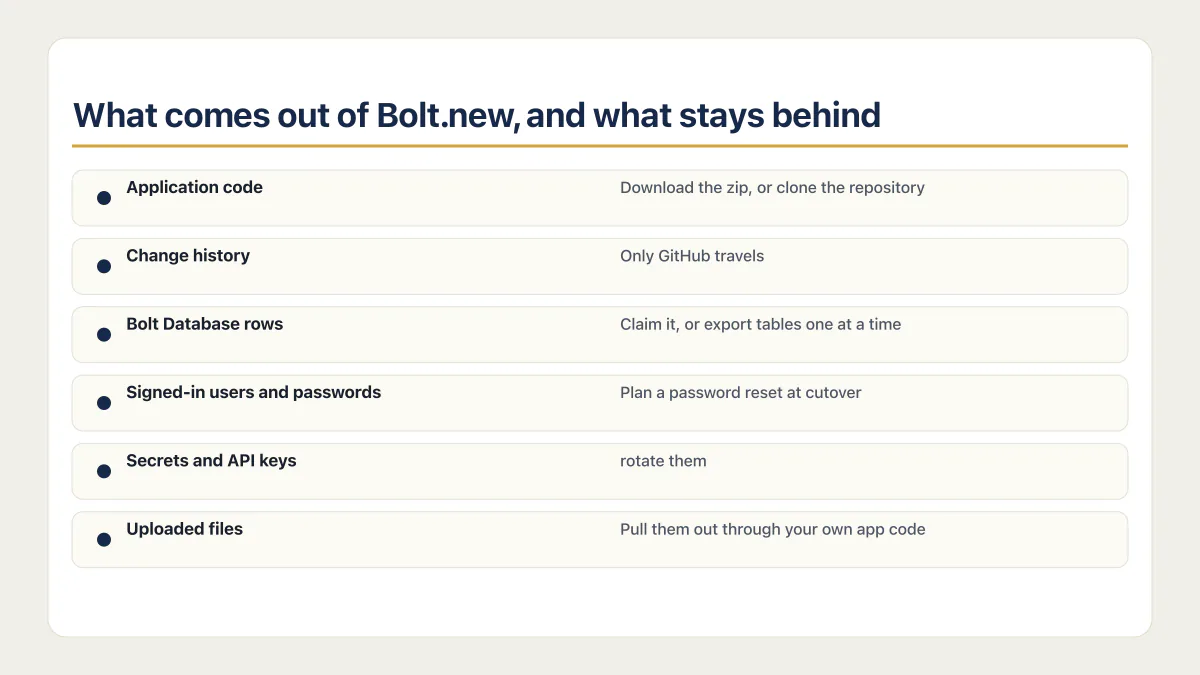
What comes out of Bolt.new, and what stays behind
Sort the app into pieces before you touch anything. Each row is a different mechanism.
| What you have | Where it lives now | How it leaves |
|---|---|---|
| Application code | The Bolt project, and GitHub if you connected it | Download the zip, or clone the repository |
| Dependencies and lockfile | Same as the code, in package.json | Comes with the zip. npm install rebuilds node_modules |
| Change history | Bolt’s Version History, plus GitHub commits if connected | Only GitHub travels. Version History does not |
| Bolt Database structure | Bolt’s own managed database | Claim the database into your Supabase organization |
| Bolt Database rows | Same place | Claim it, or export tables one at a time as CSV or JSON |
| Signed-in users and passwords | Bolt’s User Management, tied to the database | Claim-operation behavior for users and passwords is not documented on the public pages checked 17 August 2026. Confirm the behavior with Bolt support before planning resets |
| Secrets and API keys | The database Secrets tab, read by server functions | Collect the values from each provider and rotate them |
| Server functions | Run on Bolt’s side, not in your browser | Redeploy them wherever the new backend runs |
| Uploaded files | Storage buckets attached to the database | Claim-operation behavior for Storage files is not documented on the public pages checked 17 August 2026. Confirm it with Bolt support; if Claim excludes them, export them through a tested authenticated route before cancellation |
| Published address | A free bolt.host URL | Does not move. The new host issues a new address |
| Custom domain | Bought through Bolt, or pointed at Bolt | Disconnect it in Bolt, then point the DNS at the new host |
The first three rows are a download. Everything under them is the actual work, and none of it is covered by pressing Export.
How do I export code from Bolt.new?
Bolt.new gives you two ways out of the editor and they are not equivalent. A download hands you a zip once. A connected GitHub repository keeps a copy of the code outside Bolt continuously, which is the one you want if the move takes more than an afternoon.
For the zip, Bolt’s documentation gives the path: open the project, click the project title in the top left, then Export > Download. Unzip it, install Node.js if you do not have it, and run npm install && npm run dev in the project folder.
Be careful what you trust about plans. Bolt’s own page for downloading a project names no plan requirement, and community threads have claimed otherwise at different times. Open the menu in your own account and look before you set a leaving date.
Then expect the first local run to fail. The zip carries your code, not your secret values, so any project that needs a key or a database will not run until you recreate them. The app starts, and it cannot reach its database or any paid API. The fix is recreating the environment variables the app expects in a .env file the project never had.
Bolt.new to GitHub, the route that stays current
The GitHub route runs from the GitHub icon in the top right. Bolt’s Git documentation says the repository it creates starts as private on a main branch, that Bolt commits every change that does not break the project, and that it checks GitHub every 30 seconds for edits made outside Bolt. While you are mid-move, one line matters: if Bolt and GitHub update at almost the same moment, Bolt keeps its own version and overwrites the GitHub one. So the repository is a backup of Bolt, not a second desk to work at, until you stop building in Bolt entirely. Disconnecting is one-way too, and Bolt says a disconnected project cannot be manually reconnected to the same repository.
Verify how the database, logins, secrets, and files move
New Bolt projects use Bolt Database by default, and it is the piece that decides how hard your migration is. There is one clean exit and several messy ones.
The clean exit is claiming it. Click the Database icon, open the Advanced tab, and click Claim. Bolt’s Supabase documentation says this migrates the Bolt database to Supabase, where it becomes an ordinary Supabase project you administer, and that you must be a Supabase organization owner. Do not reach for Connect instead: the same page warns that connecting a Supabase database to a project that already has a Bolt database replaces the connection and may cause data loss.
Duplicating the project is no substitute. Bolt’s documentation is explicit that a duplicate copies the database structure, the tables and columns, but not the data itself. Neither is Version History, which Bolt says does not change your current Bolt or Supabase databases when you roll a project back.
If claiming is not open to you, the fallback is manual and it shows. From the database view you select rows and use Export or Copy to get CSV or JSON, one table at a time. That is reasonable for a settings table and unreasonable for a live app with orders in it.
The public User Management and Claim pages do not establish whether Claim transfers auth users or password credentials. Before planning a reset, ask Bolt support to confirm the behavior in writing; until it is verified, do not promise preserved logins or mandate resets. Secret values are effectively write-only: Bolt’s Secrets documentation covers creating and deleting them, hides the value as you type, and describes no way to read a stored one back. Collect each key from the provider that issued it, and rotate anything that has been pasted into a chat or a shared document. Whatever reads those keys is a server function running on Bolt’s side, so it needs redeploying wherever the new backend lives.
Bolt’s file-storage page documents bucket visibility but does not establish whether Claim transfers buckets or files. Verify that behavior with Bolt support. If Claim does not bring the files, download them through an authenticated route and check the count before cancelling; an export method nobody has run is not a plan. This is also the point to reread what Bolt’s own security checks do and do not cover, because the new backend inherits none of them.
If your project used a connected Supabase project rather than Bolt Database, most of this section does not apply. The data, logins and edge functions already sit in an account you control, so only the hosting moves. Bolt notes that Supabase connections work with Vite projects and that Next.js projects are not supported at this time, which is worth confirming first.
Where does your app live after you leave Bolt.new?
Your published Bolt.new site does not travel with the code. New Bolt projects publish to Bolt hosting by default on a free bolt.host address, custom domains require a paid plan, and none of that follows the zip anywhere. The new host issues its own address, and the switch is a DNS change you make deliberately.
Two documented one-way doors are worth knowing before you experiment. Bolt’s Netlify documentation says you cannot publish to Netlify once a project has been published to Bolt hosting, short of making a fresh unpublished copy, and that you cannot switch from Netlify to Bolt hosting while the project is published. Disconnect a custom domain before either move, remembering that custom domains sit on Bolt’s paid plans. If you bought that domain through Bolt, a project transfer blocks reconnecting it until the domain expires.
This is why the older guides read strangely. Bolt hosting only arrived on 14 August 2025 by Bolt’s own account, so anything written before that routes you through Netlify, including the Netlify community thread from 5 November 2024 people still land on for this question.
Inspect the exported project’s framework, scripts and build output before choosing its destination. A Vite web project can use a static web host, a server-rendered project needs its server runtime, and a Bolt mobile project can use Expo and EAS. Resist a lateral move to another AI builder. Migrating from Lovable to Bolt.new, or from Bolt.new to Lovable, puts you in the same box with a different logo and leaves the same table to work through again next year. The same reasoning covers leaving Replit, and comparing which AI builders let you export your code is a longer answer than this page has room for.
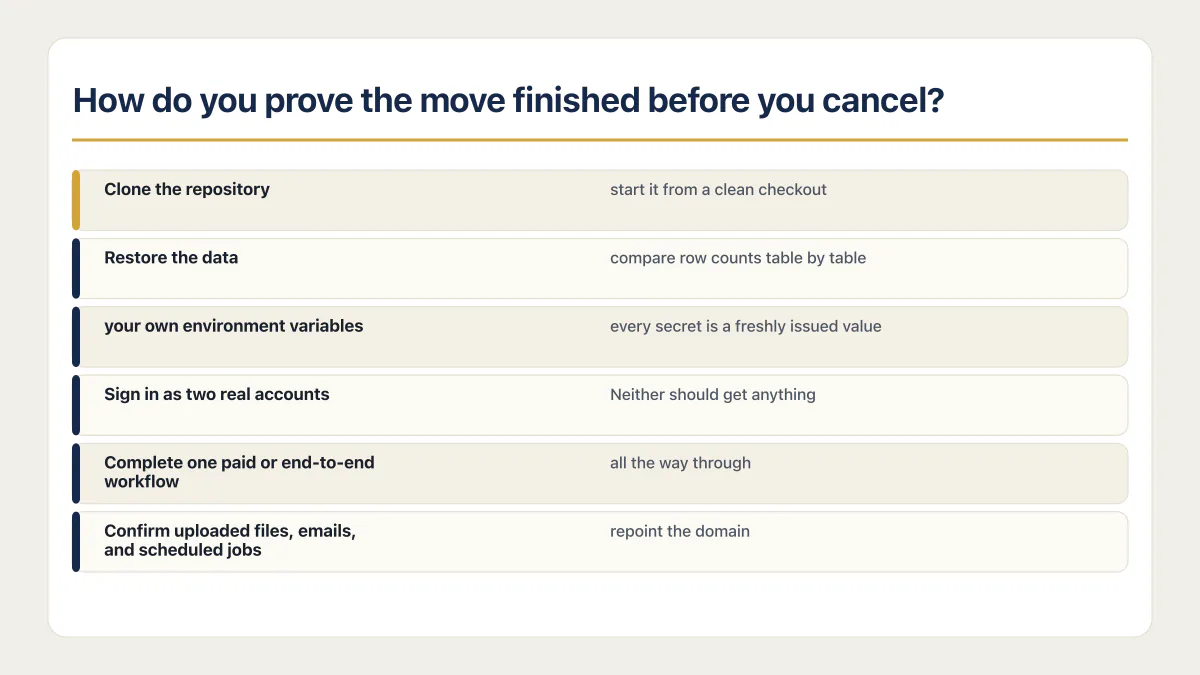
How do you prove the move finished before you cancel?
One real workflow completed by a real account against the new copy is the minimum proof that a migration finished; a homepage that loads proves nothing on its own. Two failures that commonly survive a migration are silent: the data landed short, or the permissions did not come with it.
The second one is common enough to plan for. In the fixed 21-app cohort of third-party AI-built apps AxonBuild audited in June and July 2026, 7 of 21 let a signed-in user read or write another customer’s data. Migration day is the moment to retest for it, because permissions written for one backend rarely transfer intact.
- 01 Clone the repository onto a machine that has never run Bolt, install dependencies, and start it from a clean checkout.
- 02 Restore the data into a database you control, then compare row counts table by table against the source before you change anything else.
- 03 Point the app at your own environment variables. Rotate any key that was pasted into a chat or a shared document; for the rest, decide whether the Bolt site keeps the current value during the overlap or you reissue it now, check that both copies run with the keys you intend, and revoke the old values once Bolt is unpublished.
- 04 Sign in as two real accounts and try to read, edit, and delete the other account's records directly. Neither should get anything.
- 05 Complete one paid or end-to-end workflow all the way through, including whatever the server does after a payment provider calls back.
- 06 Confirm uploaded files, emails, and scheduled jobs still work. Then stop writes on the Bolt side, take one final export and load whatever changed since the copy in step 2, and only then repoint the domain. Leave the Bolt project published for a few days as a fallback, knowing that anything written to either copy after the cutoff has to be carried across by hand if you switch back.
Only then unpublish the Bolt site and close the account. The pre-launch gates worth running before customers rely on it cover the same ground in detail. None of this proves the app is fast enough on the new host under real traffic, which is a separate afternoon’s work.
Common questions about migrating off Bolt.new
Can I move a Bolt.new project to another AI builder?
You can, and it solves less than it looks like it will. The code exports cleanly, so importing it elsewhere is easy, but you land with the problem you already have: a managed database, a managed login system, and a published URL that belong to a vendor. If cost or a limit is the reason for leaving, a different builder moves the limit rather than removing it. Price the move against what Bolt’s paid rungs actually cost before you decide.
Does my Bolt.new database come with the code?
No. The zip and the GitHub repository contain application code only. Bolt Database is a separate service, and Bolt’s documentation says restoring an earlier project version does not change your current Bolt or Supabase databases either. To take the data with you, claim the Bolt database into your own Supabase organization from the Advanced tab, or export tables individually as CSV or JSON.
What happens to my published Bolt.new site after I leave?
Nothing, until you unpublish it. The bolt.host address keeps serving the last published version, which makes it a useful fallback for the pages while the new deployment settles; any data written to one copy after the cutoff has to be carried to the other by hand. When you are done, unpublish it from the Publish menu, disconnecting any custom domain first so it can be pointed at the new host. A custom domain also stops being republishable if you drop to the free plan.
Moving platforms is the moment the missing production pieces show up. The sprint below builds them into the codebase you land on.
Built it with AI. Now it has to hold up for real customers.
The Production Hardening Sprint takes the app you already have and builds the production foundation underneath it. Authentication and access rules, payments that stay consistent, error handling, monitoring, backups, automated tests and a documented handover. Our engineers work inside your existing codebase for ten working days. All 123 deliverables are included, and you get the evidence for each one.
See the Production Hardening Sprint →  $2,500 fixed price · 10 working days · One codebase