The N+1 query problem is one query to load a list, then one more query for every item in it: N items, N+1 round trips to the database. Ten orders cost eleven queries. A thousand costs a thousand and one. The code can look ordinary while latency grows with every row:
const { data: posts } = await supabase.from('posts').select('id, title, author_id');

const withAuthors = await Promise.all(
  posts.map(async (post) => {
    const { data: author } = await supabase
      .from('profiles')
      .select('name, avatar_url')
      .eq('id', post.author_id)
      .single();
    return { ...post, author };
  }),
);
Why generated code often writes N+1 queries
Nothing about the snippet above looks wrong when the only test is “does the page render the right data?” Each individual supabase.from('profiles').select(...) call is valid on its own. There’s no visible for loop to flag. Promise.all even reads like the responsible, concurrent version of the naive mistake, and the whole block can pass a demo test that checks ten posts and ten author names.
The extra work exists even with two rows, but the consequence becomes visible as the list grows. A prompt asking for “the post list with author names” gets answered the shortest way that works, one query for the list and a follow-up call per row, because that path needs the least schema context: no join clause to get right, no foreign key to reason about, just fetch this, then for each one fetch that. An ORM’s relation-loader methods can hide the identical loop behind a single-looking call; why your AI app stalls at 100 users covers that version. The .map(async …) shape above exposes the round trips directly in a Supabase JS client. It is also the shape I kept meeting in the audits behind the Performance & Scale pillar’s 53.3-out-of-100 average across the 21 third-party apps AxonBuild audited in June and July 2026.
A ten-row
.map(async …)lookup is eleven database requests wearing the outfit of one clean loop.
How do I detect N+1 queries without an APM?
Start the same way as any “why is my Supabase app slow” investigation: check for a live platform incident, then inspect the requests and queries your page triggers. A clear status page only rules out a known platform incident. N+1 can still sit in application code even when every individual database query is fast.
You don’t need an application performance monitor to catch it, either. Postgres already counts query executions, and Supabase enables pg_stat_statements by default, tracking a running calls count per normalized query shape. Seed a non-production table with a realistic row count, record the counts, load the page once, then run the statistics query again and compare the increase:
select queryid, query, calls, mean_exec_time
from pg_stat_statements
order by calls desc
limit 10;
A select ... from profiles where id = $1 whose calls value rises by 100 after one page load, next to a list query that rises by one, is N+1 stated in two rows. Compare before-and-after counts instead of resetting production statistics. A bare pg_stat_statements_reset() clears the shared history used for other investigations, and PostgreSQL restricts that function unless the caller has sufficient privileges.
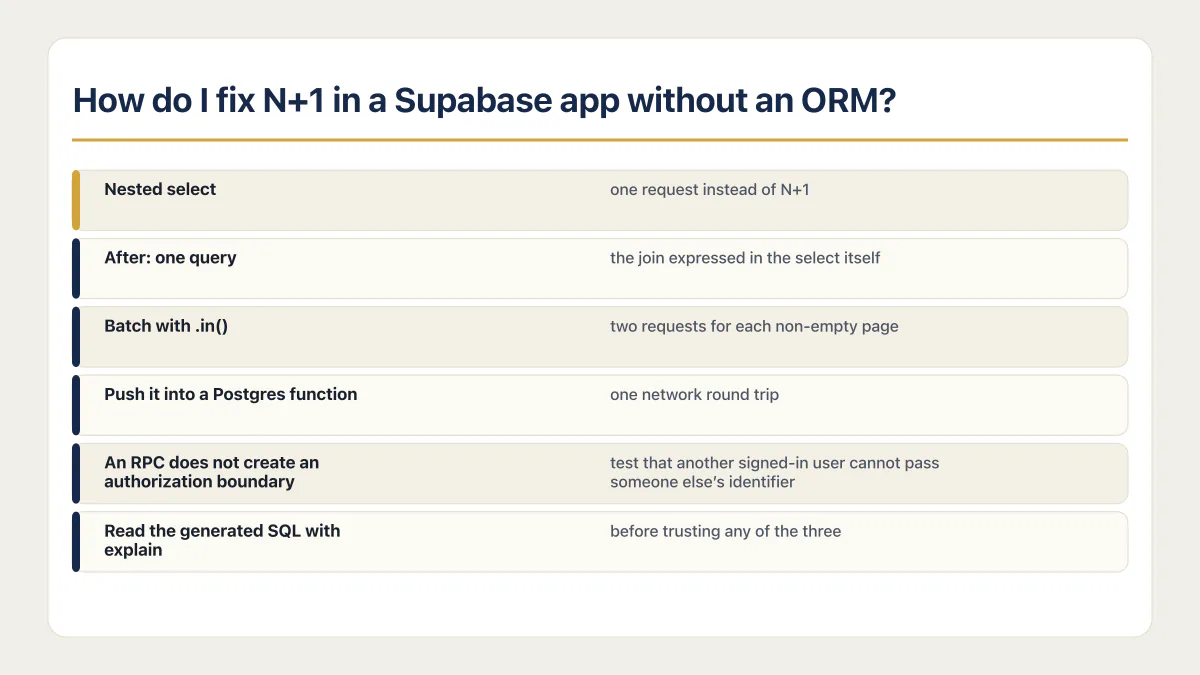
How do I fix N+1 in a Supabase app without an ORM?
Three patterns replace the loop, and none of them requires Prisma or Drizzle sitting in front of Supabase.
Nested select
The first thing to reach for: Supabase’s Data API detects the foreign key between two tables and lets a single select() pull both, the same join Postgres would run, expressed as one request instead of N+1.
// Before: one query for the list, one more per row.
const { data: posts } = await supabase.from('posts').select('id, title, author_id');
const withAuthors = await Promise.all(
  posts.map(async (post) => {
    const { data: author } = await supabase
      .from('profiles').select('name, avatar_url').eq('id', post.author_id).single();
    return { ...post, author };
  }),
);

// After: one query, the join expressed in the select itself.
const { data: withAuthors } = await supabase
  .from('posts')
  .select('id, title, author:profiles(name, avatar_url)');
Batch with .in()
When the shape doesn’t fit a straight nested select, collect the IDs from the first query and fetch every related row in one call. A search result that merges two independent tables is one example. The .in() filter matches a column against an array of values in a single request.
const authorIds = [...new Set(posts.map((p) => p.author_id))];
let authors = [];

if (authorIds.length > 0) {
  const { data, error } = await supabase
    .from('profiles')
    .select('id, name, avatar_url')
    .in('id', authorIds);

  if (error) throw error;
  authors = data ?? [];
}

const authorById = new Map(authors.map((author) => [author.id, author]));
const withAuthors = posts.map((post) => ({
  ...post,
  author: authorById.get(post.author_id) ?? null,
}));
For a very large result set, paginate the parent query rather than building an unbounded URL full of IDs. This pattern reduces N+1 to two requests for each non-empty page: one for the parent rows and one for their related rows.
Push it into a Postgres function
For when the per-row work is heavier than a lookup, such as a total computed from a related table, a database function runs inside Postgres and can be called through rpc() as one network round trip. The database does the set-based work that the .map(async …) version split into separate requests.
create function public.orders_with_totals(p_customer_id uuid)
returns table (id uuid, total numeric) as $$
  select o.id, sum(li.price * li.qty)
  from public.orders o
  join public.line_items li on li.order_id = o.id
  where o.customer_id = p_customer_id
  group by o.id;
$$ language sql stable security invoker;
const { data } = await supabase.rpc('orders_with_totals', { p_customer_id: userId });An RPC does not create an authorization boundary. security invoker keeps the caller’s database permissions and row-level-security policies in force where RLS is enabled, but you still need to test that another signed-in user cannot pass someone else’s identifier and receive their orders. Supabase also grants function execution broadly by default, so restrict this function to the role that needs it:
revoke execute on function public.orders_with_totals(uuid) from public;
revoke execute on function public.orders_with_totals(uuid) from anon;
grant execute on function public.orders_with_totals(uuid) to authenticated;
Read the generated SQL with explain before trusting any of the three, nested select included. Use explain analyze only against a safe query in a non-production environment: analyze executes the statement, which matters if you later use the same technique on a write. A join can still miss an index the same way a raw query can.
When N+1 is actually fine
Not every bounded per-row lookup deserves the first optimization slot. A detail page rendering one order and at most five fixed summary records may run six cheap queries without producing a measurable user-facing delay. The distinction that matters is whether N is capped by the product or grows with the customer’s data: a post list, comment thread, or order history lets the query count and the account grow together. Measure both the call-count delta and page latency before deciding where the fix belongs; what the browser measures on its own clock, the front-end vitals, is the other half of page latency.
A missing index compounds the same failure mode, while the schema mistakes that cost data rather than milliseconds need a different investigation. None of the three N+1 fixes above requires an application rewrite. Seed a non-production table, compare the call-count delta, and measure page latency before choosing one. Whether the rest of the app is ready for that kind of load is a wider question, built on the same habit of testing the behavior that grows with real use. Load testing a web application covers how to run one, what to measure, and how to fix the first bottleneck it finds.
Common questions about the N+1 query problem
What is the N+1 query problem in simple terms?
One query loads a list, then one more query runs for every row in it: ten orders means eleven round trips to the database. The page still works, but the query count grows with the data, so a thousand rows make the database handle a thousand and one requests for one page load.
Why doesn’t Promise.all fix an N+1 query?
Promise.all can reduce wall-clock latency for a small list by running the per-row queries concurrently. The database still plans and executes one query per row, and firing them together increases concurrent demand. Reduce the query count with a nested select, batch, or set-based function.
Does Supabase’s nested select run a real join?
Yes. The Data API reads the foreign-key relationship between the two tables and embeds the related rows in one response. select('id, title, author:profiles(name, avatar_url)') uses one Data API request for that page of results instead of one request per post.
If you have a working app built with these tools and need it ready for real customers, this is what we do.
Built it with AI. Now it has to hold up for real customers.
The Production Hardening Sprint takes the app you already have and builds the production foundation underneath it. Authentication and access rules, payments that stay consistent, error handling, monitoring, backups, automated tests and a documented handover. Our engineers work inside your existing codebase for ten working days. All 123 deliverables are included, and you get the evidence for each one.
See the Production Hardening Sprint →  $2,500 fixed price · 10 working days · One codebase