Your web app works, the users are real, and a store listing is the last thing between them and an icon on a phone. This is where the two stores stop agreeing with each other.
Google Play has a documented route that takes your PWA roughly as it stands. The App Store has none, and what reaches App Review instead is a native build with your site loaded inside it, judged on what it does that the site alone does not. Whether a native build is the right answer at all is the decision before this one, and so is which builders can produce a mobile app in the first place. Every rule below was read from Apple’s or Google’s own page on 16 August 2026, and none of it comes from running the packaging tools.
The App Store takes no progressive web app. What Apple accepts is an app bundle uploaded to App Store Connect, and guideline 4.2 decides whether a web app in a native shell stays. Google Play takes the same PWA through a Trusted Web Activity, verified by one file served from your own domain.
What you actually upload to each store
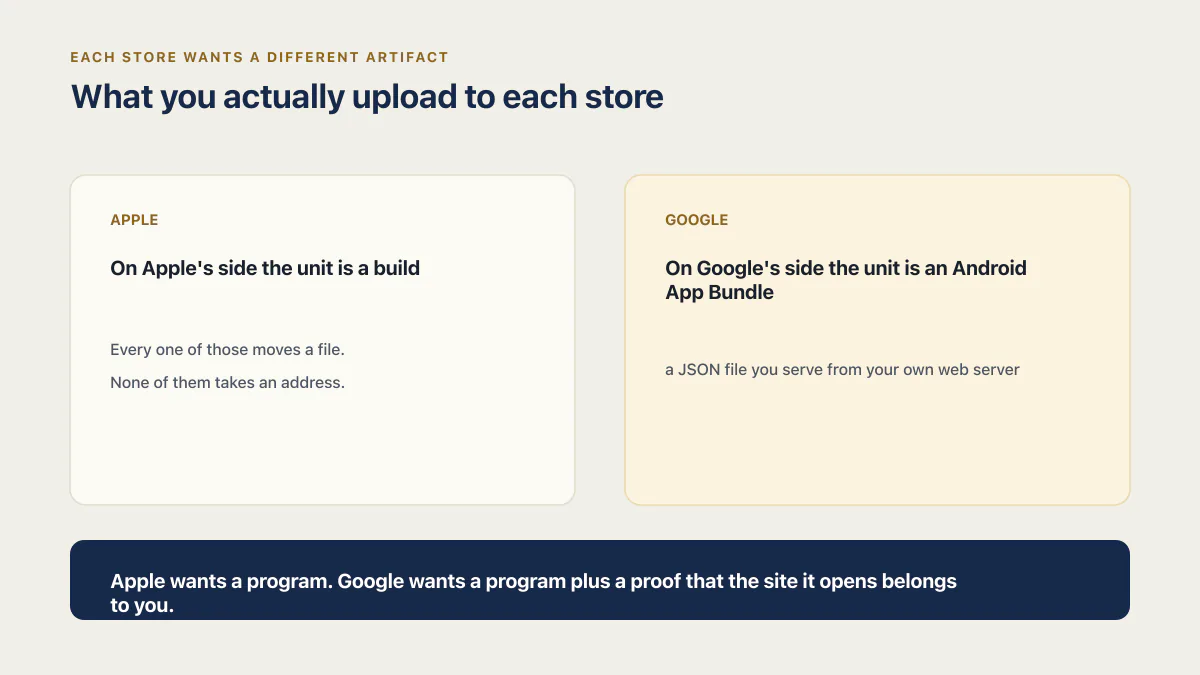
Each store wants a different artifact, and knowing which one you are producing settles most of the confusion in this topic.
On Apple’s side the unit is a build. Apple’s App Store Connect help says the identity of that build travels inside it: “Each time you upload a build, the bundle ID and version number, which are located in the app bundle, are used to associate the build with the app and version record in App Store Connect.” The same page names the tools that move it: “After adding an app to your account, you can upload a build using Xcode, Swift Playground, altool, or Transporter.” Every one of those moves a file. None of them takes an address.
On Google’s side the unit is an Android App Bundle too, but the bundle is nearly empty. A Trusted Web Activity project is a thin Android app whose job is to launch your existing site full screen. The second half of the upload is not uploaded at all: it is a JSON file you serve from your own web server, and Google’s runtime checks it every time the app starts. Get that file wrong and the app still installs, still opens, and still fails.
So the two submissions ask for different things. Apple wants a program. Google wants a program plus a proof that the site it opens belongs to you. The whole publishing path for an app you did not write by hand is a wider job than either of those, with account setup, listing copy, and store review sitting around it.
Hold on to that for the rest of the page: on the Apple side you are publishing a program that shows a website, and the program is what gets judged.
Can I publish a PWA to the App Store?
A progressive web app cannot be submitted to the App Store as a progressive web app. Apple’s documented upload paths all take a build, and as of 16 August 2026 its App Store Connect help documents no way to submit a URL instead. What can be submitted is a native project with a web view inside it.
The packaging step is well covered and free. PWABuilder is Microsoft’s open-source packaging tool, and its own post on publishing to the iOS App Store, dated 21 February 2024 and written by PWABuilder Engineer Judah Gabriel Himango, describes the iOS output as a native Swift app with “a WebKit web view to load your PWA” while carrying across service workers, theme color, background color, and app icons. The same post is unusually straight about the part the tooling cannot do: “PWABuilder doesn’t guarantee that your app will be accepted into Apple’s App Store.”
That sentence marks where the tooling stops. A generator can hand you a signed, uploadable build and still leave every question a reviewer will ask completely open.
Reaching the upload at all takes a paid membership, which Apple’s enrollment page puts at “99 USD … in local currency where available” a year for the Apple Developer Program. Prices checked 16 August 2026. What being in the stores costs in total, across both platforms and across a first year, is a separate arithmetic problem and it is not this page’s.
The test a reviewer runs on a web app in a native shell
Apple’s guideline 4.2 is short, and one sentence in it does the work. From the App Store Review Guidelines, read on 16 August 2026:
“If your App doesn’t provide some sort of lasting entertainment value or adequate utility, it may not be accepted.”
That is written as a rule to be applied by a person, which means you can apply it yourself first. A reviewer has your build, a phone, and no context about your business. Run the same pass before you submit, in the order they will.
- 01 Turn the phone off the network and open the app cold. A blank frame or a browser error page is the entire argument against the submission, made by the app itself.
- 02 Name the one thing the app does that a browser tab on the same phone cannot. Notifications that arrive while the app is closed, a file saved on the device, the camera, a home-screen widget. If the answer is the icon, there is no answer yet.
- 03 Reach that thing from a cold launch without an account the reviewer does not have. Anything behind a sign-up, a paywall, or an invite code needs working demo credentials in the review notes.
- 04 Open your store screenshots next to the running app. If they show marketing pages rather than the thing from the previous step, the listing is arguing for a website.
- 05 Look for anything on a screen that hands the user back to the browser. A link out of the app tells the reviewer where the product actually lives.
- 06 Read your own listing description aloud and count how many of its promises are visible in the first two screens. That count is roughly what the reviewer will see before deciding.
Webview apps do get approved, so none of this is a wall. The bar is low, and it is a bar about behavior rather than polish, which is why a rejected shell is rarely fixed by making it look better. A reviewer who cannot find anything the app does will not be persuaded by three more screens nobody uses.
The four routes, ranked by rejection risk
Every ranked list on this subject orders by price or by ease, because the pages publishing those lists sell one of the routes. What each route costs in the first year is worth knowing, and it is settled elsewhere. Ordered by the risk that a submission comes back, the list looks different.
| Route | What is submitted | The rule that decides it | Rejection risk |
|---|---|---|---|
| Stay a PWA, no store listing | Nothing. Users install it from the browser | No review at all | None, and no listing |
| Play Store through a Trusted Web Activity | An Android bundle plus assetlinks.json on your domain | Play’s functionality policy, and the asset-link check at runtime | Low, and the failures are mechanical |
| Your own native shell with real app behavior added | A build you own, from your own repository | Apple 4.2, on what the app does | Moderate, and you control the answer |
| A paid generator that submits for you | A build you did not make, sometimes from an account you do not own | Apple 4.2 plus 4.2.6, which decides whose account submits | Highest, and the account question outlives the rejection |
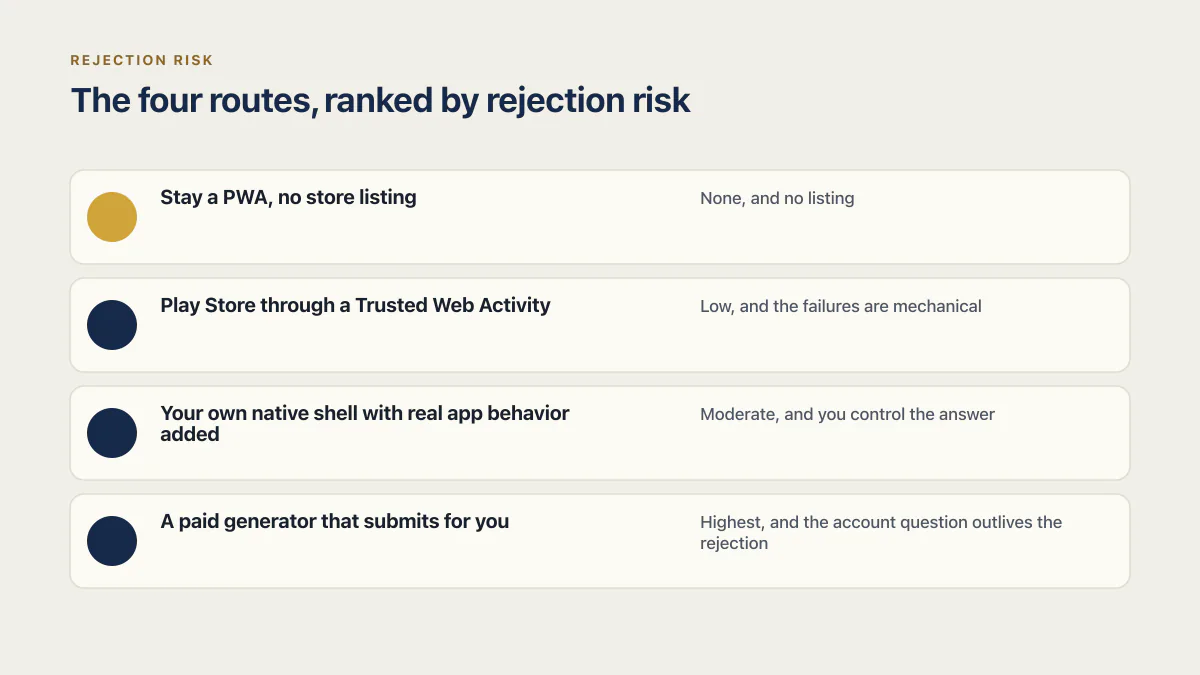
The ordering follows how much of the decision you can influence before submitting. A PWA is never reviewed, so it cannot be rejected. A Trusted Web Activity is checked mostly by machine, and machine checks tell you what is wrong. Your own shell is judged by a person, and you can add the behavior that answers them. A generator’s build is judged by the same person on a question only the vendor can answer.
Route three is also where the vocabulary needs correcting. Nothing is converted. The site keeps running where it always ran, on hosting you already pay for, and a native window renders it with the address bar taken away. That native project around it is the thing that gets signed and uploaded.
Route four carries a rule of its own. Under guideline 4.2.6, an app made through a commercialized template or a generation service has to be filed by whoever owns the content it shows, and those services are told not to submit for a client. MobiLoud, Median, Despia, CatDoes and a rotating cast of similar sellers all offer to turn a URL into a store listing, several of them offering to publish it for you. One question settles whether that offer is safe: which Apple account does the submission go through. If the answer is theirs, whose account submitted the app becomes the rejection reason, and it outlasts the fix.
How to publish a progressive web app to the Play Store
This is the half that is genuinely documented. Google runs a first-party codelab, Adding Your Progressive Web App to Google Play, and ChromeOS publishes a companion guide, List your Progressive Web App in Google Play. The rest of a Play release, meaning the account, the testing track, and the store listing itself, sits around what follows.
The packaging. Bubblewrap is the tool both guides use. Maintained by GoogleChromeLabs, it describes itself as “a Command Line Interface (CLI) that helps developers to create a Project for an Android application that launches an existing Progressive Web App (PWAs) using a Trusted Web Activity.” PWABuilder produces the same Android project from a web interface. Your site has to qualify first: Android’s own documentation says Trusted Web Activities “need to meet the same Add to Home Screen requirements” as an installable web app, on a page it last revised on 26 February 2026.
The file. The proof that the app and the site share an owner is a JSON file. Chrome’s quick start says to upload it “to your website at .well-known/assetlinks.json relative to the root”. When the check passes, the site opens full screen with no browser furniture around it. When it fails, “the browser falls back to displaying your website as a Custom Tab”, which the user reads as a URL bar sitting above your app.
The fingerprint. This is where a correct-looking setup breaks, after approval rather than during review. With Play App Signing, the key that signs what lands on a phone is not the key on your machine. Google’s Play Console help splits them plainly: the upload key is yours to keep secure, the app signing key belongs to Google Play, and “Google uses this key to sign the final APKs delivered to users’ devices.” Digital Asset Links compares the certificate on the device against the fingerprints in your file. So the fingerprint that has to be in assetlinks.json is Google’s app signing certificate, not the upload certificate you generated. Google’s own page carries the reminder as a tip: “Update your assetlinks.json file with these fingerprints if you use Android App Links.” Trusted Web Activity verification reads the same file, so the tip applies to a PWA listing too.
You read the right fingerprint from Play Console at Protected with Play > Play Store distribution > Go to Play app signing, then the App signing key section. Treat that path as a label that moves: the section title is a better landmark than the route to it. A rebuild that changes the certificate is its own failure mode, and it puts you back in this file.
What a failure costs. Chrome 86 turned three runtime conditions into crashes of the Android app instead of quiet fallbacks. They are listed on web.dev’s guide to shipping a PWA inside an Android application, a page whose own stamp of 19 March 2020 predates Chrome 86, so the three below are dated to our read on 16 August 2026 rather than to the page:
- “Failure to verify digital asset links at application launch.”
- “Failure to return HTTP 200 for an offline network resource request.”
- “A navigation request returning an HTTP 404 or 5xx error.”
The page states the consequence plainly: “it causes a user visible crash of the Android application.” Crash rate is a Play quality signal, so a listing approved months ago can be accumulating crashes because a route on your website started returning a 404. Across the three searches pulled for this page on 16 August 2026, the ranking packaging guides are complete on building the bundle, and none connects the certificate question or these crash conditions to what happens after a listing goes live.
Publishing a plain webview app to the Play Store
A webview app that is not a PWA gets judged on the same policy, without the documented route to help it. Google Play’s Functionality, Content, and User Experience policy turns away submissions carrying only thin functionality and thin content, and lists apps missing “the basic degree of adequate utility as mobile apps” among them. Its own example is a static app with nothing behind it but text or a PDF. That page shows no last-updated date, checked 16 August 2026.
Google’s other objection is about permission rather than utility. Its Webviews and Affiliate Spam policy treats a webview of a website you do not run, published without the owner’s agreement, as the thing to be stopped. A webview of your own site is not what that rule is aimed at, because the permission is yours to give.
What a native shell submission has to carry on the Apple side
The build is one of several artifacts, and the rest of them are where a first submission usually stalls.
Start with the toolchain, because it fails before a human sees anything. Apple’s upcoming requirements page sets a floor: since 28 April 2026, an upload has to come out of Xcode 26 or later and be built against a 26-series SDK. The floor rises roughly once a year, which is the running cost of a native shell nobody maintains. An app that uploaded fine two years ago stops uploading, and someone has to open the project again to move it.
Then the permission strings. A generated shell often declares access to the camera, the photo library, or location because the template declares them, not because anything in your web app asks. Every declared permission needs a purpose string naming the feature and the user action behind it, and the permissions your app never touches are better deleted than explained. The permission strings a generator writes for you are worth reading line by line before the first upload.
The privacy manifest is the same story one level down. A wrapper build reaches APIs you never called, through the shell itself and through whatever SDKs it bundles, and those reach need declaring in the manifest file. The privacy manifest a wrapper build needs does not change depending on whether you go to TestFlight first or straight to review.
The artifact that matters most for a web app in a shell is also the one that gets the least attention: the review notes, and the demo account they point at. A reviewer has to reach the thing that answers guideline 4.2, and if that thing sits behind a login, a paid tier, or seeded data, the notes are the only route in. Write them as steps. Open the app, tap this, see that. Then check your screenshots show the same thing on the same screens, because a listing full of marketing pages tells the reviewer the app is a picture of a website.
Uploading a build without a Mac is a separate question, and the whole pre-submit pass across metadata, privacy answers, and the review path runs wider than this list. Neither belongs here.
What changes actually answer a 4.2 rejection?
Three kinds of change answer guideline 4.2 on a native shell: something that works with the network off, something the phone can do that a browser tab cannot, and a workflow shaped for a phone. Each one is checkable by a reviewer holding the device. Extra screens nobody uses answer none of them.
Offline behavior is the cheapest to prove and the most convincing. Cache the last state the user was looking at, or the records they opened this week, and the app has something to show on a train. A reviewer with the network off sees an app instead of an error.
The device one is the most durable. Notifications that arrive while the app is closed, a photo taken and attached without leaving the app, a document saved to the phone, biometric unlock on a screen that holds something worth locking. Pick one your product actually wants and build that one properly. Two half-wired features read worse than a single working one.
Shape is the least understood of the three. A page designed for a mouse, loaded on a phone, is still a page designed for a mouse. A phone workflow means the thing users do most often is reachable in one tap from launch, and the form they fill in fits without pinching.
What does not work: adding screens to raise the count. A settings page nobody opens, an About screen, a duplicate of your pricing page. Those are visible to a reviewer as exactly what they are.
When you resubmit, say in the notes what changed and where to see it. If you want the guideline number in the rejection mapped to a specific fix, what the guideline Apple cited actually asks for covers that mapping across the guidelines this family of apps hits. When the same app keeps coming back with the same number on it, the loop itself is the problem to solve rather than the build.
Common questions about publishing a web app to the stores
Do I need a Mac to build the iOS version?
For the PWABuilder route, yes: its own post says the generated project needs a Mac with Xcode installed to build. That constraint belongs to the packaging tool and not to the store, and cloud build services exist that produce and sign the same binary. Whether a build can reach App Store Connect from a machine that is not a Mac is its own question with its own steps, and getting a signed build to testers first is covered by the TestFlight route.
What happens to my Play listing if my website goes down?
The app starts crashing. Since Chrome 86, a Trusted Web Activity treats a navigation that returns a 404 or a 5xx error as a crash of the Android app, alongside a failed asset-link check at launch and a failed offline resource request. The listing stays up and the reviews stay where they are while the crash rate climbs. This is the strongest argument for keeping a cached offline screen in the PWA itself, because your app’s stability now depends on your web host.
My app was rejected under 4.2. What do I change first?
Add one thing the app does that a browser tab on the same phone cannot, then make sure a reviewer can reach it from a cold launch without credentials they do not have. Offline access to recent content is usually the fastest of these to build and the easiest to demonstrate. The three classes of change that answer 4.2, and the ones that do not, are set out in the section above.
Does a webview app still get rejected for UIWebView?
That rejection reads as history now, and the answer is a date. Apple’s announcement of 23 December 2019, Updating Apps that Use Web Views, said: “The App Store will no longer accept new apps using UIWebView as of April 2020 and app updates using UIWebView as of December 2020.” Hitting it in 2026 means the shell was built on a control Apple retired years ago, usually by an old template or an unmaintained generator. The replacement Apple names is WKWebView, and modern packaging tools already produce it.
Can I charge for subscriptions inside a wrapped web app?
Sometimes. The payment route depends on what the subscription unlocks, who buys it, where the benefit is consumed, and the storefront. Under Apple’s App Review Guidelines 3.1, a consumer subscription that unlocks digital features or content inside the app generally uses in-app purchase under 3.1.1.
Do not replace a working web checkout until you classify the purchase. Section 3.1.3 has separate rules for reader apps, multiplatform services, enterprise services, real-time person-to-person services, goods and services consumed outside the app, and free companion apps. Section 3.1.1(a) also makes external purchase links depend on the storefront and the applicable entitlement. Match the payment route to the relevant subsection before packaging the wrapper.
Charging money inside the app is a build decision with real revenue consequences. Settle the applicable payment rule before you pay for packaging.
Can I publish someone else’s website as an app?
No, on both stores, and for different reasons. Google’s spam policy is about permission: a webview of a site you do not run, without the owner’s agreement, is what the rule exists to stop. Apple’s guideline 4.2.6 is about who submits: an app built through a template or generation service is meant to be submitted by the provider of the content it shows. Affiliate wrappers around other people’s shops fail both tests at once.
Does Google Play accept a plain webview app that is not a PWA?
Sometimes, and it gets judged on the same policy as any other Android app. Play’s functionality rules turn away submissions carrying only thin functionality and content, including anything short of “the basic degree of adequate utility as mobile apps”. A webview of your own working product with accounts and data behind it is a different submission from a webview of a brochure page, and the second one is what the policy was written for.
Publishing a web app is a distribution decision, and review is a judgment about behavior. Neither store cares that a web view renders your screens. What both are asking is whether the thing on the phone is worth being on the phone, and that is a question about your product that no packaging tool answers for you.
If you have a working app built with these tools and need it ready for real customers, this is what we do.
Built it with AI. Now it has to hold up for real customers.
The Production Hardening Sprint takes the app you already have and builds the production foundation underneath it. Authentication and access rules, payments that stay consistent, error handling, monitoring, backups, automated tests and a documented handover. Our engineers work inside your existing codebase for ten working days. All 123 deliverables are included, and you get the evidence for each one.
See the Production Hardening Sprint →  $2,500 fixed price · 10 working days · One codebase