Publishing an app you did not write is allowed, and the Apple account has to be in your name. Apple needs six things before review starts, and the builder that produced your app supplies at most one of them, the build file. The Apple Developer Program costs 99 USD per membership year.
That is the position a lot of people are in when they search for this. One of them put it in a single line, in a public post captured on 11 August 2026:
i submitted my first app to app store review… i obviously didn’t develop the app myself
The app was finished and they had not written it. Almost nothing published about App Store submission is addressed to that person: of the guides ranking for this on 16 August 2026, the ones not tied to a single product all assume a Mac, an Xcode project, and an author who can read the code. If you want to launch an app on the App Store and a tool produced the binary, the mechanics are identical and the questions change: who holds the account, what the builder actually gives you, and what is left over for somebody to make.
Everything below was read from Apple’s, Google’s and each builder’s own documentation on 16 August 2026. Nothing here was done hands on: no app was submitted to write this page. So you will not find a click path or a screen name that may have moved since Apple last reorganized App Store Connect. You will find what has to be true at each stage, and the Apple page that says so.
What Apple actually needs before it will look at your app
Six things have to exist before an app can go into review. Apple documents each of them on a different page, which is why the requirement never arrives in one piece. Here they are in one place, with the part your builder covers and the part that lands on you.
| What Apple requires | What Apple’s own pages call it | What the builders below actually give you | Who produces the rest |
|---|---|---|---|
| A paid membership in a named person’s or company’s name | Apple Developer Program, 99 USD per membership year | Nothing. None of the four builders below enrolls on your behalf | You, and the name on it is the name the app is published under |
| An app record inside App Store Connect | Name, Bundle ID, SKU, Primary Language, Primary Category and Age Rating, all marked Required | Nothing documented. Replit’s upload lands a build in App Store Connect, but the record and its properties are yours to set | You, inside your own account |
| A signed build uploaded to App Store Connect | Version Number and Copyright, both required at the version level | The build file. Replit signs and uploads it for you; Base44 generates an IPA and asks for your App Store Connect API key | You, or whoever holds the signing credentials you gave them |
| A finished product page | Name, icon, description, screenshots, app previews and keywords, plus optional subtitle and promotional text | Nothing documented by any of the four | You, or somebody you pay |
| Privacy answers and a policy the reviewer can open | Privacy Policy URL and Data Types, both marked Required under App Privacy | Base44 requires you to have a privacy policy and terms page before it will build. None of them answers Apple’s privacy questions for you | You, including for third-party code inside the app |
| Price, availability, and a person with the right to submit | App Availability, Price, Pricing Start Date and Pricing End Date, all marked Required; submission needs the Account Holder, Admin or App Manager role | Nothing | You |
The membership comes first because nothing else can exist without it. Apple’s enrollment page states that “The Apple Developer Program is 99 USD per membership year. Prices may vary by region and are listed in local currency during the enrollment process.” You enroll either as an individual or sole proprietor, or as an organization. The organization route adds a D-U-N-S Number, which Apple uses “so that we can verify your organization’s identity, legal entity status, and address.”
Every property name in the middle column above comes from Apple’s required-properties reference, which states which fields App Store Connect treats as required. Read it once yourself and trust no guide on it, this one included. Apple marks Name, Bundle ID, SKU, Primary Language, Primary Category and Age Rating as required app properties; Version Number and Copyright among those required at the version level; App Availability, Price, Pricing Start Date and Pricing End Date as required for pricing; and Privacy Policy URL plus Data Types as required under App Privacy.
The product-page row is where non-technical owners lose the most time, because screenshots have exact dimensions per device class and the store rejects the wrong ones without ceremony. Sizing screenshots and icons is a job of its own, and settling it before you start filling in the record saves a round trip. Separately, the checks worth running before you submit cover access, data and failure handling. App Review checks some of those conditions, including functional access, crashes, permissions, and privacy disclosures. A production-readiness pass goes beyond Apple’s approval threshold, and a short pre-submit pass over the listing itself catches the rest.
What all six cost together, once you add the parts you might pay somebody else to produce, runs well past the two store fees and belongs in a full breakdown of its own.
Which account controls each App Store asset
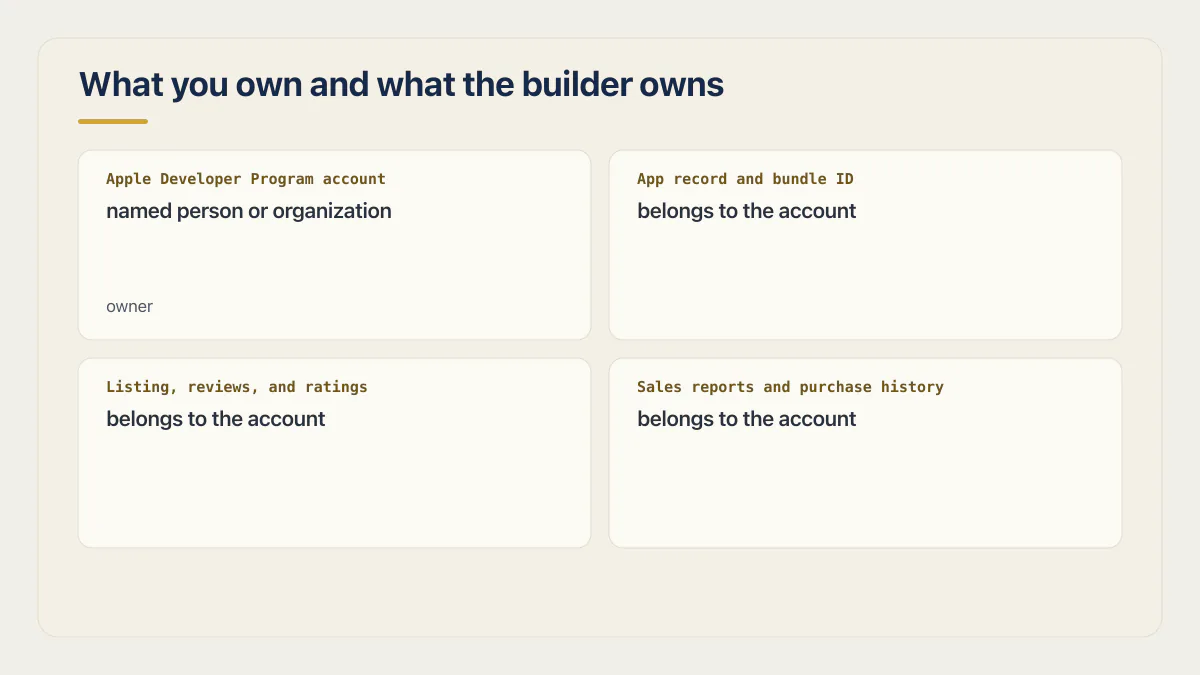
The Apple Developer Program account is a legal relationship between Apple and a named person or organization. Apple’s enrollment page is direct about that on the organization side: whoever enrolls “must have the legal authority to bind your organization to legal agreements” and must be “the organization’s owner/founder, executive team member, senior project lead, or an employee with legal authority granted to you by a senior employee.”
The publishing account controls the app record, bundle ID, listing access, reviews, ratings, sales reports, and update submissions. A contractor can hold a role inside your account and complete the upload and listing steps without controlling the account.
Your Apple Developer account, your app record, somebody else’s hands.
Apple has a guideline that points the same direction. Guideline 4.2.6 treats a submission coming from an app generation service as the wrong party submitting: the provider of the app’s content is the one expected to submit directly, and the service is told to give its clients tools instead of pressing submit for them. The full mapping of that guideline to what a reviewer actually writes in a rejection note lives in what each App Store rejection note actually means, and there is no reason to repeat it here. The relevant point is account control: Apple expects the party whose content and service the app represents to submit it.
So publishing under somebody else’s account is the one arrangement to refuse. If the app record sits in a developer’s account, that account controls the listing, submissions, reviews, and transfer request. A later move depends on that account holder approving the transfer. Who should hold the account, how a non-resident founder enrolls, what a D-U-N-S Number takes, and which App Store Connect roles to hand out are all decisions to settle before you pay for a membership.
How to publish an app to the App Store when you did not write the code
The path has eight stages: enroll, create the app record, upload a signed build, finish the product page, answer privacy, set pricing and availability, add App Review information, submit. Each stage is a condition rather than a click, and the order is fixed.
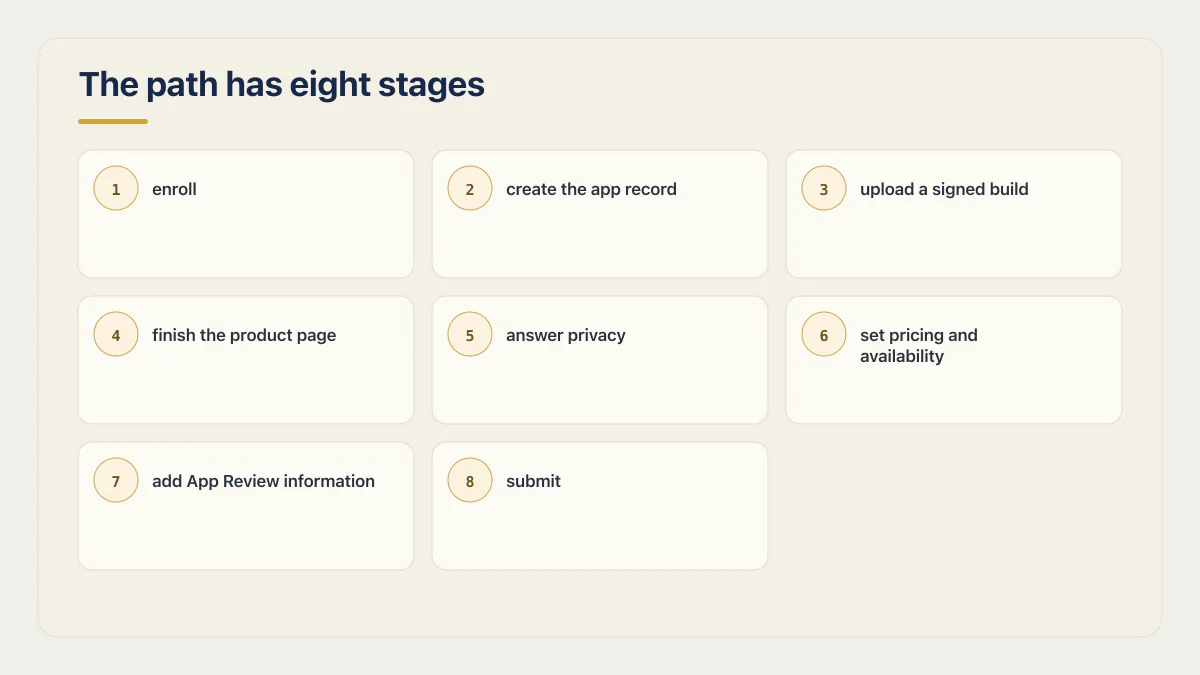
What follows names the requirement and the Apple page that states it, never a button, because Apple moves the interface often enough that last year’s screenshot is a liability. Enrollment is first, in the name that should own the app. Then the app record exists in App Store Connect with the required properties filled in, and the bundle ID inside that record has to match the bundle ID compiled into the build. Then a signed build is uploaded. Whoever uploads it needs signing credentials from your account, which is the moment most owners realize they have given a contractor the keys rather than a role.
With a build in place, the product page has to be finished: Apple’s submitting page says to “Make sure your app’s name, icon, description, screenshots, app previews, and keywords are ready for your App Store product page.” The same page carries the fastest-moving requirement on this list. As of April 28, 2026, apps uploaded to App Store Connect have to meet stated minimums, and for iOS and iPadOS that means the app “must be built with the iOS & iPadOS 26 SDK or later.” If your build was produced months ago by a tool that has not updated its toolchain, that is the line that stops the upload.
Privacy comes next, and it asks for more than a yes or a no. Apple asks you to “Enter all necessary information about your app’s privacy practices, including the practices of third-party partners whose code you integrate into your app,” and states that these details “are required in order to submit new apps and app updates to the App Store.” Answering for code you did not write is hard, which is the best argument for making whoever built the app write down what it collects and where it sends it.
Then pricing and availability, then App Review information, then submission. Apple’s submit-an-app page states the role requirement plainly: Account Holder, Admin, or App Manager. It also states what happens next, which is that “When the review process starts, the app status changes to In Review.” How long you sit in that status is Apple’s business and nobody else’s, and the honest answer to the timing question is a range with outliers, not a number.
Two moments here get collapsed into one. Approval and going on sale are separate: App Availability, Price and the pricing dates are properties you set on the record, so where and when the approved version is buyable stays under your control. Beta testing is the other, and it sits before all of this. If you want people on the app before the store sees it, how an AI-built app gets to TestFlight first covers that route end to end, including the no-Mac build options.
Google Play runs as a parallel job. Separate account with its own one-time registration fee, separate review, and one rule that catches new accounts by surprise: Google requires a personal developer account created after 13 November 2023 to put the app through a closed test that holds at least 12 testers for two unbroken weeks before production access opens. Publishing the same app on Google Play deserves its own walkthrough, because almost nothing about the Apple path transfers.
Publishing a Lovable app to the App Store
Lovable’s own answer to this question is a no, stated clearly, and it is more useful than a maybe. Lovable’s publishing documentation says the platform builds web apps and always publishes to a web address, either a lovable.app subdomain or your own domain, and states that no built-in flow packages a Lovable project and submits it to either store.
The docs then name the two routes out. The first is the progressive web app route: the published app becomes installable, so a phone can keep it on the home screen and open it full screen. That never touches the App Store, which means no review, no membership, and no listing.
The second is a native shell. Lovable’s phrasing is to “wrap your published URL in a native shell with Capacitor outside of Lovable, then submit that shell to the App Store or Play Store.” “Outside of Lovable” is doing real work in that sentence. Somebody has to produce the shell, configure it, sign it, and keep it building as Apple’s SDK minimums move, and the six requirements above all still apply to it.
Whether a given AI builder can produce a mobile app at all, and what “mobile app” means when the answer is a web view, is a capability question to settle before you start pricing shells.
Publishing a Replit app to the App Store
Replit documents the fullest path of the four. Replit’s upload page describes its Launch feature producing “a real, installable copy of your app,” compiled on Expo’s servers, signed, and delivered into App Store Connect under your app. That covers one of the six requirements, the signed build, and lands it in your account as well.
Everything else stays with you, and Replit says so. You need an Apple Developer account first, and the account you sign in with has to be “the same Apple account enrolled in the Apple Developer Program,” not a plain Apple ID. After the upload, Replit’s docs describe the fork in the road: “From there it can go two ways: hand it to testers on TestFlight first, or go straight to the listing and submit it for review.” And then the line that matters if you think an upload is a launch: “Nothing is public yet either way, the build just sits in App Store Connect until you submit it.”
So a Replit app arrives at the store with the hardest technical step already done and the whole listing untouched. Product page, privacy answers, pricing, review information and the submission itself are the same work described earlier. If the app came out as a React Native project instead of through Launch, the build and signing story changes shape again and needs treating on its own.
Publishing a Base44 app to the App Store
Base44’s store documentation describes generating the store files for both platforms, an IPA for Apple and an AAB for Google Play, and is explicit about what is inside them: a thin native container that opens the URL of your published Base44 app and nothing else.
To produce the Apple file, Base44 asks you to “Add your Issuer ID, Key ID, Team ID, and upload the .p8 API key file from App Store Connect,” which means a paid membership has to exist first. It also requires “A privacy policy and terms of use page that explain how your app handles data and device permissions, and that are reachable from your main app pages” before it will build.
Base44 draws the responsibility line at the submit button: readying the app is its half, and once you press submit in either console the exchange is between you and the store. The full Base44 path to both stores, including what the web view changes about how a reviewer reads the app, needs more room than this page can give it.
Publishing a Bolt app to the App Store
Bolt now documents an Expo-compatible route to iOS and Android. For iOS, its guide uses eas build --platform ios --auto-submit to build the app and send it to TestFlight. You still need the Apple developer account, store details, testing, and final App Review submission in App Store Connect.
The route depends on the Bolt project being an Expo-compatible mobile project. A web-only project still needs a native packaging decision before it can become an App Store build. Getting that shell past review is a design question before it is a packaging question, and it is the part to read up on before you commission one.
How to publish an app privately or without listing it in the App Store
Unlisted distribution is Apple’s answer for an app that should be installable but not findable. Unlisted apps still go through App Review, still need everything in the table above, and are reachable only by direct link. Google Play’s equivalent restricts an app to named organizations. Neither one is a way to skip Apple’s review.
Apple’s unlisted distribution page states the effect precisely: “Unlisted apps don’t appear in any App Store categories, recommendations, charts, search results, or other listings.” Getting there requires the app to be finished first. Apple’s condition is that “Before you request unlisted app distribution, your app must either already be on the App Store or be ready for final distribution and submitted to App Review,” and the page states the failure mode just as clearly: “Requests will be declined for unlisted distribution if your app hasn’t been submitted to App Review, or if your app is in a beta or prerelease state.”
That last sentence is the one that catches people who assumed unlisted was the quiet route. A build sitting in TestFlight has not been submitted, so it cannot be made unlisted either. Beta testing and unlisted distribution solve different problems.
On the Android side, Google’s private app documentation describes restricting an app to specific organizations: “Once your app is restricted to organizations, your app will be private and will only be available to those organizations.” The upload bar is lower than Apple’s, since “you only need an Android App Bundle or an Android application package (APK) and a title,” which makes Play the easier half of an internal-tool launch. The Play side of publishing an AI-built app has enough differences to deserve its own treatment.
Where people who did not write the code actually get stuck
Six places where this stalls. Each has a real answer longer than a paragraph, so what follows is a map.
- You do not own a Mac. Cloud build services cover this, and how an AI-built app gets to TestFlight first already carries a comparison of the routes. Publishing to the App Store without a Mac at all, from the account onward, is a full walkthrough of its own.
- The build never shows up in App Store Connect. The causes are mundane: processing has not finished, export compliance is unanswered, the bundle ID does not match, or the upload failed quietly. Working through the missing-build tree in order beats guessing at it.
- The shell declared permission strings you did not ask for. A native wrapper announces which device capabilities the app may use, and a permission your app never touches is a question you will end up answering. Reading what the wrapper put in your app before you submit is time well spent.
- The app comes back rejected. Start with the guideline number in the notice, because the fix differs for every one: what each App Store rejection note actually means maps them. When the same rejection arrives twice, the explanation is usually what needs work, and breaking a repeat-rejection loop is a different skill from fixing a first one.
- The release build behaves differently from the preview. A preview build and a signed release build do not always carry the same configuration, and the difference tends to surface in front of a reviewer. Why a store build crashes where the tested one did not has a short list of usual answers.
- You want to charge money inside the app. Selling digital goods adds a second layer of store setup on top of the app version, and adding it to an app that is already approved has its own path.
Can someone publish my app to the App Store for me?
“I am looking for a developer who has an active Apple Developer Program account to help me host and publish my app on the App Store.”
Paid App Store submission services are real and several of them rank for this question. The condition to hold them to is that the Apple Developer Program account has to be yours, and the app record has to sit inside it. Some state it as a requirement without saying what it protects. Pay for the hands, keep the account.
That request above, posted publicly in May 2026 and captured in AxonBuild’s own sweep on 12 August 2026, asks for the wrong version of the right thing. Borrowing a membership puts the app record, listing, update submissions, and transfer request under the other account holder’s control.
appsubmitter.io publishes iOS submission at 289 USD, Android at 259 USD, and both at 419 USD. Its iOS package is the one listed as covering “Screenshots, certificates, signing, upload, & app submission,” it comes with a money-back guarantee, and it requires the client’s own app source code and developer account. fiverr.com ranks a gig category for the same work. Prices checked 16 August 2026. Both are named here and not linked, because both sell the work this page describes. appsubmitter.io states the client-account requirement; what neither page explains is why it matters: Apple’s account is a legal relationship with a named person or organization, and Guideline 4.2.6 expects the party whose content and service the app represents to submit, so the account, the app record, the listing and every future update stay under your control.
The account stays in your name and the app record stays in your account throughout.
Being straight about the boundary matters more than the price:
- Getting an app from nothing to published is a bigger job than fixing one blocker.
- A typical first change is one blocking problem in an app that already works: the build will not upload, the shell emits permission strings Apple rejects, the release build crashes, or one required listing item cannot be produced.
- Nobody can promise approval, a review outcome, or a date that Apple controls.
Two readers should not buy this at all. If the app is not built yet, submission is the wrong problem to be solving and making the app is the first job. And if the only thing standing between you and the store is a resized screenshot or a privacy policy URL you have not written, do it yourself; explaining the job to somebody costs more than doing it. Everything that surrounds a launch beyond the store itself, the announcement, the first users, the week after, is a different subject with its own decisions.
Common questions about publishing an app on the App Store
How do I publish to App Store?
Publishing to the App Store takes six things: a paid Apple Developer Program membership at 99 USD per membership year, an app record in App Store Connect, a signed build uploaded to that record, a finished product page, privacy answers with a policy URL, and pricing. An Account Holder, Admin or App Manager then submits it for review.
Can you publish an app to the App Store?
Anyone who enrolls in the Apple Developer Program can publish to the App Store, whether or not they wrote the code. Enrollment is open to individuals, sole proprietors and organizations, and Apple charges 99 USD per membership year. Apple checks the app and the listing. It does not ask who typed the code.
How hard is it to get an app published on the App Store?
The mechanics are routine, but the choices are not. Account setup and upload follow documented steps. Privacy answers, age rating, pricing, release timing, and App Review fixes require product judgment.
Can I publish an app I did not build myself?
Publishing an app somebody else built is normal and permitted, and the account must be yours. Apple’s Guideline 4.2.6 pushes the same way by rejecting apps from app-generation services unless the provider of the app’s content submits them. Give your developer a role inside your account rather than publishing under theirs.
Do I need a Mac to publish an app on the Apple store?
A Mac is not required to publish on the Apple store. Cloud build services compile and sign an iOS build on their own machines and upload it to App Store Connect. Replit’s documented upload path works this way. Doing the whole thing without a Mac, from the account onward, is a route worth reading in full first.
What does the App Store charge to publish?
The Apple Developer Program is 99 USD per membership year, and prices vary by region. A Google Play developer account costs a separate one-time registration fee. What a full launch costs once you add screenshots, a privacy policy, a native shell and any paid help is a longer calculation that deserves its own breakdown.
Can I publish an app without it appearing in App Store search?
Unlisted distribution hides an app from the store while keeping it installable by direct link. Apple states that unlisted apps “don’t appear in any App Store categories, recommendations, charts, search results, or other listings.” The app still goes through App Review first, and requests are declined for apps in a beta or prerelease state.
Who should control the Apple Developer account, me or the person who built the app?
Keep the Apple Developer account in your name or your company’s name. That account controls the app record, listing access, ratings, sales reports, and update submissions. A developer can hold a role in the account and complete the upload and listing steps.
If you have a working app built with these tools and need it ready for real customers, this is what we do.
Built it with AI. Now it has to hold up for real customers.
The Production Hardening Sprint takes the app you already have and builds the production foundation underneath it. Authentication and access rules, payments that stay consistent, error handling, monitoring, backups, automated tests and a documented handover. Our engineers work inside your existing codebase for ten working days. All 123 deliverables are included, and you get the evidence for each one.
See the Production Hardening Sprint →  $2,500 fixed price · 10 working days · One codebase