Connect GitHub, clone the repository, install the dependencies, build. That part works as advertised. It also covers exactly one of the four things in play, and the other three stay where they are.
Moving a Lovable project to Cursor means connecting the project to GitHub and cloning that repository onto your machine. Of the four things the project folder holds, only the code travels. The Cloud backend, the hosting and the Run half of the credit meter stay where they were, on the same bill.
The steps below are Lovable’s own documented flow, read from its GitHub and hosting guides on 15 August 2026 rather than run on a paid account here. Two questions get settled: what does not come with you, and whether you should do this at all.
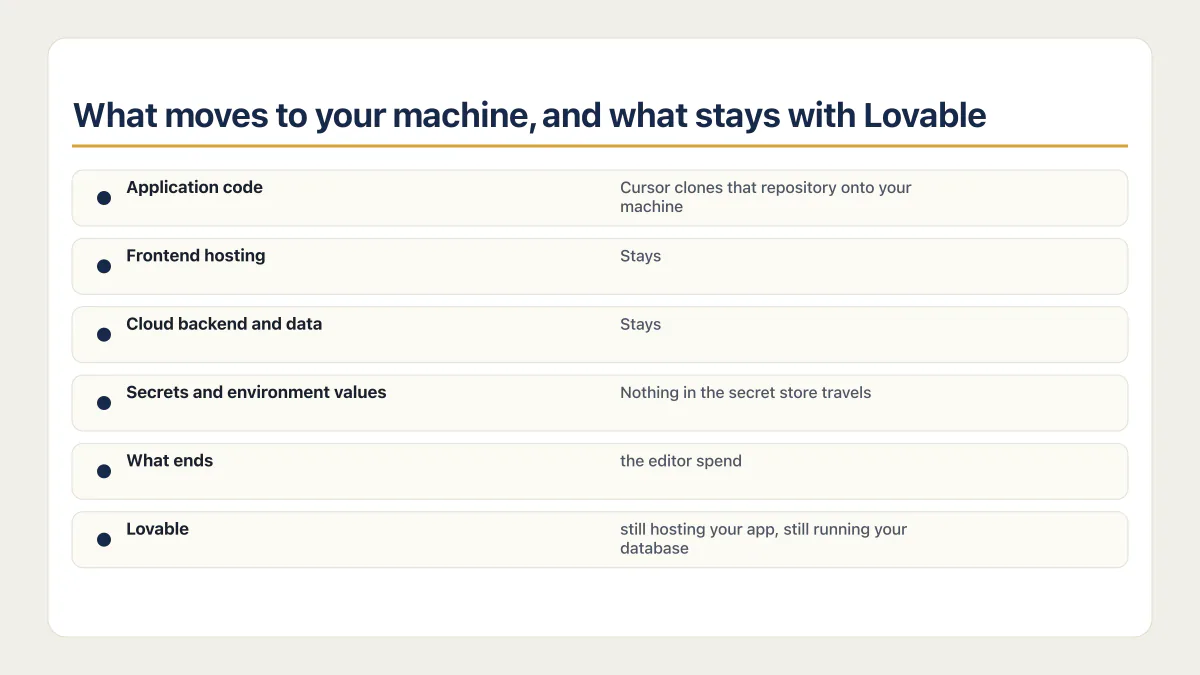
What moves to your machine, and what stays with Lovable
The word people search is “export”, and nothing is exported to Cursor. Cursor opens a folder. The first row of this table is the part every tutorial covers; the three rows under it decide whether the move is worth doing.
| Piece | What happens when you move to Cursor | Who pays for it afterwards | Documented in |
|---|---|---|---|
| Application code | Lovable creates a new GitHub repository, private by default, and starts two-way sync automatically. Cursor clones that repository onto your machine. | Nobody. Files in a repository on your own GitHub account. | Lovable’s GitHub integration docs, checked 15 August 2026 |
| Frontend hosting | Stays. The published app keeps serving from Lovable until you deploy it separately. Older React and Vite projects can use the guide’s static dist/ route. Newer TanStack Start projects use server-side rendering and need a matching runtime. | Lovable, out of Run credits, until you move it. | Lovable’s external hosting guide and current stack FAQ, rechecked 17 August 2026 |
| Cloud backend and data | Stays. The hosting guide says the backend and data “can remain on the built-in backend (Cloud) or run elsewhere”. As of 15 August 2026 the GitHub documentation describes no way to move Cloud as part of a Git sync. | Lovable, out of Run credits. Moving the backend off Lovable Cloud is its own project. | Same hosting guide, checked 15 August 2026 |
| Secrets and environment values | Nothing in the secret store travels. Values are write-only, so the Secrets view lists a name and a creation date and never a value. | You, in hours. Every value gets found again at the service that issued it. | Lovable’s secrets docs, checked 15 August 2026 |
Read the second column downwards and the move looks small. Read the third and it changes shape: after the clone, Lovable is still hosting your app, still running your database, and still charging for both. What ends is the editor spend, and only once you stop prompting.
The documented path from Lovable to Cursor, in five steps
Lovable’s GitHub integration is the documented synced route between the two products (the paid Download codebase option, covered below, hands you a one-off folder instead), so opening a Lovable project in Cursor starts there whether you plan to leave or plan to keep both. Setup is for Workspace admins and owners, and github.com works on every plan.
Lovable’s current FAQ says apps created from 13 May 2026 use TanStack Start with server-side rendering, while older apps use React and Vite. The external hosting guide still gives a Vite-only recipe. Check the repository before step three and use only the branch that matches it.
- 01 Connect the project to GitHub from inside Lovable. Lovable creates the repository, makes it private, and starts syncing without being asked.
- 02 Clone that repository onto your machine and open the folder in Cursor.
- 03 Open package.json and confirm whether the project uses React and Vite or TanStack Start before copying any hosting command.
- 04 Install dependencies and recreate the environment values the repository actually reads. For the Vite branch, the hosting guide lists VITE_SUPABASE_URL, VITE_SUPABASE_PUBLISHABLE_KEY and VITE_SUPABASE_PROJECT_ID in the project .env file.
- 05 Run the build script declared by the repository. For a confirmed Vite project, Lovable recommends Node 22, npm run build and checking dist/. For TanStack Start, retain the server-side rendering runtime and do not treat dist/ as a static deployment contract.
git clone <your-github-repo-url>
cd <project-name>
npm ci
The environment step is the one people skip, and it is the reason a fresh clone can show a blank screen. Read the names from .env and the code rather than assuming every project has the same three. On the React and Vite branch, Lovable says values prefixed with VITE_ are embedded at build time, so changing one requires a rebuild. A TanStack Start project has a server runtime, so preserve the environment contract already present in that repository. This is also the moment to write the rules file that keeps the agent inside the paths you meant, before an agent starts editing a codebase you have not read yet.
There is a second route that skips Git entirely. On paid plans, Download codebase sits at the bottom of the file tree sidebar in the Code editor. That hands you a folder rather than a synced repository, and how to export your Lovable code is a question with more than one right answer.
Two sync rules decide whether the setup survives the first month. Lovable only edits and syncs one branch at a time, usually the default branch. And its documentation is direct about the rest: do not delete the GitHub repository, rename your GitHub account or organization, or transfer the repository to another account or organization, because doing any of those breaks the sync. Renaming the repository itself is fine. The wider list of what breaks when you move a Lovable project is longer than these two, but these are the ones specific to keeping Lovable and Cursor pointed at the same code.
Who should not move a Lovable project to Cursor
Cursor is a coding agent and nothing else. Cursor’s own documentation, checked 15 August 2026, calls it “a coding agent for building ambitious software”, and as of that date it describes no database, no authentication service and no application host of its own. The machine where you edit the code becomes yours. Hosting and the backend stay on Lovable until you move each one separately.
That is a real trade and it goes badly for some people. Cursor is a tool switch, not one of the four exits, and it assumes you want the code. Before the first clone, it is worth asking is Cursor safe, and what its agent may run on your machine, because the answer is broader than most people expect on day one.
One founder, after trying three tools in a row, put it this way:
Lovable was great but I tried to actually deploy it. Both ate my credits before I finish the core feature. Replit felt like it was built for developers and I am very much not one. Cursor I gave up on after a week.
The question is who is holding the app when something fails at eleven at night, and talent has little to do with it. If nobody on your side can read a failing build and work out which environment value or runtime setting is wrong, this move costs more than it saves. If you are moving because of the Lovable bill, read the next section first, because most of that bill does not move. And if you expect the app to keep publishing itself, publishing was a Lovable feature rather than a property of the code.
Two honest alternatives exist. Keep prompting in Lovable and move only the hosting, which leaves you in the editor you already know and takes on the part of the bill you can actually change. Or hand the code to a person who reads it for you, which is a different kind of spend and answers a different question. Moving a Lovable project into Claude Code is the same shape of move, into a terminal instead of an editor, and how Cursor and Claude Code differ matters more than which one you open first.
Using Lovable and Cursor together, and what that costs
Plenty of people never leave. The Lovable to Cursor workflow they run keeps both tools pointed at one repository, and the documentation supports it. Changes made in Lovable sync to GitHub, and changes pushed to the active GitHub branch sync back into Lovable, so the prompt-driven editor and the agent-driven one can work on the same app. The limit sits in the same document: one branch at a time. Two tools writing to one branch is a merge problem waiting for a week when you are busy.
The bill is where the two-tool setup gets misread. Lovable’s credits documentation describes one balance covering three things. Build credits pay for messages sent in the editor to plan, generate, edit or update the app. Run credits pay for hosting the app and running its built-in backend, plus the AI calls a deployed app makes. Editing in Cursor removes Build. It leaves Run untouched, because Run is what the app does while you sleep. What a Lovable credit actually pays for goes through the whole meter.
So the move ends the editor bill and leaves the running-app bill exactly where it was. Anyone cancelling a subscription on the strength of a clone is going to find that out on the next invoice.
Common questions about moving from Lovable to Cursor
Can I still use Lovable after moving to Cursor?
Yes. The GitHub integration syncs in both directions, so edits made in Lovable reach GitHub and commits pushed to the active branch reach Lovable. The one limit that matters is that Lovable edits and syncs one branch at a time, which means both tools write to the same branch and the merge is yours to sort out.
Does moving to Cursor stop my Lovable bill?
Only the Build half. Build credits pay for messages in the Lovable editor, so editing somewhere else ends that spend from the day you stop prompting. Run credits pay for hosting the app and running Lovable Cloud, and they keep drawing down until the hosting and the backend move somewhere else too.
Do I need to know how to code to use Cursor?
Enough to read an error. Cursor writes code and runs an agent, and nothing in it tells you the result is wrong. When a build fails on your machine there is no publish button and no platform support chat, so working out which environment value or runtime setting is missing becomes your job rather than the platform’s.
Is Lovable better than Cursor?
They are not the same kind of product, so the honest version of the question is which one you want to be responsible for. Lovable hands you a backend, a host and a publish button. Cursor hands you an agent inside code that you own, run and pay a host for separately.
The longer version of how Lovable and Cursor compare as products sets both against the rest of the builders.
Moving platforms is the moment the missing production pieces show up. The sprint below builds them into the codebase you land on.
Built it with AI. Now it has to hold up for real customers.
The Production Hardening Sprint takes the app you already have and builds the production foundation underneath it. Authentication and access rules, payments that stay consistent, error handling, monitoring, backups, automated tests and a documented handover. Our engineers work inside your existing codebase for ten working days. All 123 deliverables are included, and you get the evidence for each one.
See the Production Hardening Sprint →  $2,500 fixed price · 10 working days · One codebase