Publishing a website means putting its files on a computer that stays on, then pointing a web address at them. An AI builder’s Publish button does both and hands you a free address on its own domain. Your own domain, your database and your email are three separate steps.
That last sentence is where most first go-lives stall. The button works, the address loads, and then something the reader can see is missing: the contact form does not send, the sign-up page throws an error, or the site is still showing what it showed yesterday. Every one of those is publishing working as designed. The word simply covers less ground than it sounds like it does.
This page is about web publishing, so if what you actually want is a downloadable app on a phone, that is a different sequence with different accounts and a review queue at the end of it.
Below: what the word means, a side-by-side read of what five AI builders’ Publish buttons do and leave behind, the Lovable answer in full because it is the one people search for by name, the plain-HTML route for a site with no build step, how to point your own domain at any of it, and the four things that break the first time.
What publishing a website actually means
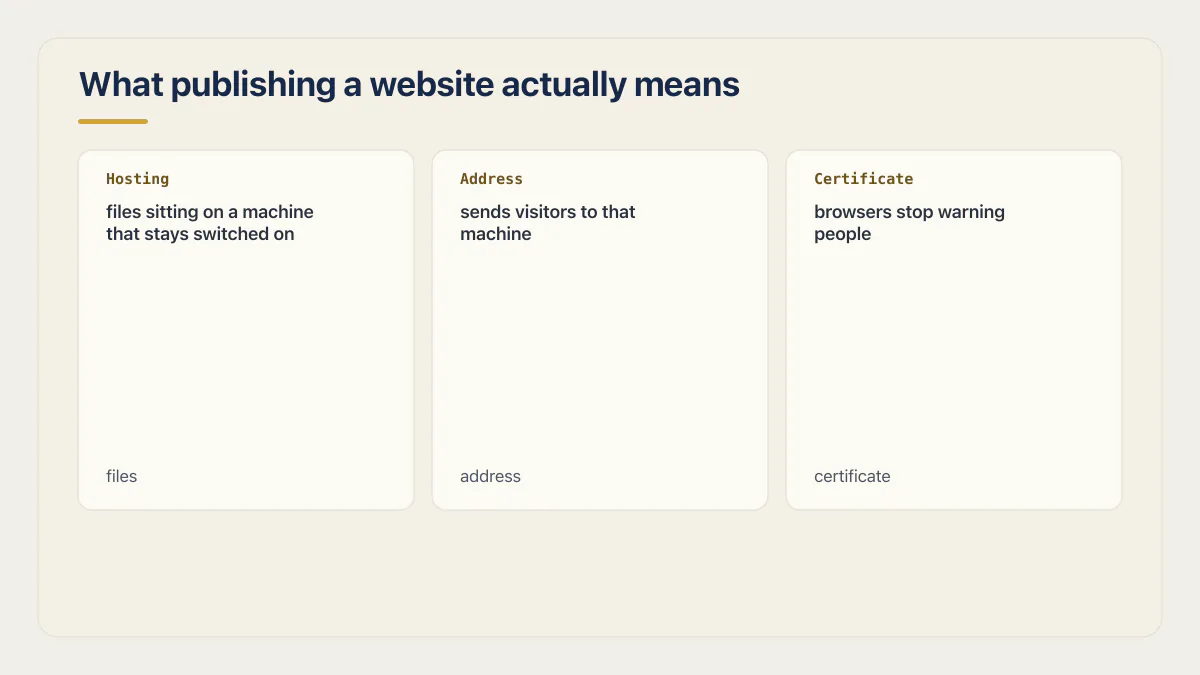
Publishing a website is three things at once: files sitting on a machine that stays switched on, an address that sends visitors to that machine, and a certificate so browsers stop warning people. Get all three and the site is live for everyone, not only for you.
MDN’s guide to publishing your website, updated 25 January 2026, defines the first two cleanly. Web hosting: “rented file space on a hosting company’s web server. You put website files on the web server. The web server provides website content to website visitors.” A domain name: “the unique web address where people find your website…”
The third piece is the certificate. Every builder covered below issues one on its own once a domain is verified, so this is rarely a step you take by hand. Knowing it exists still helps, because when a browser warns that a site is not secure, the certificate is the piece that is missing or mismatched while the files are usually fine. Keeping it working is a separate job, and how to add https to website traffic and keep it there covers HSTS, a CAA record, a locked registrar and an external TLS scan.
You will also see the word deploy used for exactly this. In an AI builder they mean the same event, and the builders themselves mix the two words on adjacent pages. Website publishing is the phrase people search for when the site is a website; deploying is the phrase the same person will search for a month later when the thing has a backend and a build step. There is a separate page on this site for what deploy means in software once the word starts appearing in error messages.
One useful distinction before the table. Uploading a website and publishing a website describe different amounts of work. Uploading moves files somewhere. Publishing adds an address that resolves and a certificate on top of that. A file sitting in a storage bucket has been uploaded, and nobody can find it.
What your builder’s Publish button does, and what it leaves behind
Every AI builder’s Publish button ships a snapshot to a free address on the builder’s own domain, and none of them push later edits live on their own. What differs is the custom-domain requirement and what stays switched off after the button turns green. The table below answers the same five questions for five builders.
Every cell comes from that builder’s current documentation, read on 16 August 2026. I did not run these products, and nothing below is a screen I clicked. Where a doc does not state something, the cell says so rather than guessing.
| Builder | The address you get | Cost to publish | Do later edits go live on their own | Custom domain | Still not live afterwards |
|---|---|---|---|---|---|
| Lovable | A lovable.app subdomain, assigned on first publish and editable later | Free from the Publish dialog, and the docs say it works at a zero credit balance | No. Publish again from the dialog | Paid plan. An A record to 185.158.133.1 plus a _lovable verification TXT record | The domain itself serves nothing until you publish the project |
| Base44 | A free built-in base44.app URL from the moment the app is created | Not priced in the domain doc; the URL comes with the app | No. Code edits need a Publish before they reach the live app | Starter, Builder, Pro or Elite. ANAME/ALIAS on the root to base44.onrender.com, or an A record to 216.24.57.1, plus CNAME for www | App email from your own domain is a separate setup on the connected domain |
| Bolt | A random bolt.host name on first publish, editable after | Free. Built-in hosting, stated as free in the hosting docs | No. Open the Publish menu and click Update | Paid plan, or buy a domain through Bolt. The DNS pages read here list supported record types without printing a target value | Custom-domain sites can only be published publicly, not privately |
| Replit | A live copy that Replit hosts and runs for you, kept apart from the one you edit. The overview does not name the address format | A payment method may be requested during publishing | No. Publish again to create a fresh snapshot | An A record plus a replit-verify= TXT record that must stay in DNS for the life of the domain | The deployments overview does not document how secrets reach a deployment |
| v0 | A Vercel project with its own production URL, created on first publish | Not stated on the deployments page | No. Click Publish Changes | Added from v0, then the DNS records are configured at your registrar following Vercel’s instructions | Production environment variables and API keys are set in the Vercel dashboard, not in v0 |
Sources, in order: Lovable’s publish and custom domain docs; Base44’s custom domain, external domain and code editing docs; Bolt’s publish and DNS records pages; Replit’s deployments and custom domains docs; v0’s deployments and custom domains docs. None of the five pages carried a visible last-updated date, so treat every cell as current to the read date and no further.
Three things fall out of reading those rows next to each other.
The snapshot model is universal. Not one of the five keeps the live site in sync with the editor. Every one of them makes you press something a second time. That one fact answers most of the “my site has not updated” question on all five products, and it is why a stale live site is almost never a caching problem.
Free covers the builder’s own address, and stops there. Lovable, Bolt and Base44 all put you online at no cost on their subdomain. Your own domain is where the plan requirement appears, and on three of the five it appears as a hard gate rather than an upsell. Base44 names four tiers for it, and what each Base44 plan includes reads them one at a time.
The last column is the one nobody writes about. Publishing is a hosting event and stops at the edge of one: it moves files onto a server and points an address at them. Database migrations, DNS changes and email setup all sit outside it. Four of the five rows have something in that column that a first-time publisher will assume was included.
What happens when you publish a website on Lovable
Publishing a Lovable project deploys a snapshot of the current version to a lovable.app address you can share. It is free from the Publish dialog even at a zero credit balance. Later edits stay in the editor until you publish again, and connecting your own domain needs a paid plan.
Taking those in the order people ask them.
Start with the button itself. Lovable’s publish documentation describes the button as deploying a snapshot of your project to a shareable address, which is what makes it live. By default that URL is a lovable.app subdomain, and the subdomain part is editable afterwards. Unpublishing is available from project settings, the Publish dialog menu, or the dashboard, and it makes the live URL unreachable while the project stays in the editor.
On cost there are two answers, and they are different. Publishing itself: the docs state that “Publishing from the Publish dialog is free and works even when your credit balance is zero.” Asking the agent to publish in chat is a normal chat message and does consume credits, so the dialog is the cheaper habit. Your own domain: the same page says connecting a new custom domain requires a paid plan, though domains already connected keep working after a downgrade. If the question behind the question is how far the free plan gets you, what the Lovable free tier actually includes is the page for it.
The click path, at the level the docs state it: open the Publish dialog, publish, and the project goes live at its lovable.app address. For later changes, publish again and then confirm with Publish changes. The docs are explicit that changes do not reach the live site on their own.
That last point is the one that closes the loop. A Lovable project has two versions of itself at all times: the one you are editing and the one strangers can load. They are only the same immediately after a publish. Everything you have changed since then exists only for you.
Moving a Lovable app onto Vercel instead is a different job with its own settings, framework detection, and environment work, and it is written up in full in how to deploy a Lovable app to Vercel. Nothing in this section replaces it.
How to publish an HTML website
An HTML website skips most of this page, because there is no build step, no environment variables and no database behind it. The only question is where the files go. Two routes work: a host that accepts a drag and drop of the folder, or a GitHub Pages repository that serves the files for you.
The GitHub Pages route is documented step by step in MDN’s publishing guide, and the short version is four moves:
- Sign up for a GitHub account and verify the email address.
- Create a repository named
username.github.io, using your own GitHub username. - Put the site’s entry page at the repository root as
index.html, then upload the site files through the repository’s upload interface. - Open
username.github.ioin a browser. MDN notes it can take a few minutes before the site appears.
The other route is the one people mean when they search for how to upload a website: rent hosting, register a domain, and move the files across. MDN lists the ways that transfer happens in practice, which are a drag-and-drop interface, an FTP program, a GitHub repository the host fetches from, or command line tools. If the hosting and the domain came from different companies, the nameserver step is the one that connects them.
This route is short because a plain HTML site has nothing behind it: nothing to keep secret, nothing to migrate, and nothing that needs a key. If your site is a few pages of markup, CSS and images, most of the next section does not apply to you and you can go straight to the domain.
Pointing your own domain at it, and how long that takes
Pointing your own domain at a published site takes the DNS records your host gives you, followed by a wait. Their number and type vary by host, hostname, and ownership-verification method. Most changes are live within a few hours. The vendors’ own outer bound runs from 48 to 72 hours, so plan for a day rather than a minute.
The sequence is similar across hosts, but the record set and values can change:
- Buy the domain, or use one you already own. Some builders sell domains directly. Lovable’s custom domain docs describe registering one inside Lovable, and note that domains bought that way belong to the workspace rather than to a single project, with automatic renewal against a saved payment method.
- Add the domain in the builder and copy the records it gives you.
- Paste those records into your registrar’s DNS settings. Lovable’s is an
Arecord pointing at185.158.133.1plus a verificationTXTrecord on the host_lovable. Base44’s external domain guide gives two options: anANAMEorALIASrecord on the root pointing tobase44.onrender.com, or anArecord on the root pointing to216.24.57.1, with aCNAMEonwwwtobase44.onrender.comin both cases. Replit’s custom domain docs use anArecord and areplit-verify=TXTrecord. - Remove records that will fight the new ones. Base44’s guide asks you to remove “any AAAA (IPv6) records”, and to remove or update “any CAA records that could block certificate authorities”. Replit’s guide gives the same warning about
AAAArecords on the same hostname interfering with certificate issuing. - Wait for verification, then let the certificate issue itself. Lovable generates and installs the certificate automatically once the domain is connected. Base44 says it “issues and renews your SSL certificate automatically once your domain is connected, so your app is always served securely over HTTPS.” Replit adds a detail worth reading twice: its verification
TXTrecord has to stay in DNS for the lifetime of the domain, because certificate renewals check it again.
On timing, the vendors do not agree, which is itself the answer. Lovable’s wording: “DNS changes may take up to 72 hours to propagate, though most updates are live within a few hours.” Base44 asks you to allow up to 72 hours with an external provider, and its external-domain page widens that to a 48 to 72 hour range. Replit tells you to expect anywhere from a few minutes to 48 hours. So: plan for a day, be pleasantly surprised by an hour, and do not start debugging inside the first thirty minutes.
Then there is the fact the rest of the internet’s publishing guides leave out. A connected domain only points somewhere; publishing is what puts something at the other end. Lovable states it plainly: “Your custom domain won’t serve any content until you publish your project.” The DNS can be perfect, the certificate can be valid, and the domain can still return nothing, because the two systems are separate and the domain is only ever an address. If you connected a domain to a project you have never published, the empty page is correct behavior.
None of this is an edge case. Plenty of AI-built sites do run on their owners’ own domains rather than sitting on a builder subdomain forever, which is why the record values above are worth pasting carefully the first time.
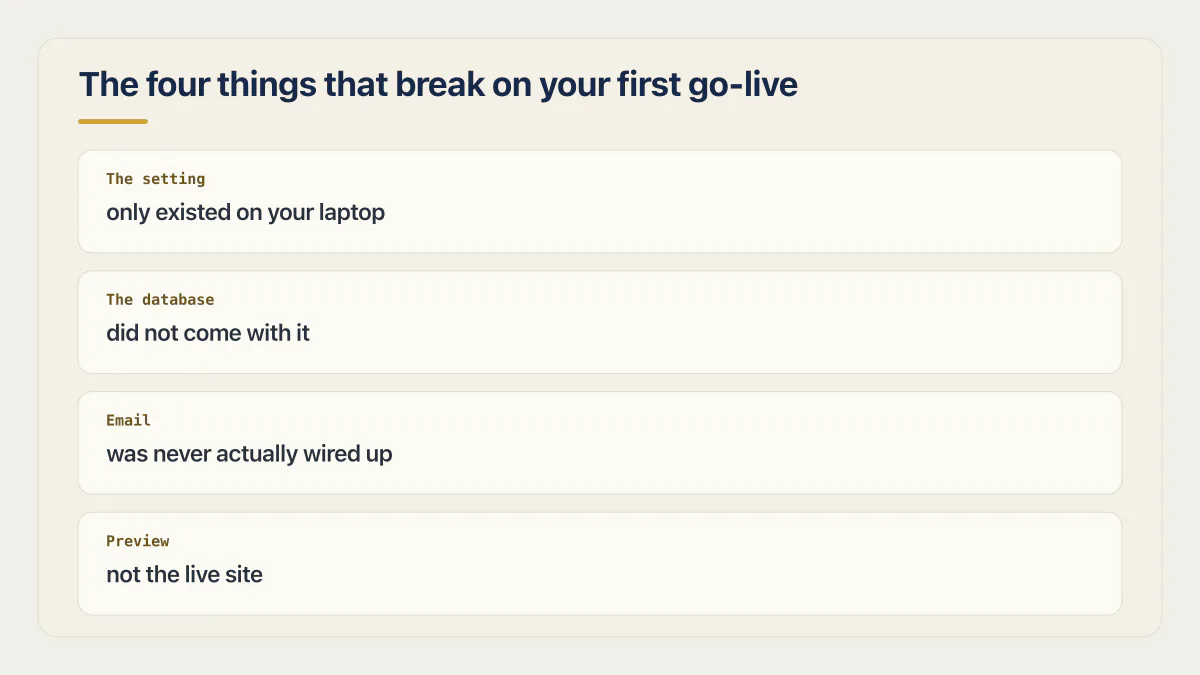
The four things that break on your first go-live
Almost nobody who gets this far is stuck on the building. The pattern in the tool forums is consistent: the app came together, then the wall was getting it online, often with the month’s allowance already spent before the main feature was finished. Four failures account for most of that wall, and each one below hands off to the page that owns the fix.
The setting that only existed on your laptop
Your project reads its keys from somewhere. On your machine that somewhere is usually a local file the builder created for you, and that file is often the one thing that does not travel. The published site then loads, renders, and fails the moment it tries to call anything: a blank list where data should be, a payment button that does nothing, a login that returns an error with no text in it.
The fix is to put the same values into the host’s own settings, at the right scope, before the next publish rather than after it. Which scope, and why a variable set in one place does not reach code running in another, is the whole subject of where an environment variable has to live. Do that once and it stops being a launch-day event.
The database that did not come with it
A builder’s Publish button ships the app. The data underneath it lives in whatever the builder set up while you were prompting, on the builder’s account, under the builder’s plan. That is fine while the builder hosts the site. It stops being fine the moment you move the site somewhere else and the app arrives with no data behind it.
The practical version of this is knowing, before you publish, which of the two you own: the app, or the app and its database. If the answer is the first one, what moving off Lovable Cloud involves is the shape of the job you have deferred rather than avoided.
Email that was never actually wired up
Sending email needs a provider account, a key, and usually a verified domain. A builder can generate a contact form, a password-reset screen and a confirmation message without any of those existing, because generating the form and sending the mail are different jobs.
AxonBuild’s audit notes have a plain name for this shape, built but not wired: the code for a control exists and nothing running ever reaches it. Across the 21 third-party apps audited in June and July 2026 it turned up repeatedly. One repo carried a rate limiter that no route was attached to. Another kept its safety rules in a document that nothing running ever read. Email is where a first go-live meets the same pattern, because the missing half is invisible until a stranger fills in the form.
Base44 is explicit that the from-address is its own step: once a custom domain is connected you can send the app’s emails from it, such as support@your-domain.com. Connecting the domain settles the from-address and stops there. Whether anything sends still depends on a provider account, a key in the right place, and a test you ran yourself from an address you can actually check.
You were looking at a preview, not the live site
The URL you were looking at may never have been the live one. Every builder in the table above keeps an editor version and a published version, and the tab you have had open all afternoon is usually the first. Open the public address in a private window, on mobile data, on a phone you have never signed into. A successful result proves that path, device, session state, and network combination; it does not prove every route or user state.
When the live version misbehaves while the editor version is fine, start with configuration because the two environments commonly differ there. Keep route, browser, permission, data, dependency, and production-code faults open until evidence rules them out. Works locally but not in production walks that gap symptom by symptom. There is also a separate page on this site for preview versus production environments once you have more than one, and another on rolling a deployment back if publishing made things worse rather than better.
When the builder’s own hosting is not enough
Most sites never need to leave. The builder hosts it, the certificate renews itself, and nobody has to think about a server. Three things change that.
One is your own domain plus real traffic. Once customers type your name rather than a builder subdomain, the hosting is carrying a business, and you want to know who is on the hook when it is slow.
Another is a backend the builder cannot host: scheduled jobs, a queue, a long-running process, anything that has to keep working while nobody is looking at the site.
The last one is people. The moment two of you can publish, you need somewhere to try a change that is not the live site.
Worth saying plainly: this is the stage where people get stuck. A working MVP produced by a coding agent, followed by weeks of not being able to get it online and keep it there, is common enough to be its own category of unfinished project. Running a site is a different skill from building one, and nobody says so up front.
If the destination is Vercel and the source is Lovable, the exact settings are already written up in how to deploy a Lovable app to Vercel. Which host to move to at all is a separate question with its own comparison page on this site, and it should be answered before the move rather than during it. Getting a website online is also one step inside a wider launch sequence, and if the real question is whether the thing is finished rather than where it lives, whether your app is ready to launch is the page for that.
Publishing a website and publishing an app are different jobs
Two different searches share the word publish. Publishing a website ends when a browser can load your address. Publishing an app ends when Apple or Google approves a build, which needs developer accounts, signing, store listings, screenshots and a review queue that can take days. Loadable and findable are different finishing lines, and why a published site can still be missing from Google covers the second one.
None of the five builders in the table turns a project into a store submission by itself. If that is the sequence you actually need, there is a dedicated page on this site for publishing an app to the App Store, and it starts from the accounts rather than from the code.
Common questions about publishing a website
How long until my website is reachable?
On a builder subdomain, within a minute or two of pressing Publish. On your own domain, the wait is DNS: Lovable says changes may take up to 72 hours but that most are live within a few hours, Base44 asks you to allow up to 72 hours with an external provider, and Replit says a few minutes to 48 hours. Plan for a day.
Can I publish a website for free?
Yes, at the builder’s address. Lovable’s docs say publishing from the Publish dialog is free and works at a zero credit balance, and Bolt states that its built-in hosting publishes for free at a bolt.host address. Base44 gives every app a built-in base44.app URL from creation. Your own domain is where the paid plan appears.
Can I buy a domain name from Lovable?
Yes. Lovable’s custom domain documentation describes registering and setting up a domain inside Lovable, and notes that domains bought that way belong to your workspace rather than to one project, renewing automatically against your saved payment method. Custom domains are a paid-plan feature either way, whether you buy through Lovable or bring one you already own.
Why has my published site not updated?
Because none of these builders push edits live on their own. Lovable, Base44, Bolt, Replit and v0 all keep an editor version and a published version, and only a second action moves changes between them. Publish again, then reload the public address in a private window rather than the tab you have been working in.
Do I need hosting if I used an AI builder?
No, not separately. The builder is the host: publishing puts the files on its infrastructure and gives you an address on its domain. You are renting hosting, just bundled into the builder’s plan rather than bought from a hosting company. You start needing your own hosting when you want a backend the builder cannot run, or when you leave.
What is the difference between publishing and deploying?
In an AI builder, nothing. Both words describe the same event, pushing a snapshot of the current project to a live address, and the vendors use them interchangeably across adjacent doc pages. The words separate later, once there is a build step and a pipeline, and there is a page on this site for what deploy means at that point.
How do I publish an HTML file?
Name the entry page index.html, put it at the root of a repository named username.github.io on GitHub, and open that address in a browser. You can also drag the folder into a host that accepts static uploads. MDN’s publishing guide documents the GitHub Pages route step by step and notes the site can take a few minutes to appear. A single HTML file needs no build step and no environment settings.
What do I do if the site loads but nothing works?
Check the settings before the code. A site that renders but cannot fetch, log in or save is usually missing the keys it had on your machine, or is pointing at something that only exists locally. Open the browser console on the public URL, find the failing request, and see what address it is calling. That one line usually names the problem.
If you have a working app built with these tools and need it ready for real customers, this is what we do.
Built it with AI. Now it has to hold up for real customers.
The Production Hardening Sprint takes the app you already have and builds the production foundation underneath it. Authentication and access rules, payments that stay consistent, error handling, monitoring, backups, automated tests and a documented handover. Our engineers work inside your existing codebase for ten working days. All 123 deliverables are included, and you get the evidence for each one.
See the Production Hardening Sprint →  $2,500 fixed price · 10 working days · One codebase