By the time this question gets typed into a search box, the attempt count has stopped mattering. The same repair has been asked for in five different wordings, the tool has reported success at least twice, and the app still does the same wrong thing on the same screen. One owner posted publicly that they had been at a single install error for more than 24 hours, had stayed up until four in the morning, and still could not fix it. That post named no price and no plan, only how long it had been going, and that state is what this page is about.
A repair the tool has failed several times is an evidence problem. More wording will not close it. Write the failure down once in fixed fields, make the tool prove the change by behavior you can see, and price the next ten attempts before you buy them: Lovable’s documentation prices one example change at 1.20 credits.
Every price and every documented behavior below was read from the three builders’ own published pages on 25 August 2026, and the attempt counts were multiplied out from those published numbers. I hold no account on any of the three, so nothing here comes from running a tool, buying credits, or attempting a repair for this page.
What is actually happening after the fifth attempt
Each attempt acts on the sentence you typed, not on the failure the sentence describes. You type what you saw, the tool reads that sentence, decides what would produce it, and edits accordingly. Put the same sentence in again and you get a rearrangement of the same guess, because nothing about the input changed.
Lovable’s chat documentation, read on 25 August 2026, sets out the two modes it offers in one line each. In Build mode, “Lovable makes changes directly in your project.” In Plan mode, “Lovable discusses, investigates, and plans without touching your code.” Both of those start from what you typed. Neither documents a way to observe a failure nobody has described yet.
That is why the fifth attempt looks so much like the second. It is working from a fifth phrasing of your first reading of the app, and the parts of the failure you never noticed are missing from all five phrasings. A bug that survives five attempts is usually a bug where the thing that matters happens somewhere you have not looked: on someone else’s account, on the second submission rather than the first, inside a request the screen never shows you.
How many attempts to allow before stopping already has an owner: when to stop prompting and put a person on it publishes the attempt limit this blog uses and counts how many owners in the mining corpus reach this state. This page starts one step later, assuming you are past it.
Two things are worth ruling out before you spend anything else, because neither is a bug in your app: whether the tool itself is down, and whether the Replit Agent hangs mid-task instead of returning a wrong answer. If each repair closes one thing and opens another, that is one AI edit broke something that was working, and the sequence for it is different from the one below. When the AI keeps breaking it edit after edit, the repeat is the problem rather than any single bug. And before another attempt lands on top of the last four, it is usually worth getting back to the version that worked and starting the record below from there.
Write the failure down once: the record any tool can act on
The single change that moves a stuck repair is writing the failure down properly, once, in the same fields every time, as a record rather than as another sentence about the symptom.
Everything in the list below comes from what is already on your screen or in your memory of the last hour. None of it requires reading code or opening a terminal. It is the same set of facts a person you hired would ask for in the first ten minutes, and it works on the next tool as well as this one.
- 01 The exact steps you took to make it happen, in order, starting from opening the app
- 02 What you expected to see at the last step
- 03 What appeared instead, including whether the screen changed at all
- 04 The exact words of any error message, copied rather than summarized
- 05 Which account it happened on, and what that account is allowed to do in the app
- 06 Which device and browser, and whether the screen was a phone or a desktop
- 07 Whether it happens every time you repeat the steps, or only sometimes
- 08 Whether it also happens for a second account you control
- 09 When the same steps last worked, as precisely as you can date it
- 10 What changed just before it stopped working, including anything you asked the tool to do
- 11 How many people it affects, and whether any of them are paying customers
Paste the whole record as one message and stop restating the symptom. The symptom is line three. Attempts two through ten were almost certainly line three again in different words, and the tool has already priced every one of them.
Two fields near the end of that list, the ninth and tenth, do the most work and are the ones people skip. “When did it last work” and “what changed just before” turn an open-ended search into an interval, and an interval is something a person can actually walk. The reason you have to supply them yourself is usually that nothing recorded what happened inside the app, so the only record of the change is your memory of making it.
The fields about accounts and repetition matter for a different reason. A failure that happens for one account and not another, or on the second try and not the first, is a failure about state or permissions, and the description “the form does not save” carries none of that. One owner in the mining corpus behind this blog described exactly this shape, in an app a whole department had started depending on:
I vibe coded an app for our finance department for our team meetings. We have about 70 users across 5 teams… for some reason some peoples submissions don’t fully show so it shows as it wasn’t filled it even tho they did… I have tried to get Claude to review this and fix it but it just can’t seem to do it.
Read that back as a record and the gaps jump out. Some submissions fail and not all of them, for some people and not everyone, with nothing about which accounts, which teams, which devices, or whether the row is missing or the display is wrong. Those are the facts that separate a write that never happened from a read that never found it, and no amount of prompting supplies them, because the person prompting has not gathered them yet.
How to write a prompt that does not flip everything on its head is a question about the ten changes you want to make next. This record is about the one that already failed.
How to tell when it is inventing a fix
A tool that has run out of moves does not go quiet. It produces something, and the something arrives with the same confidence the working fixes arrived with. Four tells separate a real change from a claimed one, and all four are visible without reading a line of code.
The first is the plain one: it reports success and the same steps still fail. Repeat the steps from your record, exactly, and watch. If nothing about the observed behavior moved, nothing was fixed, whatever the summary says.
The second is a change it cannot point you at. Ask where the change is and what it now does differently: a real repair gives a specific answer you can check against the screen, and a claimed one gives a description of a general improvement.
The third is widening. A repair that is closing in gets narrower with each attempt: one screen, one field, one condition. An attempt that starts touching neighboring features, renaming things, or rebuilding a component that was never in the report has lost the thread and is now guessing over a larger area. The machine version of the same problem is worth knowing about too, because an app that reports success and does nothing will confirm a fix that never landed for exactly the same reason a tool will.
The fourth is the one people notice last. Its summary keeps changing wording while the behavior sits still. Each answer arrives in the same shape as the last three, with a new adjective in front of it.
Three questions put after any claimed fix will settle it, and none of them requires you to understand the answer’s implementation:
- Show me the exact steps you expect to work now, in order, starting from a signed-out browser on a phone.
- What did you change, and where, in words I can check against something I can see?
- What should I see now that I did not see before?
Run the steps from question one yourself, on the real deployment rather than the builder’s preview. If the answer to question three does not describe what actually happened, you have a claimed fix and a spent attempt.
A tool with no way to say “I do not know” will return something rather than nothing, and something arrives looking exactly like a fix.
Two related states are worth naming so you do not mistake them for this one. Tests pass and the app is still broken is its own failure with its own tell, and so is the question of whether the tool that wrote it can review its own code. Those two are about trusting a signal, where this section is about trusting a claim.
What the next ten attempts cost
One owner put the shape of a wasted attempt in one public sentence, and it is worth reading before the numbers:
Replit spent 56 minutes ‘investigating’ a bug … that had already been fixed.
That is an anonymous public comment from the mining corpus behind this blog, not anything I verified inside an account. Nothing on the meter separates that hour from a productive one.
So price the attempts. The table below multiplies out what a round $100 buys at each builder’s published rates. The figure is illustrative, roughly what an afternoon of retries can burn, and it is there so the attempts have a dollar shape at all. Every rate was read from the vendor’s own page on 25 August 2026.
| Builder and plan | Published rate | What $100 buys at that rate | In attempts | Against the free plan |
|---|---|---|---|---|
| Lovable, Pro top-up credits | $0.30 per credit | 333 credits | 333 Plan-mode messages, since the credits page states “Every message costs 1 credit”, or 277 build attempts at the 1.20 credits the same page publishes for adding authentication | 66 days of the free plan’s 5 build credits a day, or 11 months of its 30-a-month cap |
| Lovable, Pro plan credits | $0.25 per credit, from Pro at $25 a month for 100 credits | 400 credits | 333 build attempts at 1.20 credits each | the same free-plan denominators, since the free allowance does not change with the paid rate |
| Base44, Starter billed annually | $16 a month for 100 message credits, so $0.16 per message credit | 625 message credits | Base44 publishes no cost for a single message, so message credits are the only unit available | about two years of the free plan’s 25 message credits a month |
| Replit, retired checkpoint rate | $0.25 per checkpoint, which Replit labels as what the Agent charged previously | 400 checkpoints | a ceiling on the count rather than an estimate, since Replit states complex work is “bundled into one checkpoint that may cost more…” | Replit publishes no per-attempt free allowance to divide |
Prices checked 25 August 2026. Treat that date as the provenance for every number above: the credits page carries no visible last-updated date, so nothing on it says when a rate last moved.
The definitions behind the Lovable column come from the credits and usage page, which states that “A credit is the unit Lovable uses to measure and pay for usage across your workspace”, publishes the $0.30 Pro and $0.60 Business top-up rates, and caps the free plan at 5 build credits a day and 30 a month. The $25-for-100-credits Pro price sits on the subscription plans page. AxonBuild’s own page on what a Lovable credit is worth in dollars owns that rate and the rest of the credit model; this page owns only the multiplication. Base44’s side comes from its pricing page and is set out plan by plan in Base44’s plans and credit allowances.
Two dated gaps matter more than any of the numbers above, because they are the ones that decide whether a failed attempt is free.
As of 25 August 2026, Replit’s AI billing page says nothing about refunds, credit reversals, or non-charging when an Agent attempt fails or is retried. It describes billing by the effort a request takes and bundles a request into a single checkpoint, and it publishes no dollar figure at all. The only per-attempt number Replit has ever published sits in its effort-based pricing post from 18 June 2025, updated 2 July 2025, which states that “Previously, the Agent charged $0.25 per checkpoint” and that “Simple tasks may cost less than $0.25, more complex tasks may cost more than $0.25”. That is the retired rate, and it is used above only as a bound.
As of the same date, Base44’s billing and plans documentation lists the monthly message-credit allowance for each plan and does not define what consumes a message credit, what one message costs, or whether a failed or retried message is charged. Both of those are absences on those pages on that date. Neither is a statement that no such policy exists anywhere.
Where the break-even actually sits
Read the table for a second and the surprise arrives. On every published rate, hundreds of attempts are needed before the credits spent on one bug reach the price of a human fixing it. Nobody types 275 prompts at one bug. The credit meter that owners in this state watch obsessively almost never reaches the number that would justify the decision it is being used to make.
The meter you are watching will not reach the number that decides this. Two other counts get there first.
The first is days. Attempt cost measured in dollars is small; attempt cost measured in the free plan’s allowance is not. Three hundred and thirty credits is 66 days of a Lovable free plan’s daily build allowance, and 619 message credits is roughly two years of a Base44 free plan. An owner on a free tier is paying for attempts in calendar time, and calendar time is what a broken app costs them. Spend the balance all the way down and a second problem starts: the app pauses because the credits ran out, which is an outage rather than a bug, and being broken in front of paying customers while the meter is empty is the worst version of this whole situation.
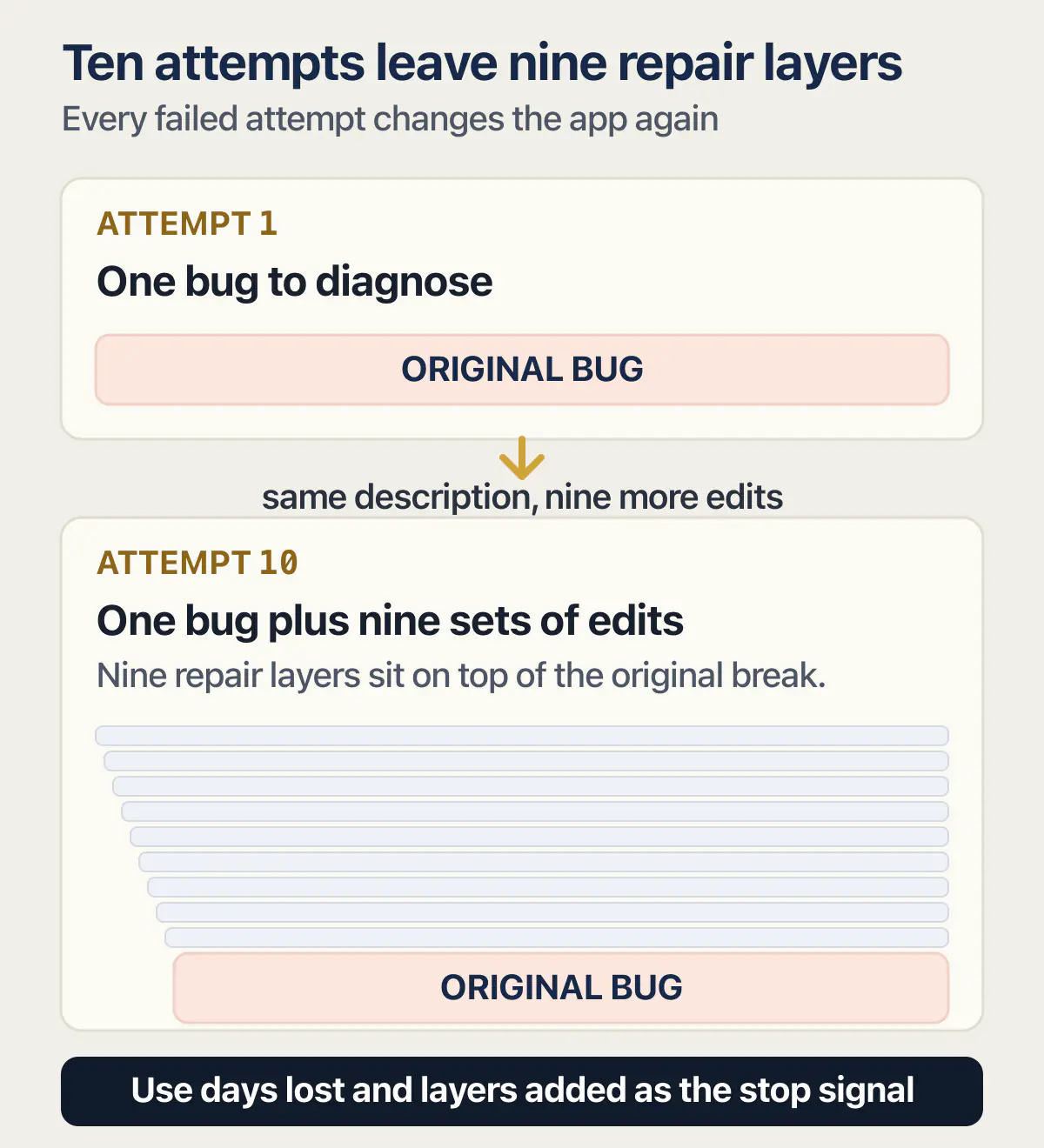
The second is layers. Every failed attempt writes changes on top of the original break, and none of the three builders puts that on a meter. By attempt ten the app contains one bug and nine sets of edits made in response to a description of it. That is why the same repair gets more expensive to buy the longer it is attempted, and it is the one cost that does not appear on any invoice. One owner in the corpus counted fifty credits gone on a single issue that would not close, then waited on support while it stayed broken. The credits were the smallest part of what that cost.
The seller pages on this search know the shape of the answer and skip the arithmetic. appstuck.com, which sells AI app rescue and completion work and is therefore not linked from here, publishes a hire trigger in plain words: the point to hire is when the time and credits already spent exceed what help costs, and it converts none of that into a figure. rapidevelopers.com, a development agency and also unlinked for the same reason, publishes 98 separate Lovable fix guides across 11 categories with no stop rule, no credit arithmetic, and no hire threshold on any of them. Both pages were fetched on 25 August 2026.
One correction to how this question usually gets asked is worth stating plainly. There is a credit number at which paying a person is cheaper, the table has it, and it is far higher than the search results imply. The trigger worth using is days lost and layers added.
When a Lovable app, Replit app or Base44 app has a bug the builder cannot fix
Each of the three builders documents something different about a persisting error and about what the attempts cost. The rows below are what their own pages said on 25 August 2026.
| Builder | Its documented move when an error keeps coming back | What it publishes about charging for an attempt |
|---|---|---|
| Lovable | Ask it to try the fix, then describe the bug clearly, then switch to Plan mode before changing more code, then revert if the attempts have tangled it | A dollar price per credit on each plan, plus a free-fix allowance |
| Replit | Billing documentation only; the AI billing page describes how a request is charged rather than what to do when it fails | Effort-based charging with no dollar figure, and no statement about failed or retried attempts |
| Base44 | Billing documentation only; the billing and plans page lists allowances rather than failure paths | A monthly message-credit allowance per plan, with no per-message price and no failed-message policy |
For a Lovable app, the vendor’s own debugging guide, read on 25 August 2026, publishes the order in four steps: try the fix, describe the bug clearly, switch to Plan mode rather than attempting more blind fixes, then revert if the attempts have tangled the code. Lovable publishes a free-fix allowance that runs out before the meter starts; the count and the reset window sit on the page that owns them. What each of those four steps actually does inside the builder belongs to Lovable’s own documented order for a failure that will not close.
For a Replit app there is no documented failure path in the billing pages at all, which is its own kind of answer: the charging model is published and the recovery sequence is not. What that leaves you with is the record from earlier plus somebody who can read what the Agent actually changed, which is where a Replit app that keeps breaking picks up.
For a Base44 app the gap is the per-message price. You can count the messages you have left and you cannot price the attempt you are about to spend, so count attempts against the monthly allowance rather than against dollars. The failure classes specific to that builder sit on how to fix a Base44 app.
When a person is cheaper than another attempt
The comparison, once, in plain terms. That quote is the human number to set against your retry spend, and it exists only once somebody has looked at the app.
That is not a rebuild, a move to another platform, or a way to get an app running that nobody can currently start. Those are different decisions, worth talking through before anyone quotes them. If what you can name keeps growing while you say it out loud, the next question is whether to fix it or rebuild it, followed by what a cleanup across the whole app costs.
If you are further along than this and already looking for someone to fix a vibe-coded app rather than deciding whether to, that is a different search with different pages behind it. The test for whether you are there yet: can you state, in one sentence, the thing that must work when the job is done.
Why does AI get stuck in a loop?
A coding agent loops when it keeps acting without new information about the failure. Ten attempts on one description produce ten variations of one guess, because the description is the only input that changed the first time and it has not changed since. The loop breaks when the input does.
That is the coding-agent version of the question. The same phrase gets typed by people asking why a chatbot repeats itself, which is a different subject, and most search results for it are about that.
The mechanism has been described the same way outside this blog. A HackerNoon piece published on 4 May 2026 by an author writing as Clauxel puts it structurally: “The agent can keep acting, but it cannot convert world feedback into internal adjustment.” The same piece separates the two states a stuck agent can be in: persistence means staying committed to the goal while changing the internal model after new feedback, and looping means staying committed to the motion while failing to change it.
For an owner watching a credit balance, a loop tells you the last several attempts all ran on the same information, and nothing about how hard the bug is. The record in the second section is the cheapest way to change the information.
Common questions about a bug the AI cannot fix
Can AI fix bugs in code?
Often, yes. Most ordinary errors get closed by the tool that wrote them, on the first or second attempt, and that is why the loop is surprising when it starts. What the tool cannot do is fix a failure nobody has described accurately, because the description is its only input. What to do when the AI cannot fix it covers the failure shapes where prompting alone runs out of evidence.
Does a failed attempt still cost credits?
None of the three builders publishes anything saying it does not. As of 25 August 2026, Replit’s AI billing page states nothing about refunds, credits back, or non-charging when an Agent attempt fails or is retried, and Base44’s billing and plans page does not define what consumes a message credit or whether a failed or retried message is charged. Lovable publishes a free-fix allowance and states that fixes use credits once it is used up. Plan for the attempt being charged, because nothing published says otherwise.
Will buying more credits fix it?
More credits buy more attempts at the same description, which is the thing that already failed. Topping up is the right move once you have something genuinely new to give the tool: an error message you had not pasted, a second account that behaves differently, or the exact steps that reproduce the failure every time. Buy the credits after you have gathered that, not before.
How many attempts should I give it?
There is a published stop rule for this blog and it lives on the page that publishes the stop rule, with its own definition of what counts as an attempt. Rather than repeating a number here, use the test underneath it: an attempt that adds no new information about the failure does not count as progress, however carefully it was worded.
What problems can AI not solve in my app?
Repairs where the fact that settles it is nowhere the tool can look. A fix written but never wired into anything running, a failure that only happens for a second account, a break that lives in configuration or hosting rather than in the files being edited, a test that passes while asserting the wrong thing. Those are set out with dated evidence as the five failures that need evidence beyond prompting. The pattern they share is that the evidence has to come from the running app rather than from a better sentence, and the wider list of what actually goes wrong with vibe-coded apps sorts the same failures by where they start.
What is the 30 percent rule in AI?
Nothing published by Lovable, Replit or Base44 on 25 August 2026 defines a 30 percent rule, in their documentation or on their pricing pages. The phrase circulates in various forms, so there is no vendor-documented rule to apply here. Use the free-plan allowance and the number of layered repairs instead, since both are countable.
Does starting a new chat or switching tools break the loop?
Sometimes, and for a specific reason: a fresh session starts without the accumulated wrong assumptions from the last nine attempts. What it does not do is add evidence. A new chat given the same description will guess along the same lines, so the record comes first and the fresh session second. Whether the tool that wrote the code can usefully review its own code is a separate question.
What if it only breaks for one customer?
Then that customer is the most valuable piece of evidence you have, and it belongs in the record: which account, what that account is allowed to do, what device, and whether a second account you control does the same thing. A failure that happens for one account and not another comes from a difference in state, permissions, or data, and the description “it does not work for one user” throws every bit of that away.
Same bug, more prompts, still broken?
When the tool keeps claiming a fix that never shows up on screen, each new attempt costs time and credits without adding anything new. Bring the bug to an audit: we go over what the app does with you and name the likely causes. Then you know whether to keep prompting or bring in a person.
Book a free audit → Free · 30 minutes · No code access needed